

Back to What's New
Custom Fields: Extract Any Metadata from Your Articles
You can now define your own extraction rules to pull custom metadata from your articles during crawling and use it across Amplify, Recommender, and editorial workflows. Define what to capture using XPath or JSONPath, choose where to store it, and it automatically flows through your entire publishing stack.
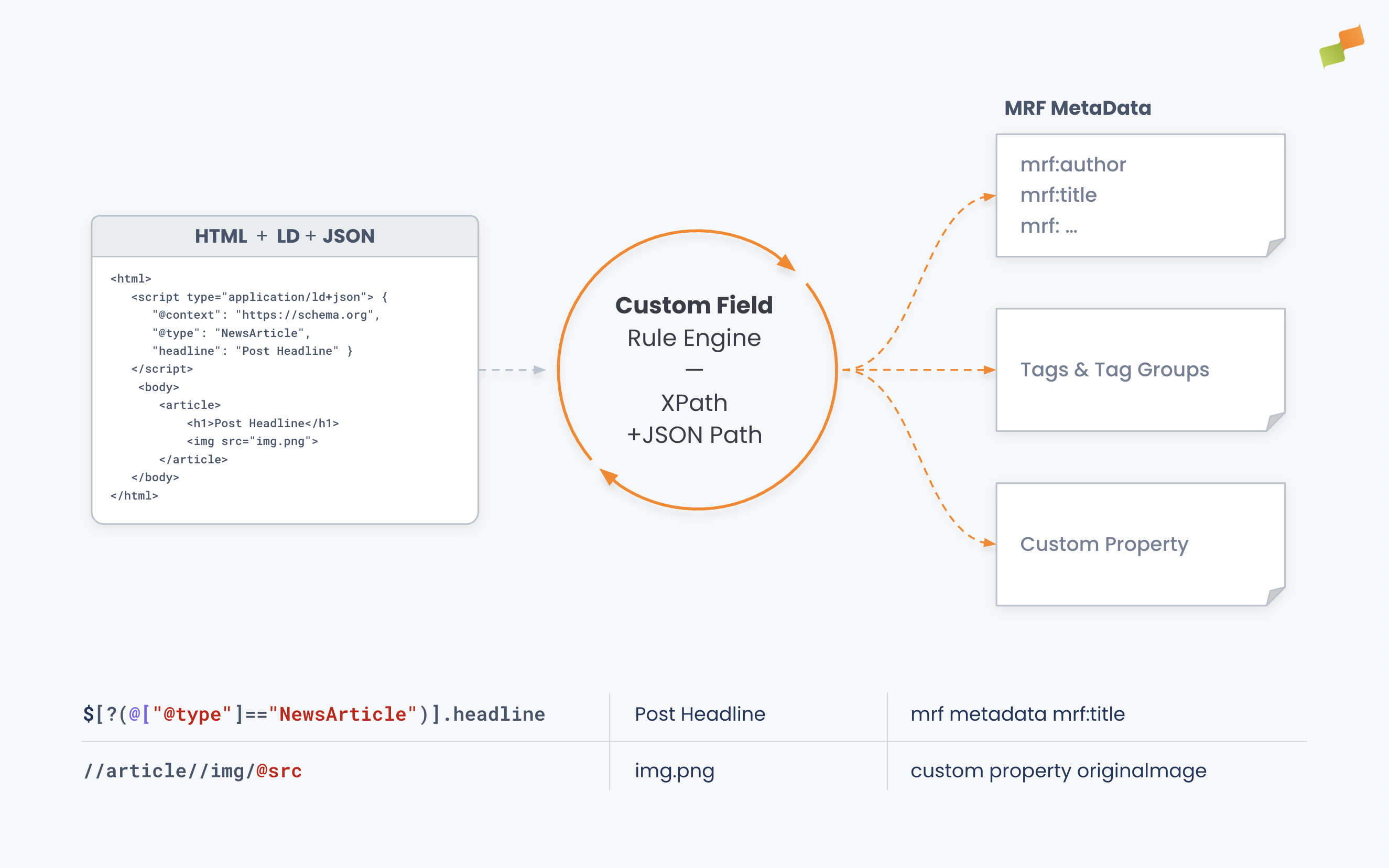
Here’s how you can get started:
- Write extraction rules with XPath or JSONPath. Target meta tags, HTML attributes, text content, or
application/ld+jsonstructured data. If it exists in your server-rendered HTML, Custom Fields captures it. - Choose where to store it. Save extracted values as custom properties, tags, or MRF Metadata. Control what happens when a value already exists: overwrite, fill only if empty, or append.
- Sync to Amplify and Recommender. Extracted data flows automatically to the products you select. Use custom fields in Recommender layout templates or in Amplify post templates and image selection via
{{customProperties.yourFieldName}}. - Test before saving. A live preview lets you run your expression against any article URL and verify results before committing the rule.
Custom Fields extends the standard metadata detection your editorial crawler already performs. You define the rules; the crawler does the rest on every article it processes.
In Recommender, custom fields become part of the data available to your layout templates. Use them to:
- Use your preferred thumbnail images from structured data instead of automated crops
- Display premium badges or content-tier labels directly in recommendation cards
In Amplify, custom fields flow into both layout templates and post text. Use them to:
- Pull the first in-content image from the article body for social sharing, instead of relying on the
og:image - Add content-tier labels, sponsor attributions, or regional edition markers to your post templates
- Render kickers or subtitles on your social media images for richer visual context
Find out more about Custom Fields here.