

Edit Amplify campaigns per channel, per feed, or all at once
The Amplify composer now lets you edit a campaign at every level: across all channels at once, within a single channel, or for one individual feed. Lock to keep the post in sync, unlock to write a different version where you need it, schedule each channel or feed at its own time, and save the entire setup as a reusable profile.
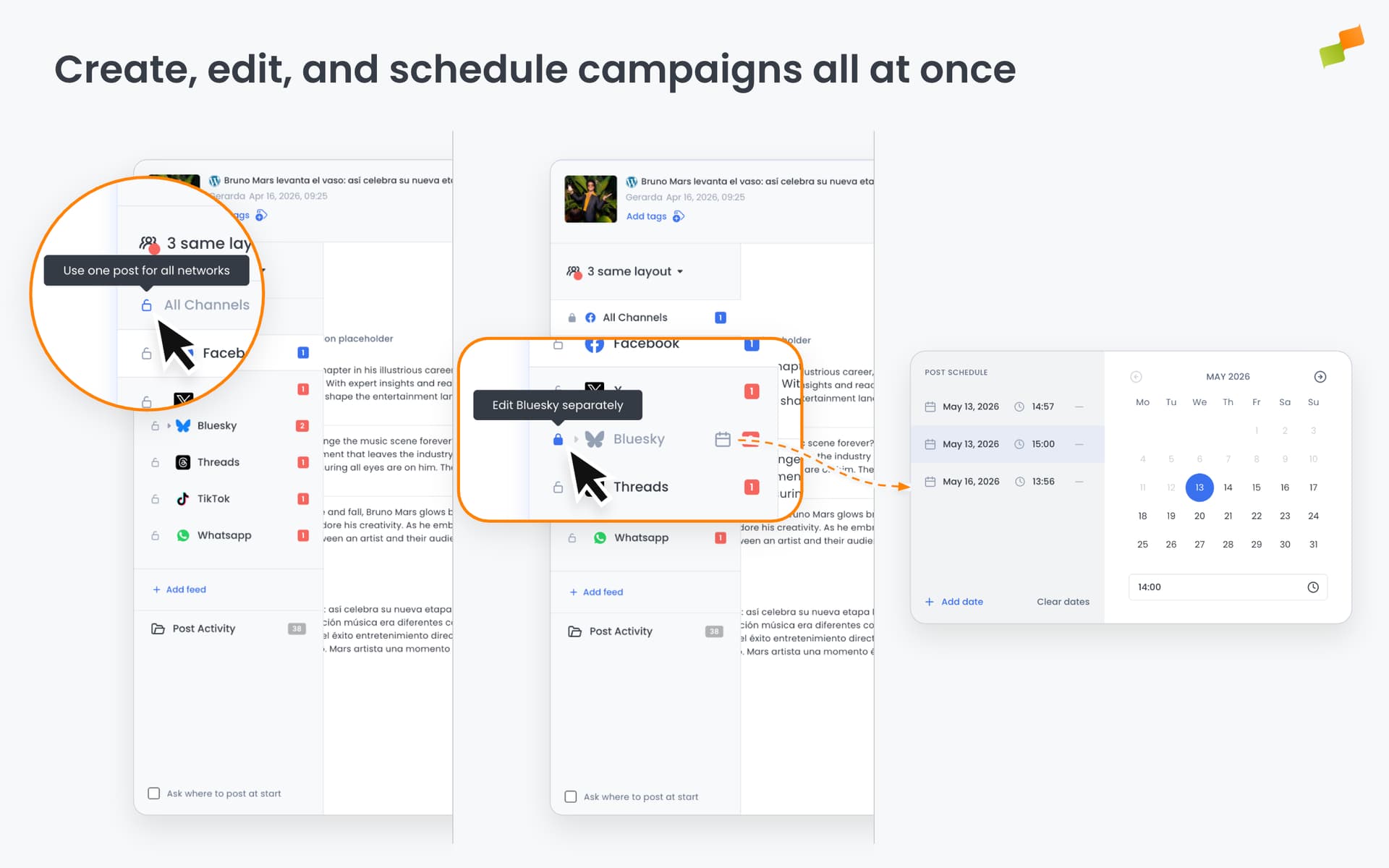
Until now, customization stopped at the channel level. All Facebook feeds received the same post, all Instagram feeds received the same post, and each channel ran independently from the rest: matching Facebook and Instagram meant duplicating the same setup across both. There was no single edit that applied across every channel at once, no way to write a different version for one specific feed within a channel, no way to schedule one channel or feed earlier than another in the same campaign, and saved profiles reset your feed groupings every time you applied one.
Here’s how the new flow works:
- Navigate a collapsible channel tree in the sidebar, organised as All Channels, then by channel (Facebook, Instagram, and so on), then by individual feed
- Lock at any level to share the same post across it. Unlock to branch off with a different version for one channel or one feed
- Set a custom publish date per channel or per feed by clicking the calendar icon next to the row. The rest of the campaign keeps using the global schedule
- A highlighted calendar icon shows which rows already have a custom date. Use “Clear dates” to remove all overrides for that row at once
- Save the entire configuration as a profile, feed groupings included, and reload it in one click. Switching between profiles clears the previous setup before applying the new one
Post locking is available for all channels except Recommender. Schedule overrides work at both the channel level (applies to all feeds in that channel) and the feed level (overrides just that one feed).
One post. Every channel. Your rules.
Learn more in the Amplify articles for social media distribution guide