

Recommenders now separate publish date from ranking
Recommender feeds now keep two different questions apart: which articles can be recommended, and how they’re ranked. A live summary on top tells you exactly what the feed will pick before you save it.
Until now, Time window set the period of visits used to rank articles, but “Time window: Last 24h” read like “articles from the last 24 hours”. The real publish date filter was hidden among the restrictions as “Days since published”. The result: feeds that recommended older articles than you expected.
The feed form is now split into two sections:
| Section | Field | What it controls |
|---|---|---|
| Articles | Published | How recently an article must have been published: Any time, Last 24h, Last 3 days, Last week, Last month, or a custom number of days |
| Ranking | Visits from (previously Time window) | The period of visits used to order articles. It doesn’t limit how old they are |
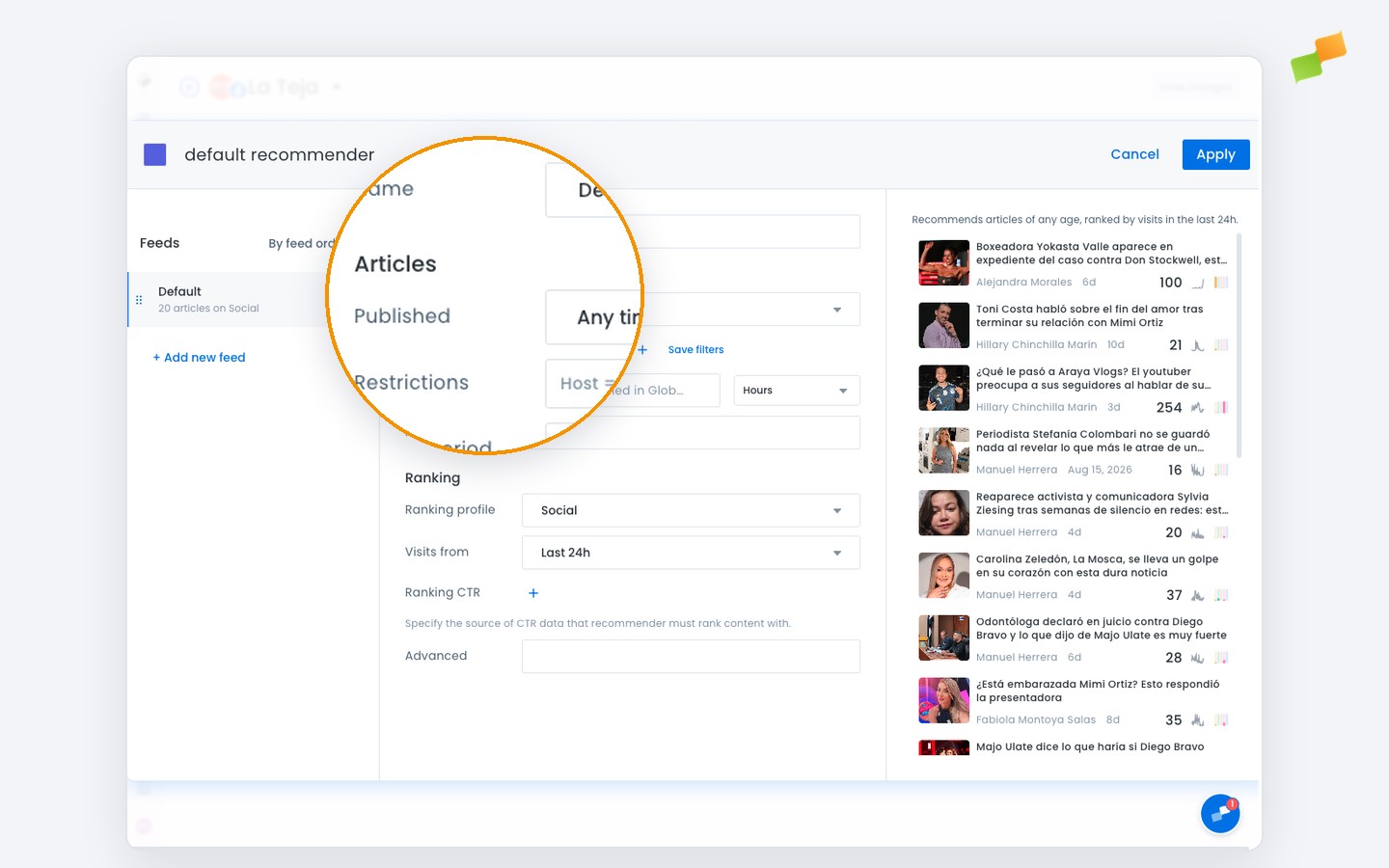
So a feed set to Published: Last week and Visits from: Last 24h reads as “Recommends articles published in the last week, ranked by visits in the last 24h.”
This applies to the recommender editor in Amplify, Newsletters and Experiences. In Amplify and Newsletters, Published is strict: only articles from that period can be recommended. In recommender experiences, articles from that period come first, and older ones fill the gaps if there aren’t enough.
Here’s how you can get started:
- Open any recommender feed and read the summary to check what it will recommend
- Set how recent articles must be with Published, which replaces the “Days since published” restriction
- Use Visits from only to decide which visits count for ranking
- In Newsletters, trust the preview: it now shows only articles the send can actually include
Pick the articles. Then pick how to rank them.
Learn more in the Marfeel Recommender: Setup and configuration guide