

Back to What's New
Control Which Websites Feed Your Content Recommendations
You can now define exactly which domains Amplify is allowed to pull recommended content from, directly in your Posting settings. And when a feed is misconfigured, Amplify tells you before it affects what gets recommended.
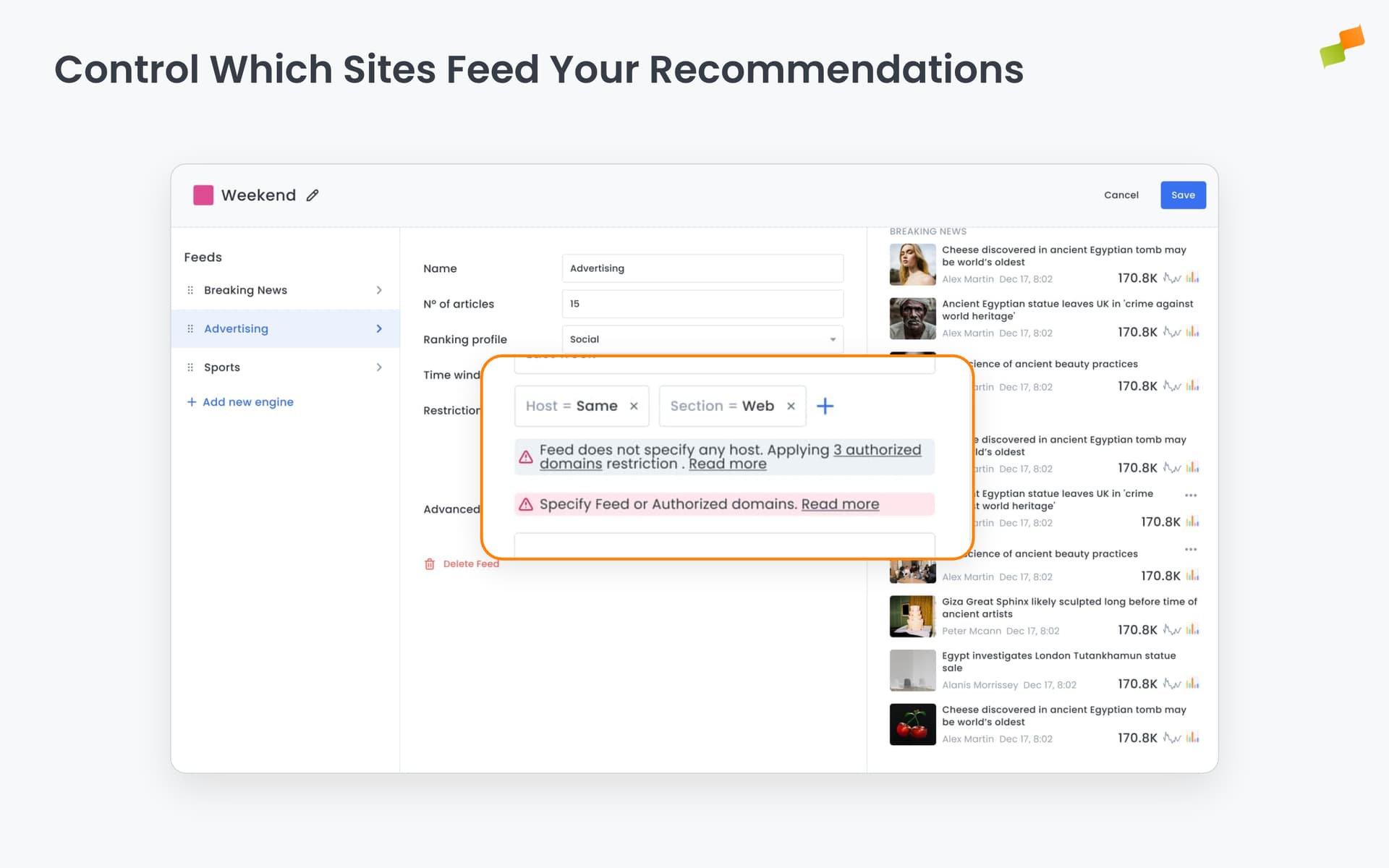
Here’s how you can get started:
- Set authorized domains once: define the domains the recommender can source content from. The field auto-suggests domains based on your traffic data, or you can type any domain manually
- Catch misconfigured feeds early: inline warnings appear in feed configuration when domain filters are incomplete, explaining what’s missing and linking directly to the fix
- Understand the impact at a glance: warnings distinguish between cases where authorized domains are already covering the gap and cases where no restriction is applied at all
Go to Settings > Posting and look for the Authorized Domains field. When editing individual feeds under Recommendations, domain filter issues appear as warnings below the Restrictions section.
Set your domains. Keep your feeds clean.