

Back to What's New
Copy Amplify Recommender Settings Across Feeds in One Click
If you manage multiple social feeds, you no longer need to recreate recommender configurations manually for each one. Clone a recommender to as many feeds as you need, in a single operation.
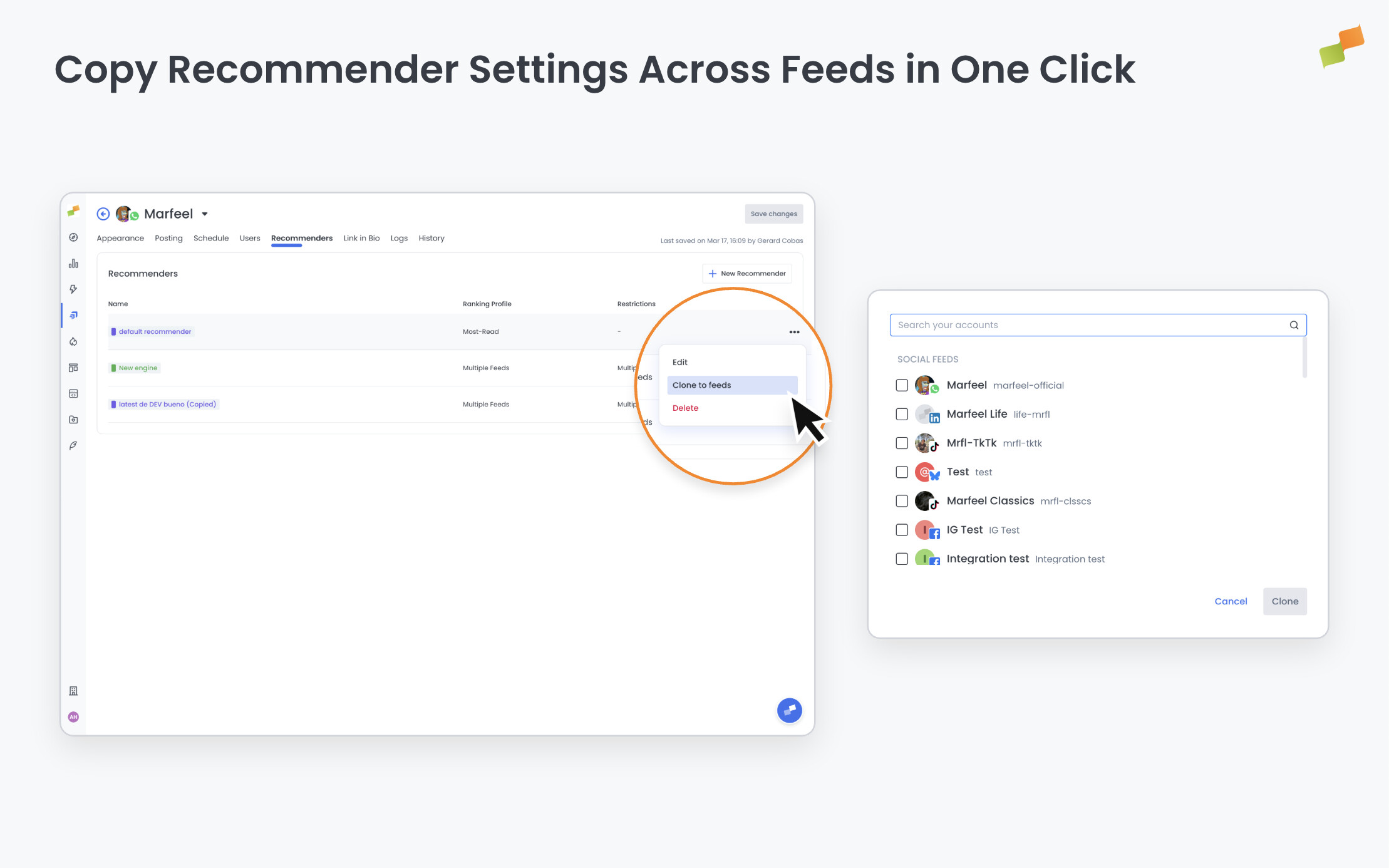
Here’s how you can get started:
- Open Feed Settings > Recommenders, find the recommender you want to replicate, and choose Clone to feeds from the action menu
- Select one or more target feeds from the picker. Your current feed appears at the top for easy reference
- Confirm, and you’ll see a clear summary: how many feeds updated successfully and which ones ran into an issue
- If you clone to your current feed, the new recommender appears immediately without a page reload
The option is available to users with edit permissions on the feed.
Set up once. Distribute everywhere.
Learn more in the Amplify feeds, recommendations, and scheduling guide.