

Customize Metrics on Article Detail Pages
You can now personalize which performance metrics appear when viewing individual article details. Access the new Article Details settings in Organization Manager to select the metrics most relevant to your workflow, helping you focus on the data that matters most for analyzing article performance.
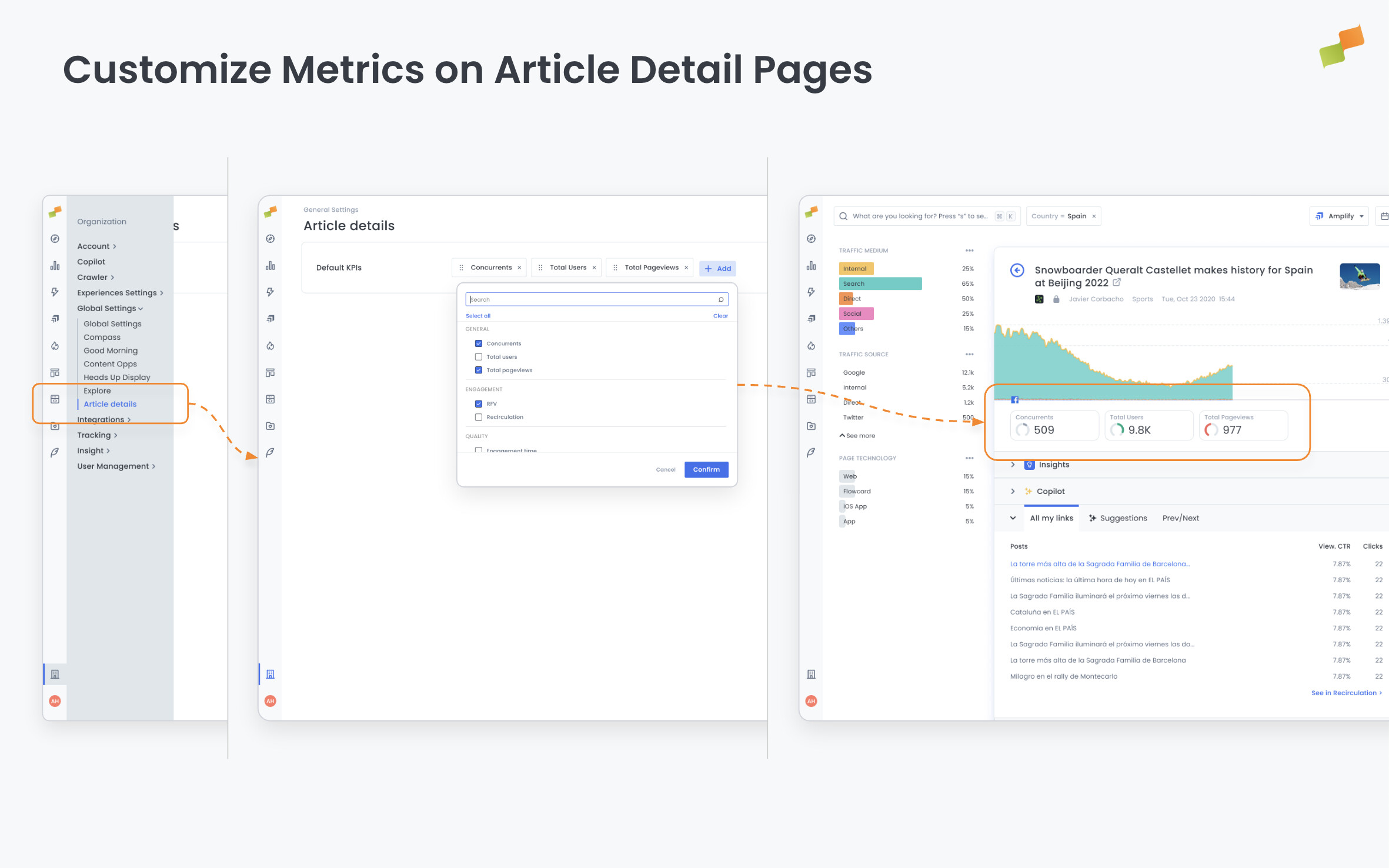
Marfeel Compass now includes dedicated settings for article detail pages, giving teams greater control over the performance metrics they see when analyzing individual articles.
Users can now select which KPIs appear on article detail views through a new Article Details settings page in Organization Manager. This follows the same intuitive configuration pattern established for other Compass playbooks, making it easy to tailor the interface to match specific workflows and reporting needs.
What You Can Do
Section titled “What You Can Do”- Choose relevant metrics from the available KPI library to display on article pages
- Streamline analysis by showing only the metrics that matter for your editorial or performance reviews
- Maintain consistency across team members by setting organization-wide defaults
Real-World Use Cases
Section titled “Real-World Use Cases”- Editorial teams: Focus on engagement metrics like time spent and scroll depth when reviewing article performance
- Revenue teams: Prioritize monetization KPIs such as ad viewability and revenue per article
- SEO teams: Highlight organic traffic and search performance metrics for content optimization
- Multi-role organizations: Different teams can configure views that match their specific responsibilities
Access the new settings page through Organization Manager under the Article Details section. Changes apply immediately to all article detail views across Compass, helping teams work more efficiently with the data that drives their decisions.