

Improved Custom Layout Editor with Multi-Format Support
The custom layout editor now features a redesigned interface that makes it easier to create and customize content layouts. Users can now edit multiple aspects of their layouts (HTML structure, styling, scripts, and data) in separate organized tabs within a single fullscreen workspace, making the editing process more efficient and intuitive.
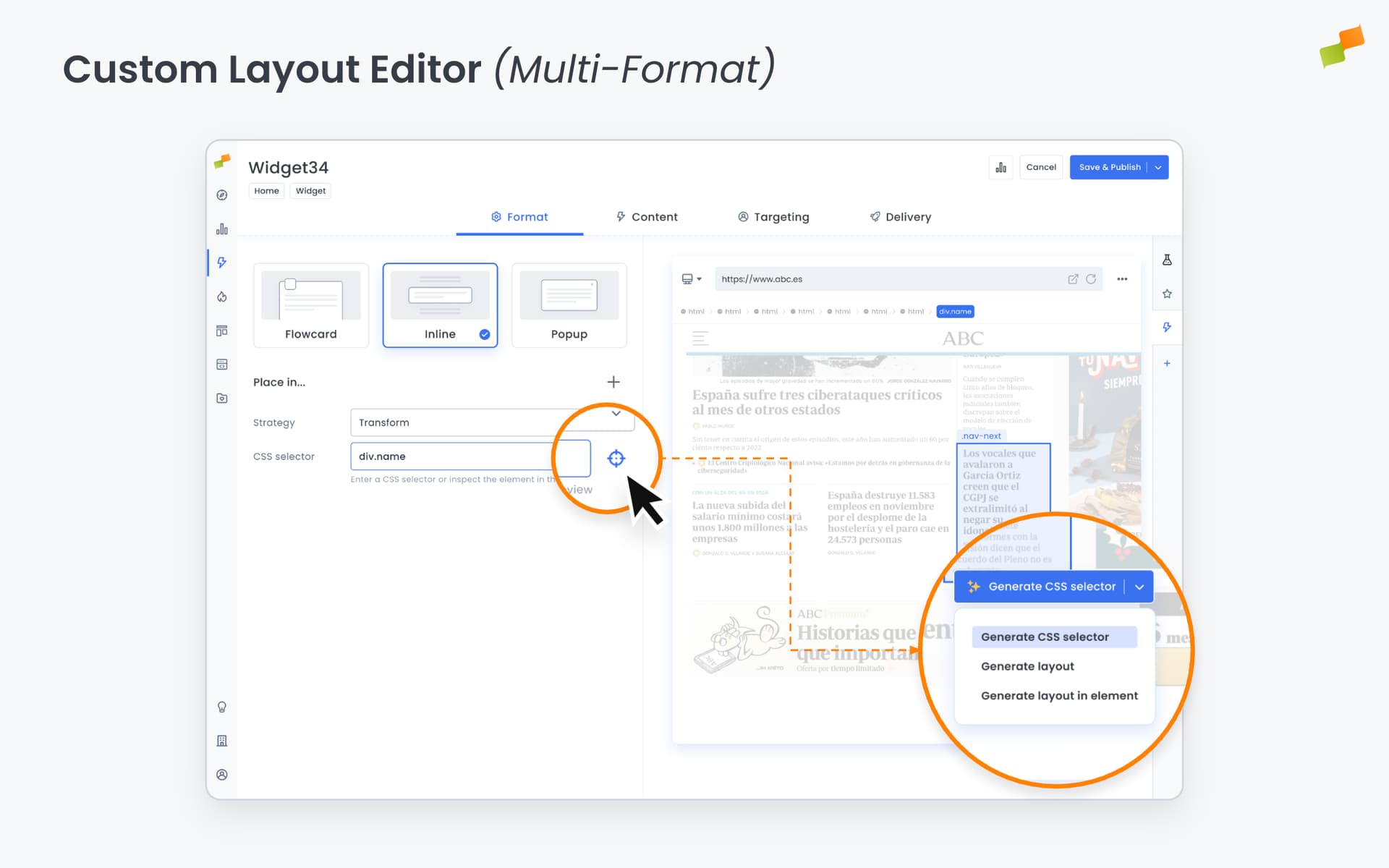
The custom layout editor in Experience Manager has been completely redesigned to give you more power and flexibility when creating content experiences. The new interface consolidates all editing tools into a single, organized workspace with dedicated tabs for different aspects of your layout.
What You Can Do
Section titled “What You Can Do”The new editor features five specialized tabs that let you work on different parts of your layout without switching between screens:
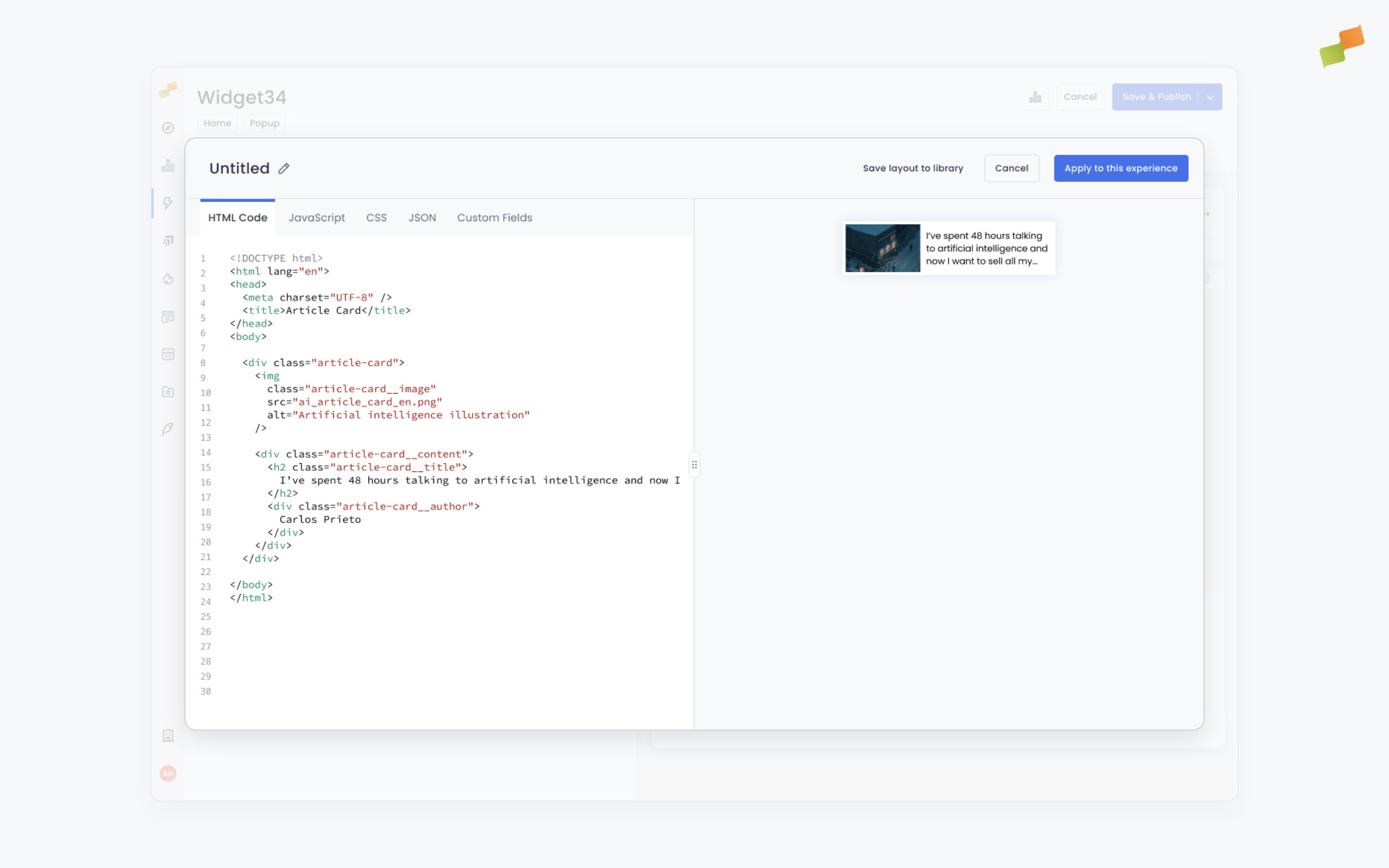
- HTML Tab - Build your content structure with syntax highlighting and real-time preview
- CSS Tab - Style your layout with dedicated CSS editing
- JavaScript Tab - Add interactivity and custom behaviors
- Custom Fields Tab - Define dynamic fields with improved controls and validation
- JSON Data Tab - Configure data sources and parameters
The fullscreen workspace gives you 90% of your screen for editing, with a side-by-side preview that updates as you work. All actions (save, apply, cancel) are accessible from the header, streamlining your workflow and removing the need to navigate through multiple steps.
Real-World Benefits
Section titled “Real-World Benefits”For Content Teams: Create and refine layouts faster with all editing tools in one place. Switch between HTML structure, styling, and behavior without losing context.
For Technical Teams: Build sophisticated custom layouts with access to full HTML/CSS/JS editing capabilities. Test different configurations quickly using the integrated preview.
For Publishers: Maintain a library of reusable layouts with better organization. The improved save workflow makes it easier to capture and share successful layout patterns across your team.
Quick access buttons next to the layout selector let you edit existing layouts or create new ones based on templates, reducing the number of clicks needed for common tasks.
The redesigned editor works seamlessly for both flowcard and inline experiences, automatically adapting the interface based on the type of content you are working with.