

Back to What's New
See and Control Which Time Zone Your Posts Publish In
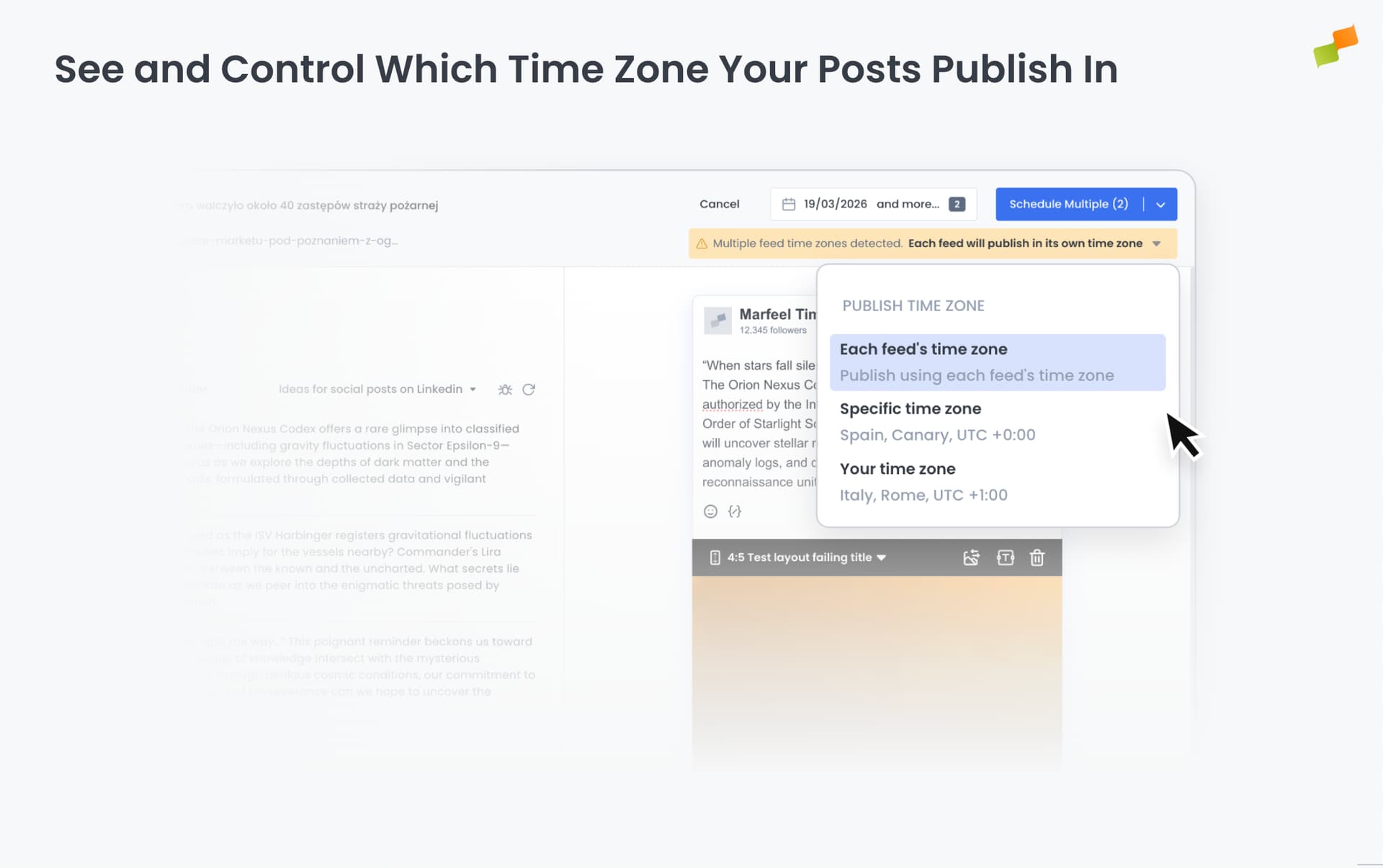
Scheduling a post for 9am means nothing if the system doesn’t know which 9am you mean. Amplify now detects when your browser time zone differs from the feed’s configured time zone and lets you choose which one to use — before the post goes out.
Here’s how you can get started:
- Catch the mismatch before it happens: a warning appears in the post composer whenever your browser time zone and the feed’s time zone don’t match
- Choose which time zone wins: pick the feed’s time zone, your local time zone, or a custom one from the dropdown directly in the composer
- Handle multi-channel posts: when posting to several channels with different time zones, decide whether each feed publishes at its own local time or all at a shared one
- Verify via API: set
timezoneIdon any post request. Amplify resolves timezone in order: post first, then account, then site. The applied timezone is returned in the response
No setup required. The warning appears automatically when there’s a mismatch.
Schedule with confidence. Know exactly when your posts go live.