

TikTok posts can now link back to your article
TikTok posts published through Marfeel can now carry a “Read article” link that sends viewers straight back to the original article on your site.
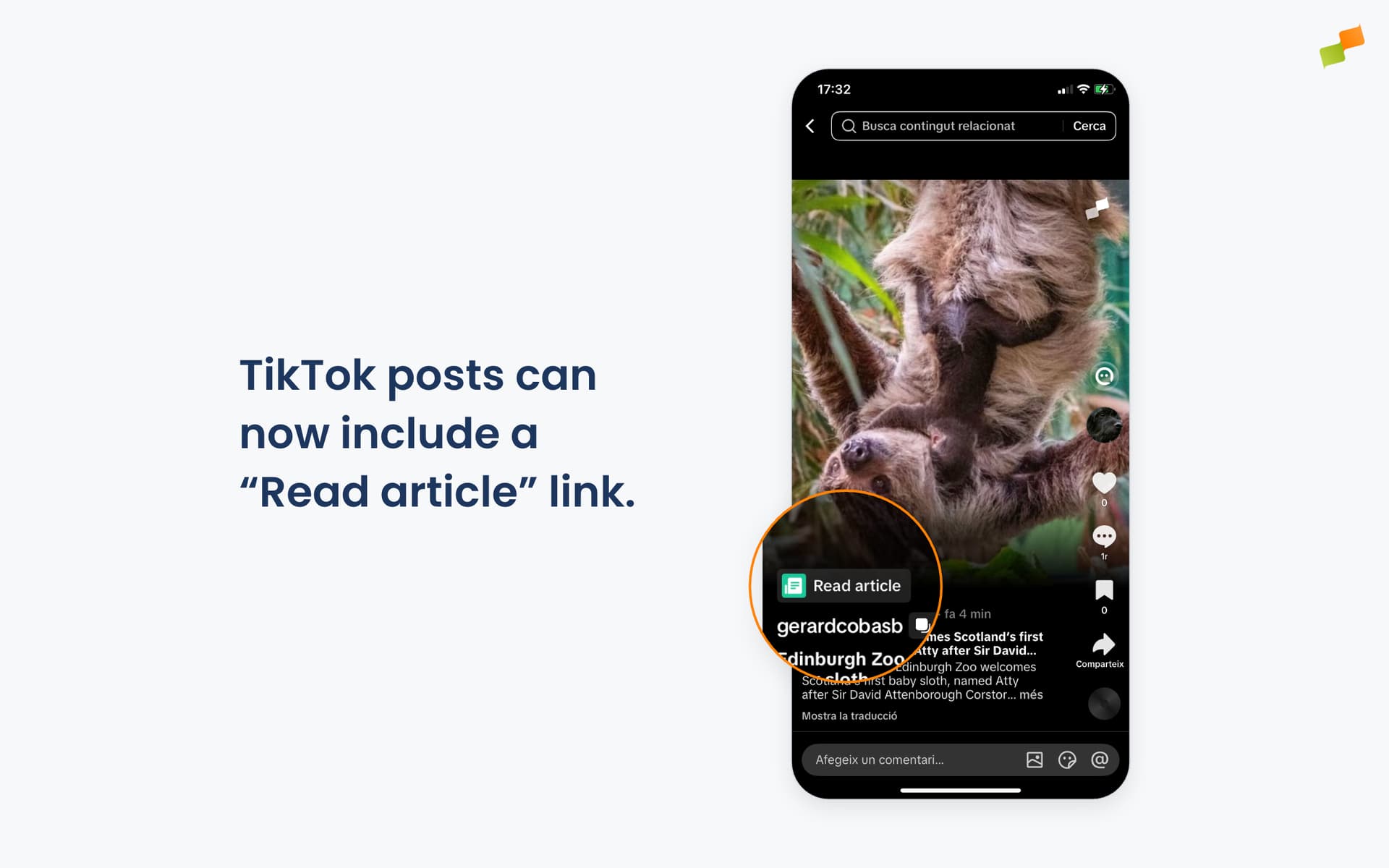
Article links are a new feature TikTok is testing with a select group of news publishers. Eligible posts display a tappable “Read article” anchor on the video or photo, taking viewers straight to the full story. Until now, TikTok was a closed loop: once a video or photo went out, there was no path from the post back to your article. Views stayed on TikTok. Article links change that.
In Marfeel, the feature works automatically, but it depends entirely on TikTok granting your account access to article links, and on the post being tied to an article. For approved accounts, every time you amplify an article to TikTok we check whether the article’s domain is on your approved list. If it is, the link is attached to the post. If not, the post publishes as usual, just without the link.
Here’s how you can get started:
- Already part of TikTok’s test? You’re covered. Amplify to TikTok as usual and the link is attached automatically, no configuration needed.
- Uploading a video through a new campaign? Link the article at the top of the composer first, so the post has an article to point back to. Without a linked article, the video publishes without the link.
- Not on the list yet? Access is controlled by TikTok, not Marfeel: the feature is reserved for accounts on TikTok’s news publisher allowlist, and each account can only link to domains TikTok has pre-approved. Contact your TikTok partner manager to request access and get your domains approved.
- Once TikTok activates your account, Marfeel picks it up automatically on your next post.
Every eligible post, a direct line back to your site.
Learn more in the Amplify link tracking, UTM campaigns, and shortening guide