

Amplify link tracking, UTM campaigns, and shortening
Amplify automatically tracks, shortens, and attributes every link in your social posts. How links are structured and shared directly impacts traffic tracking and attribution, so getting this right matters.
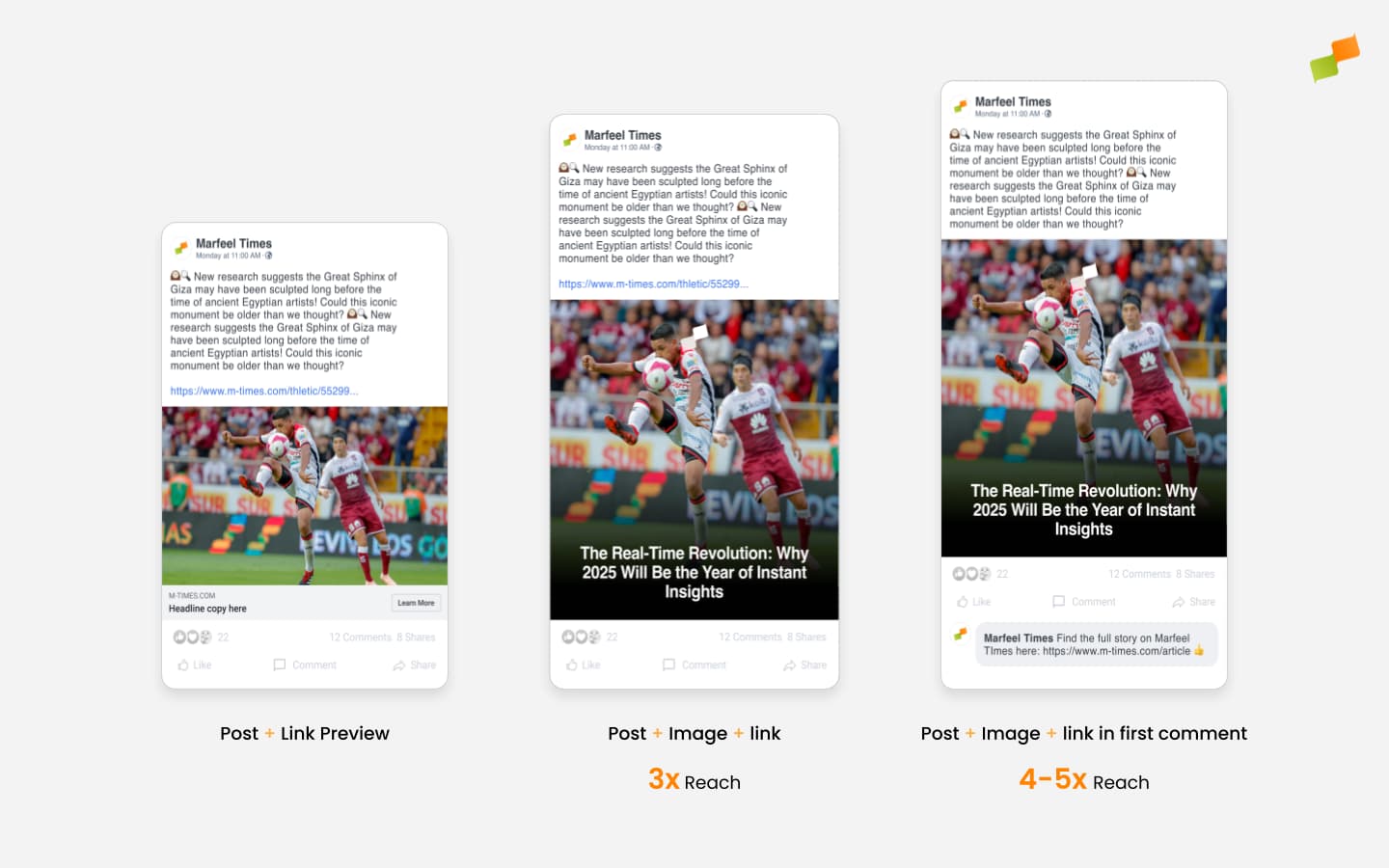
Amplify supports three post types for adding links:
- As a Link Preview post type
- In the post’s copy, using the
{{url}}variable - In the first comment, using the
{{url}}variable
Research suggests that link placement has a significant impact on the reach (unique views) that posts yield on social platforms.
Amplify adds intelligence to your links by:
- Adding
mrfcidas a click tracking query param - Adding
utm_campaign - Doing dynamic variable substitution
- Replacing long URLs with a compact shortened version
Click tracking
Section titled “Click tracking”Amplify automatically appends an mrfcid (Marfeel Click ID) to all links in a post and when using {{url}} or {{uri}} replacement variables. This ensures:
- Accurate social post attribution (even for first-comment clicks, which social platforms don’t report).
- Reliable reconciliation between platform metrics and first-party traffic data.
UTM medium and source
Section titled “UTM medium and source”Amplify appends utm_medium=social and a utm_source matching the network the link is shared on (for example utm_source=tiktok) to every link it generates, across all social networks. Traffic from these links is attributed to the correct source and medium in your analytics automatically, and the parameters travel with the link when a reader shares it onward from one network to another.
For advanced UTM configuration beyond what Amplify sets by default, see custom traffic attributions via UTM tags.
🎓 Become a Marfeel Amplify expert 📣 Learn how to publish smarter, automate sharing, and optimize your social strategy with our Marfeel Amplify Course.
✅ Workflow-focused training ✅ Automation strategies ✅ Certificate of completion included

🧠 Start now on Marfeel Academy.
UTM campaign tracking
Section titled “UTM campaign tracking”Amplify uses utm_campaign to encode information like the social feed where a link is posted or the layout. This parameter can be customized at the global, account, or campaign settings level. By default it takes the value mrf-{{socialNetwork}}-{{accountName}}.
The utm_campaign supports these replacement variables:
{{socialNetwork}}: the social network the post is published to (e.g.facebook,tiktok).{{accountName}}and{{accountId}}: the name and ID of the social feed (account) the link is posted to.{{profileName}}and{{profileId}}: the name and ID of the saved profile created for your Amplify posting workflows.{{layoutName}}: the name of the layout used for the post.
When publishing to multiple feeds at once, utm_campaign is resolved for each feed.
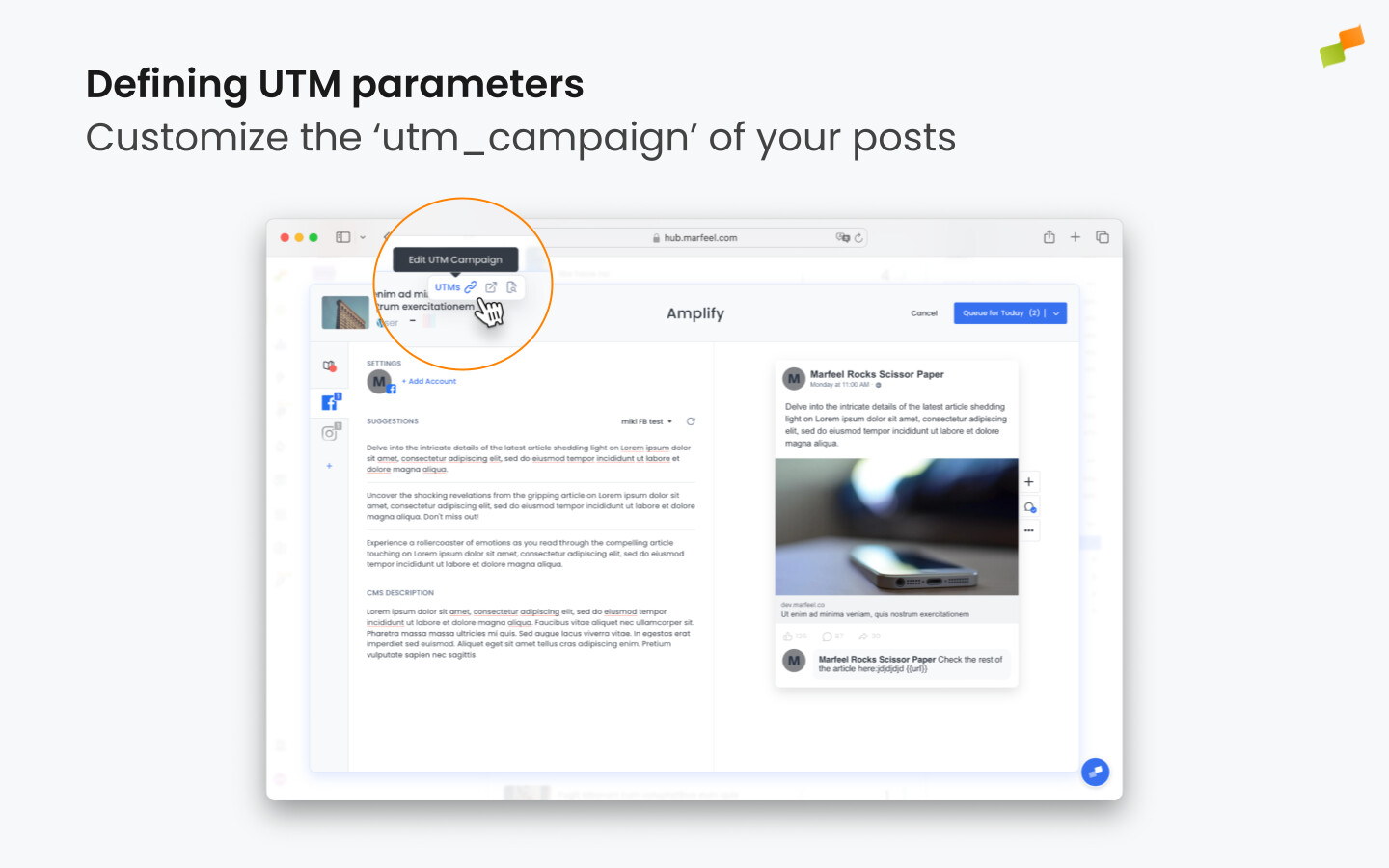
To customize the utm_campaign for a given campaign, hover the article’s name in Amplify and click the UTM icon. You can then set the value you need.
Link shortener
Section titled “Link shortener”Amplify provides a built-in link shortener that converts long URLs into compact links. This is especially useful for social media where character limits matter and clean, concise posts perform better, enhancing both control and credibility in social sharing.
When you publish from Amplify, every link is shortened automatically, whether it appears in the post copy or in the first comment. You don’t need to enable or configure anything.
Short links are served via the mrf.lu domain.
Link in first comment
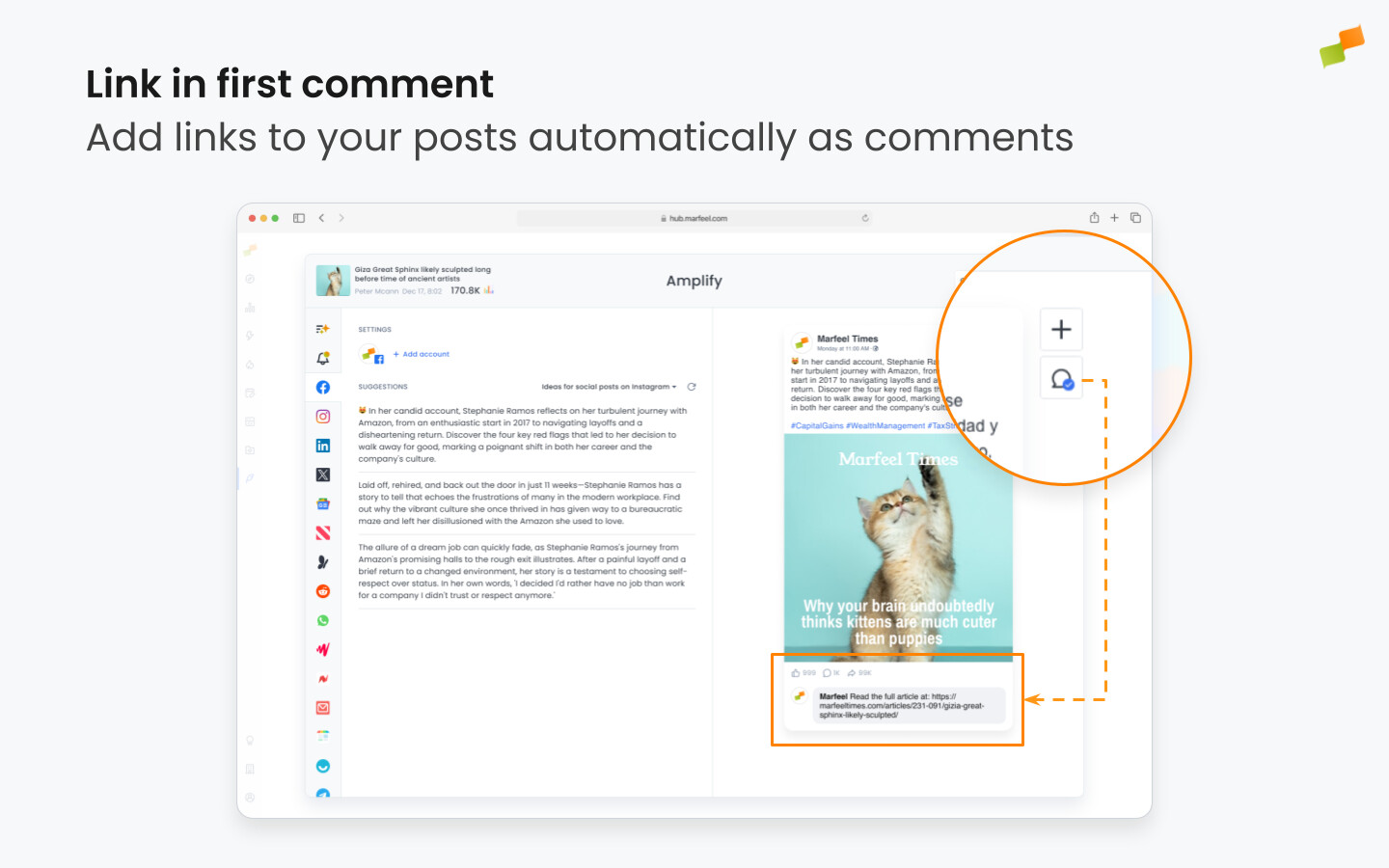
Section titled “Link in first comment”Amplify automates the “link in first comment” strategy commonly used on social media platforms to avoid reach throttling. You can insert a first comment in two ways:
-
Manually in Amplify: Click the comment bubble icon next to the preview and enter the text (e.g.,
Click here to read the article {{url}}). The{{url}}parameter will automatically insert the article’s URL. -
Automatically (Global/Account Level): Standardize the first comment by configuring it in the Global or Account Settings.
Linking cross-domain syndicated content
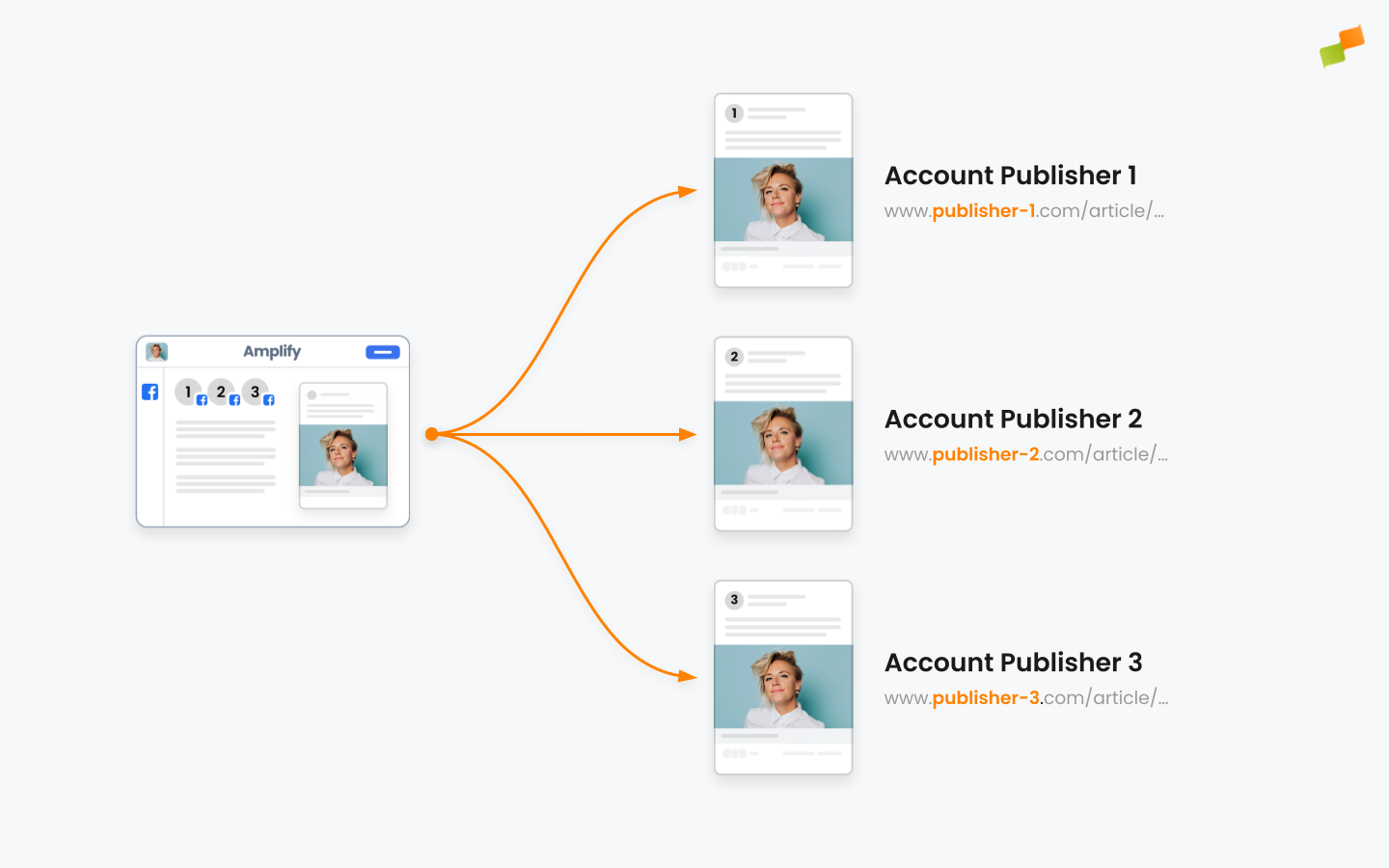
Section titled “Linking cross-domain syndicated content”If you have a content syndication strategy to publish identical content across different domains but matching paths and canonical, you can simplify linking by using the {{uri}} variable instead of {{url}}. For a full walkthrough of multi-domain syndication workflows, see the syndicated content guide.
To guarantee consistent linking across all domains, automate account settings as follows:
- Go to Marfeel Amplify Settings.
- Set each account’s first comment to:
Read more here: https://mydomain.com{{uri}}
Automatic article linking
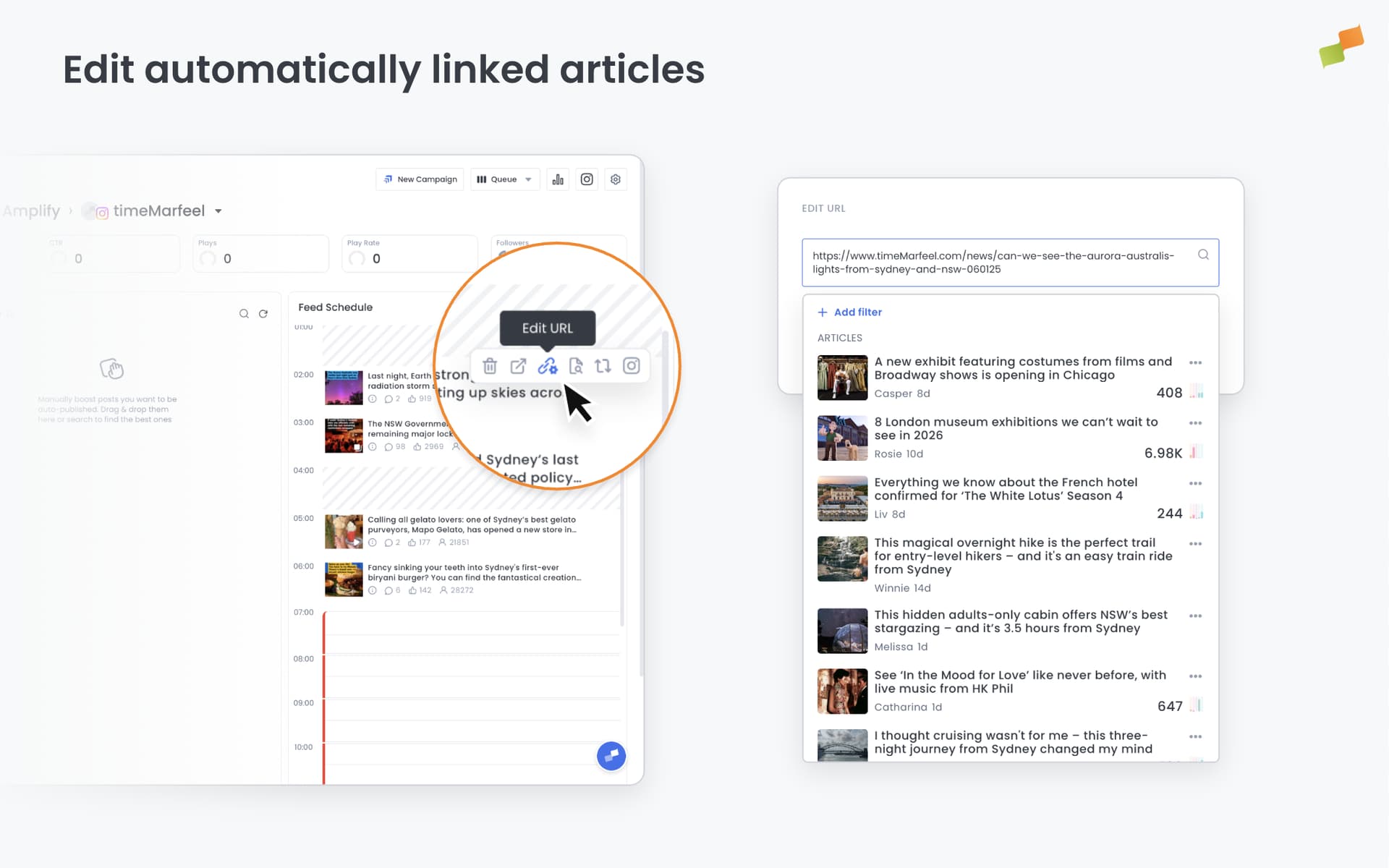
Section titled “Automatic article linking”When Amplify detects a social post without a link that was not published through Amplify, it automatically attempts to associate that post with a recently published article based on content similarity.
When the match succeeds, the inferred link is used consistently across:
- The article details page
- Analytics and exploration views
- The Link in Bio page, where the post will point to the inferred article
The matching logic is highly effective, but not perfect. If an incorrect association is detected, you can use Amplify to:
- Edit the post to link it to a different article, or
- Remove the link entirely for standalone posts
When no link is assigned, the post image shown on the Link in Bio page will redirect users to the original post on the social platform instead.
Article links on TikTok
Section titled “Article links on TikTok”TikTok posts you publish through Amplify can carry a Read article link: a tappable anchor on the video or photo that sends viewers to the original article on your site. TikTok makes this available to a limited set of news publishers, and it opens a path back to your site from a platform where posts otherwise carry no outbound link.
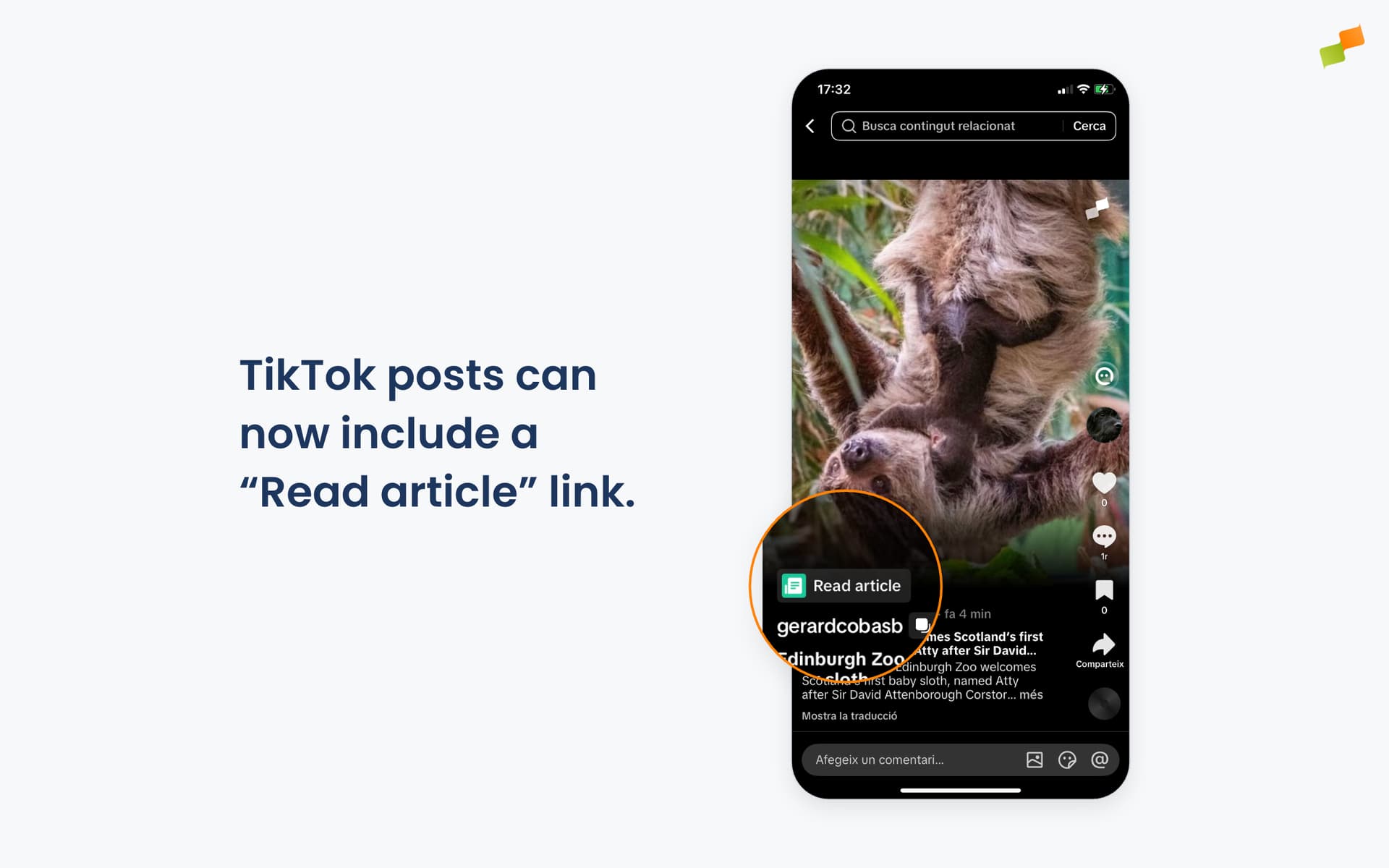
The link points to the article the post is tied to, so the post must have an article linked for the anchor to appear. When you amplify directly from an article, that link is already in place. Amplify then attaches the Read article link automatically when both of these are true:
- Your TikTok account is on TikTok’s news publisher allowlist.
- The article’s domain is on your list of TikTok-approved domains.
When either condition is not met, or the post has no article linked, it publishes as usual, without the link.
Access is granted by TikTok, not by Marfeel. To enable article links, contact your TikTok partner manager to request access to the news publisher program and to approve the domains you want to link to. Once TikTok activates your account, Amplify detects it and attaches the link on your next post, with no configuration needed in Marfeel.
By default the anchor reads Read article. To use your own wording instead, set the Read article button label in Amplify settings, either as a default for every TikTok post or as an override on an individual account.
You can identify this traffic like any other network. The anchor uses the full article link, so it carries Amplify’s standard UTM parameters: utm_medium=social, utm_source=tiktok, and the usual utm_campaign (by default mrf-tiktok-<accountName>). Visits from a Read article link show up as TikTok social traffic, not as direct or unknown.
How does Amplify track clicks on social post links?
Amplify automatically appends an mrfcid (Marfeel Click ID) query parameter to every link in a post and to {{url}} or {{uri}} replacement variables. This provides accurate social post attribution, including first-comment clicks that social platforms do not report, and reliable reconciliation between platform metrics and first-party traffic data.
Can I customize the utm_campaign parameter in Amplify?
Yes. utm_campaign can be customized at the global, account, or campaign level. It supports replacement variables such as {{socialNetwork}}, {{accountName}}, {{profileName}}, {{layoutName}}, {{accountId}}, and {{profileId}}. The default value is mrf-{{socialNetwork}}-{{accountName}}.
How does Amplify handle first-comment links?
Amplify automates first-comment linking to avoid reach throttling on platforms like Facebook and LinkedIn. You can add the first comment manually per post using the comment bubble icon, or configure a standard first comment at the global or account level in Amplify Settings.