

Core Web Vitals monitoring, filtering, and offenders
Marfeel’s CWV module monitors Core Web Vitals in real time, identifies the most urgent issues, and surfaces the specific elements responsible. Healthy core web vitals are key for user experience, Google rankings, and traffic. See the introduction for more information on the basics, or keep reading to learn how the module works.
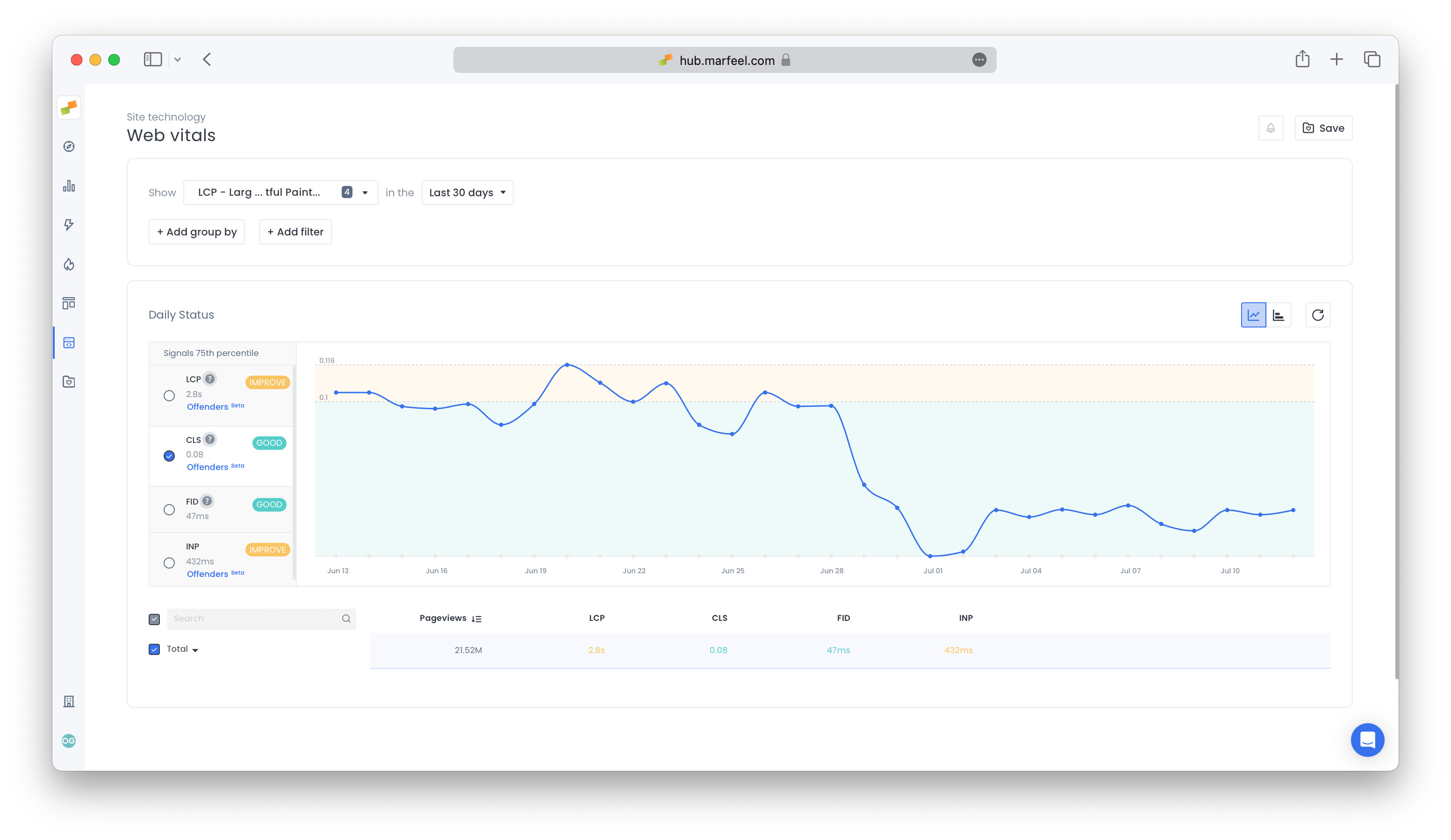
Group data by dimension and define metrics
Section titled “Group data by dimension and define metrics”Slice and dice CWV metrics according to every possible dimension with meaningful combinations of the following 9 dimensions:
- Country
- Page technology
- Host
- URL
- OS
- Browser
- Browser version
- Device category
- Folder
Once you find out which CWV is lagging, it’s time to troubleshoot. One place to start is to filter by country. This will allow you to see if certain regions are slowing you down and help you determine if these are markets that matter for your publication. Check the number of page views you have per country to decide if you can exclude any particular country from your core vitals assessment.
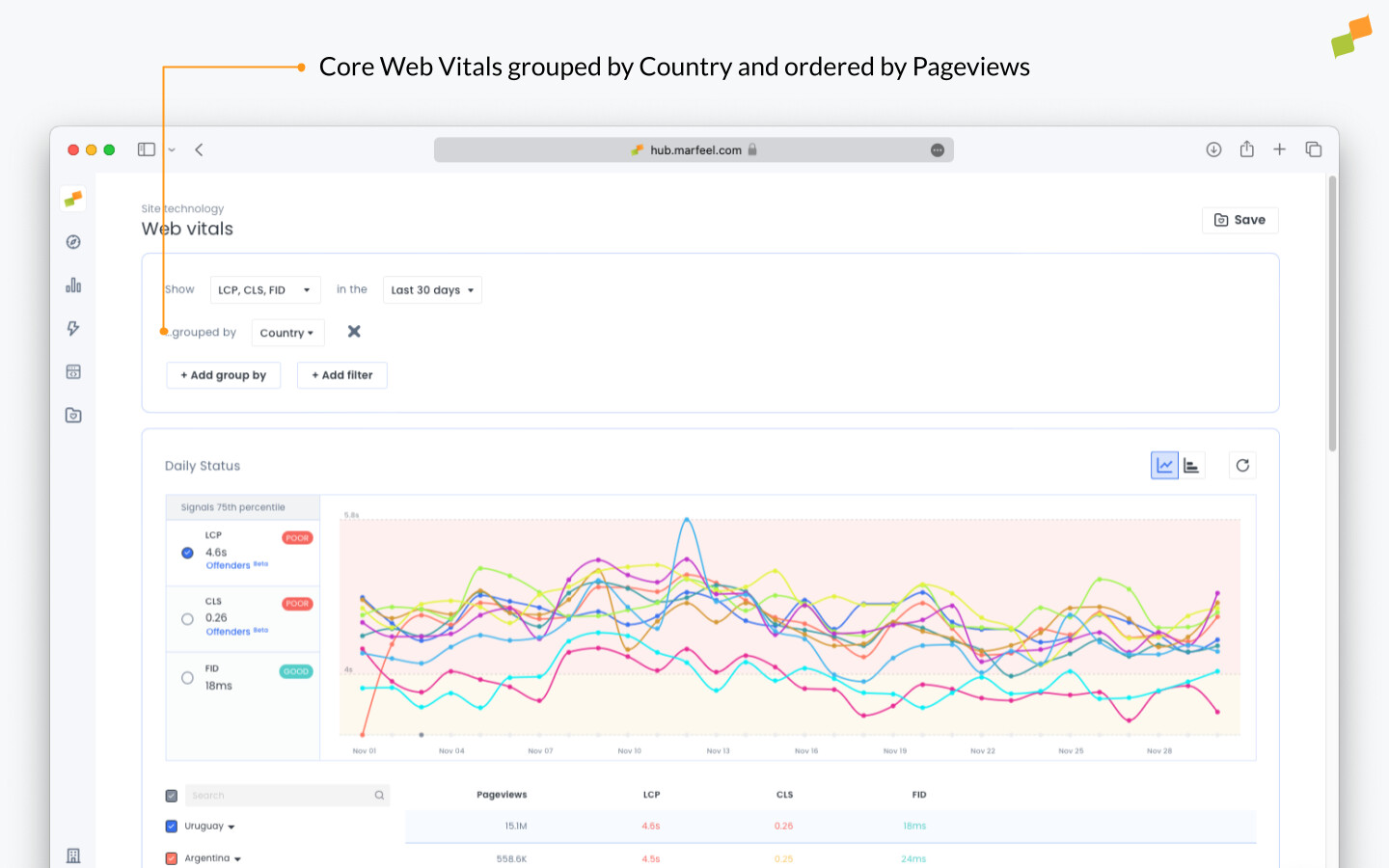
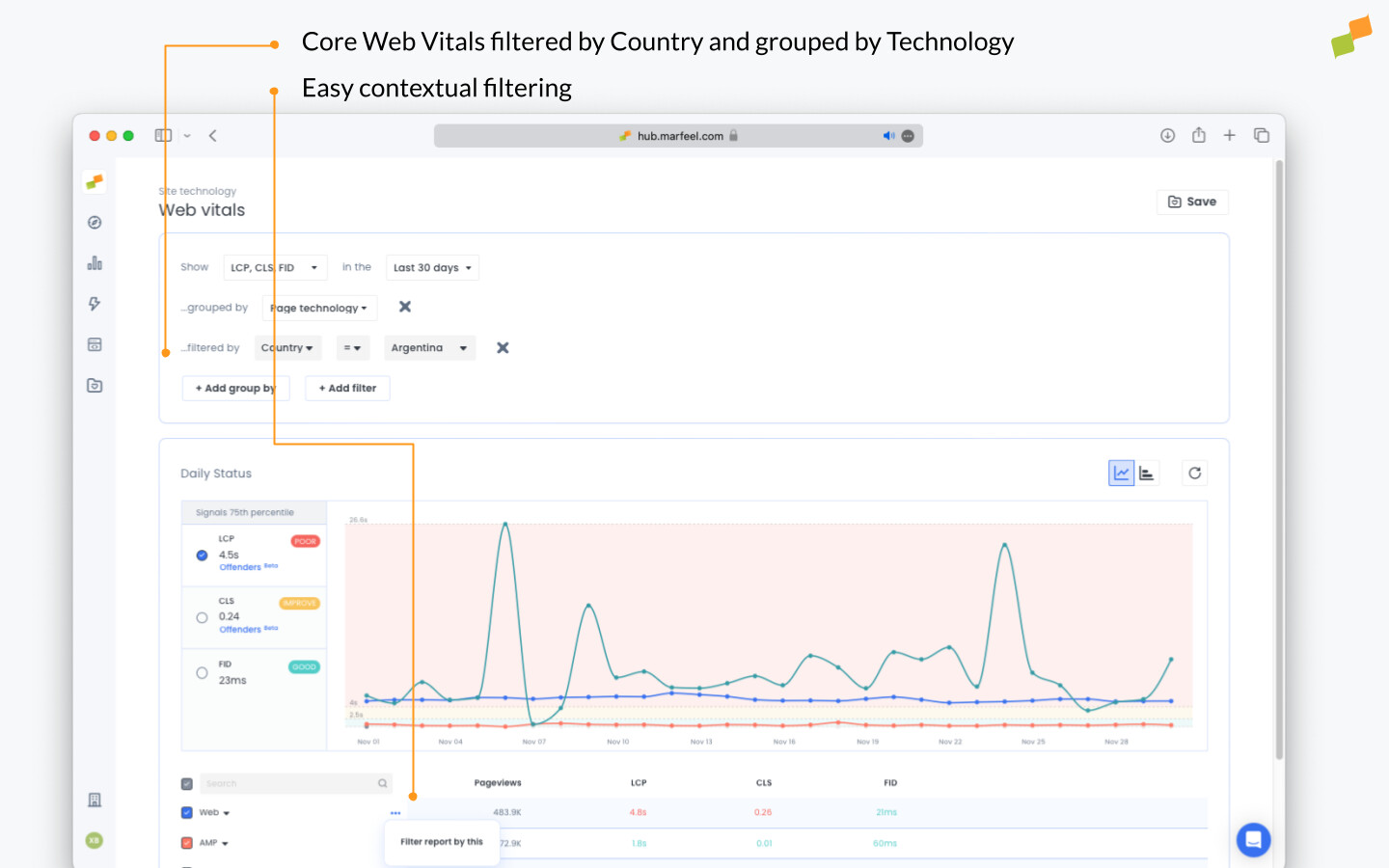
Keep digging. Once you’ve identified important regions that are adversely affecting core web vitals, further investigate the source of the issue. Compare page technologies to gauge if the problem is the same for web and AMP versions.
Filtering by KPI threshold
Section titled “Filtering by KPI threshold”Focus on pages that need improvement based on traffic volume, not just the total score. Unfavorable CWV scores are not a major issue for pages with little to no traffic. For this reason, Marfeel allows publishers to filter core web vitals performing beneath a certain threshold by number of pageviews.
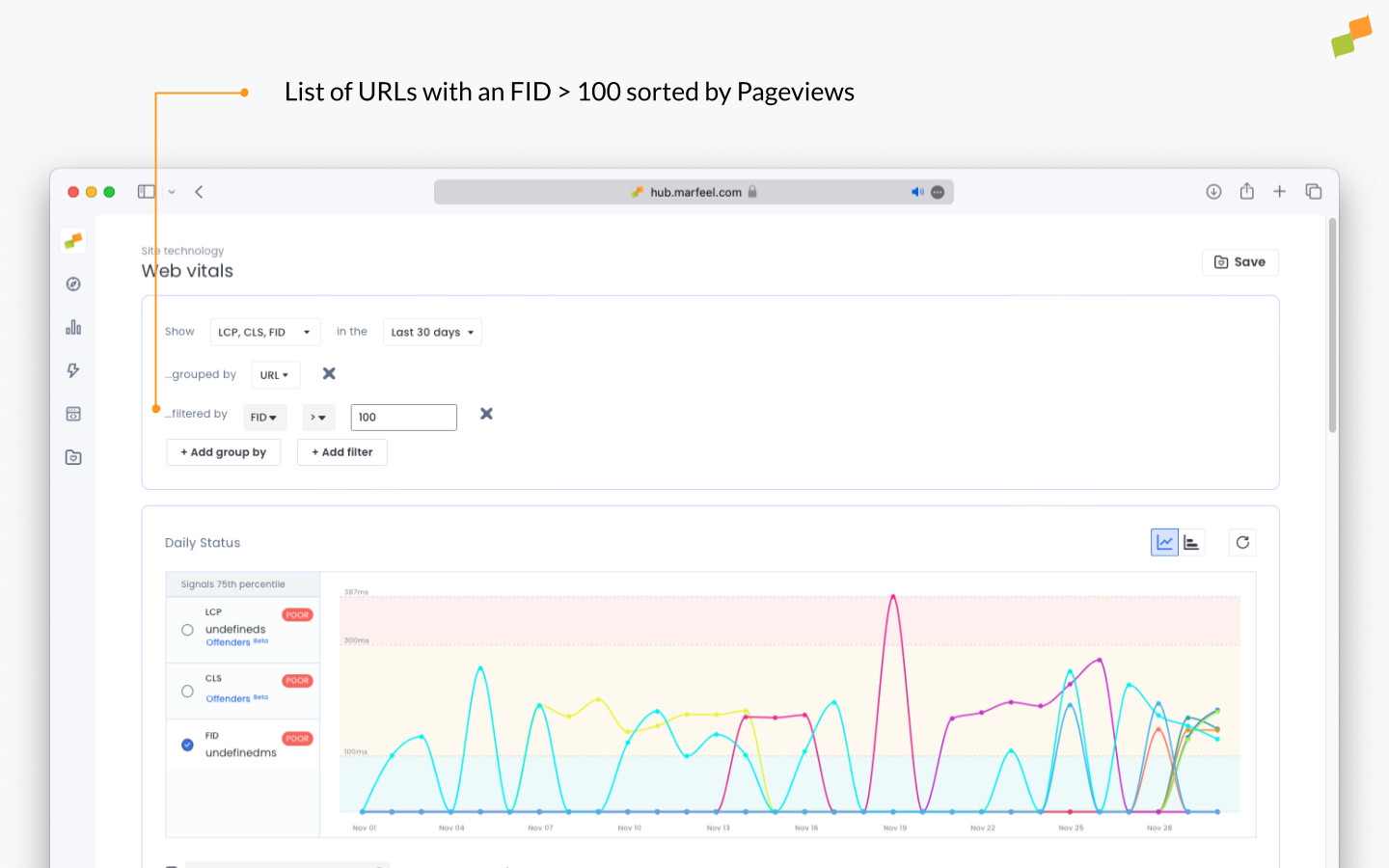
Use Google’s recommendations as an indicator of where to look. For example, the following publisher has a “good” FID score for signals in its 75th percentile:
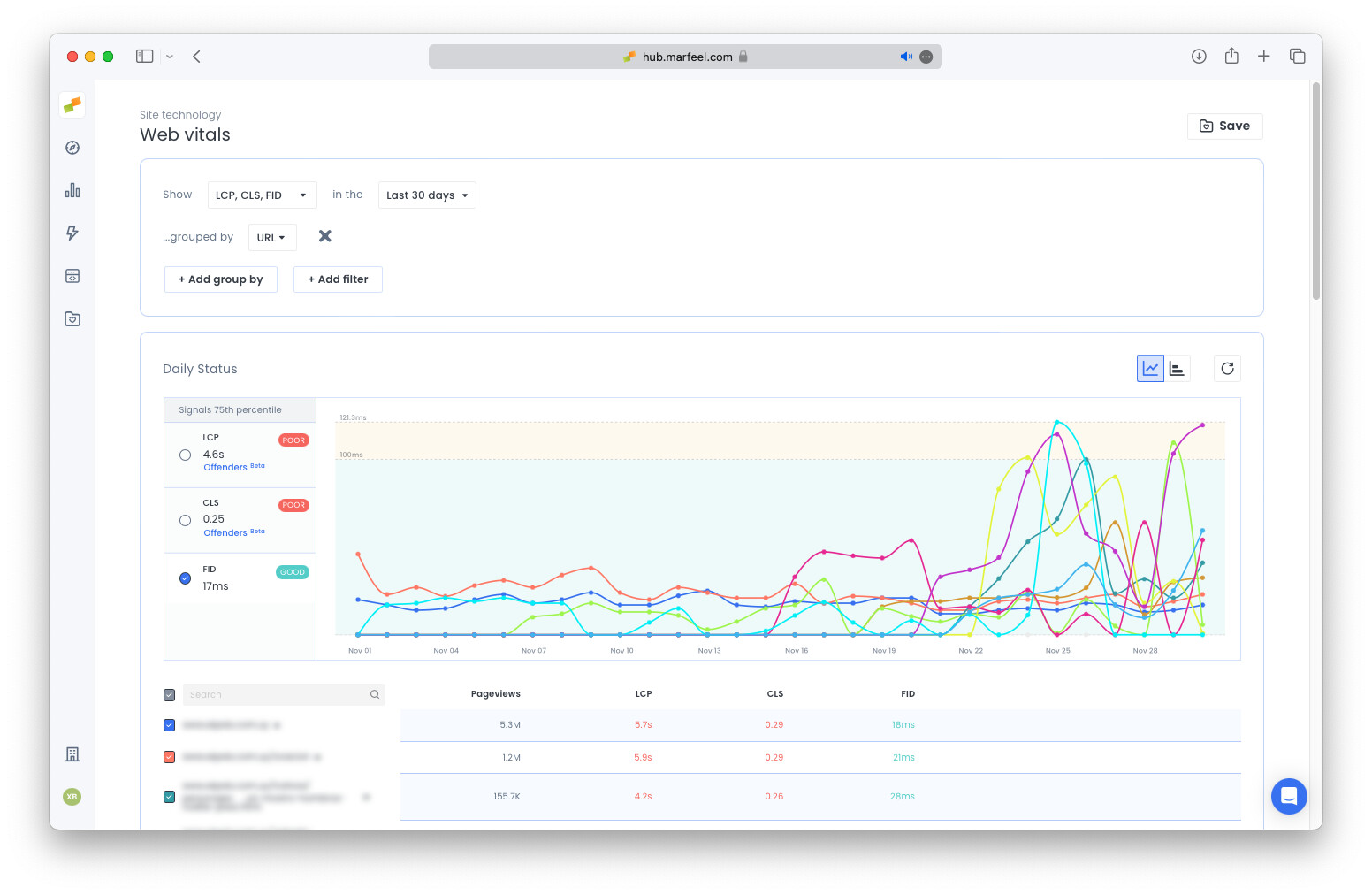
The FID for each URL appears in order of pageviews, showing all good scores. This is reassuring, but lacks actionable insights. To prioritize important fixes, the publisher can filter their URLs for FID scores over 100ms to find underperforming URLs with significant numbers of pageviews.
LCP, CLS, and INP offenders
Section titled “LCP, CLS, and INP offenders”The Offenders feature pinpoints the exact CSS selectors hurting your LCP, CLS, or INP scores on both mobile and desktop. At this point, the publisher has a global understanding (region, page technology, etc.) of their site’s core web vitals. They also know which specific URLs are bringing down their scores and can order those problematic URLs by number of pageviews to prioritize which pages require immediate attention.
Now what?
Opening the URL and asking a developer to investigate is one option. But that process can be slow, which is why Marfeel developed a shortcut: Core Web Vitals Offenders for LCP, CLS, and INP.
Click the Offenders button to generate the list of CSS selectors for the elements that are adversely affecting your score on mobile and on desktop.
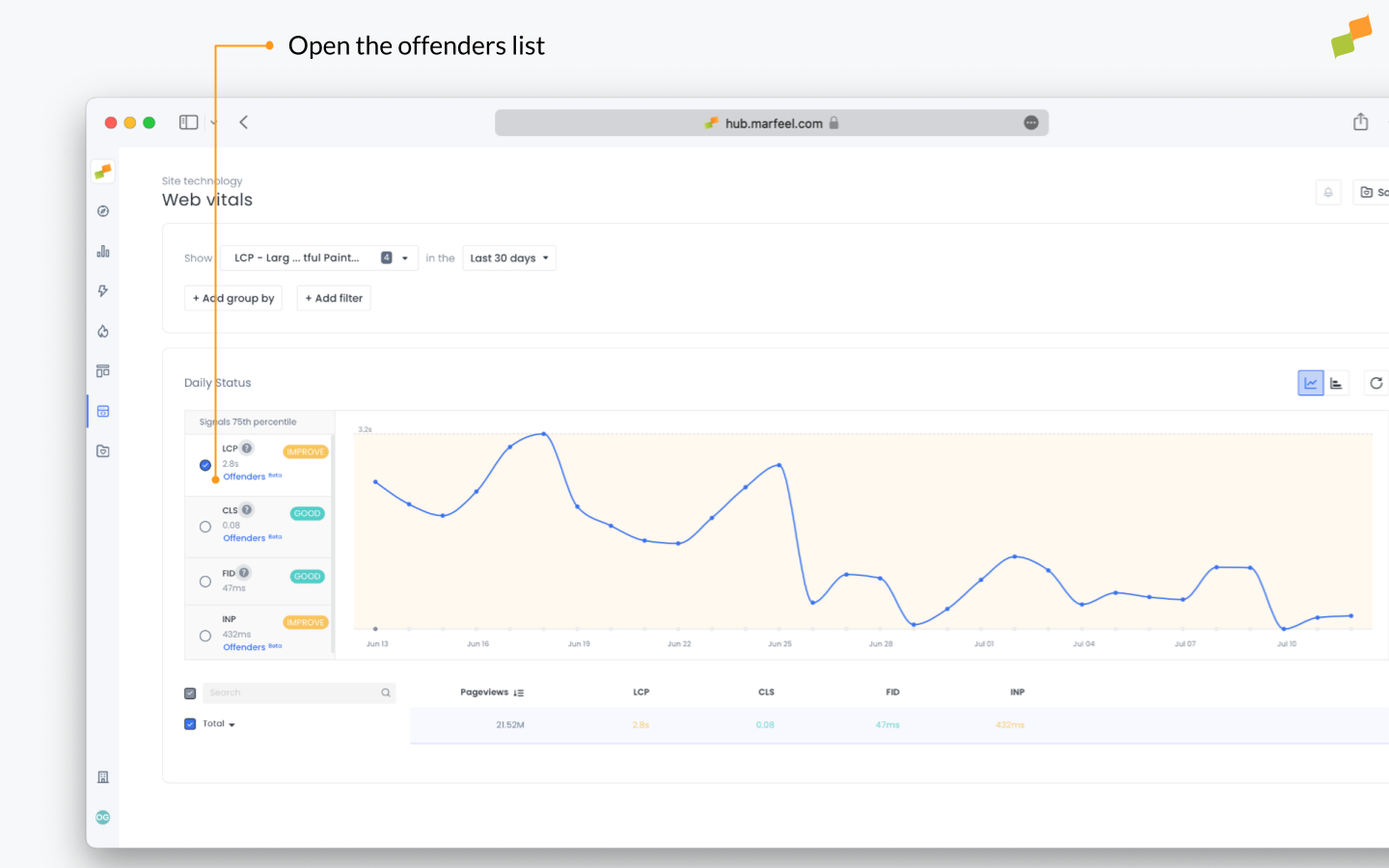
Prioritizing the most pertinent fixes is key, so the Offenders are listed in order of the number of occurrences on real devices. Data is not based on synthetic traffic of any kind.
From the list, select the top priority URLs and open the Offenders to see which elements are adversely affecting LCP, CLS, or INP:
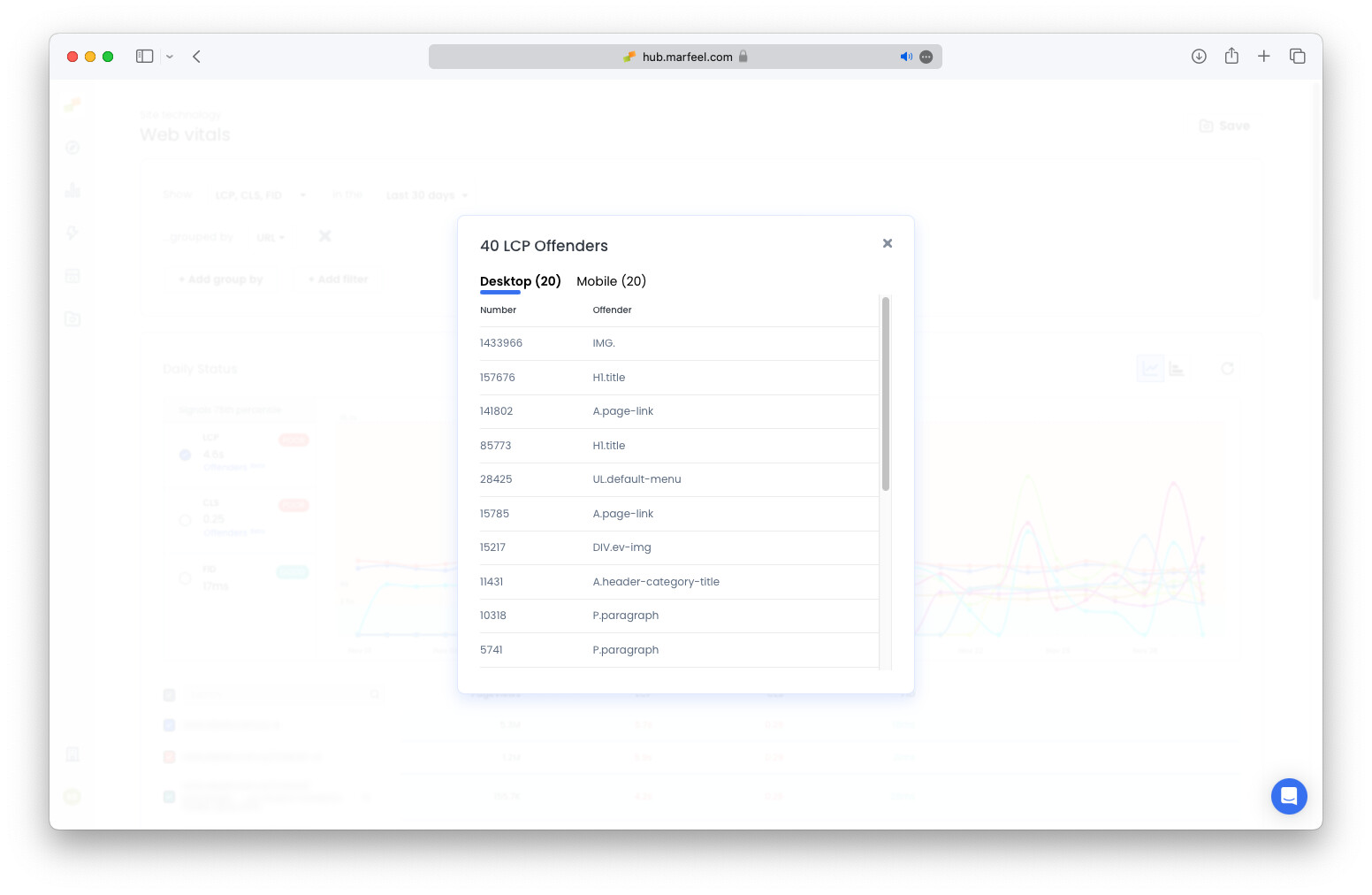
In the example above, it’s clear that the slow render time is being caused by the largest image. Seeing this, the developer knows where to start to improve the LCP. Marfeel has documented a few of the easiest fixes to improve Core Web Vitals scores. Find them here.
Sometimes, knowing what element is causing the issue is not enough, especially when input delays are triggered by JavaScript.
That is why the Offenders view for INP includes detailed JavaScript insights.
In addition to the interaction target, you can see exactly what part of the code is contributing to poor performance. This includes:
- The element the user interacted with
- The line of code that handled the interaction (invoker)
- The script file where it occurred
- The function name within that script
- A combined view of script, invoker, and function name for full context
This helps identify which scripts are causing the most input delays, making it easier for developers to focus their efforts on what matters most. With this level of detail, resolving complex INP issues becomes faster and more precise. For common CWV troubleshooting scenarios, see the dedicated troubleshooting guide.
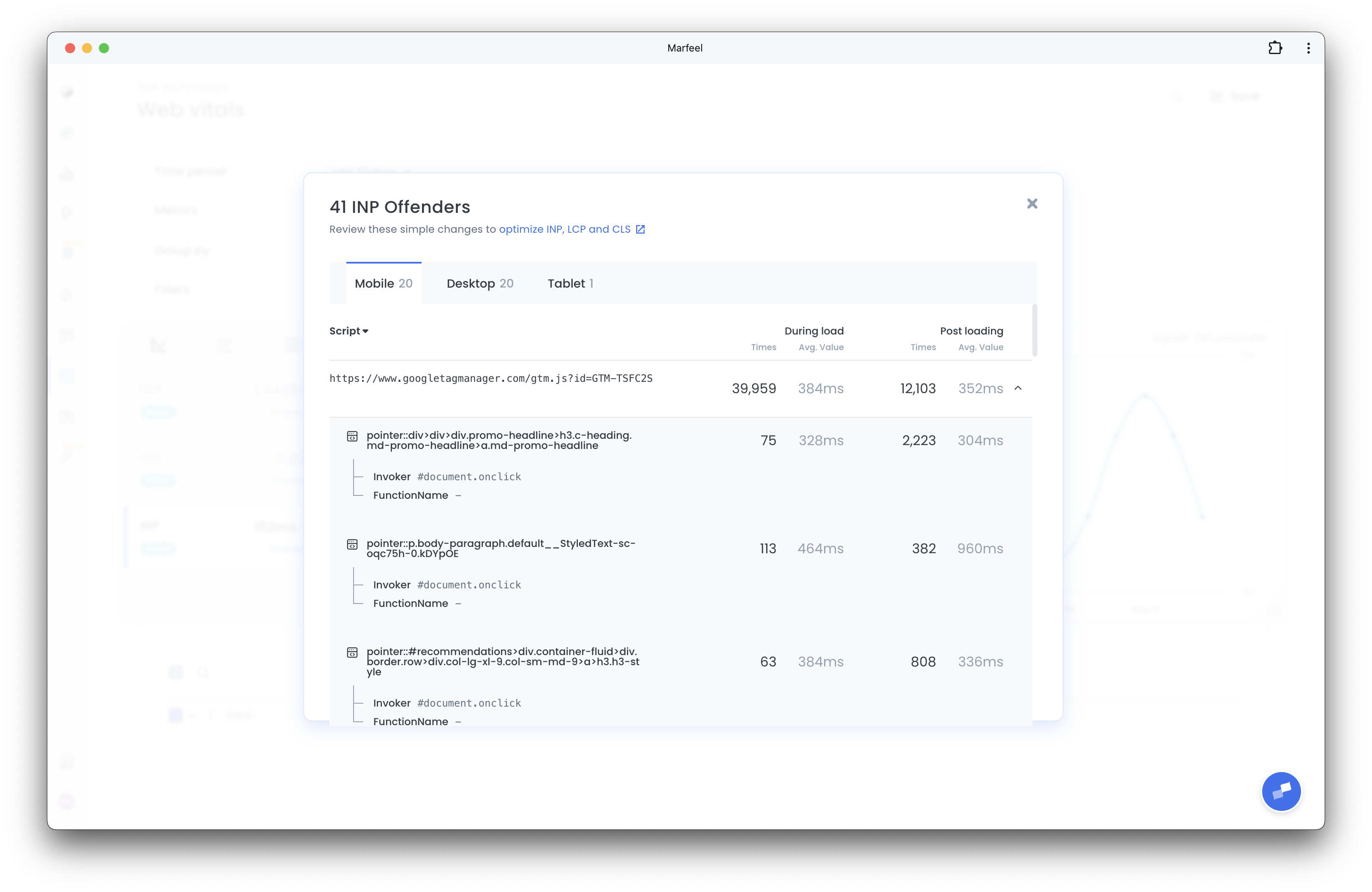
The LCP, CLS, and INP offenders are tracked as provided by Javascript Performance Observer API.
In case you can't identify a given element, add a CSS class to the suspicious elements. For example, if you see "h2." as an offender, add a unique CSS class to each h2 to identify it.
Verify fixes in real time
Section titled “Verify fixes in real time”Check data immediately after deploying a fix to confirm your debugging techniques are working. Adjust the settings to view the data in real time.
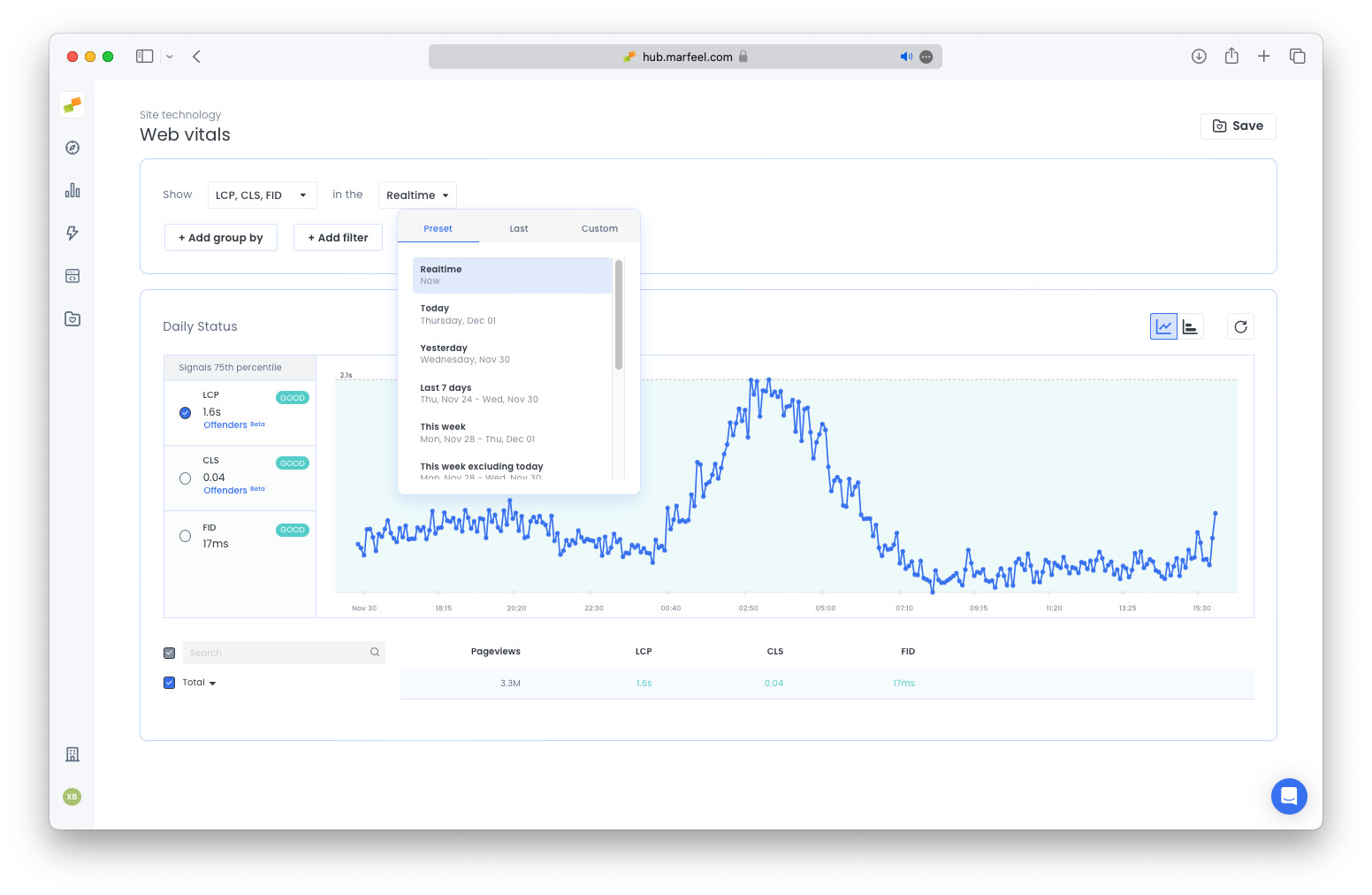
There’s no reason to wait 28 days for the CrUX API to catch up. With Marfeel, you can access the same information in real time.
Sign up to start tracking your core web vitals today.
How can I identify which pages have the worst Core Web Vitals scores?
Marfeel lets you filter Core Web Vitals by 9 dimensions including country, page technology, URL, device category, and more. You can then filter by KPI threshold and sort URLs by pageviews to prioritize the pages that matter most.
What are Core Web Vitals offenders and how do they work?
CWV Offenders generate a list of CSS selectors for the specific elements hurting your LCP, CLS, or INP scores on mobile and desktop. They are ranked by number of real-device occurrences, so you can prioritize the most impactful fixes first.
Can I verify Core Web Vitals fixes without waiting for the CrUX report?
Yes. Marfeel provides real-time CWV data, so you can check results immediately after deploying a fix instead of waiting 28 days for the CrUX API to update.