

Back to What's New
Live post preview in Amplify feed posting settings
Your feed’s Posting settings now show a live preview of each post right next to the fields you’re editing: one for the Manual post and one for the Auto post.
Posting settings are templates. A post body, a post type, a layout and a first comment only come together once an article fills them in, so until now you found out how a post really looked after it went live. The preview fills them in with the articles your feed’s recommenders pick, and updates as you change each setting.
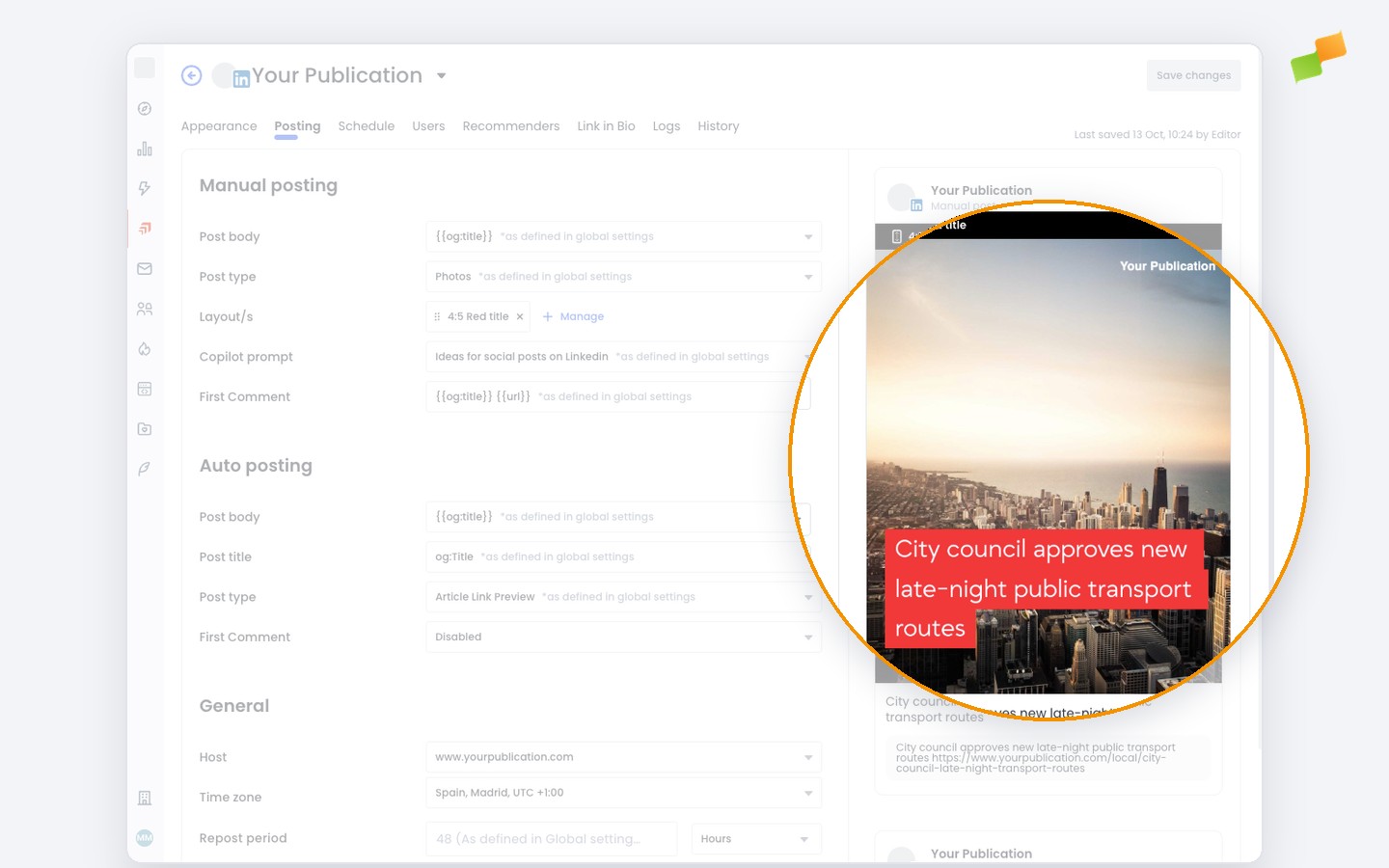
Here’s how you can get started:
- Open a feed’s settings and go to the Posting tab
- Change the post body, post type or first comment and watch the preview follow
- Switch between the feed’s layouts right in the preview to compare them
- With Smart, a note reminds you that Smart picks a video, a layout image or a link preview for each article
- No articles to preview yet? The preview tells you why and takes you to Recommenders to set them up
- If the preview fails to load, retry it without leaving the page
Find all the posting options in the Amplify settings guide for post branding and layout.
See the post before your audience does.