

Recommendations skip articles shown in nearby modules
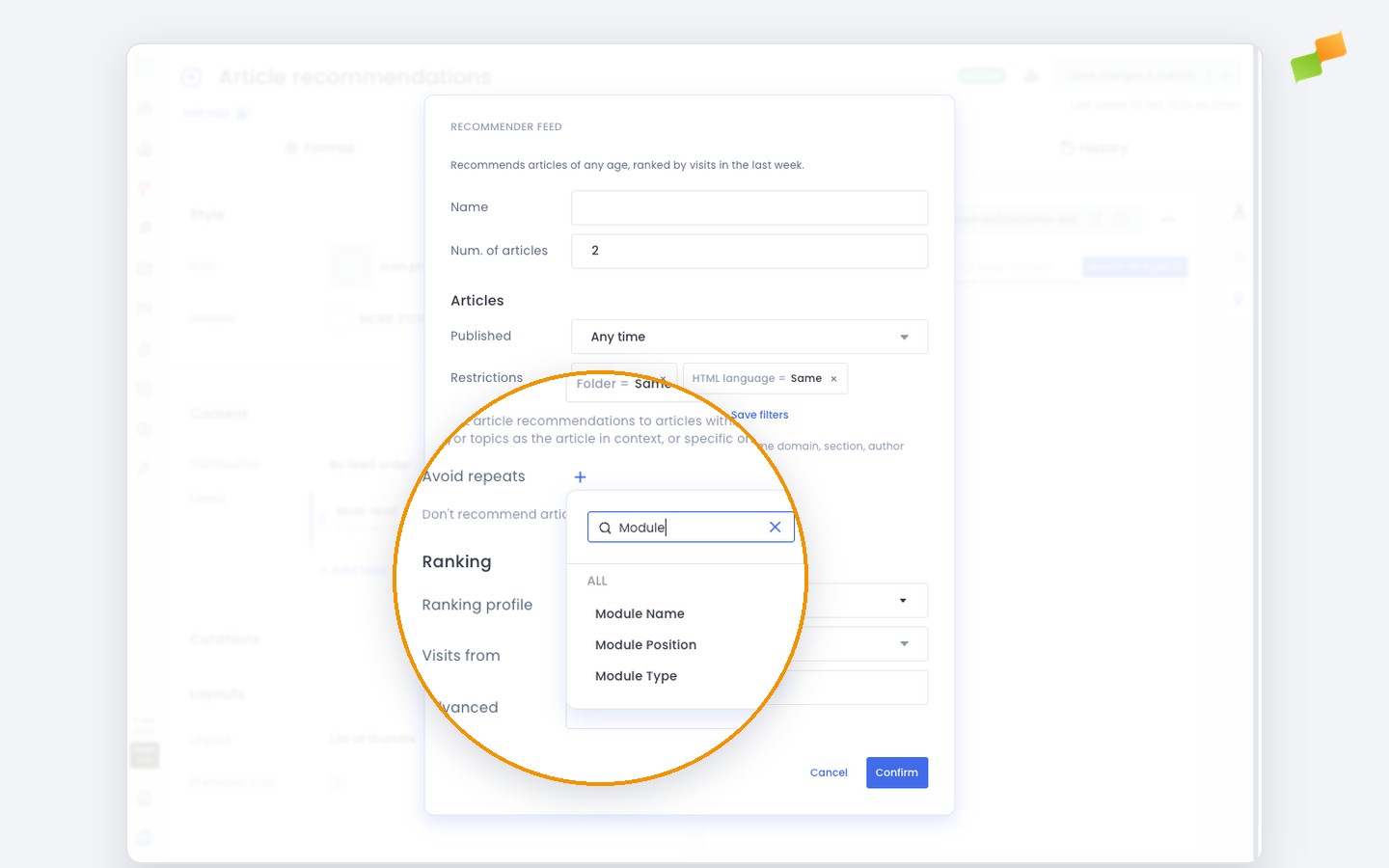
The Recommender now lets you prevent the same article from appearing twice on a page. With the new “Avoid repeats” filter, you can tell the recommender to skip any article that has already been shown in another module.
When a page mixes recommendations with other modules, such as editorial blocks, readers often see the same article appear in more than one spot. This wastes placement opportunities and makes the page feel repetitive. “Avoid repeats” solves this by letting you define exactly which modules should act as exclusion sources, so every recommendation slot surfaces something your reader has not already seen.
Here’s how you can get started:
- Open the Recommender experience you want to configure
- Open one of its feeds and find Avoid repeats, right below the article restrictions
- Select the modules whose content the recommender should exclude, usually by Module Name
- Save and publish as usual
Any article shown in a selected module in the last few minutes is dropped from the recommendation pool. Avoid repeats is available on the Essential and Advanced plans. Find the details in the Recommender setup and configuration guide. Combine with existing recirculation filters to control content distribution across the full page.
Fresher recommendations, every slot.