

Page Transformations: modify your content without code
Page Transformations lets you modify any element on your pages (CTAs, headlines, layouts, colors) and target those changes to specific audience segments. Run A/B tests on a subset of users. Deliver personalized experiences to returning visitors. All directly in Marfeel Experience Manager, no developer tickets required.
Page Transformations combines two capabilities that typically require separate tools: experimentation (test variations to find what works) and personalization (deliver tailored experiences to the right audience). Select an element, apply a transformation, define who sees it, and measure what drives results.
How to get started
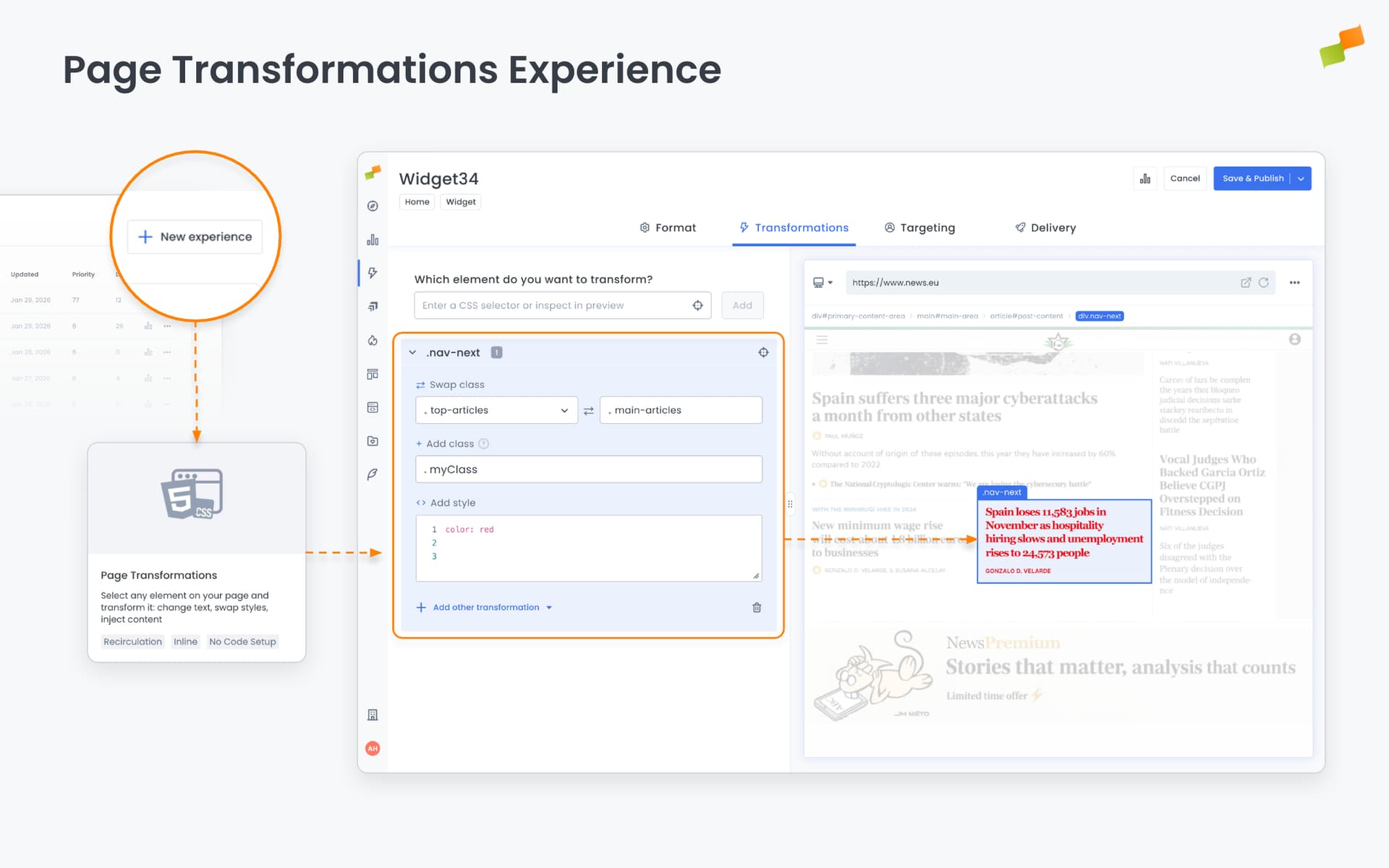
Section titled “How to get started”- Select any element visually or by CSS selector. AI-powered suggestions help you target the right content.
- Apply transformations instantly: change colors, swap styles, replace text, inject new content, reposition elements
- Target specific audiences to show different experiences to different user segments
- Preview changes in real time before publishing
Experimentation use cases
Section titled “Experimentation use cases”Test variations on a portion of your traffic to find what converts:
CTA optimization Test button colors, text, size, or position on 50% of users. Compare “Subscribe Now” vs. “Get Started Free” vs. “Join 10,000+ Readers”. Small copy changes often yield 10-30% conversion lifts.
Visual hierarchy testing Reposition elements to test what users see first. Move subscription CTAs above the fold for half your audience and measure the impact.
Style and color variations Test color psychology with controlled experiments. Red vs. green buttons. Bold vs. subtle treatments. High-contrast vs. minimal designs.
Headline testing Replace headline text to test emotional vs. factual framing, question vs. statement formats, or length variations. Headlines are the highest-leverage element on any page.
For details on how to configure A/B testing and experiment groups, see the Experience Manager documentation.
Personalization use cases
Section titled “Personalization use cases”Deliver tailored experiences to specific audience segments:
Returning visitor experiences Show different CTAs to first-time visitors vs. returning readers. New visitors see “Start your free trial” while loyal readers see “Upgrade to Premium.”
Geographic personalization Display region-specific promotions, pricing, or content. Show localized offers to users in specific markets without creating separate pages.
Behavioral targeting Customize experiences based on user behavior. Readers who’ve visited pricing pages see streamlined subscription CTAs. Users from social traffic see content optimized for engagement.
Promotional campaigns
Inject targeted banners or announcements for specific segments. Show seasonal offers to high-intent users without cluttering the experience for everyone else.
One tool, two outcomes
Section titled “One tool, two outcomes”Page Transformations works for both testing and tailoring:
| Goal | How it works |
|---|---|
| Experimentation | Split traffic, show variations, measure which performs better |
| Personalization | Target segments, deliver tailored content, optimize for each audience |
Changes apply dynamically. The same page serves different experiences to different users based on your targeting rules.
Available now
Section titled “Available now”Page Transformations is live in Marfeel Experience Manager. Create a new experience, select Page Transformations, define your audience, and start delivering smarter experiences. For the full setup guide, see the Page Transformations documentation.
Test what works. Personalize what converts.
Happy optimizing!
What is the difference between experimentation and personalization in Page Transformations?
Experimentation splits traffic to test variations and measure which performs better, while personalization targets specific audience segments to deliver tailored content optimized for each group. Page Transformations combines both capabilities in a single tool.
Do I need a developer to use Page Transformations?
No. Page Transformations works directly in Marfeel Experience Manager with a visual element selector and AI-powered suggestions, so you can modify CTAs, headlines, layouts, and colors without writing code or filing developer tickets.
What types of elements can I modify with Page Transformations?
You can modify any element on your pages including CTAs, headlines, layouts, and colors. Transformations include changing colors, swapping styles, replacing text, injecting new content, and repositioning elements.