

Back to What's New
Share Recommender Settings Across All Your Feeds
If you manage multiple social accounts in Amplify, chances are you’re running the same recommender logic across more than one feed. Until now, that meant setting it up separately on each one — and updating each one manually whenever something changed.
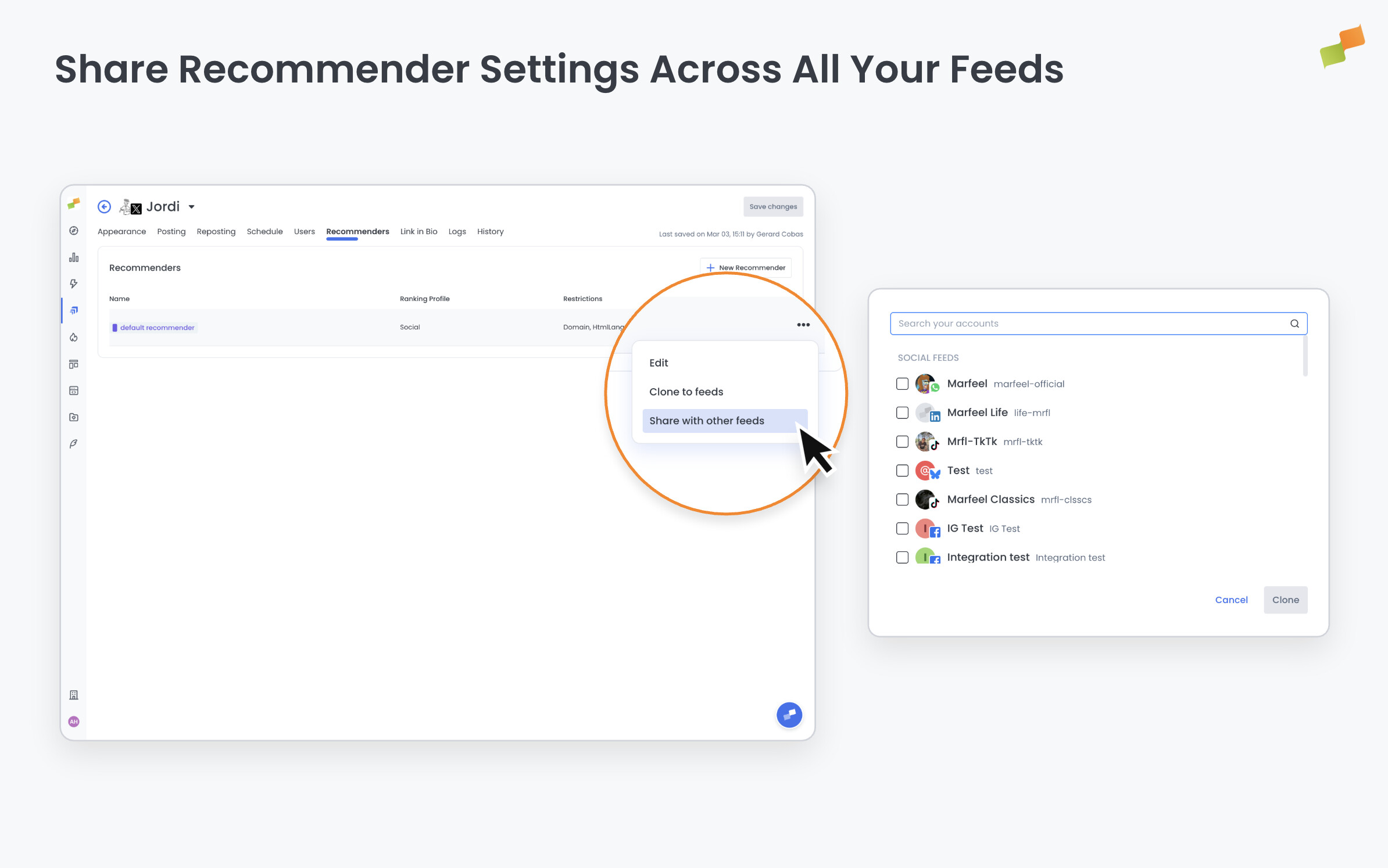
You can now share a single recommender across multiple feeds. Configure it once, apply it to every feed that needs it, and any change you make propagates everywhere at the same time.
Here’s how you can get started:
- Open any feed’s recommender settings and select “Share with other feeds” from the options menu
- Choose which feeds to include: the same recommendation logic drives all of them from that point on
- Edit the shared recommender and every feed using it updates immediately
- Unshare at any time from the same menu (Amplify will flag if active scheduled posts depend on it first)
- Create recommenders from scratch, rename, reconfigure, or delete them all from the recommender list
Less manual work. Consistent settings across every feed. One recommender. Updated once.
Learn more in the Amplify feeds, recommendations, and scheduling guide.