

No-code multimedia integrations setup guide
The Multimedia Tag Experience enables publishers to track video and audio playback without writing any code. You can integrate the Multimedia module through the Marfeel Multimedia SDK or via a no-code Tag Experience.
Configure the Multimedia Tag Experience following these steps:
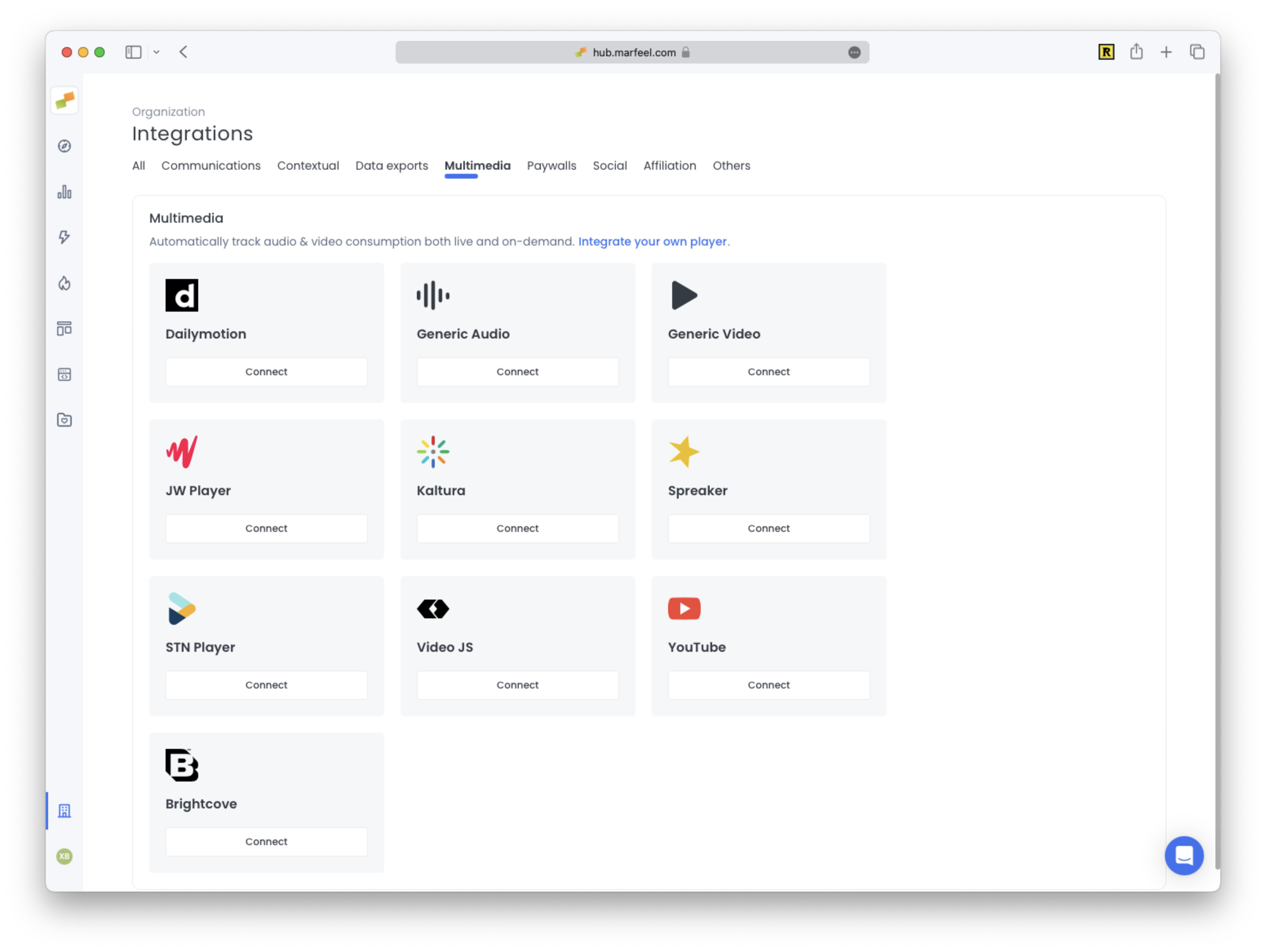
- Open Organization settings > Integrations and choose your multimedia provider
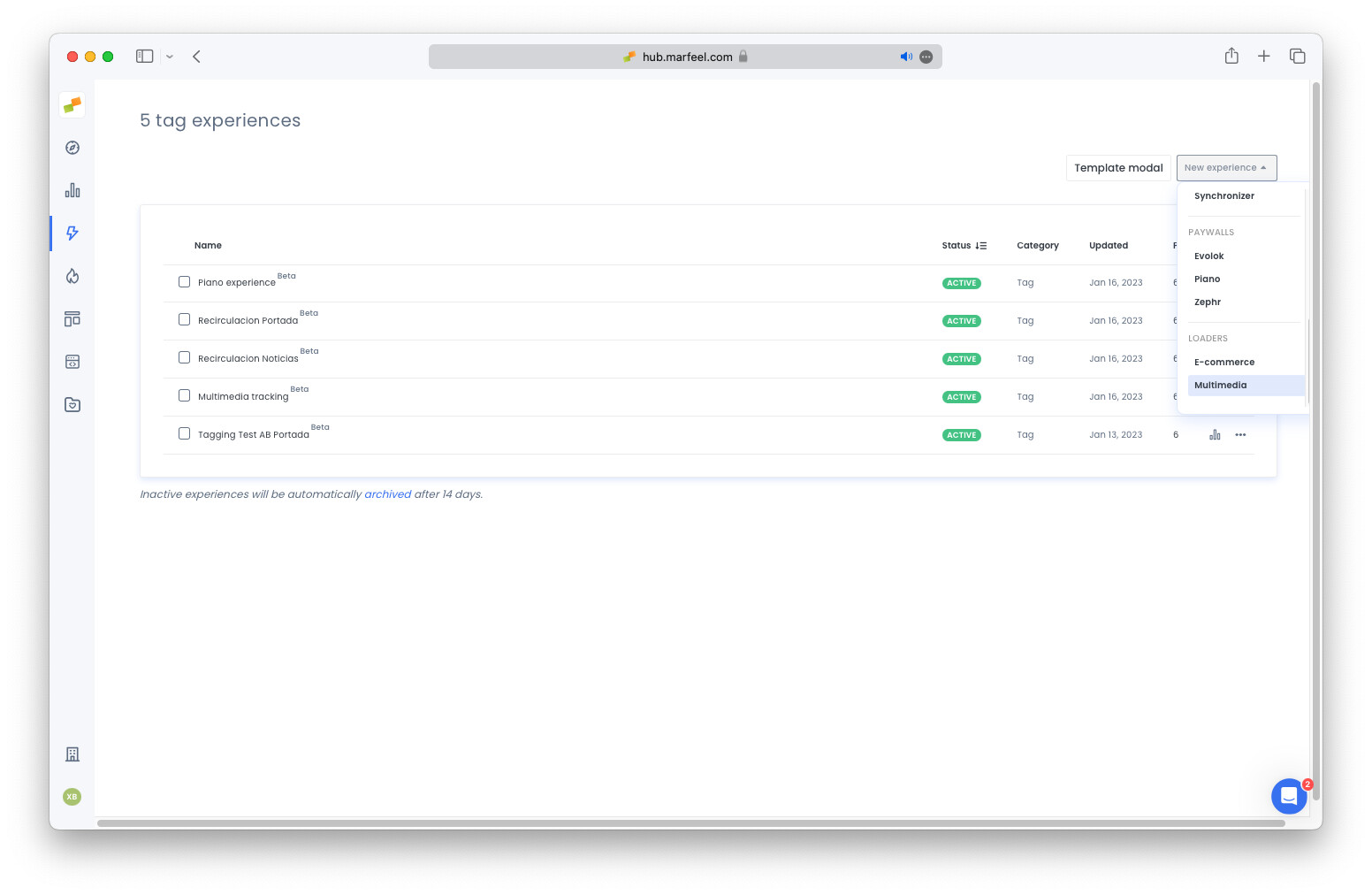
- Alternatively create a new Multimedia Tag Experience
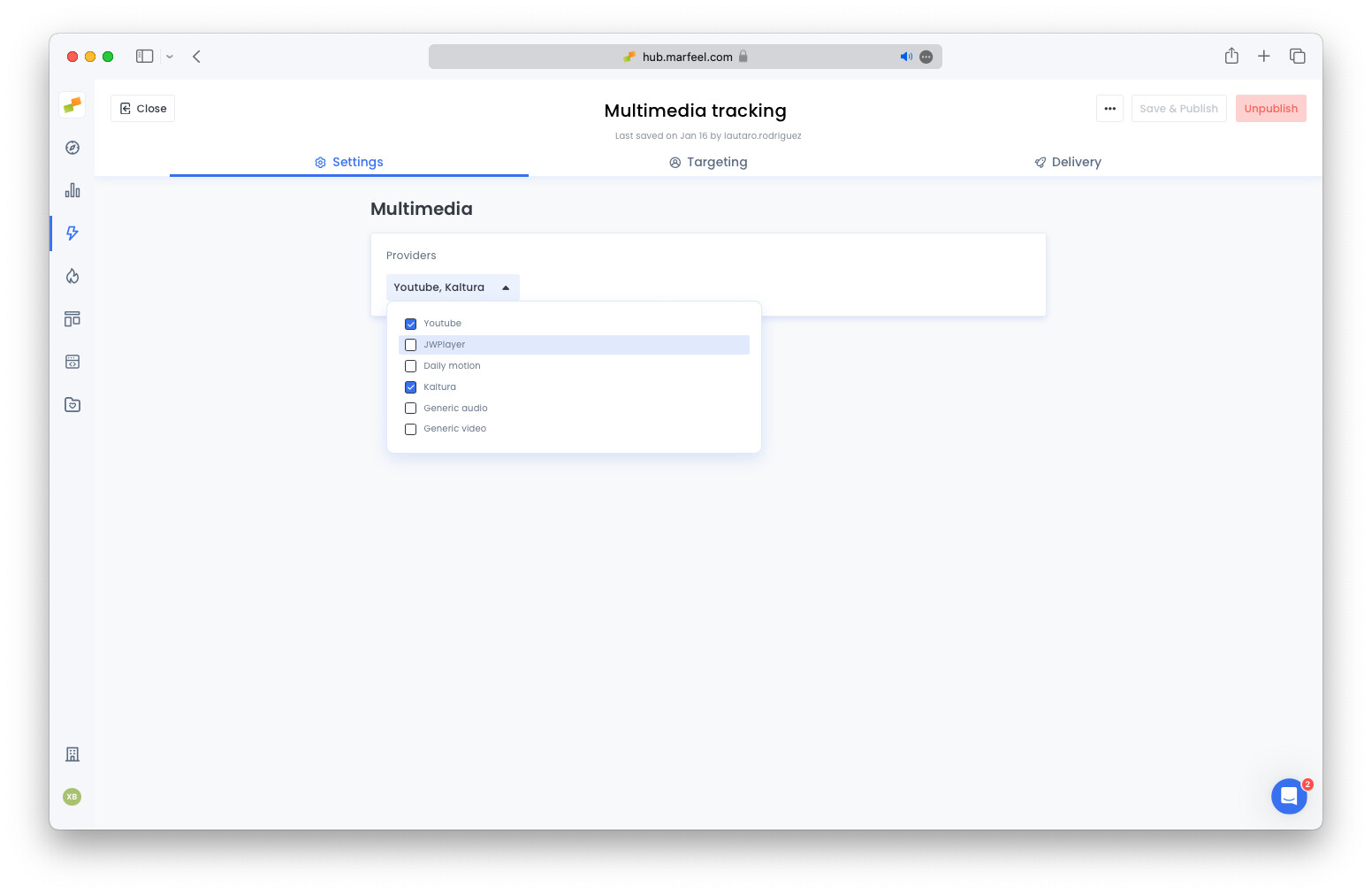
- From the dropdown menu select the video providers you want to enable on your site
- Publish the experience: within a few minutes you’ll start seeing data coming through in the Media tab on the Compass real time view. For a full overview of the multimedia metrics available, see the Multimedia Analytics Overview.
The Multimedia module is a paid add-on. Contact your Account Manager for pricing information and to enable it.
In case you have a custom player you can instrument it with the Marfeel SDK.
Supported Players via No-Code
Section titled “Supported Players via No-Code”The Multimedia Tag Experience has built-in support for:
- Brightcove
- Clappr
- Connatix
- DailyMotion
- Digiteka
- ExCo
- Fuel
- Generic audio
- Generic video
- JWPlayer
- Kaltura
- Lottie
- Mediastream
- Omny
- PoWa Embed
- Radiant
- Spreaker
- STN player
- VideoJS
- Voltax
- Yplayer
- YouTube
YouTube Integration
Section titled “YouTube Integration”Marfeel automatically performs the required DOM manipulations to subscribe to YouTube player events:
- Add the Youtube
ifram_api - Add the
?enablejsapi=1query param to the iframe src property
The no-code experience is built for quick experimentation and testing. For production environments, apply these changes directly in your HTML to avoid DOM manipulation. To automatically add the enablejsapi parameter, specify it in the Multimedia Tag Experience configuration.
If you are already consuming YouTube JS API events via window.onYouTubeIframeAPIReady, the no-code experience may not work. In these cases, manually instrument YouTube as a custom provider directly from your handler. The media_UID field can be populated from the video_id field of the YouTube metadata API, and the url from the videoUrl metadata.
Lite-youtube
Section titled “Lite-youtube”To subscribe to YouTube JS events using the lite-youtube widget, add a params attribute with enablejsapi=1. The no-code experience does this by default, but if you are already defining other params, include it as shown:
<lite-youtube videoid="3BHdxKY773Y" params="otherparams&enablejsapi=1"></lite-youtube>For more info you can check lite-youtube-embed documentation
Generic Video and Audio Players
Section titled “Generic Video and Audio Players”The generic video and audio tracking monitors <video> and <audio> HTML5 tags in the DOM and subscribes to their playback events.
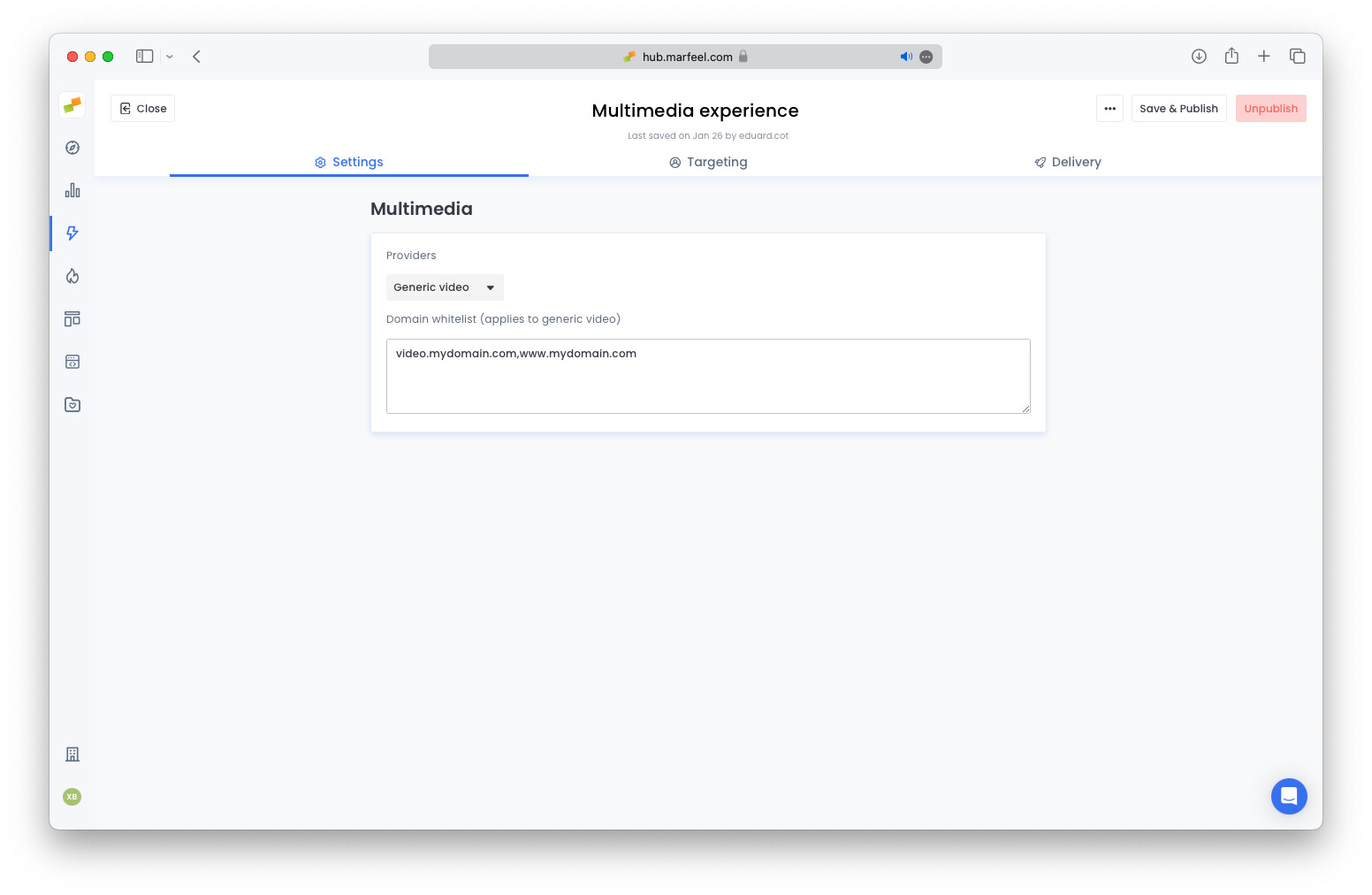
Advertisement providers commonly add <video> tags in out-of-page formats directly on the DOM. To avoid tracking these advertisement videos, specify a comma-separated whitelist of domains from which videos will be tracked.
If you encounter issues with video or audio tracking, consult the Multimedia troubleshooting guide for common problems and solutions.
Dailymotion Integration
Section titled “Dailymotion Integration”The no-code experience relies on Dailymotion’s Player API, which is available through several Dailymotion implementations but not all of them, as described in Dailymotion for Developers.
If you are using the Player iFrame integration, you need to switch to the Player Embed Script or the Player Library Script integration to use the multimedia tracking.
Which video and audio players are supported by the no-code Multimedia Tag Experience?
The Multimedia Tag Experience has built-in support for Brightcove, Clappr, Connatix, DailyMotion, Digiteka, ExCo, Fuel, Generic audio, Generic video, JWPlayer, Kaltura, Lottie, Mediastream, Omny, PoWa Embed, Radiant, Spreaker, STN player, VideoJS, Voltax, Yplayer, and YouTube.
How do I set up YouTube tracking with the no-code experience?
Marfeel automatically adds the YouTube iframe_api and the enablejsapi=1 query parameter to the iframe src. For production, apply these changes directly in your HTML. If you already consume YouTube JS API events via window.onYouTubeIframeAPIReady, use the custom provider approach instead.
How do I prevent advertisement videos from being tracked?
For generic HTML5 video and audio tracking, specify a comma-separated whitelist of domains in the Tag Experience configuration. Only videos from those whitelisted domains will be tracked, filtering out advertisement video tags injected by ad providers.