

Multimedia troubleshooting for video, audio and metrics
Below is a list of common issues when dealing with the Multimedia module, along with steps to diagnose and resolve each one.
Debugging
Section titled “Debugging”The Marfeel SDK tracks data periodically to Marfeel servers whenever a video or audio plays. If you see data gaps in the UI, such as missing titles or images, inspect the multimedia network requests to determine whether the SDK is sending the correct values.
Video title not detected
Section titled “Video title not detected”When the video player does not supply its title, the Marfeel SDK falls back to displaying the url or a blob reference. This is especially common when using the Generic no-code Video experience.
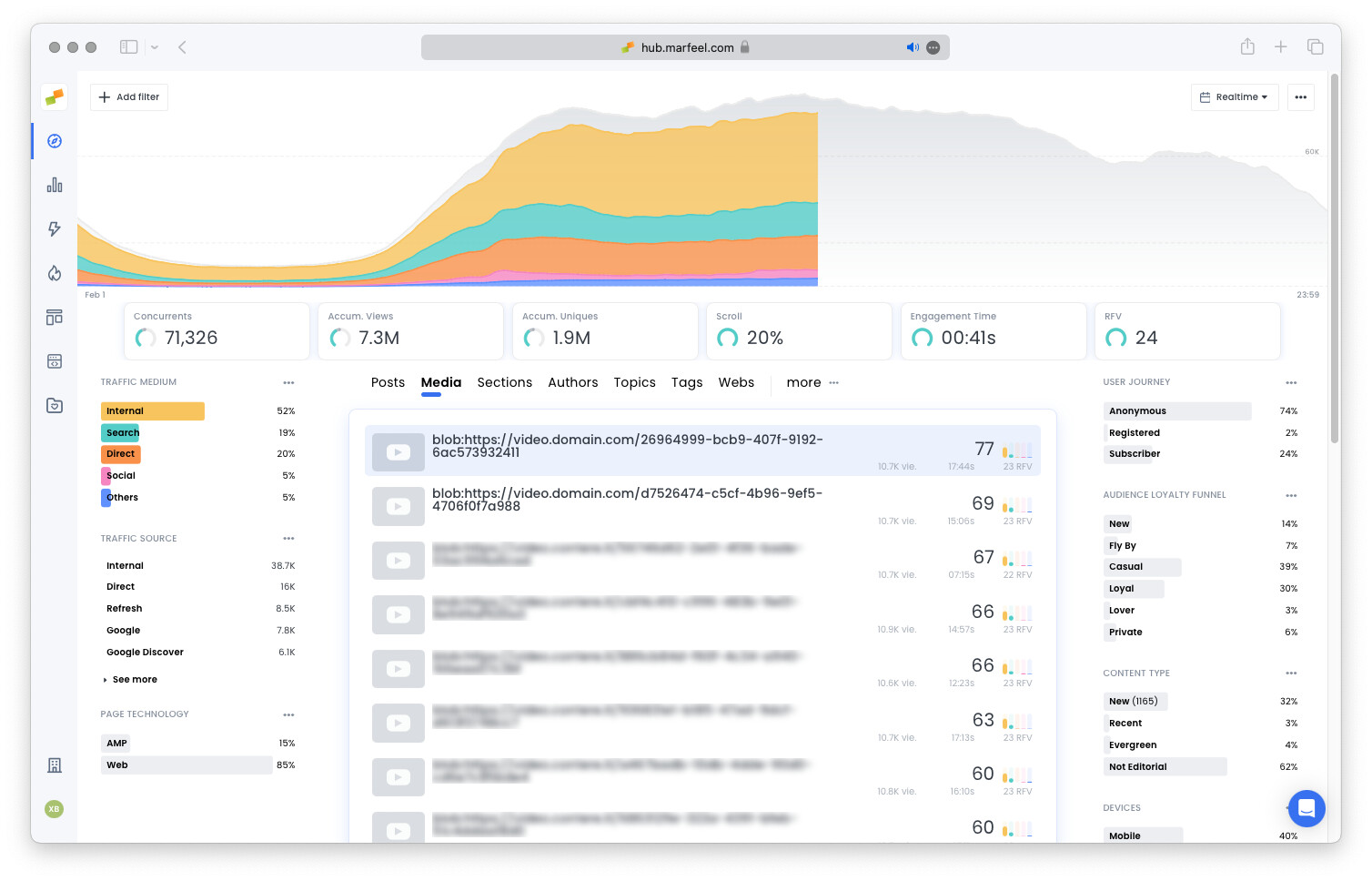
You can validate the multimedia network requests to confirm this behavior. The solution is to ensure the video player provides its title on your side.
Metrics mismatch
Section titled “Metrics mismatch”Marfeel data warehouse offers several multimedia-related metrics: video count, image count, has video, has audio, and has media. These metrics may appear incoherent. For example, an article can report video count = 2 and has media = false. For a complete list of available multimedia metrics and their definitions, see the Media Metrics & Dimensions reference.
The reason is that the metrics come from two different sources:
- Structure data.
video countandimage countare reported based on the image and video objects declared in the structure - Multimedia tracking.
has audio,has video, andhas mediaare reported once Marfeel’s multimedia tracking detects the player on the page. They do not require anyone to press play
Because the sources are independent, the two rarely agree exactly. The direction of the mismatch tells you what to fix:
| What you see | What it means | What to do |
|---|---|---|
has media = true, video count lower or 0 | A player was tracked, but the video is not declared in the article’s Structure data. | Declare a video object in the Structure data of the article. |
video count above 0, has media = false | The video is declared in the markup, but Marfeel never tracked it. | Confirm the player is one Marfeel supports. Videos loading inside an iframe need the multimedia iframe SDK, covered in Videos inside iframes below. |
has media, has video and has audio are false across your entire site, multimedia tracking is not set up yet. The metrics are not reporting an absence of media, they are reporting that Marfeel has never tracked any.
Multimedias reported in wrong articles
Section titled “Multimedias reported in wrong articles”Multimedia playback may appear attributed to an article where you would not expect it. Two common causes explain this:
- Videos can be automatically reproduced after a directly embedded video completes, causing playback to be attributed to a different article.
- If your pages use infinite scroll, ensure you properly instrument URL changes. Without notifying the Marfeel SDK of URL changes, playback from a subsequent article will be incorrectly attributed to the first editorial article.
Videos inside iframes
Section titled “Videos inside iframes”If your videos load inside an iframe, you need the Marfeel multimedia iframe SDK. Contact your account manager for assistance with the implementation.
Why does my video title show a URL or blob instead of the actual title?
This commonly happens when using the Generic no-code Video experience. The video player is not informing its title to the Marfeel SDK, so the SDK falls back to displaying the URL or blob reference. You need to ensure the video player provides the title on your side.
Why do video count and has media metrics not match?
These metrics are extracted from different sources. video count and image count come from Structure data (image and video objects declared on the structure), while has audio, has video, and has media are reported once Marfeel’s multimedia tracking detects the player, without anyone needing to press play. If has media = true but video count is lower or 0, declare a video object in the Structure data of the article. If video count is above 0 but has media = false, Marfeel never tracked that video, commonly because the player loads inside an iframe and needs the multimedia iframe SDK. If all three has metrics are false across your whole site, multimedia tracking is not set up yet.
Why is a multimedia playback reported on the wrong article?
Videos can be automatically reproduced after a directly embedded video completes, attributing playback to an unexpected article. If your pages use infinite scroll, ensure you properly instrument the URL changes so the Marfeel SDK correctly attributes playback to the right editorial article.