

Google Discover monitoring for publishers
Marfeel Discover Monitoring lets you visualize what content is trending on Google Discover worldwide. You can filter by country, language, city, topic, publisher, and time period to understand exactly what performs and why.
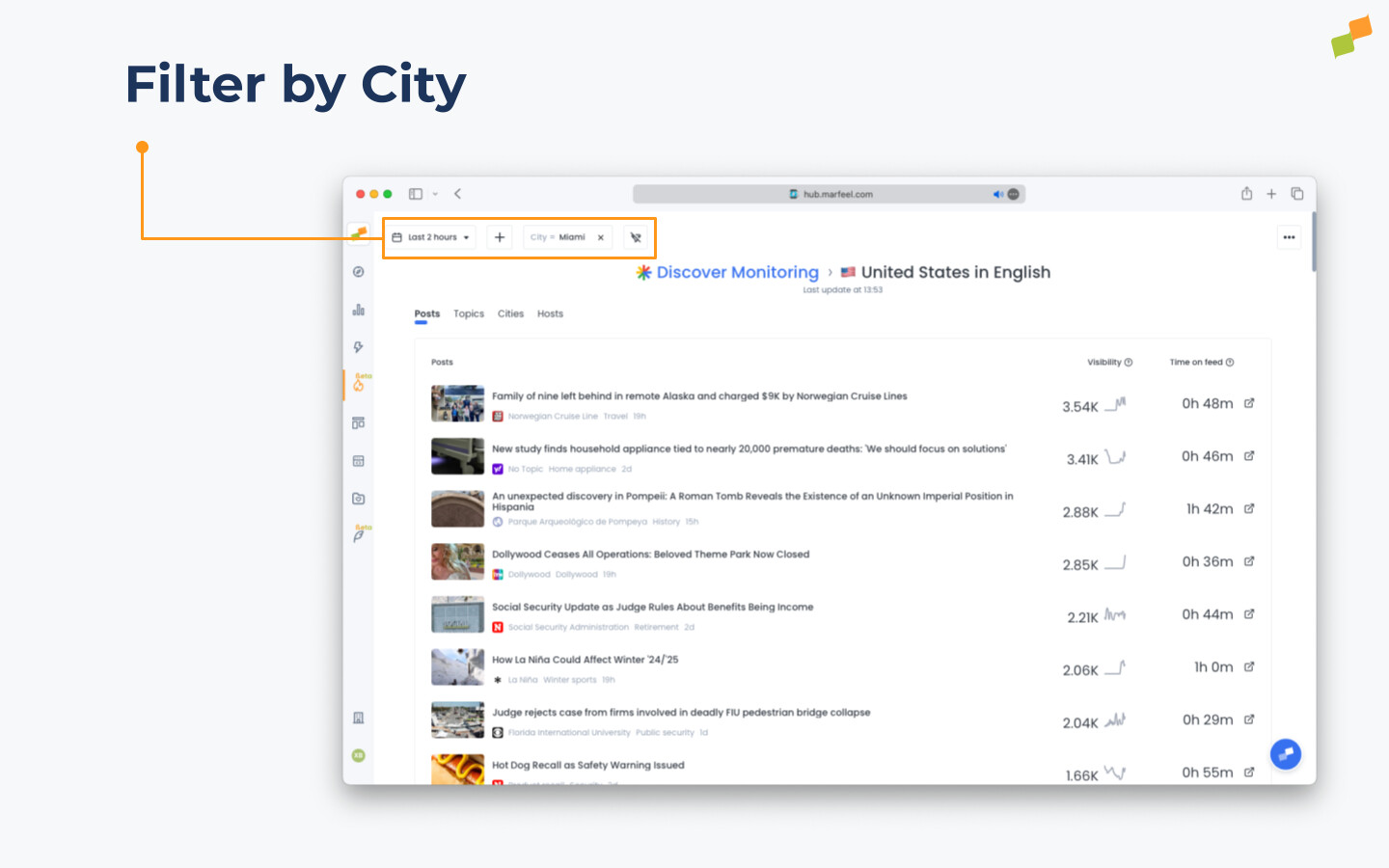
You can track high-level trends at a country level in the present, or get super specific and look at what was performing in a single city like Miami during a specific timeframe.
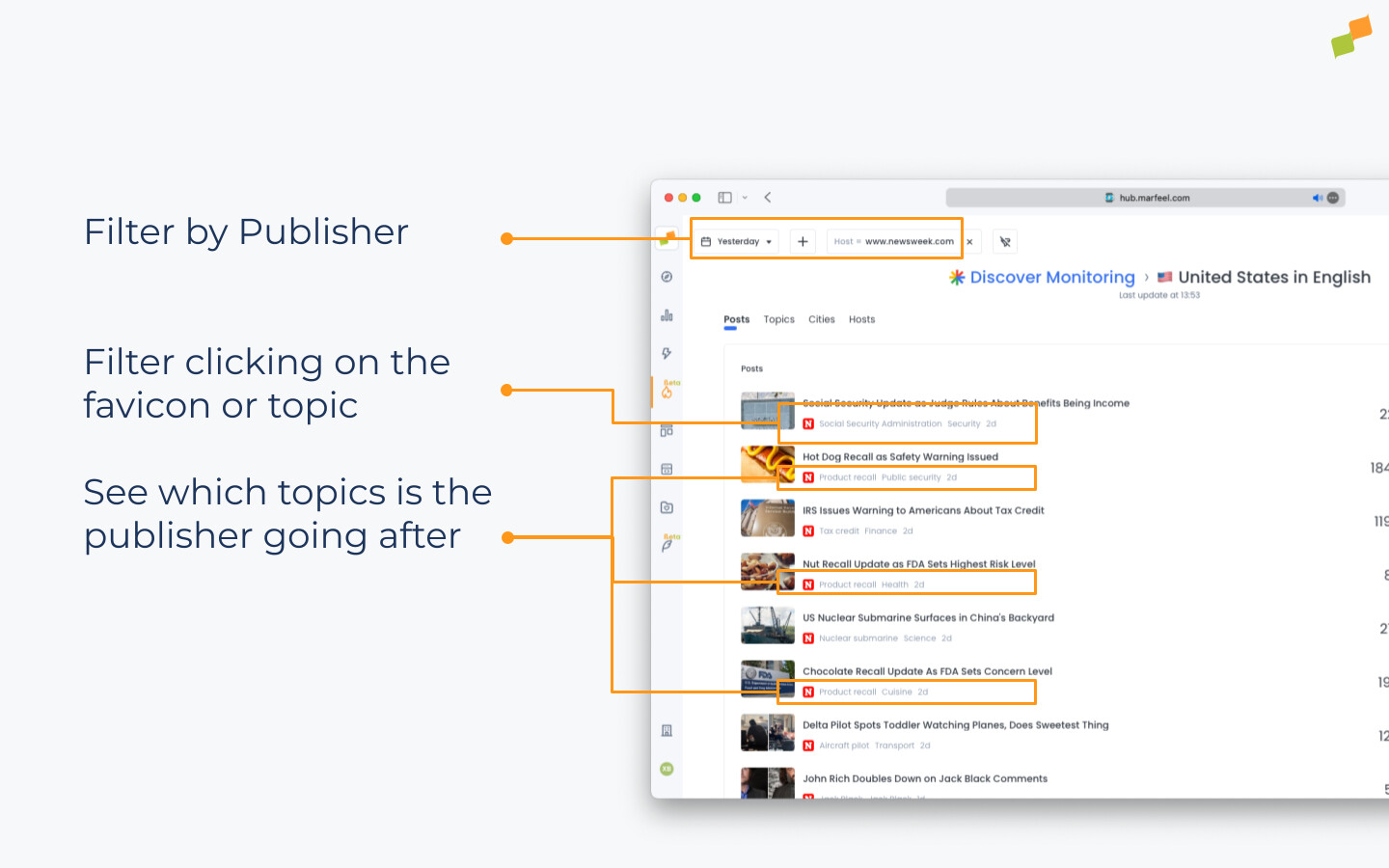
You can also delve into the data of specific competitors to understand the stories and topics that are performing for them and take action. As you can see here, this publisher seems to have hit on something with food and product recalls.
With this kind of data at your fingertips, you can drive real-time tactical changes, like jumping on a hot topic and getting something out there to ride the wave. You can also make bigger strategic decisions, like using long-term trends to detect gaps in your evergreen content that can win you more traffic.
🎓 Become a Marfeel Monitoring expert 📈 Learn how to track trends, benchmark performance, and react in real time with our Marfeel Monitoring Course.
✅ Actionable insights ✅ Editorial use cases ✅ Certificate of completion included
🧠 Start now on Marfeel Academy.
Filtering
Section titled “Filtering”Discover Monitoring offers eight filters so you can narrow results to the exact segment you need:
- Host: Narrow results by media organization. Only want to see data from The New York Times? Set that host filter.
- Topic: Analyze a specific topic. Want to know what articles about the Olympics are performing best on Google Discover? Use the topic filter.
- Category: Analyze a full category like sports or finance, or deep dive into a more specific category like basketball or restaurants.
- City: Especially useful for regional publishers. A story may be relevant in Boston but not in Seattle.
- Article publish date: Analyze stories on Google Discover published during a certain time period.
- Date picker: Adjust the time window you want to analyze.
- YouTube channel: Filter your feed to see posts from specific YouTube channels appearing on Google Discover.
- isAI: Filter your feed to see only posts that appear as AI Summaries on Google Discover.
Sections
Section titled “Sections”Discover Monitoring organizes data into six dedicated views, each focused on a different dimension of Google Discover performance:
- Posts: Posts ranked by their Visibility on Google Discover over your selected timeframe. You will see the Visibility and Time on Feed metrics. Posts with AI Summaries are clearly labeled, showing whether the click plays a YouTube, goes to X or to a publisher, along with the logos Google shows as sources.
- Pro tip: Clicking on the post title takes you directly to that article, where you can use CoPilot to perform competitor analysis and learn more about why it is having success.
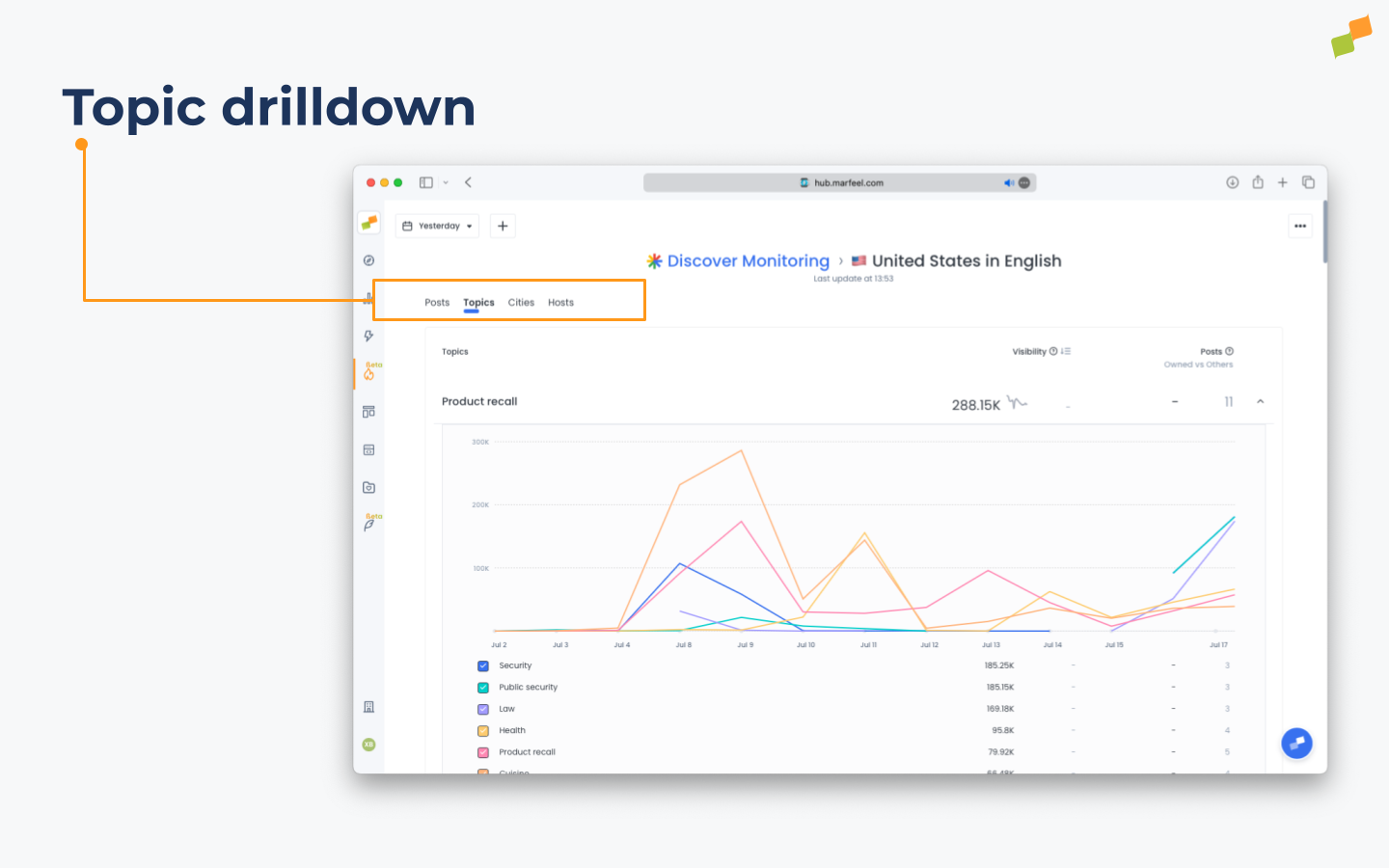
- Topics: Topics ranked by their Visibility on Google Discover over your selected timeframe. You will see the Visibility and Posts metrics, and you will also be able to see the number of your posts vs. the number of other publishers’ posts per topic. Selecting a topic reveals the most popular sub-topics and a chart showing their visibility over time.
- Cities: Share of voice (visibility) per city. Very useful for benchmarking regional strategy when filtering one concrete domain. For example, filter The New York Times and see their distribution on a city-by-city basis. Double filter by city and you will see which topics work for a given publication in a given region.
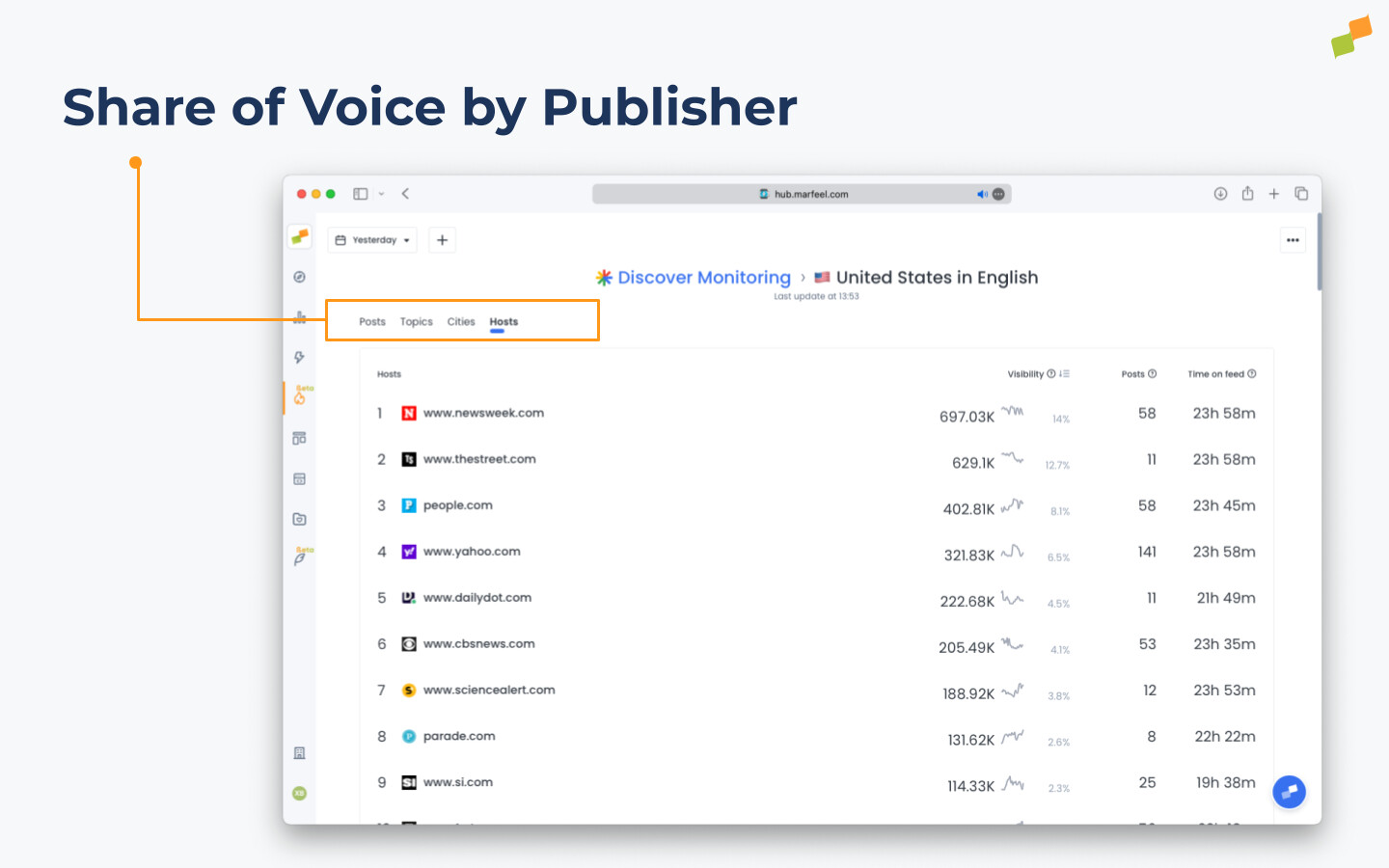
- Hosts: Hosts ranked by their Visibility on Google Discover over your selected timeframe. You will see Visibility along with a Share of Voice percentage as well as the Posts and Time on Feed metrics.
- Categories: Google classifies content not only by topics but by content categories. This information is extracted by Google and allows you to see which categories have the most visibility.
- YouTube Channels: YouTube channels ranked by their Visibility on Google Discover over your selected timeframe. You will see the visibility share per channel, number of videos surfaced per channel, and which are the winning contents per channel. Track how often YouTube appears in the feed and whether videos are referenced from AI Summaries.
AI Summaries
Section titled “AI Summaries”AI Summaries represent a significant portion of Google Discover content in key markets. In the US, Brazil, and Mexico, 51% of the feed consists of AI Summaries. These summaries often display multiple publisher logos but provide a single actionable click, which in most cases plays an inline YouTube video.
Marfeel Discover Monitoring gives you full visibility into how Discover’s data and visibility scoring apply to AI Summary content:
- Posts with AI Summaries, clearly labeled in your feed
- Whether each AI Summary click plays a YouTube, goes to X or to a publisher
- The logos Google shows as sources
- The winning YouTube channel or X account, with name and direct link
This helps you understand when your content is being referenced and when the value flows elsewhere, allowing you to benchmark performance, spot emerging trends, detect traffic displacement early, and adapt editorial and growth strategies before traffic drops show up in analytics.
Learn more about Google Discover’s shift to AI, YouTube, and X in our complete report
What filters are available in Marfeel Discover Monitoring?
You can filter by host, topic, category, city, article publish date, date range, YouTube channel, and AI Summary presence.
What are AI Summaries in Google Discover?
AI Summaries are AI-generated content cards that make up 51% of the feed in the US, Brazil, and Mexico. They display multiple publisher logos but provide a single actionable click, which in most cases plays an inline YouTube video.
What sections does Discover Monitoring include?
Discover Monitoring includes six sections: Posts (ranked by visibility), Topics (with sub-topic breakdowns), Cities (share of voice per city), Hosts (visibility and share of voice), Categories (based on Google’s content classification), and YouTube Channels (visibility share and winning content per channel).