

Social monitoring across major platforms
Marfeel Monitoring lets you see which content is performing or has performed well on Facebook, Instagram, YouTube, and TikTok. This allows you to optimize your content, improve its distribution, and ideate new topics your audience wants to read. You can respond to trends in real-time or analyze past trends to identify popular topics and shape your future editorial strategy.
Marfeel Monitoring surfaces content in boards. A board is a visualization of the posts of a selection of social media accounts. Boards can be filtered according to your needs, allowing you to drill down into specific topics, accounts, post types, and time periods.
For example, if you want to visualize top performing Sports content from the US in Video format, you can configure your board to show the top posts in just a few clicks.
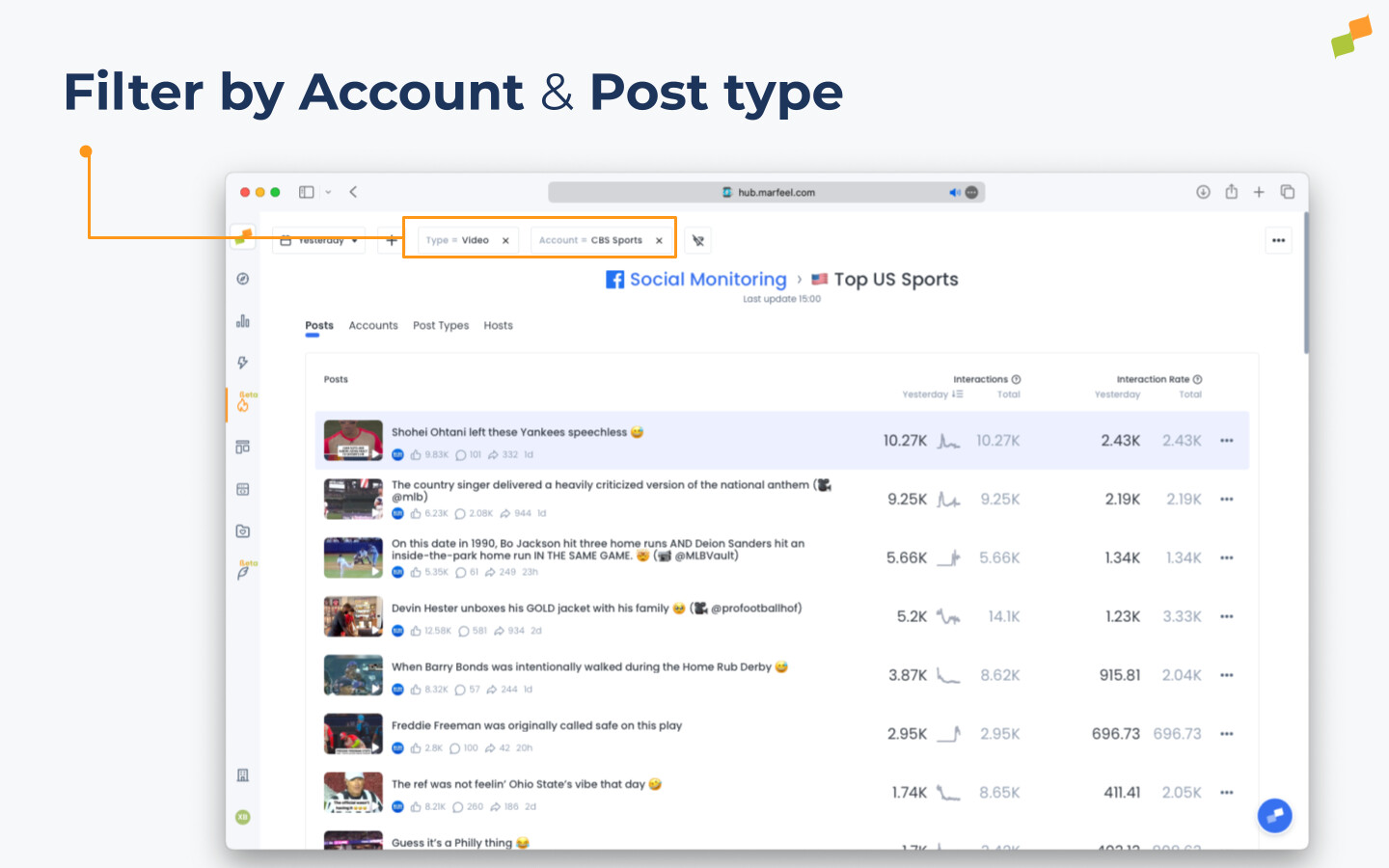
Tracking competitors is just as straightforward. Just as you filter by topics and formats, you can select specific media outlets and drill into their top performing posts. Here we can see the top posts from CBS Sports in the US.
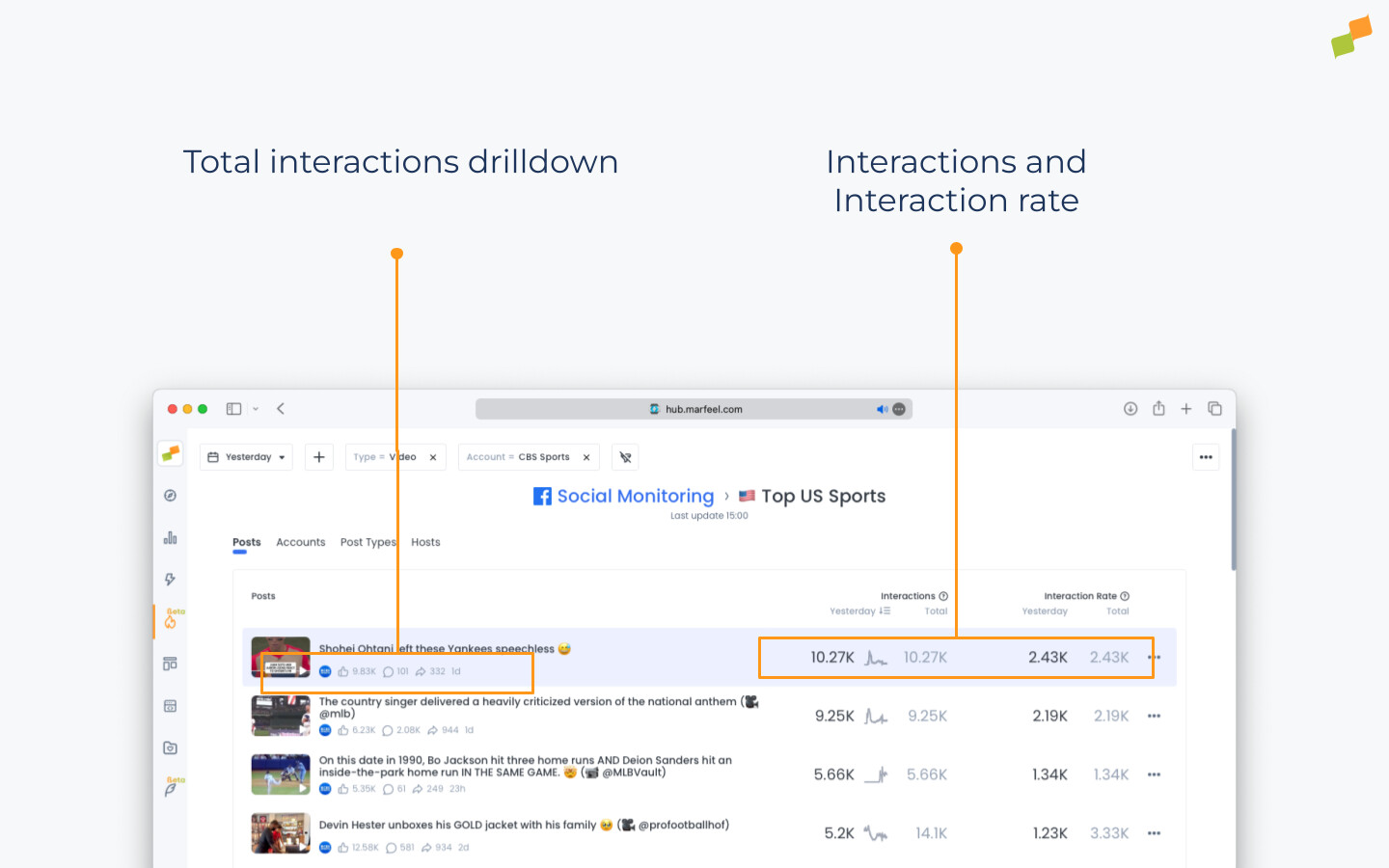
Beyond the most popular stories matching your parameters, you can also see how much engagement each individual piece of content receives, how long ago it was published, and both real-time and historical interaction metrics.
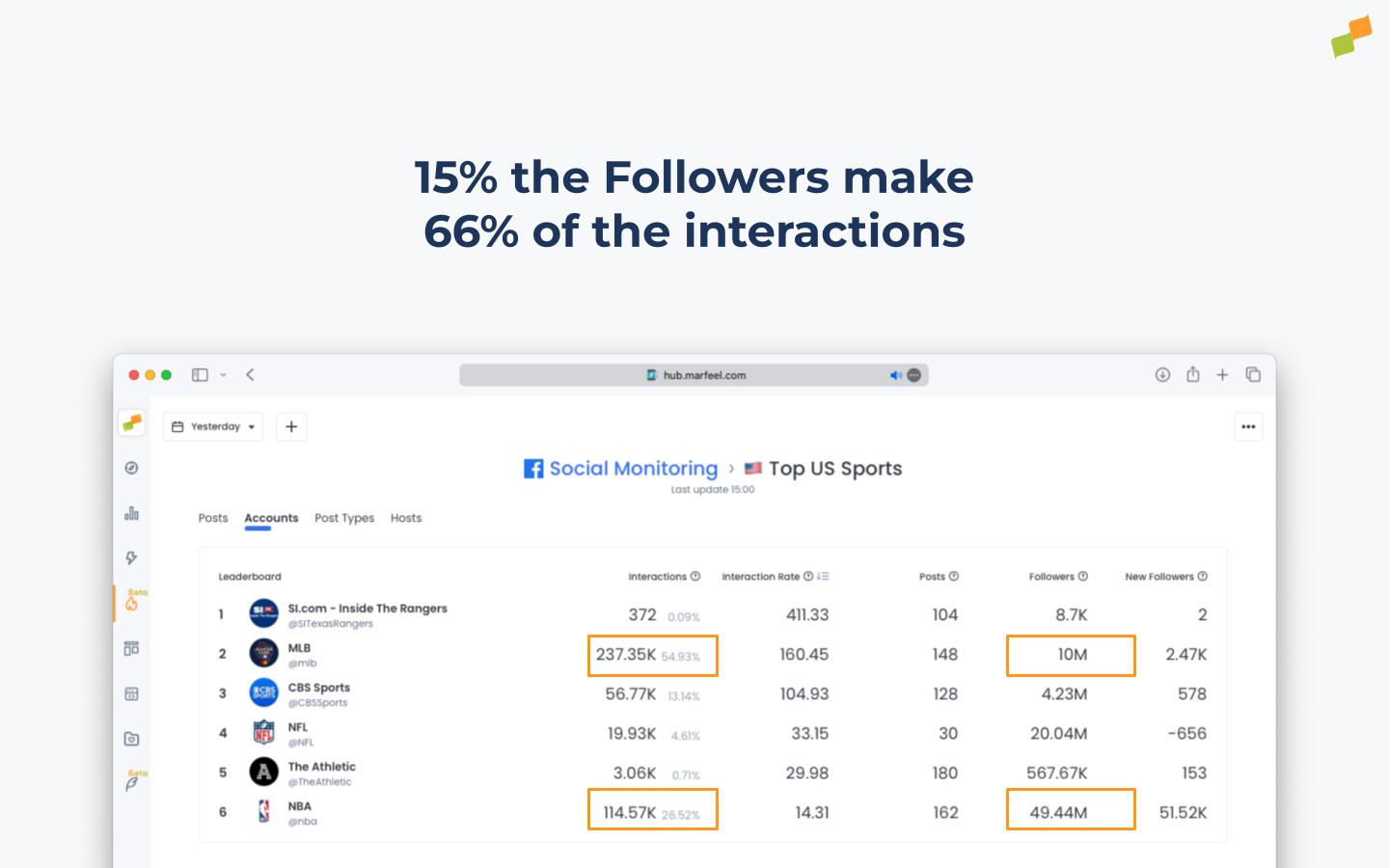
Marfeel Social Monitoring also works as a benchmarking tool. You can see which outlets perform well on each channel, who has the most active and engaged audience, and compare your performance to others.
Having more followers does not guarantee your stories will outperform competitors.
🎓 Become a Marfeel Monitoring expert 📈 Learn how to track trends, benchmark performance, and react in real time with our Marfeel Monitoring Course.
✅ Actionable insights ✅ Editorial use cases ✅ Certificate of completion included
🧠 Start now on Marfeel Academy.
Filters
Section titled “Filters”You can dive further into data provided by Marfeel’s Social Monitoring tool by using the available filters.
- Account: Looking for information from a specific account, or from all accounts that include a certain keyword? Use the Account filter to get more specific results and insights.
- Article Title: Filter based on what is included in the title of the linked article in the social media post. Pro tip: if a certain keyword is spiking right now, set a filter for all posts including that keyword, analyze what is working, and replicate it on your own site quickly. Note: Article Title is only available for Facebook posts with post type Link, and for Bluesky. It is not available for other social networks.
- Host: Especially useful when you want to see all social media account data from a specific media organization at a glance.
- Post Content: Same as Article Title but based on the social media post content itself.
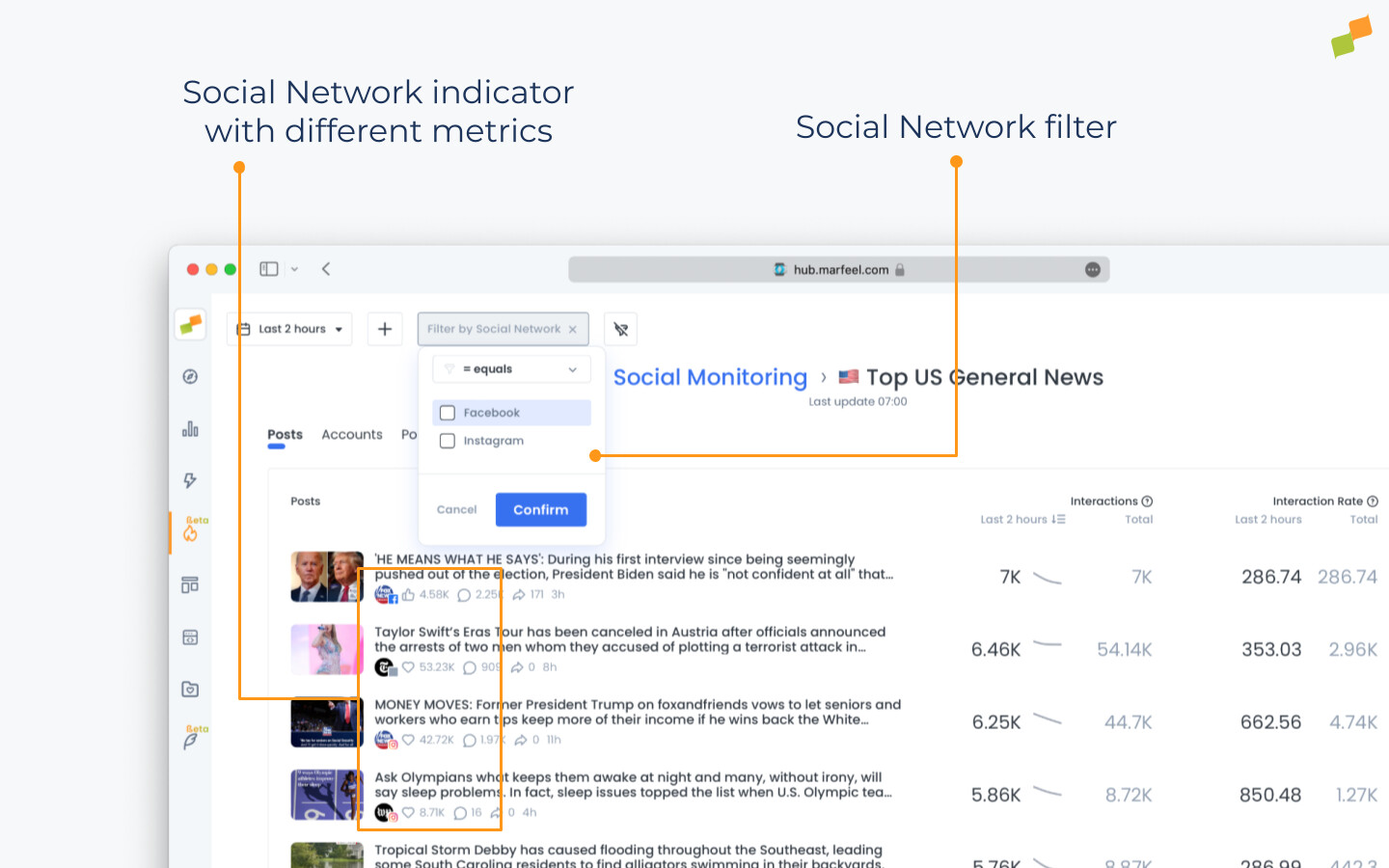
- Social Network: Filter by Facebook, Instagram, YouTube, and TikTok. By default, boards show content from all networks.
- Type: Specify which type of post you want to analyze: Link, Text, Photo, or Video.
Sections
Section titled “Sections”- Posts: Posts are ranked by their Interactions. You will see Interactions (Total) and Interaction Rate (Total). By default, the timeframe is set to Last 2 hours, but you can customize this by clicking on the submenu. Clicking on a post takes you directly to that post.
- Accounts: Accounts are ranked by Interaction Rate for your selected timeframe. You will also see Interactions (Total), Posts, Followers, and New Followers. You can rank the content by any metric by clicking on it. Clicking an account takes you directly to that social media account.
- Post Types: The four post types (text, video, photo, link) are ranked by Interaction Rate (Total) over your selected timeframe. You will also see Interactions (Total) and Posts metrics. Clicking on a post type takes you to a filtered view showing only those types of posts.
- Hosts: Hosts are ranked by Interaction Rate (Total) over your selected timeframe. You will also see Interactions (Total), Post Metrics, and each host’s Share of Voice: a percentage showing the host’s share of total interactions on the board during your chosen timeframe. Clicking on a host takes you to a filtered view showing only posts from that host.
Ready to create your own Social Monitoring board?
What social networks does Marfeel Social Monitoring support?
Marfeel Social Monitoring supports Facebook, Instagram, YouTube, and TikTok. Boards display content from all networks by default, and you can filter by any individual network.
Can I track competitor social media performance with Marfeel Monitoring?
Yes. You can select specific media outlets and drill into their top-performing posts. Marfeel Monitoring also works as a benchmarking tool, showing which outlets have the most active and engaged audiences and comparing your performance to others through Share of Voice metrics.
What filters are available in Social Monitoring?
You can filter by Account, Article Title (Facebook Link posts and Bluesky only), Host, Post Content, Social Network, and Type (Link, Text, Photo, or Video). These filters let you drill down into specific topics, accounts, post types, and time periods.