

How to monitor SERPs with Marfeel
The SERP Monitoring module provides comprehensive tracking of the SERP elements most relevant to publishers. It covers Top Stories, Organic results, Videos, and Google News rankings across both mobile and desktop, giving editorial and news SEO teams the real-time visibility they need to stay competitive.
Create a new SERP query
Section titled “Create a new SERP query”To start tracking a search query, follow these steps:
- Click on
New queryin the SERP Monitoring module.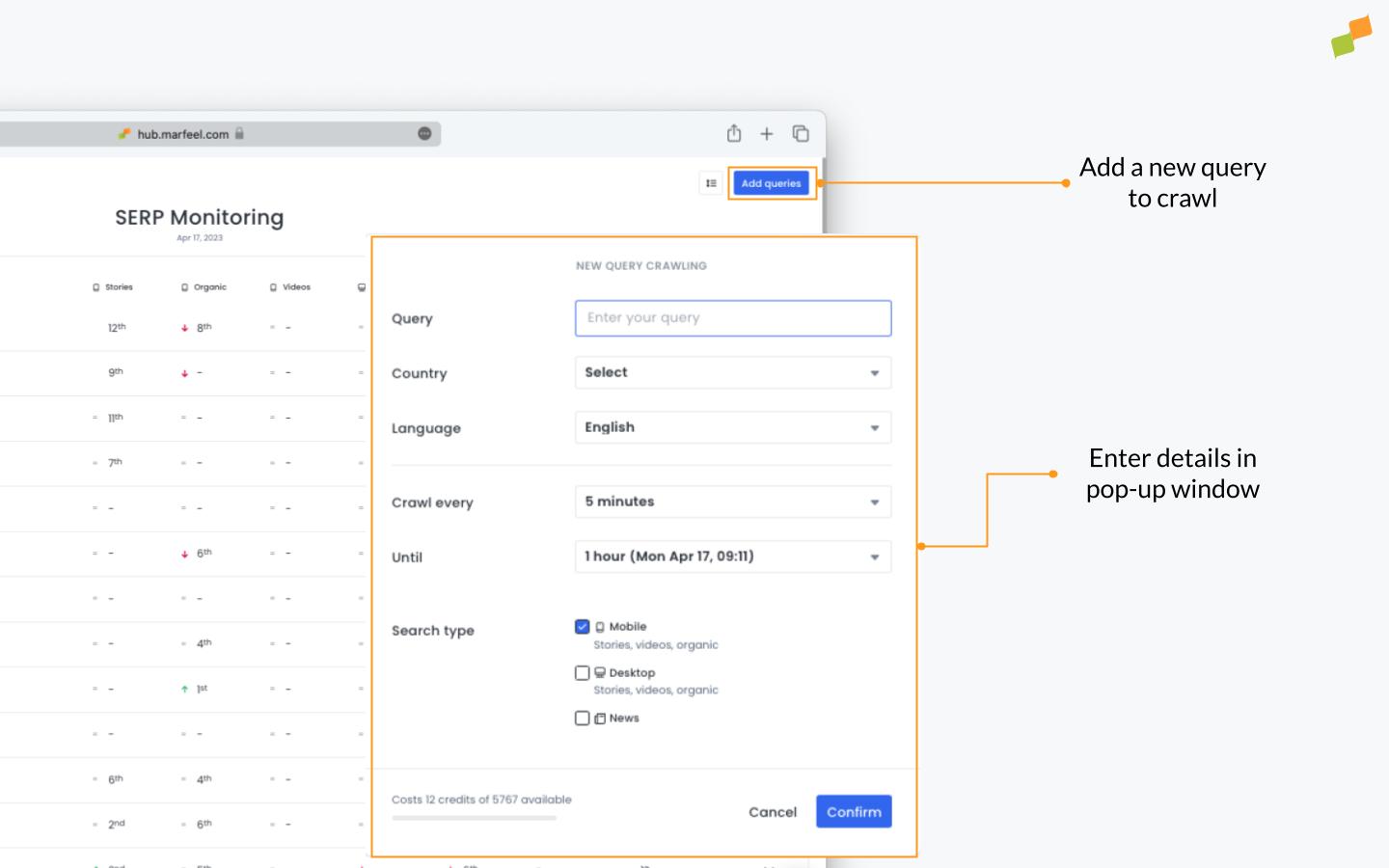
- Query: Enter the keywords you want to monitor along with the
countryandlanguage. - Crawl every: Select a crawl interval (every 5, 15, 30, or 60 minutes). The more recently a story has broken or the more volatile the trend, the shorter the interval should be.
- Until: Decide how long the query should run (an hour, a day, a week, or a month).
- Search type: Select
Mobileand/orDesktopto crawl Top Stories, Videos, and organic search results for those devices. Check the box next toNewsto monitor results in the Google News tab. ClickConfirm.
🎓 Master Monitoring, step by step 📊 The video below is an excerpt from the Monitoring Fundamentals course.
🧠 Discover more learning paths on Marfeel Academy.
Monitor active queries in real time
Section titled “Monitor active queries in real time”Once a query is set up, it appears in the SERP monitoring table alongside other ongoing and completed queries. Each column represents a different SERP element:
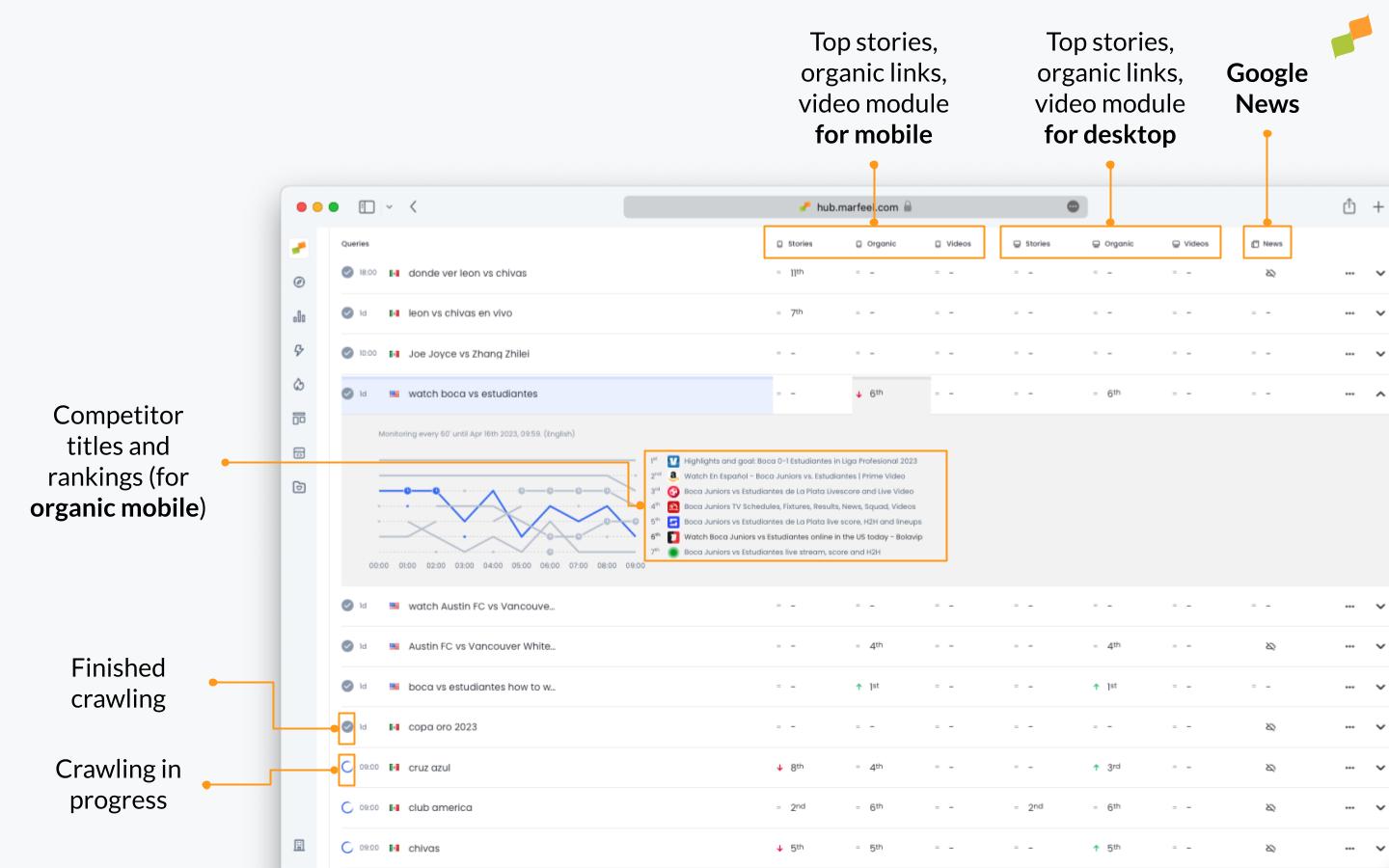
- Top Stories, Video, Organic, and Google News rankings: Your results appear in blue at every crawl interval, so you can track how your position changes over time relative to competitors.
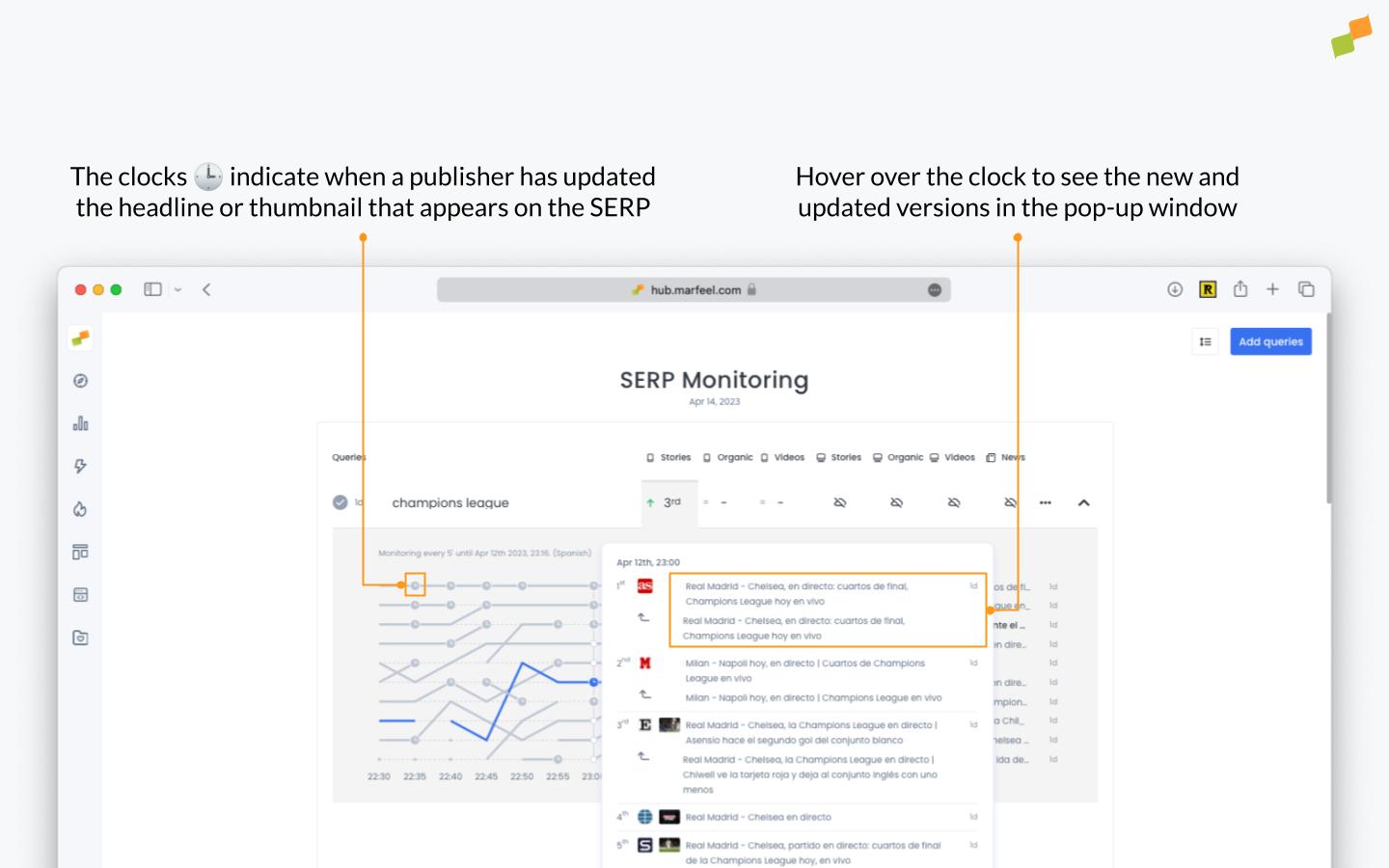
- Competitor activity tracking: The clock symbol indicates that a competitor has changed either their headline or thumbnail. This helps you see which competitors are A/B testing and whether those changes affect their rankings, revealing potential optimization opportunities.
- Top Stories rankings: Access the rankings for Top Stories (formerly known as the News Carousel) to stay on top of the game.
- Visibility optimization: Use these insights to increase your visibility in Google News and the Top Stories on Google SERPs.
SERP tags in Compass
Section titled “SERP tags in Compass”Each SERP monitoring query is automatically added as a tag that you can track in Compass. This integration connects your SERP tracking data with Marfeel’s broader monitoring capabilities, providing a unified view of editorial performance.
-
Open the
SERPtab in Compass to view results. Each query includes predictive analytics for effective benchmarking.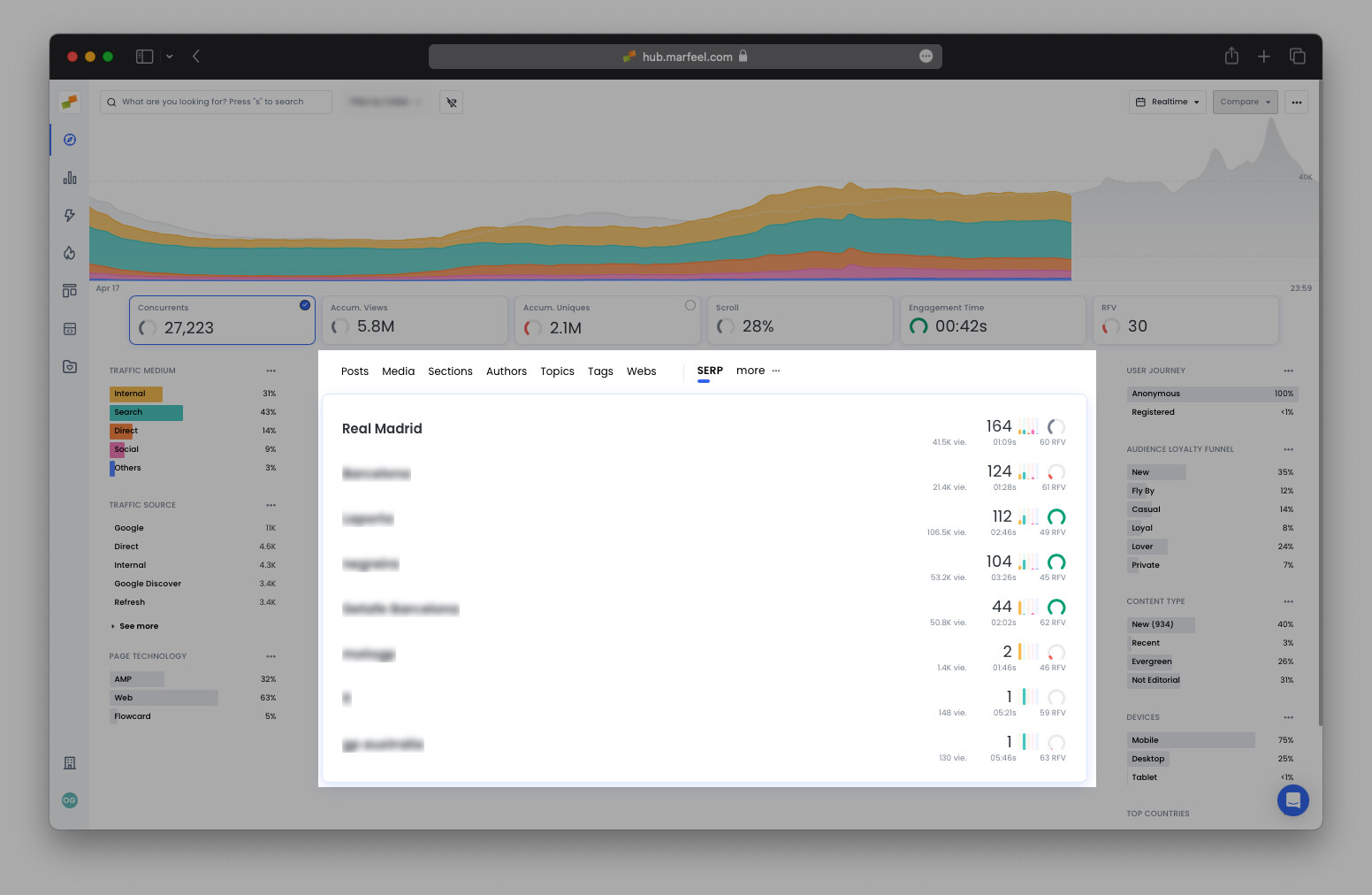
-
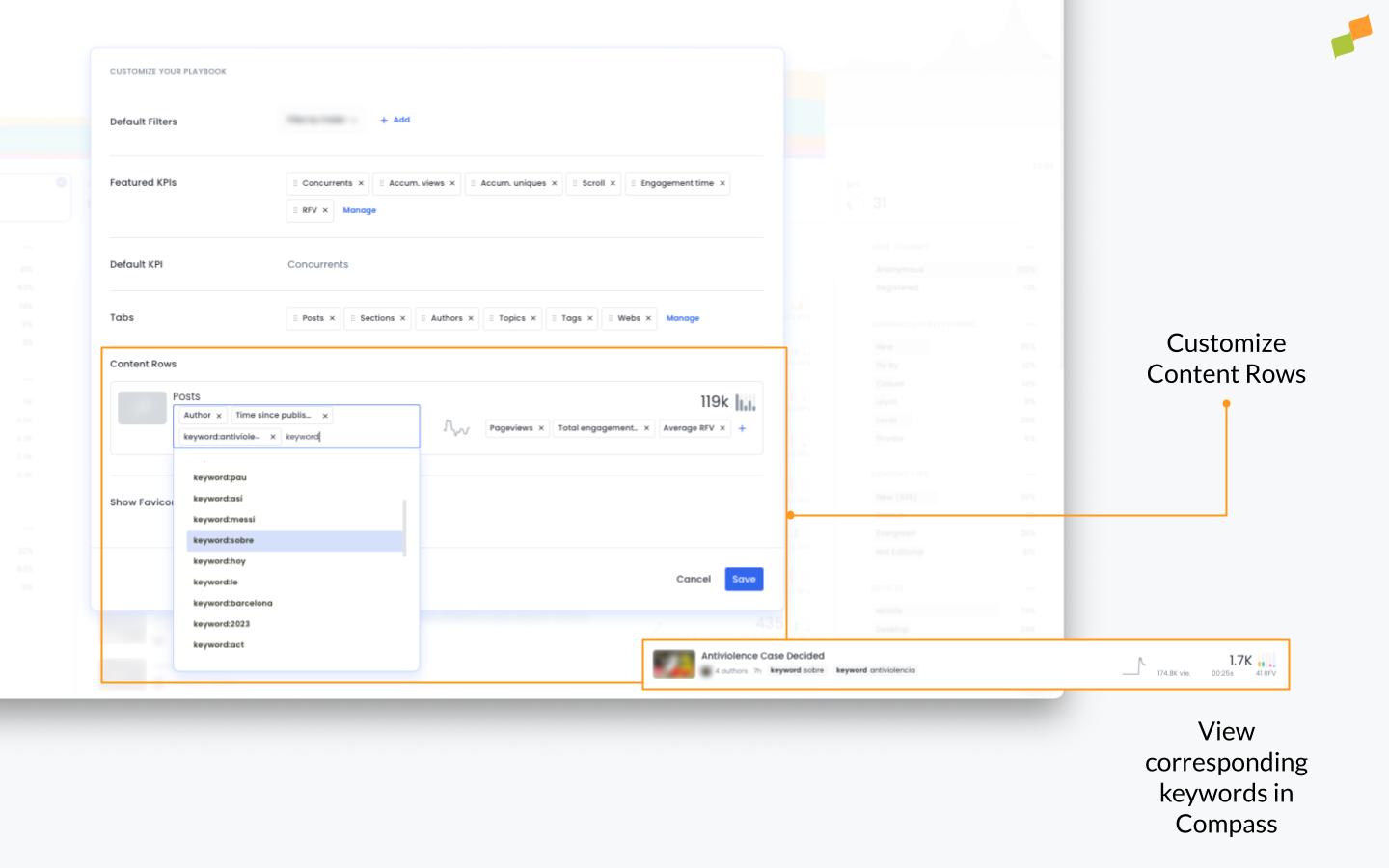
Customize Compass to show keyword tags for corresponding articles in content rows:
What SERP elements can Marfeel monitor?
Marfeel tracks Top Stories, Organic results, Videos, and Google News rankings for both mobile and desktop devices.
How often does Marfeel crawl SERP results?
You can set crawl intervals of every 5, 15, 30, or 60 minutes depending on how volatile the trend is.
How do SERP monitoring queries appear in Compass?
Each SERP monitoring query is automatically added as a tag in Compass, where you can view results under the SERP tab with predictive analytics for benchmarking.