

Manage tones of voice in Marfeel Copilot
Marfeel Copilot+ lets you generate and manage custom tones of voice so every article matches the writing style your brand requires. A tone of voice defines the style, approach, and language characteristics of your content. Different publications, writers, subjects, and sections can each carry a distinct tone, from formal and scientific to satirical or humorous.
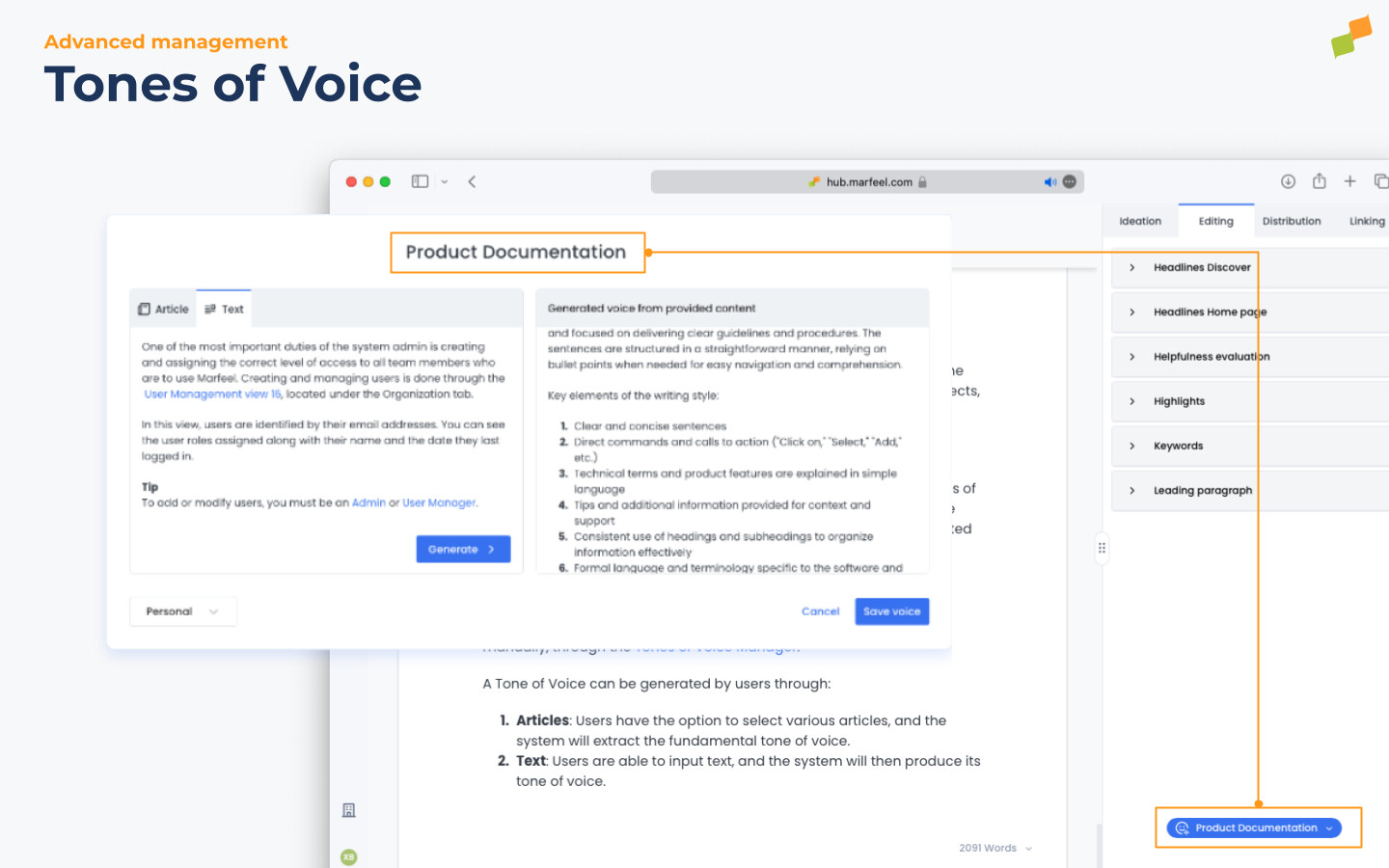
Select the tone you want from the blue selector at the bottom of the sidebar in both Marfeel Writer and the Marfeel Copilot extension. That tone then applies to all subsequent AI Suggestions.
Creating a custom tone of voice
Section titled “Creating a custom tone of voice”Use the Tones of Voice Manager to generate personalized or organization-wide tones of voice, either automatically or manually.
A tone of voice can be generated from two sources:
- Articles: Select one or more articles and the system extracts the underlying tone of voice.
- Text: Paste in a text sample and the system produces its tone of voice.
Examples of tones of voice
Section titled “Examples of tones of voice”- Satirical
- Sensationalist
- By purpose of the article
- to Divert
- to Give Perspective
- to Inspire
- to Inform
- Scientific
Organizations can create a Tone of Voice to apply for specific sections (finance, politics) or article types, such as detailed guides or lists.
How do I create a custom tone of voice in Marfeel Copilot+?
Open the Tones of Voice Manager in Marfeel Hub. You can generate a tone of voice automatically from existing articles (the system extracts the writing style) or from a text sample that you paste in manually.
Where do I select a tone of voice when writing?
Use the blue selector at the bottom of the sidebar in Marfeel Writer or the Marfeel Copilot extension. The selected tone applies to all subsequent AI Suggestions.
Can organizations share tones of voice across teams?
Yes. Organizations can create tones of voice and apply them to specific sections (finance, politics) or article types such as detailed guides or lists, making them available across the team.