

Marfeel Copilot Assistant — speak to your data
Marfeel Copilot Assistant lets you speak directly to your data and ask questions in natural language. As part of Marfeel Copilot, the goal is to demystify data, making it accessible and digestible to everyone regardless of their familiarity with Marfeel or data analytics.
The Omnisearch box is a key component of Marfeel’s Compass view, which instantly shows the most relevant match to any question users have:
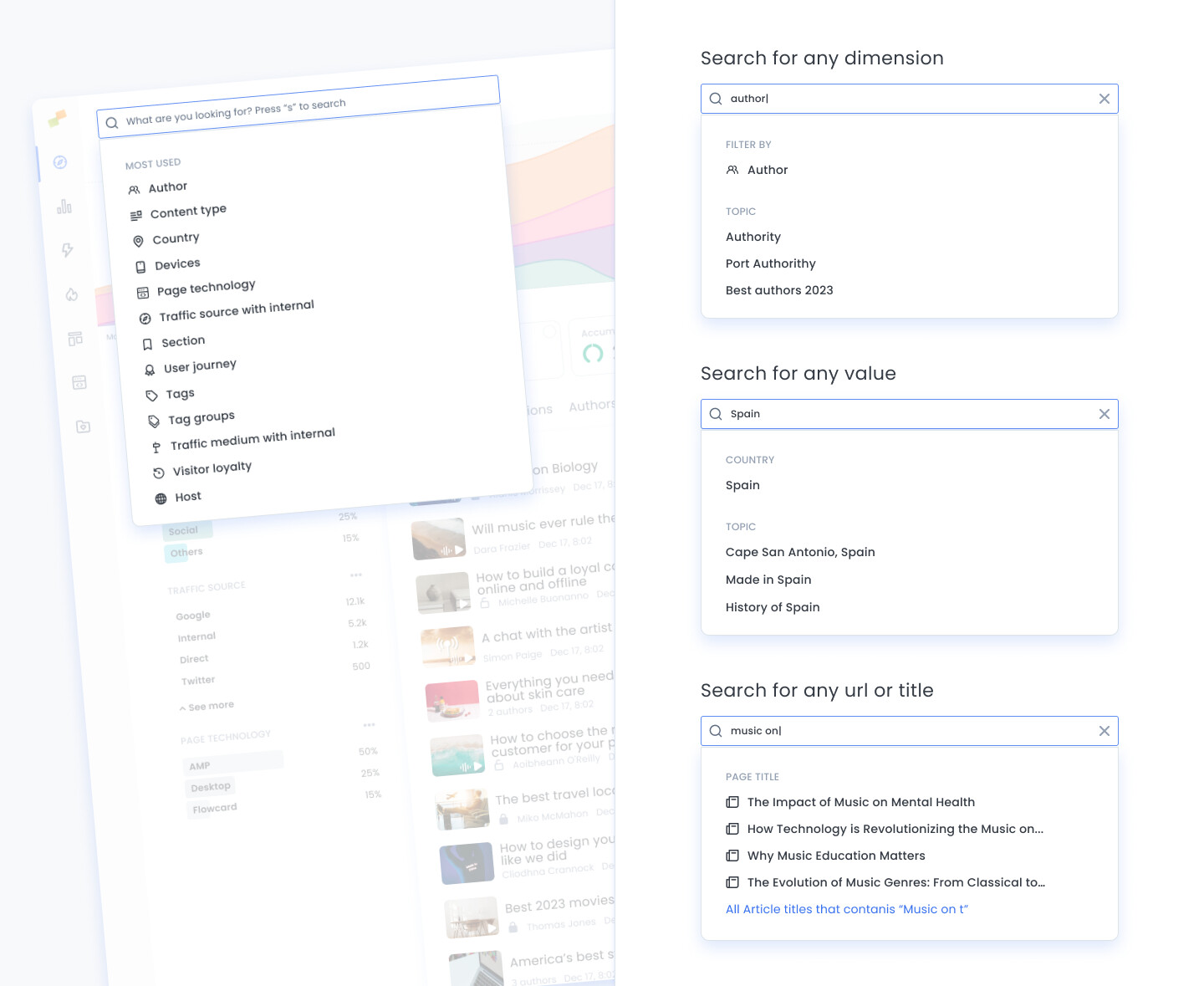
- Quick filtering: Search as you type for specific articles, authors, traffic sources, campaigns, keywords, topics, urls or any available dimension name and value in the Marfeel data warehouse
- Marfeel Assistant: Ask questions in natural language to Marfeel like
Which articles had the most traffic from Canada yesterday?,Which were the main traffic sources for John Smith?, etc. - Marfeel Documentation: Ask any question to the Marfeel Community Documentation and the system will answer in natural language providing the relevant links to the full documentation.
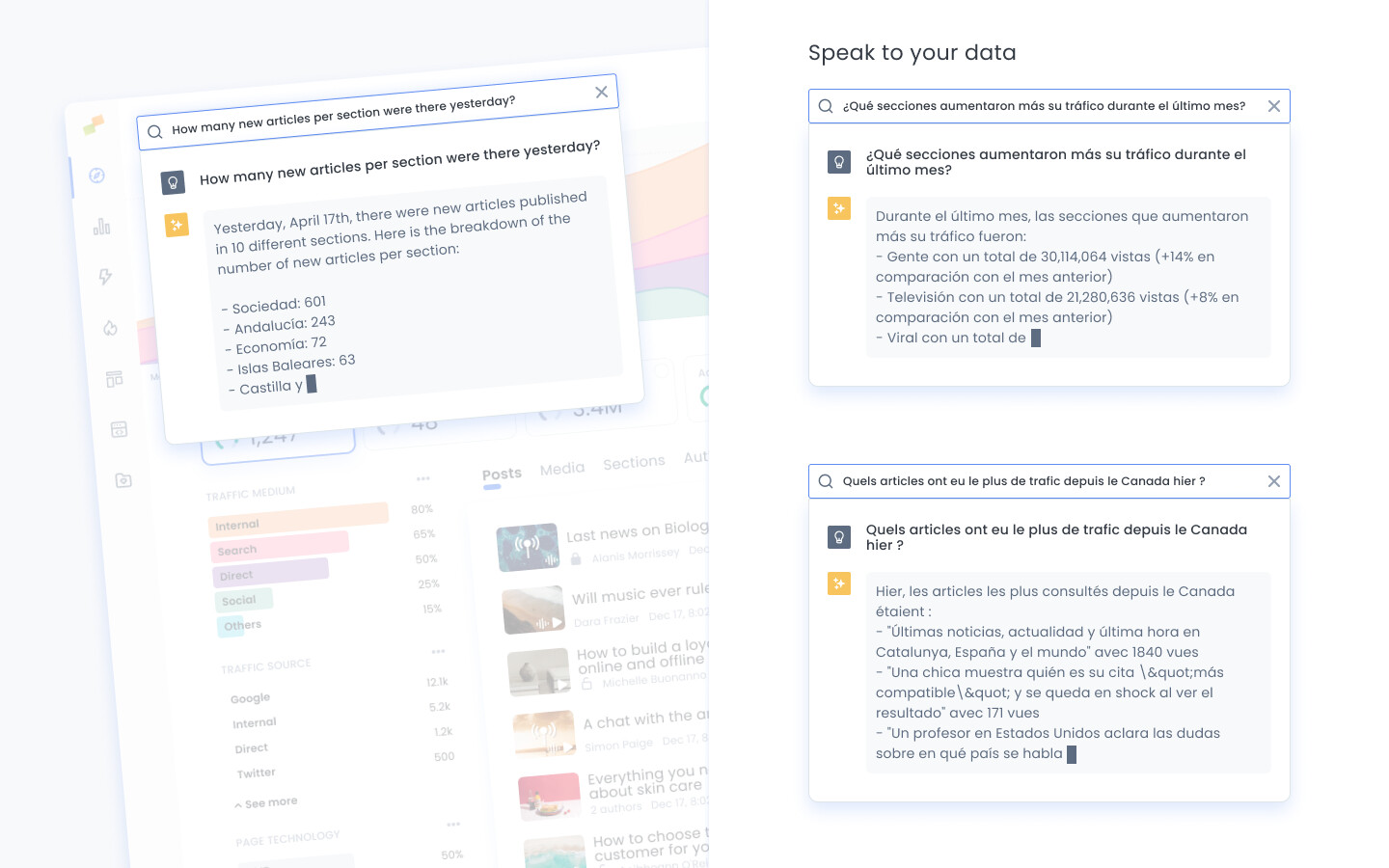
Make questions in your own language and Marfeel Copilot will reply accordingly.
Quick filtering
Section titled “Quick filtering”The Omnisearch bar works as a shortcut to filtering, letting you find any dimension or value without navigating through menus:
- Search for any dimension to create a filter. i.e:
author - Search for any value without having to guess its dimension name. i.e:
DiscoverorCanadaorJohn - Type 3 letters of the title or url of the story you are looking for and the system will find it in a fraction of a second
Marfeel data summaries
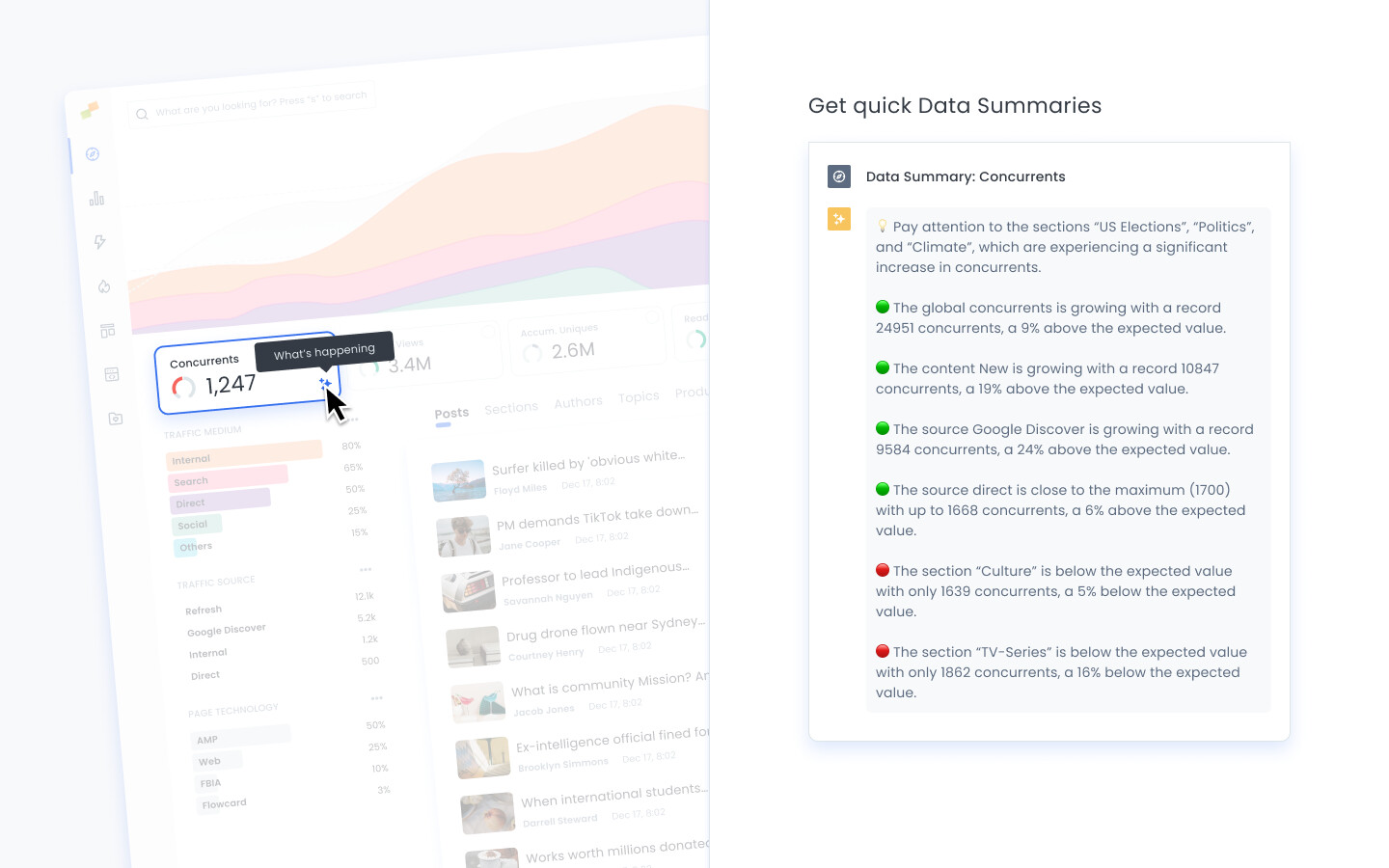
Section titled “Marfeel data summaries”Marfeel Copilot data summaries analyze all the data points in a report and, following specialized mental models, deliver a human-readable digest highlighting the main action points you could focus on.
As a publisher, you are no stranger to the vast amounts of data at your fingertips. Identifying issues can be straightforward, but pinpointing the root cause is often a complex task. Even when everything seems to be running smoothly, deep-diving into your data can reveal non-obvious hidden opportunities for growth.
Marfeel query assistant
Section titled “Marfeel query assistant”The Marfeel query assistant allows you to speak to your data by asking natural-language questions such as:
- Which were the top 3 articles yesterday?
- Which articles had the most traffic from Canada yesterday?
- Which were the main traffic sources for John Smith?
- Which were the top 3 stories from Google Discover last week?
- Which sections increased their traffic the most during last month?
- Which of my articles performed best last week?
- How much traffic and how many new articles per section and author were there yesterday?
Marfeel documentation assistant
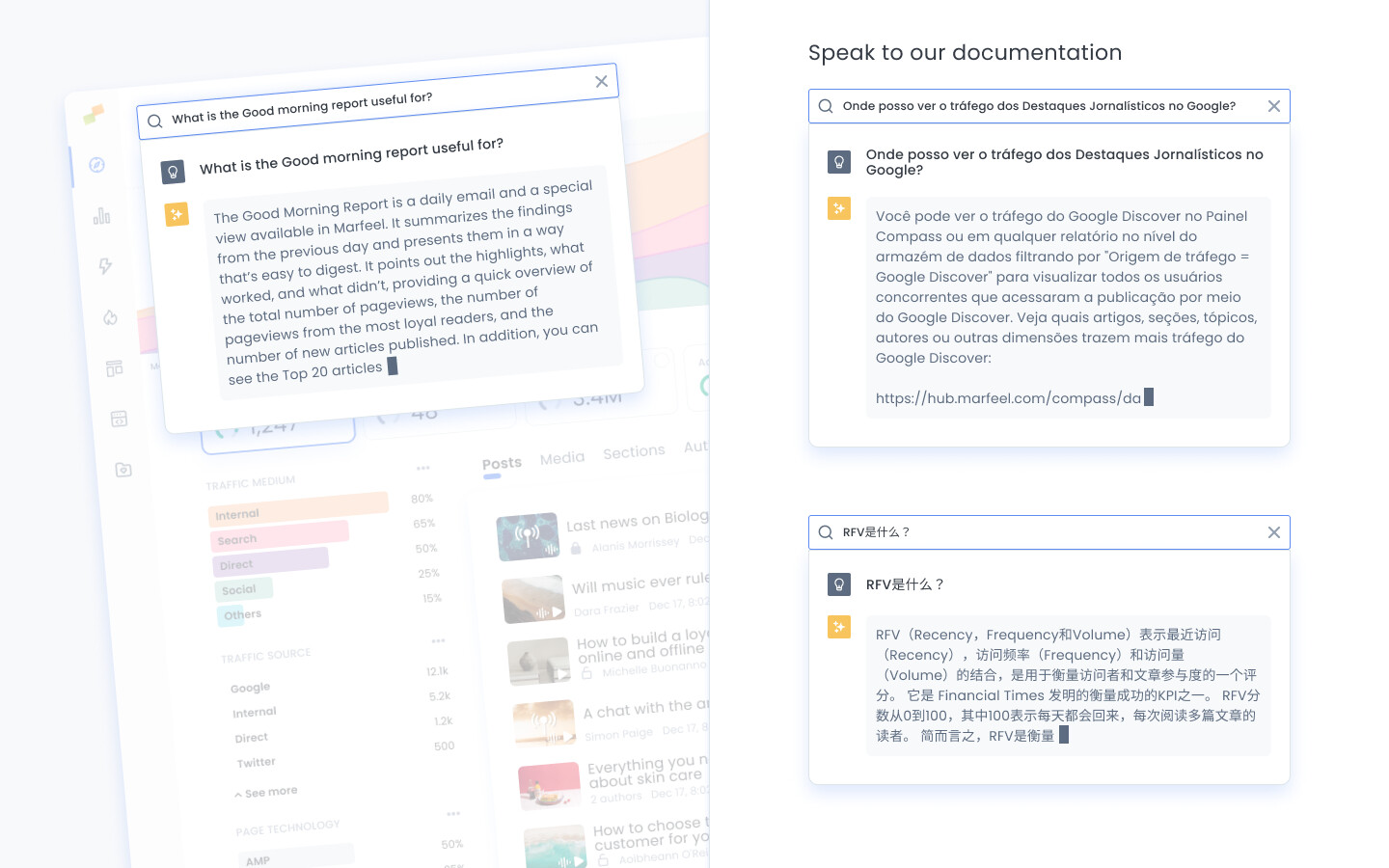
Section titled “Marfeel documentation assistant”Users can ask questions about the Marfeel product directly via the Omnisearch bar. Based on all the documentation available in the help center, the system formulates a concise answer to questions like:
- What is RFV?
- What is Refresh traffic?
- Where can I see Google News Showcase traffic?
- What is the Good morning report useful for?
What can I ask Marfeel Copilot Assistant?
You can ask natural-language questions about your analytics data, such as “Which articles had the most traffic from Canada yesterday?” or “Which were the top 3 stories from Google Discover last week?” The system queries Marfeel Explore and returns a concise response with a link to the full report.
Does Marfeel Copilot support multiple languages?
Yes. You can ask questions in your own language and Marfeel Copilot will reply accordingly.
What is the Omnisearch bar in Marfeel Compass?
The Omnisearch bar is the central search component of Marfeel’s Compass view. It combines quick filtering by dimensions and values, a natural-language query assistant for analytics data, and a documentation assistant that answers product questions from the Marfeel Community help center.