

Marfeel Recommender: Feeds, curations, and targeting
The Marfeel Recommender delivers personalized content recommendations through a set of interconnected features. Feeds and recommendation engines determine which articles are suggested to users. Content restrictions and curations give editors direct control over what is displayed. Visual presentation formats, targeting strategies, and tailored experiences ensure the recommender integrates seamlessly into your site and serves different user segments effectively.
1. Feeds and Recommendation Engines
Section titled “1. Feeds and Recommendation Engines”Feeds and engines form the foundation of the Marfeel Recommender. Feeds are sources of content that can be either internal, leveraging Marfeel’s own supported recommendation engines, or remote, pulling content from external Marfeel accounts you decide to connect to. These engines deliver different types of content: the latest articles, the most popular posts, trending topics, similar articles, personalized content, or those with the highest CTR. By combining multiple feeds, you can assign different weights to each one and create a strategic blend of recommended material.
For instance, you might combine content from your site with trending stories from a partner site or highlight both the most popular and the newest articles. The flexibility lies in how these feeds are blended, giving you full control over how content appears to users.

2. Content Restrictions
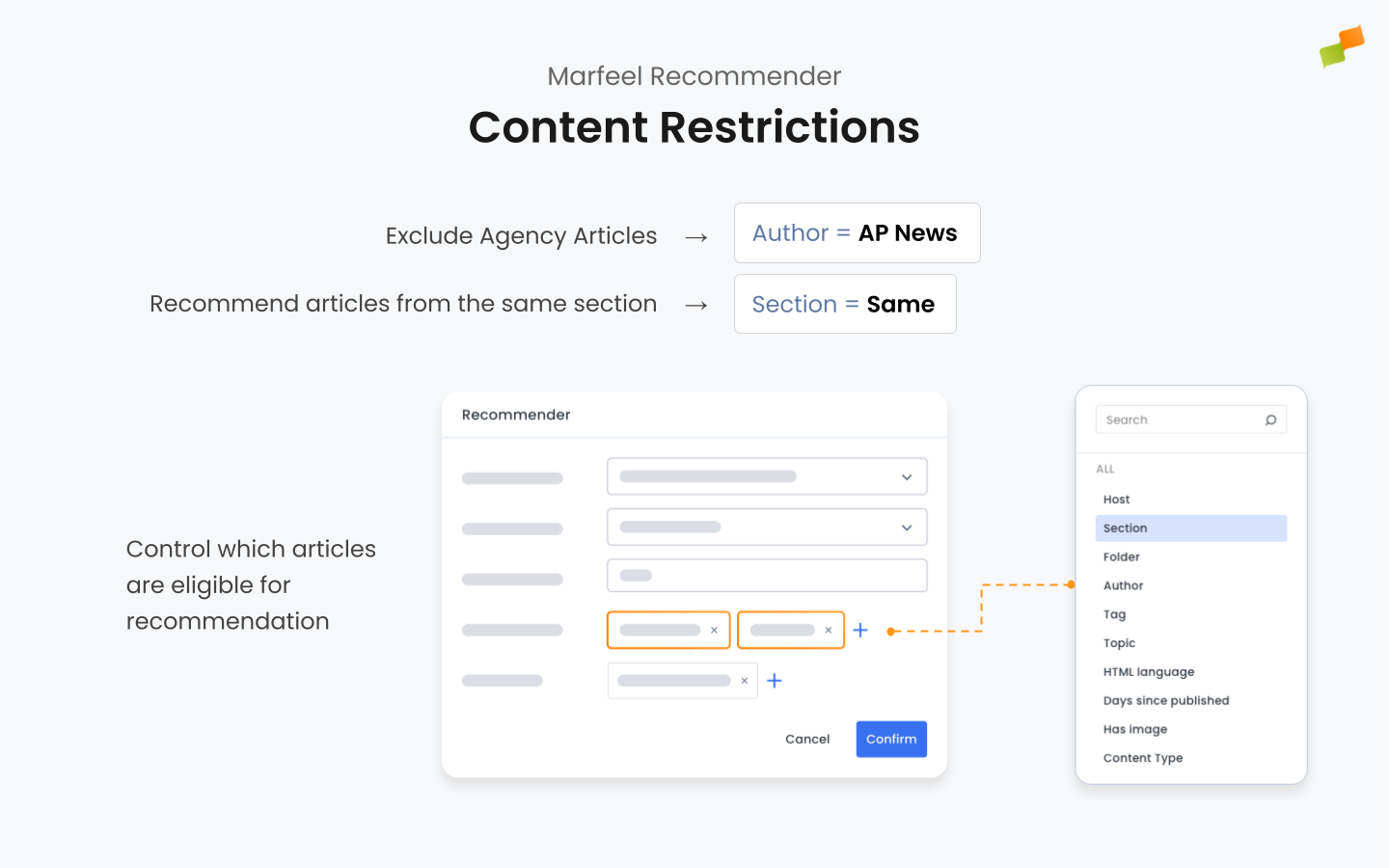
Section titled “2. Content Restrictions”Content restrictions control what the Marfeel Recommender suggests to users. These restrictions can align with user behavior, such as recommending similar articles when a user is reading about a specific topic. You can also define editorial constraints to ensure recommendations come only from specific sections, authors, certain sites, specific tags, or other criteria.
3. Content Curations
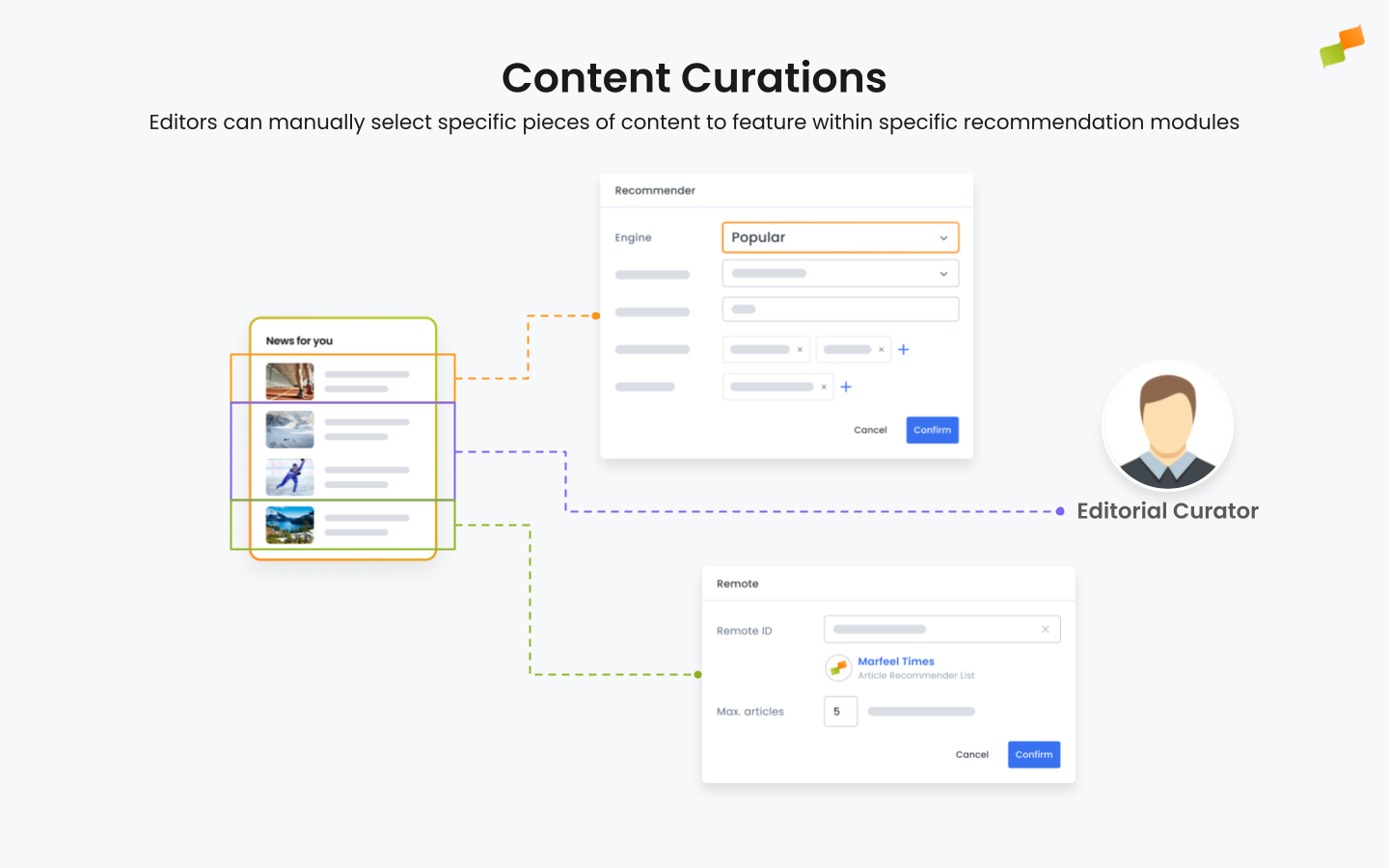
Section titled “3. Content Curations”Content curations give editors manual control over which articles appear within specific recommendation modules. This editorial layer lets you prioritize articles that align with editorial goals, upcoming events, or specific campaigns.
Curations also include properties such as scheduling and targeting. Targeting allows editors to determine in which articles the curated content should appear. For example, a curation can be set to display when a user is reading an article about a particular topic or within a certain section.
Articles can be set to appear only at specific times or for fixed durations. For example, a curated piece might appear tomorrow for 48 hours and, if it performs well, continue being recommended by the underlying engine.
There is also a feature called performance safeguard (stop-loss), which prevents curated content from underperforming by replacing it if it falls below an acceptable CTR threshold, defined as the average CTR of the articles in the recommender.
Content curations also include features like headline adjustments that allow editors to tweak the presentation of an article, making it more compelling to readers and increasing its click-through rate.
4. Content Exclusions
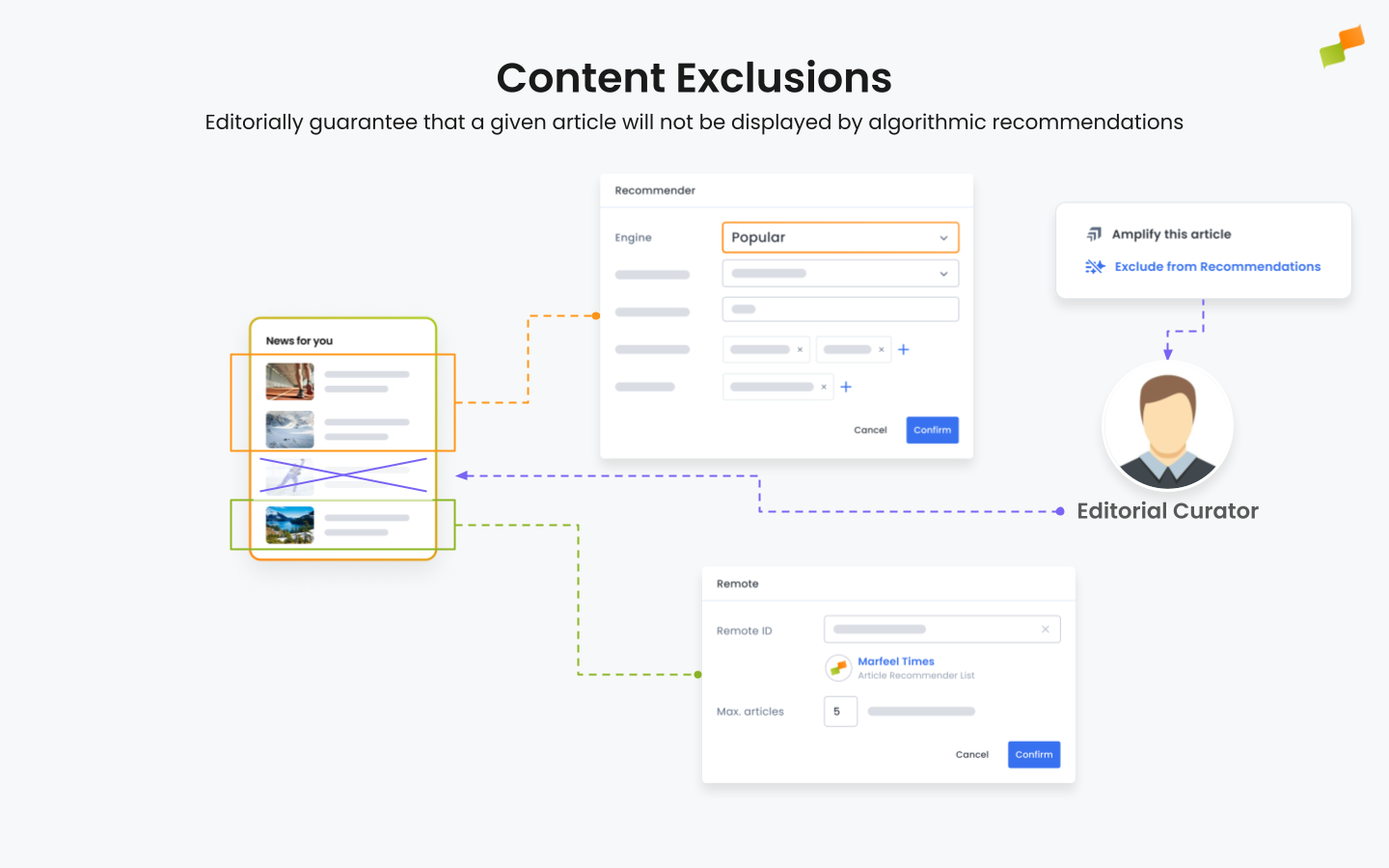
Section titled “4. Content Exclusions”Content exclusions guarantee that a given article will not appear in algorithmic recommendations. This ensures that certain pieces of content, whether due to timing, sensitivity, or editorial judgment, are kept out of the recommendation pool. By applying exclusions, you maintain better control over brand voice, protect sensitive content, or fulfill editorial criteria that go beyond simple restriction rules. Read more.
5. Visual Presentation
Section titled “5. Visual Presentation”The Marfeel Recommender integrates into your site through the Experience Manager, which lets you add recommender modules via no-code directly within your HTML. You control exactly where recommendations appear on the page. Three presentation formats are available:
- Inline: Recommendations embedded directly into the page content.
- Pop-up: Content that appears as a pop-up to capture user attention at moments of high engagement.
- Flowcard: Fluid, card-like elements that users can scroll through effortlessly.
6. Targeting
Section titled “6. Targeting”Targeting defines precisely where Marfeel Recommender modules appear, based on specific criteria. Modules can be set to display when users are reading articles about particular topics, within specific sections, for loyal and lover users, specific DMP segments, subscribers, users on their first page view, users reading evergreen content, or users arriving from social platforms. This ensures the recommender is always contextually relevant to the user’s current activity.
7. Experiences
Section titled “7. Experiences”An experience is the combination of the recommender, its feeds, its visual presentation format, and the targeting strategy. Experiences are targeted to specific user segments, enabling tailored content delivery based on criteria such as browsing behavior, referral source, or content engagement history. You can run multiple experiences on the same page, each configured for different audiences, to maximize engagement and content discovery.
8. User Roles
Section titled “8. User Roles”The Marfeel Recommender operates with two distinct user profiles, each with specific responsibilities:
8.1. Experience Manager, Product Manager or Tool Admin
Section titled “8.1. Experience Manager, Product Manager or Tool Admin”The Administrator handles the initial setup of the Marfeel Recommender. Using the Experience Manager, they configure the core aspects, including:
- Selecting and connecting the appropriate feeds.
- Defining the recommendation engines to be used (e.g., trending, popular, personalized).
- Setting targeting rules to ensure the right content reaches the right audience.
- Configuring the visual presentation formats (e.g., inline, pop-up, flowcard).
Once these elements are configured, the recommender is ready for use, and no further administrative intervention is needed unless the setup requires adjustments.
8.2. Editor
Section titled “8.2. Editor”Once the recommender is live, the responsibility shifts to the editorial team. Editors can:
- Use content curations to manually highlight specific articles.
- Apply timing and targeting rules to curated articles (e.g., showing specific content in certain sections or to specific user segments).
- Monitor performance metrics and adjust curated content to maintain high engagement.
This division of responsibilities ensures that the setup remains consistent and scalable while giving editors the flexibility to adapt content dynamically.
9. Conclusions
Section titled “9. Conclusions”The Marfeel Recommender boosts user engagement and recirculation by providing personalized recommendations that users have not seen before. By leveraging recommendation engines, automated remote content feeds, editorial curations, strategic targeting, visual presentation formats, and well-defined experiences, you ensure that the recommended articles are always fresh, relevant, and engaging for different segments of your audience.
What are feeds and recommendation engines in the Marfeel Recommender?
Feeds are sources of content that can be internal (powered by Marfeel recommendation engines like trending, popular, personalized, or highest CTR) or remote (pulling content from external Marfeel accounts). Multiple feeds can be blended with specific weights to create the ideal mix of recommended articles.
How do content curations differ from algorithmic recommendations?
Content curations let editors manually select specific articles to feature within recommendation modules, adding a human editorial layer on top of algorithmic suggestions. Curations support scheduling, targeting by topic or section, performance safeguards that replace underperforming content, and headline adjustments to improve click-through rates.
What is an experience in the Marfeel Recommender?
An experience is the combination of a recommender’s feeds, its visual presentation format (inline, pop-up, or flowcard), and the targeting strategy that determines which user segments see it. Multiple experiences can run on the same page, each tailored to different audiences.