

Recirculation Insights report for module performance
The Recirculation view is a single destination for all internal traffic insights. Recirculated readers represent a highly engaged and valuable segment of your funnel: users who arrived for one piece of content and stayed for another. They contribute disproportionately to pageviews, SEO value, and conversion.
The reports available from Recirculation Insights help you increase internal traffic and improve overall recirculation performance. Use them to evaluate how individual links, Flowcards, and modules are performing, and to identify optimization opportunities.
Metrics by module type
Section titled “Metrics by module type”The Recirculation Insights metrics vary depending on the module type.
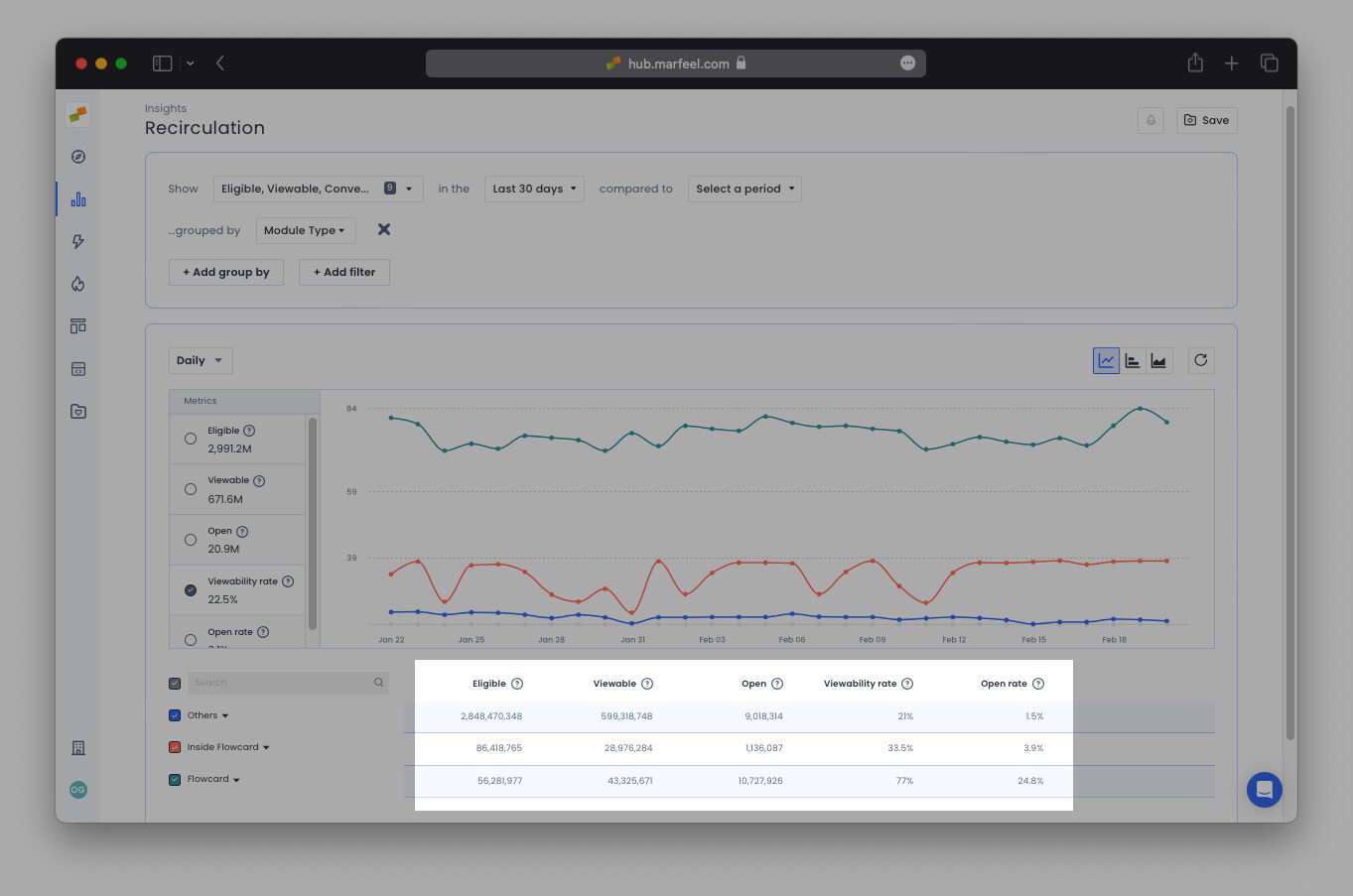
How are my modules performing?
Section titled “How are my modules performing?”Group by Module name to view individual module performance and identify which modules generate the most recirculated traffic. In the example below, the recirculation data is filtered by Origin Content type to show only modules in editorial content, excluding those on the home or section pages.
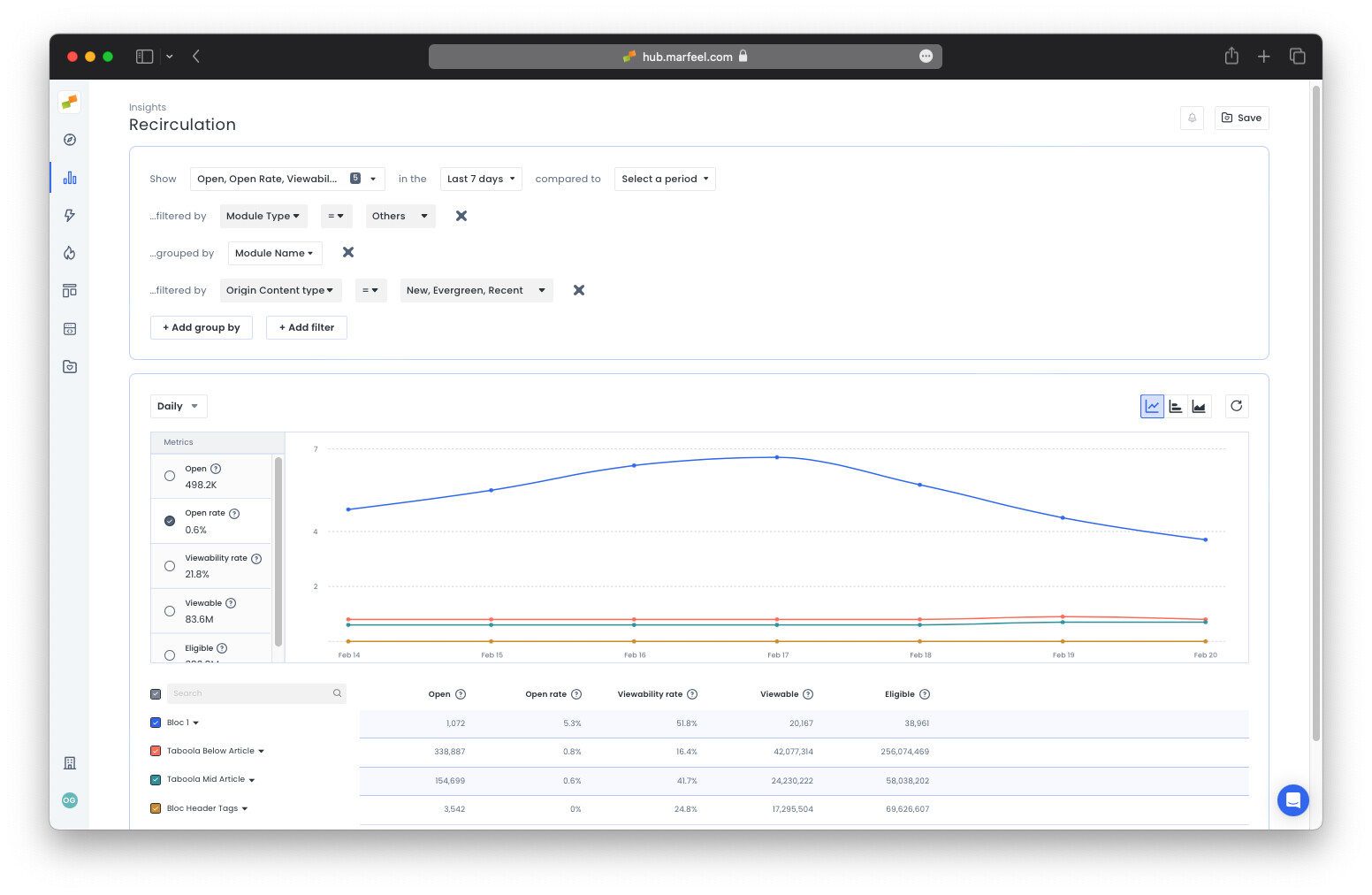
Module name can be specific to a page, such as Home page Opening, or featured across several pages, such as Taboola Below Article in the example above, Most Read, Latest News Sidebar, and others.
Does position inside the module affect performance?
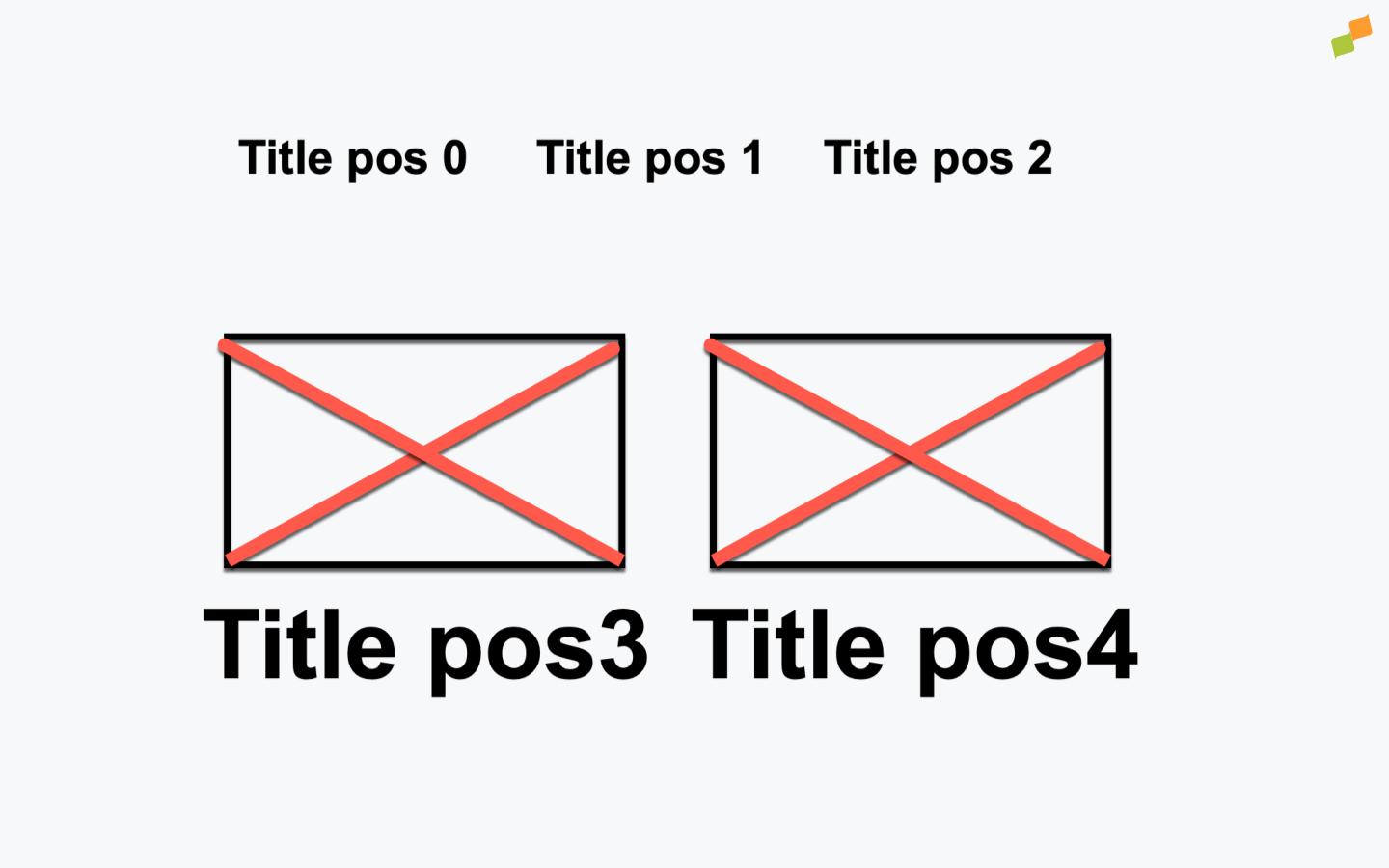
Section titled “Does position inside the module affect performance?”Many modules draw attention to certain articles with a larger font size or image. Use the Module position dimension to find opportunities to reorder links within a given module. Module position refers to the order in which links appear in the module. Position 0 is the first link visible in the viewport, followed by 1, 2, 3, and so on.
In the example showing Module names above, one module outperforms the rest in Open rate with open / viewable = 5.3%. Drilling down further by module position reveals where in the module the clicks originate.
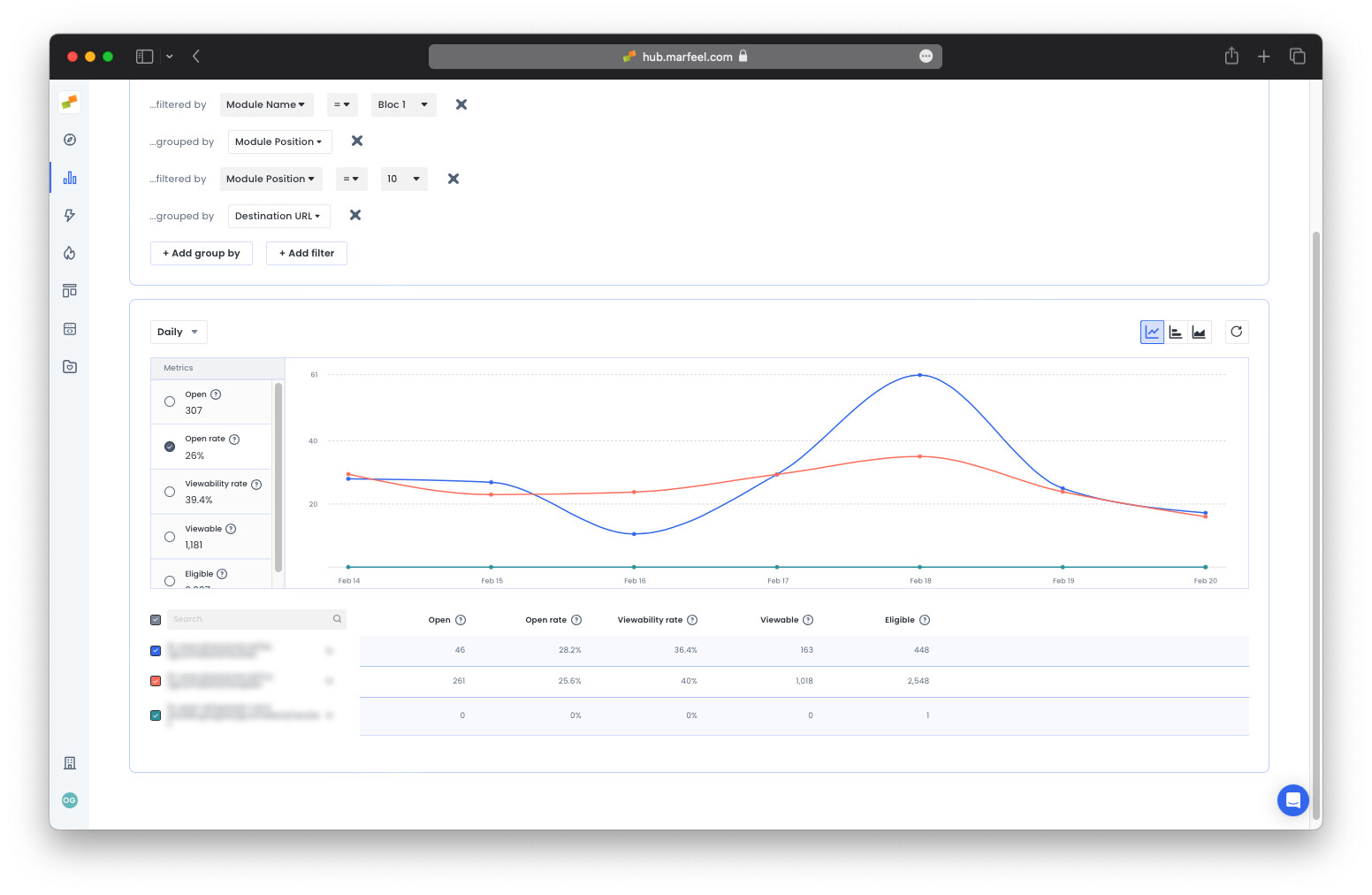
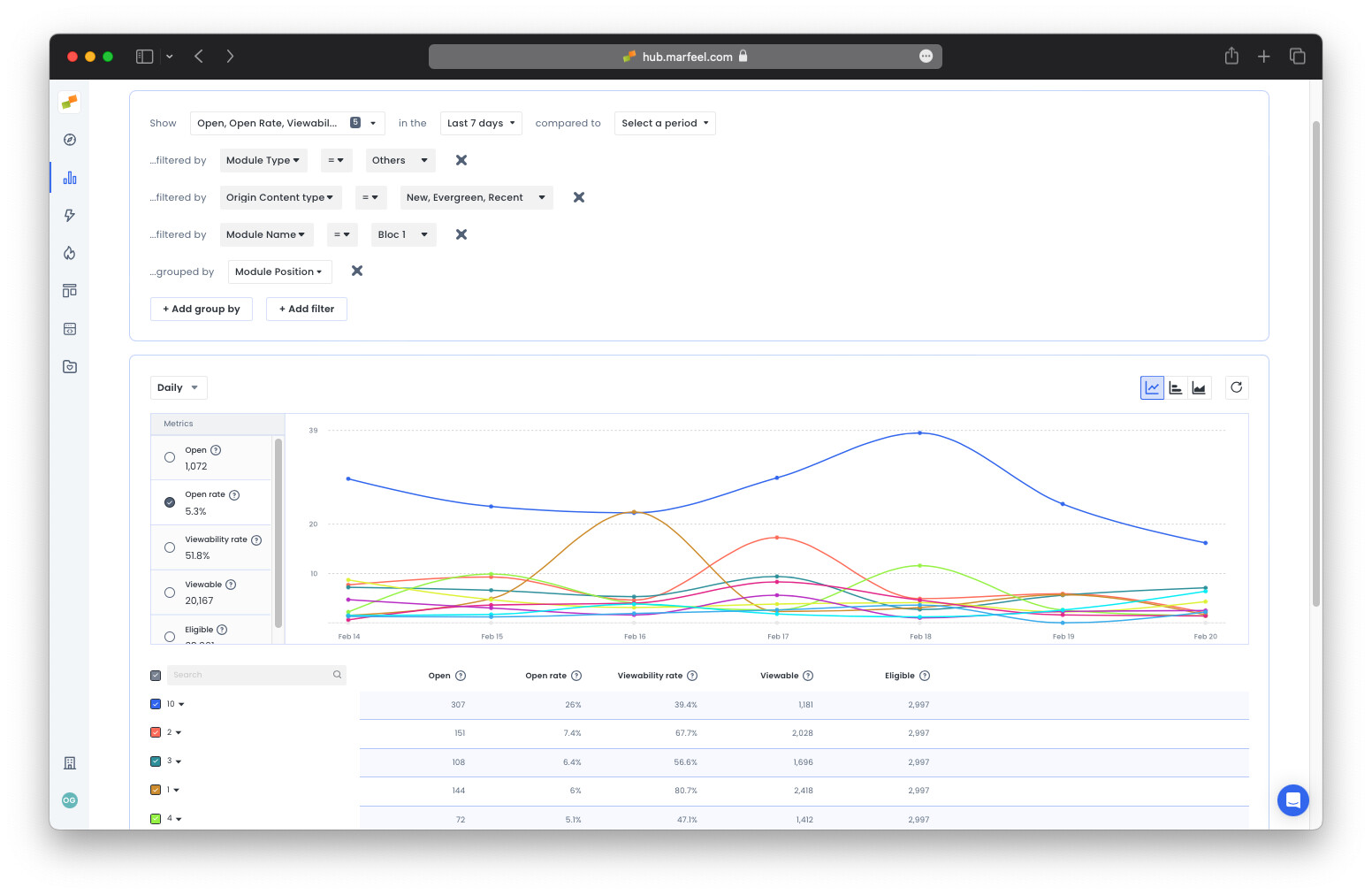 In this particular module, the 10th position has the highest open rate.
Note that Eligible is the same for every position, as it indicates the number of times a page with the module has been accessed, regardless of positioning within the module. Viewable, on the other hand, varies because the entire module does not enter the viewport each time.
Despite the fact that the 10th position is viewed considerably less than positions 0 through 2, it still has the highest number of Opens and the highest open rate by a substantial margin. Looking at this module in context might reveal that the 10th position is privileged in some way with a larger font or image. However, the lower visibility indicates this is unlikely.
It could be a good idea, if it makes sense from an editorial perspective, to move the link in the 10th position higher up in the module, or even to a module on the home page to further boost visibility. Filter by the 10th position and drill down by Destination URL to see the links that have been performing well in this position:
Use cases: actionable insights from the Recirculation view
Section titled “Use cases: actionable insights from the Recirculation view”Which modules on my homepage are underperforming?
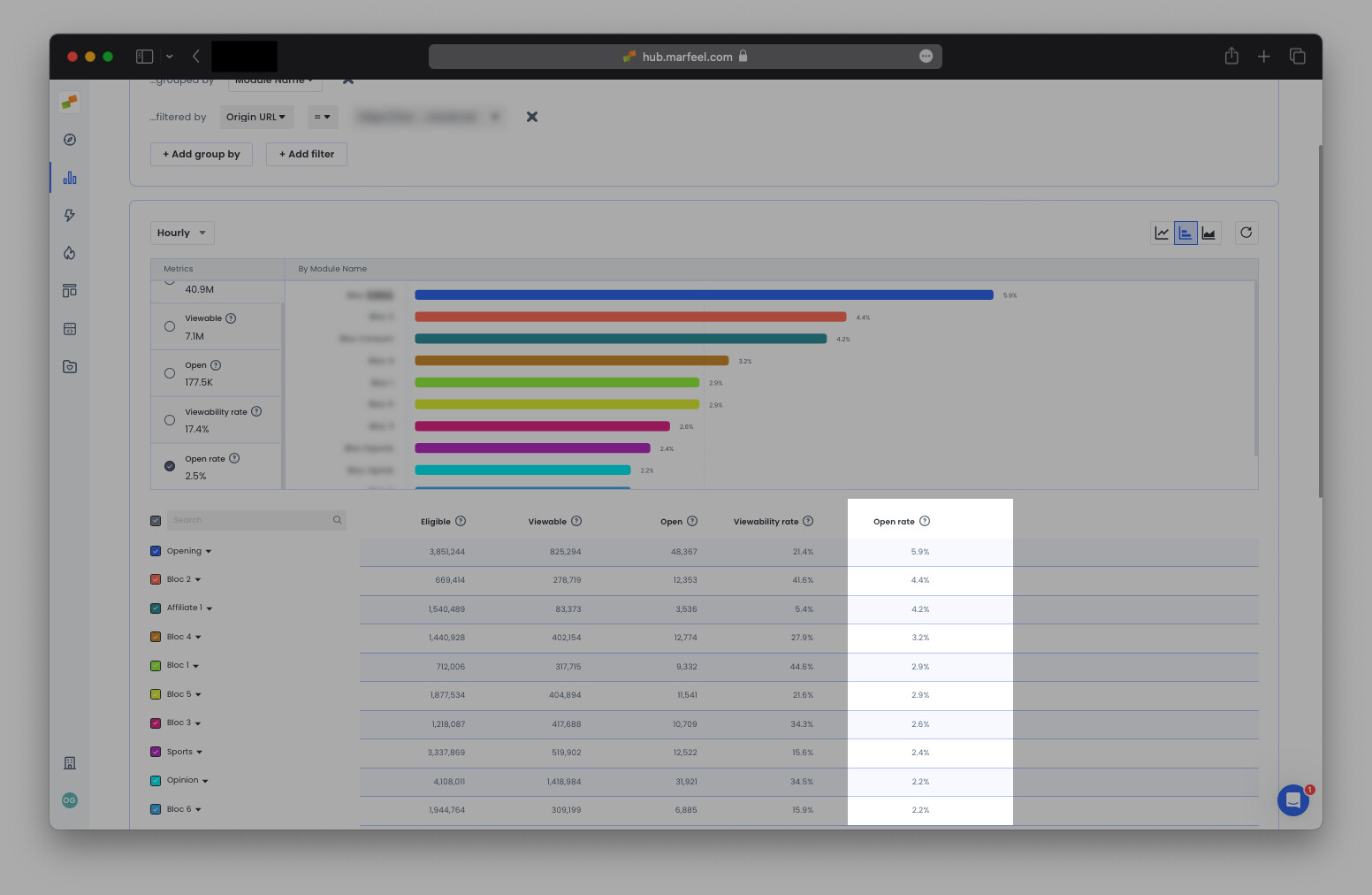
Section titled “Which modules on my homepage are underperforming?”Drill down by Module name filtered by Origin URL = homepage URL in Real time to see your homepage modules in action. Low open rates indicate that modules are not recirculating readers effectively. Compare them to modules with the highest open rates for context:
How are my homepage modules doing compared to yesterday?
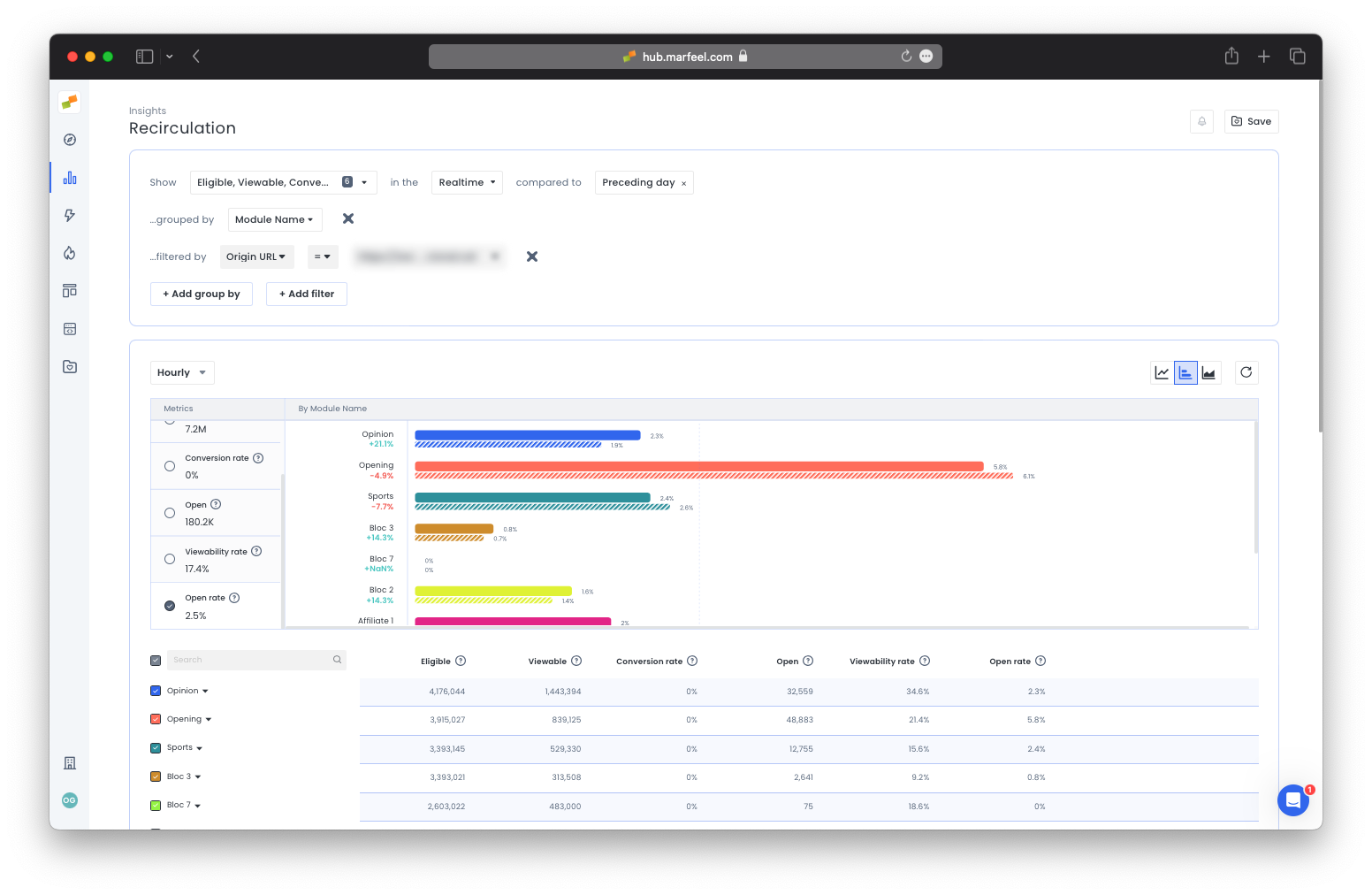
Section titled “How are my homepage modules doing compared to yesterday?”Compare real-time results to yesterday’s performance to see where engagement is lagging:
How can I increase engagement with opinion pieces via the homepage?
Section titled “How can I increase engagement with opinion pieces via the homepage?”If recirculation from the opinion module on the homepage is low and readership of opinion pieces is down as a result, investigate the cause.
Theory #1: The opinion module lacks visibility on one or all device types.
Query: Viewability rate during the Last 30 days grouped by Device category filtered by Module name = Opinion and Origin URL = homepage.
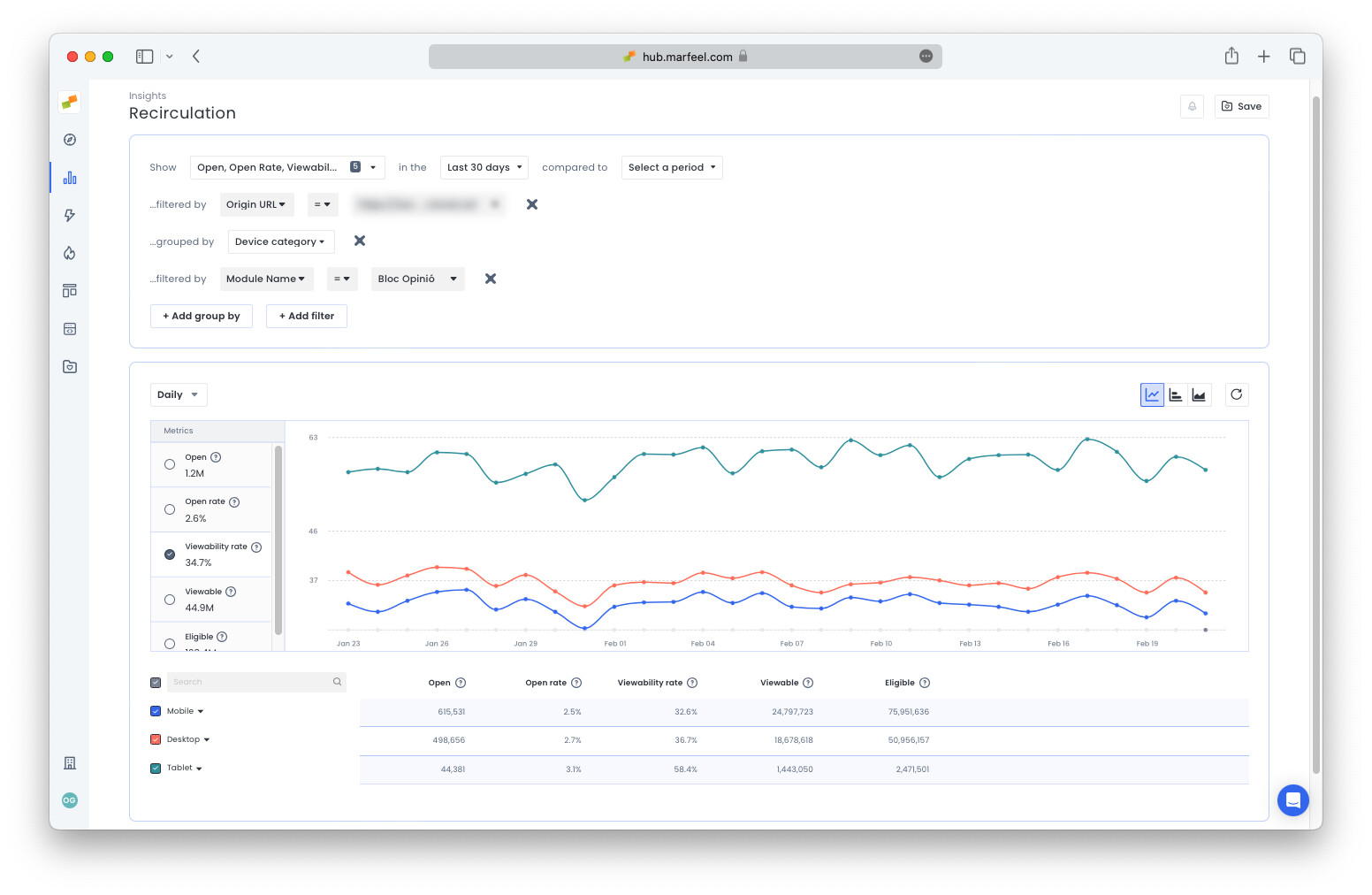
In the example above, there is no remarkable difference between desktop and mobile. There may be an opportunity to move the module into a more viewable position on mobile. It would also be interesting to check the module location on the tablet view for ideas on how to increase visibility across device types.
Theory #2: Opinion pieces are generally long-form, qualitative articles written by experts. Does the writing style or reputation of certain authors generate more interest in this type of content?
Query: Open rate during the Last 30 days grouped by Author name filtered by Module name = Opinion and Origin URL = homepage.
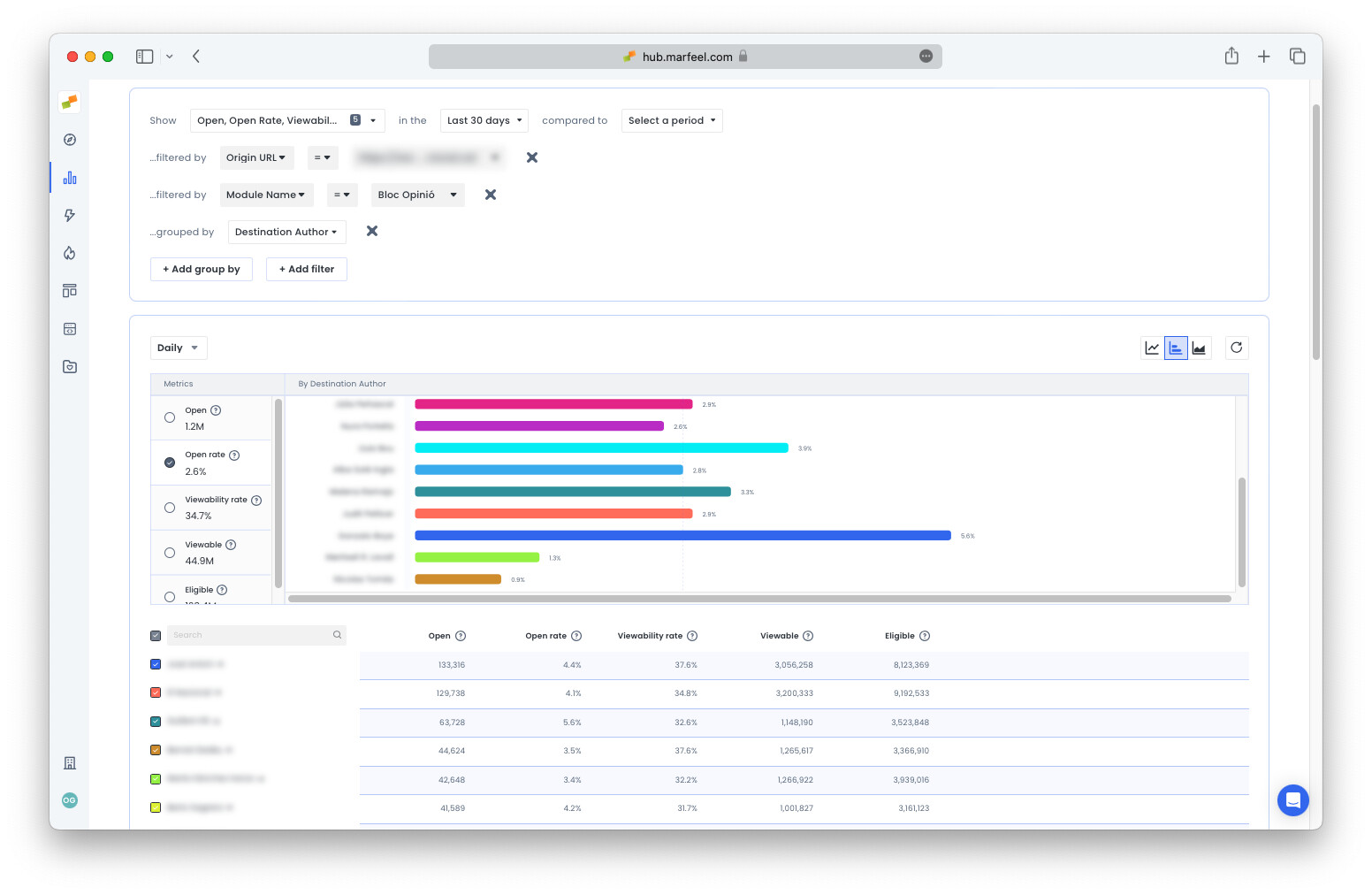
In the example above, certain authors have open rates up to 5x that of other authors (names have been blurred). More articles by these high-performing authors could increase readership of opinion pieces featured on the homepage.
Theory #3: Some subjects work better for long-form think pieces than others. Does the topic influence open rates in the opinion module? Repeat the query above, swapping out the author filter for Destination topic or Destination tag.
Which links should be featured on the homepage?
Section titled “Which links should be featured on the homepage?”Are there links in your sections generating significant internal traffic without being on the home page? Filter out Not editorial Origin content types to see only links hosted in modules outside the home page and section pages. Drill down by Section to focus your search and by Destination URL to see which URLs are gaining traction.
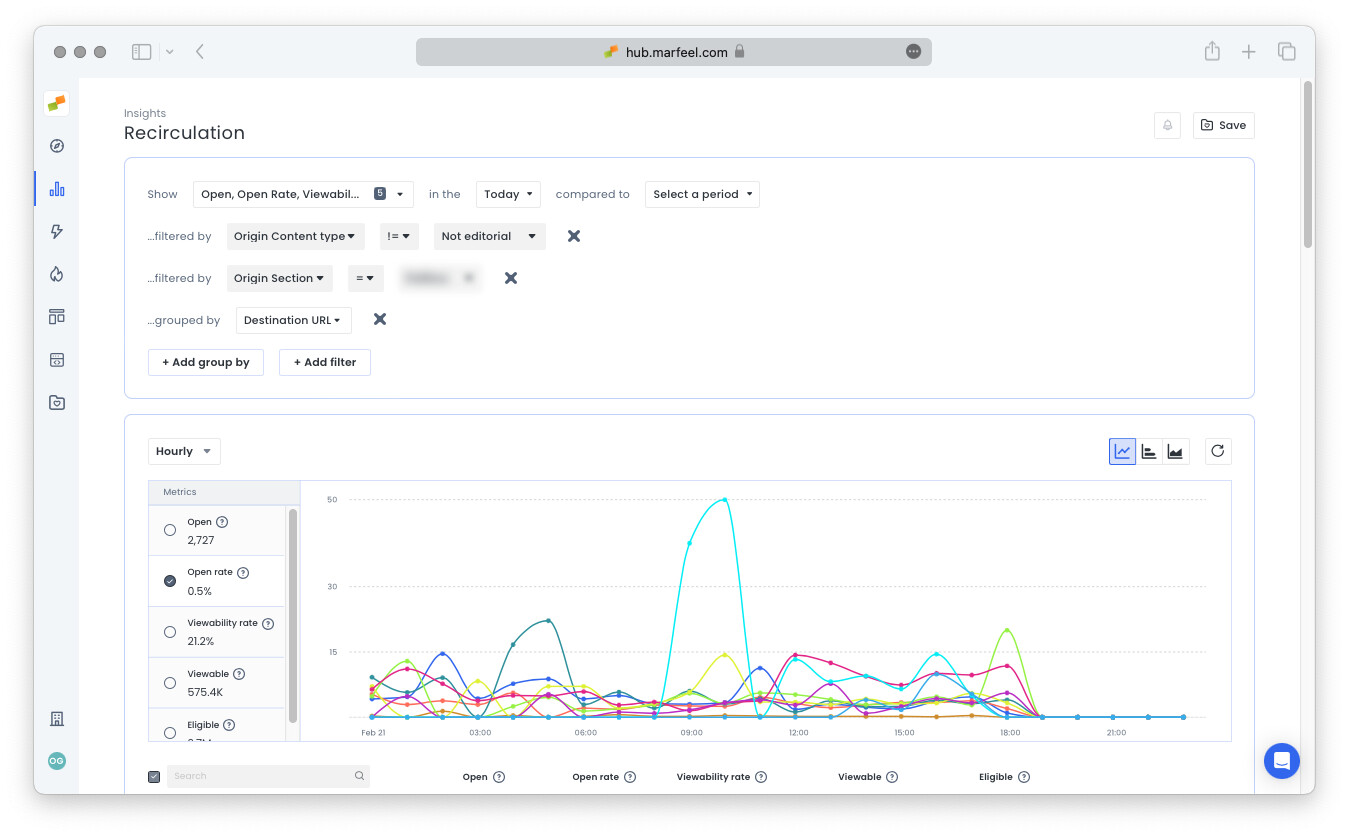
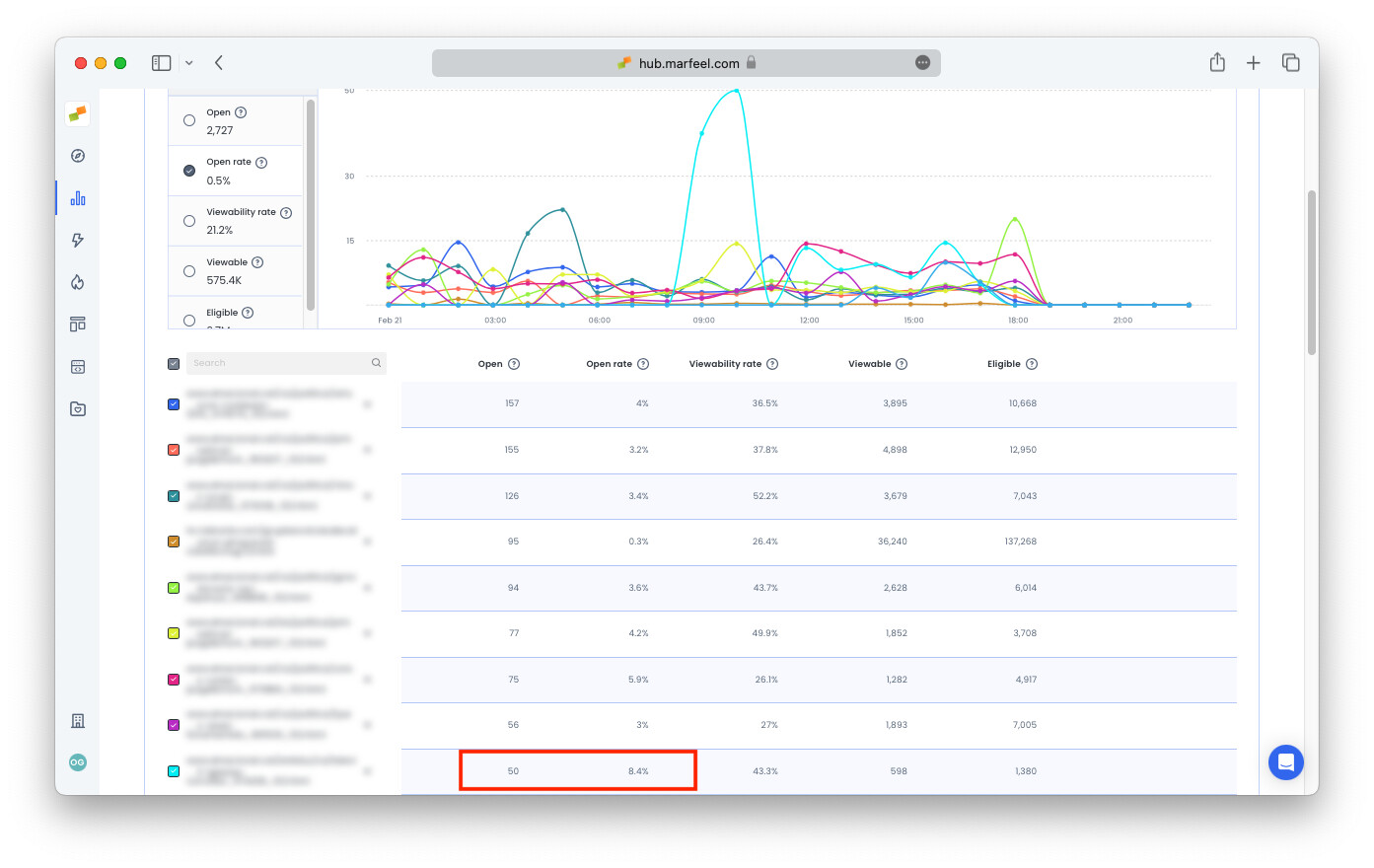
In this case, it could make sense to feature this content on the homepage or include it in a social media post, increasing the visibility of content that has already proven to be of interest to readers.
How can I increase recirculation to branded content?
Section titled “How can I increase recirculation to branded content?”Find out which modules within which sections send the most viewers to branded content. In the example below, the publisher has a domain dedicated to branded content. The following query reveals which modules on which sections have the highest open rates for branded content:
Query: Open rate during the Last 30 days filtered by Origin host = main domain and Destination host = branded domain grouped by Origin section and Module name.
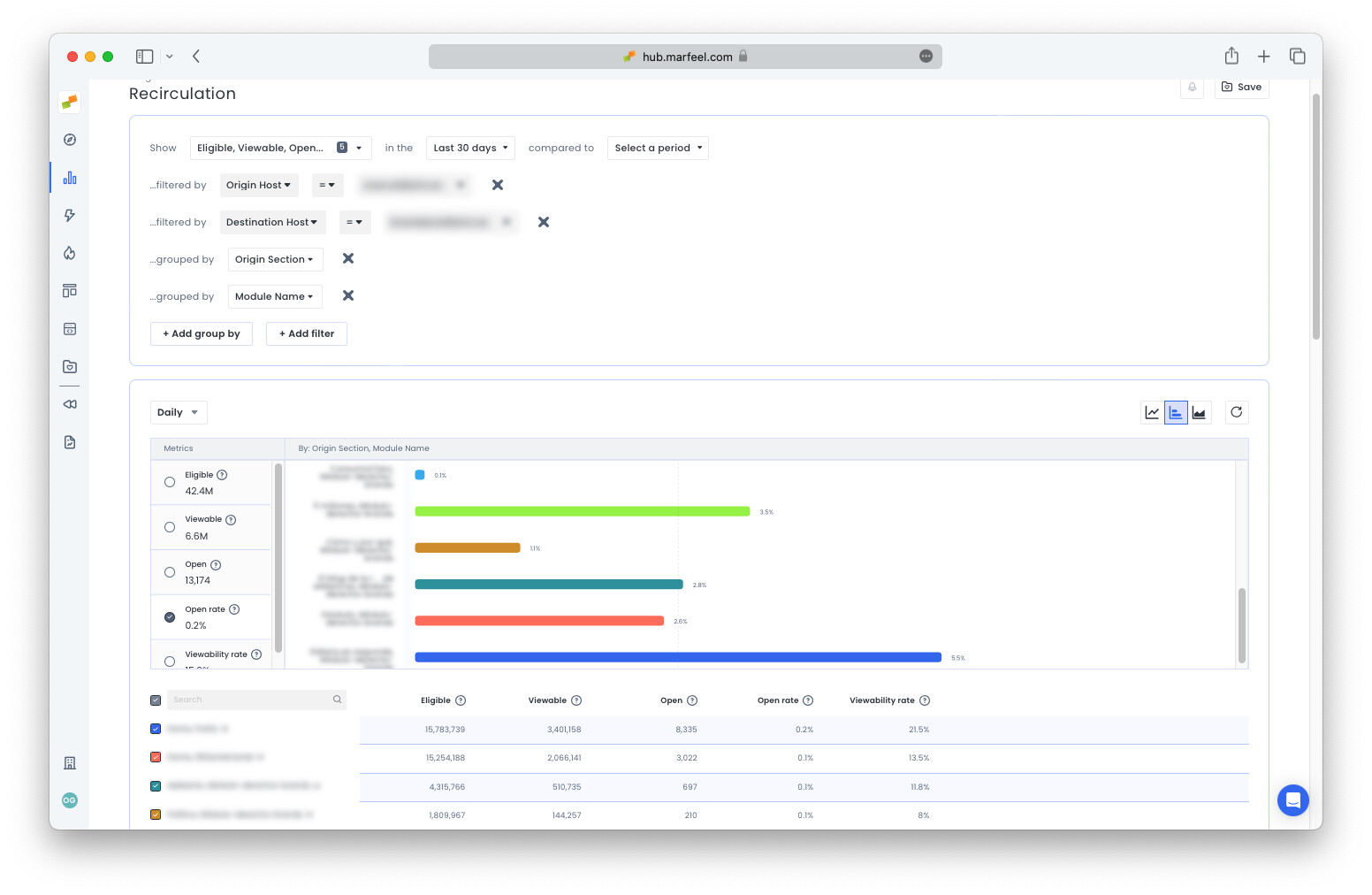
To increase traffic from the main domain to the branded one, consider increasing the visibility and number of links in the modules with branded content in the sections where users are more disposed to reading branded content.
Are my Flowcards triggering too late?
Section titled “Are my Flowcards triggering too late?”One challenge with Flowcard experiences is timing the trigger correctly. Too high on the page, and they become a distraction. Too low, and users never see them.
To find out if a Flowcard is underperforming because of late triggering, check the Viewable metric. If viewability is low compared to other Flowcards, the Flowcard may need to trigger earlier. Adjust the Flowcard settings in Experiences > Format.
How do I find which recirculation modules generate the most internal traffic?
Group by Module name in the Recirculation Insights report. Filter by Origin Content type to isolate editorial content and compare open rates across modules.
Does position inside a recirculation module affect click performance?
Yes. Use the Module position dimension to compare open rates by link order. Position 0 is the first visible link. Lower positions may outperform higher ones if they receive visual emphasis through larger fonts or images.
How can I increase recirculation to branded content from my main domain?
Filter by Origin host = main domain and Destination host = branded domain, then group by Origin section and Module name. This reveals which sections and modules drive the highest open rates for branded content, so you can increase link visibility there.