

HUD troubleshooting for Safari, ad blockers, and cookies
Common issues and fixes when loading the Marfeel Heads Up Display (HUD). Each section below targets a specific problem with a direct solution.
Quick checks
Section titled “Quick checks”Before diving into specific issues, try these steps first:
- Disable any ad blockers or allowlist your site in the ad blocker settings.
- Clear browser cache and cookies, then do a hard refresh (Ctrl+F5 or Cmd+Shift+R).
- Open the site in a different browser to rule out interference from plugins.
If the HUD appears in a clean browser session but not in your normal one, a browser extension or cached data is the cause. See the sections below for targeted fixes.
HUD not opening on Safari
Section titled “HUD not opening on Safari”The HUD loads inside an iframe on top of the host page and shares the auth session with hub.marfeel.com to securely interact with Marfeel APIs via third-party cookies.
Safari requires the sandbox flag allow-storage-access-by-user-activation on the iframe before it will prompt the user to grant third-party cookie access.
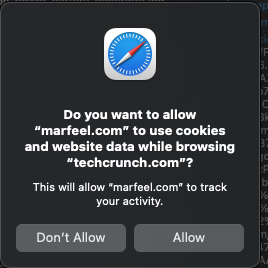
For sites using HTTP Content-Security-Policy (CSP) sandbox, the HTTP header takes precedence over any inline sandbox flag. The CSP header must explicitly specify allow-storage-access-by-user-activation for the HUD to work.
Valid header example:
Content-Security-Policy: sandbox allow-storage-access-by-user-activation;Use of ad blockers
Section titled “Use of ad blockers”Ad blockers can prevent the HUD from loading entirely. Most ad blockers support domain-level exceptions. Add the following allowlist rules to restore HUD functionality:
@@||www.googletagmanager.com^@@||hub.marfeel.com^@@||events.newsroom.bi^@@||sdk.mrf.io^Below are configuration examples for two popular ad blockers.
Adblock
Section titled “Adblock”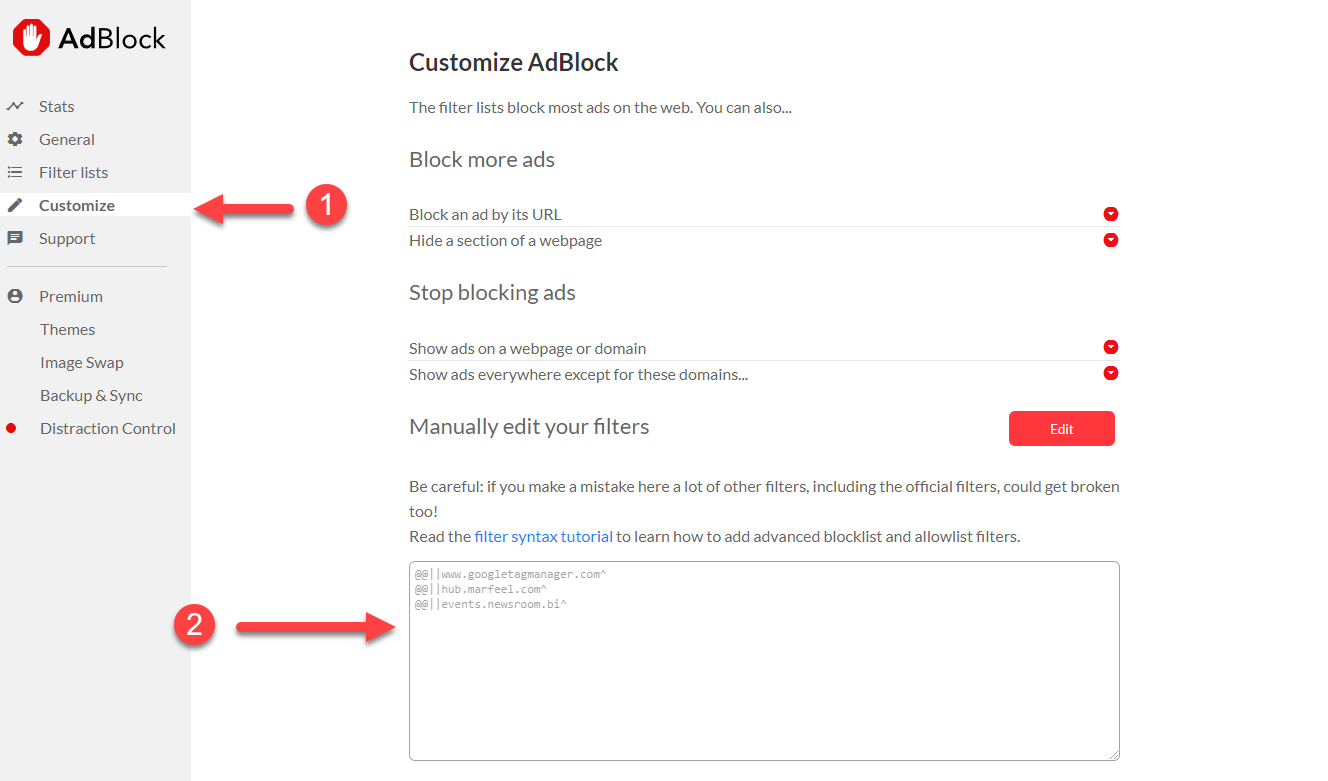
uBlock Origin
Section titled “uBlock Origin”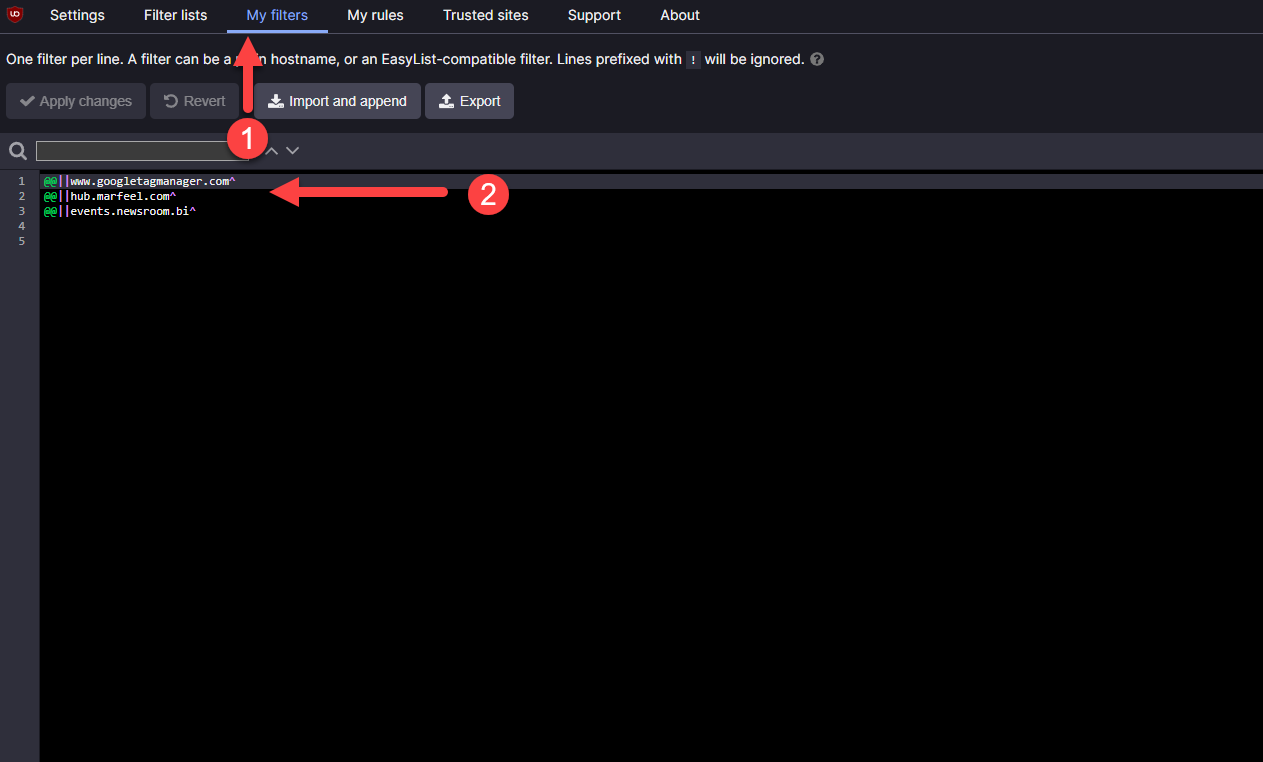
Use of cookie blockers
Section titled “Use of cookie blockers”Privacy extensions that block data gathering can also interfere with login sessions and the HUD. You can configure them to allow authentication while still blocking tracking domains (events.newsroom, icu.newsroom, ingest, etc.).
Privacy Badger
Section titled “Privacy Badger”- Set
api.newsroom.bito Block cookies (yellow).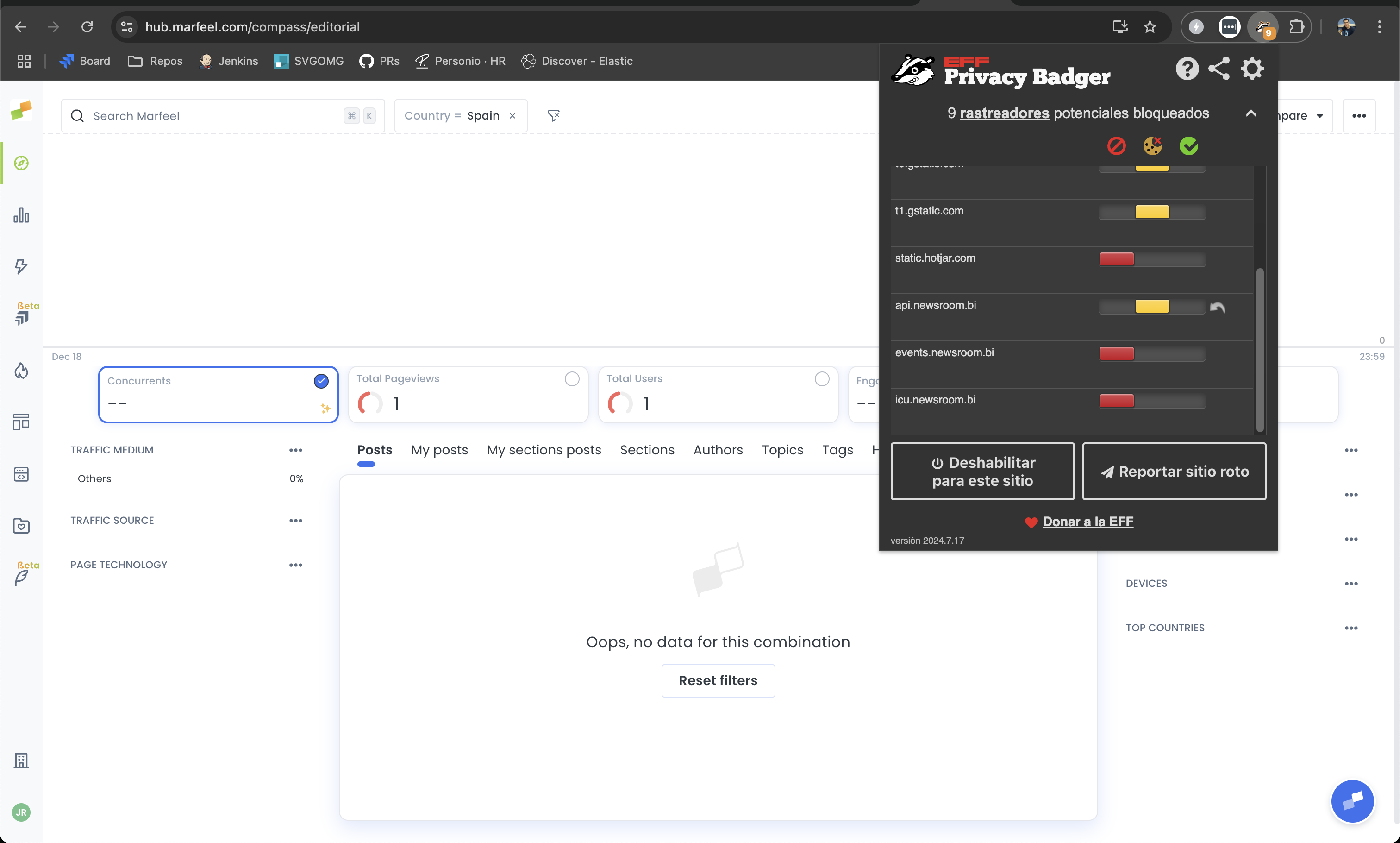
DuckDuckGo Privacy
Section titled “DuckDuckGo Privacy”- Go to extension options and set Unprotected sites.
- Add
hub.marfeel.com.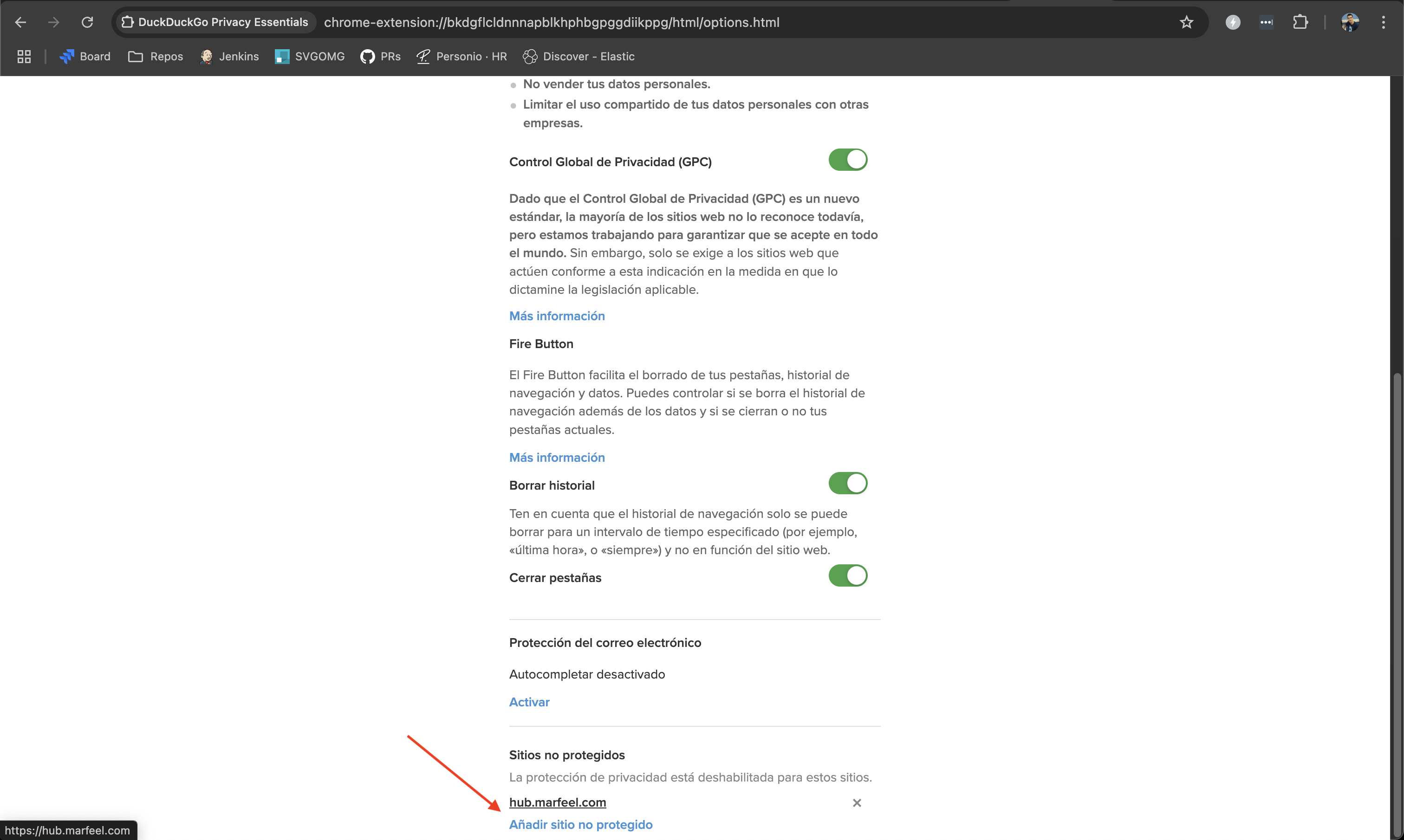
Missing data
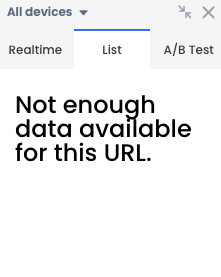
Section titled “Missing data”Not enough data available for this URL
Section titled “Not enough data available for this URL”This message means there is no recirculation data for the page. Verify data availability in the Recirculation view for that specific URL.
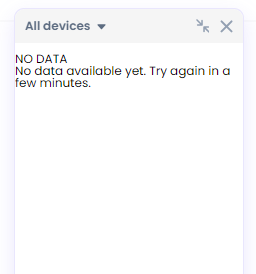
No data available yet
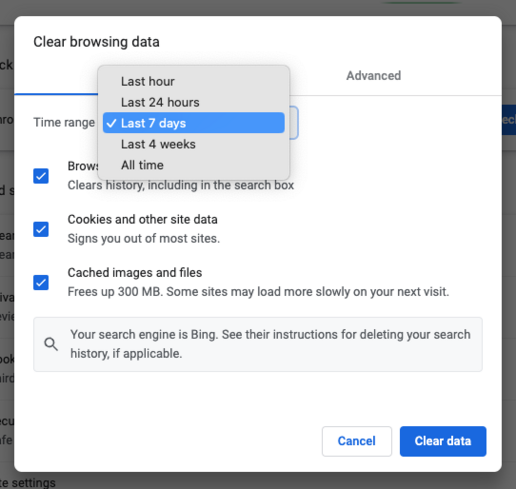
Section titled “No data available yet”If the HUD works in one browser but not another, the issue is likely browser cache. Clear all data, storage, and cookies in the affected browser to resolve it.
HUD not appearing in consecutive navigation
Section titled “HUD not appearing in consecutive navigation”After the initial load via the URL parameter (e.g., #mrfhud=true), the HUD relies on browser storage to persist across page navigations. Several conditions can prevent this:
- Marfeel is not set up as a partner in the CMP.
- Cookies are not accepted during navigation.
- The browser or an extension is blocking storage.
- Incognito mode blocks the required storage by default.
Third-party cookies
Section titled “Third-party cookies”The HUD runs on a third-party domain, so blocked third-party cookies will prevent it from loading. Some browsers block these by default.
Firefox
Section titled “Firefox”- Go to Settings > Privacy & Security.
- Choose Custom.
- Disable the Cookies checkbox.
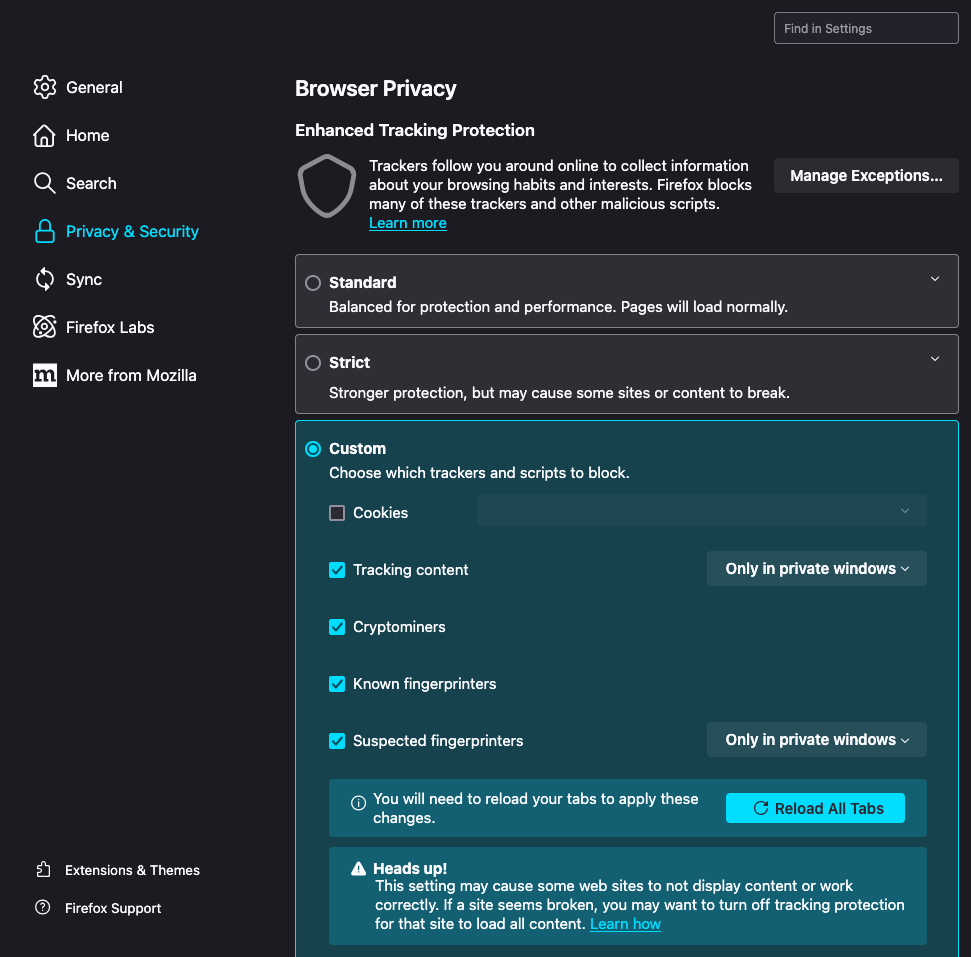
- Reload all tabs.
Loading time
Section titled “Loading time”The HUD loads with low network priority to avoid interfering with page performance. Loading time depends on the site itself: pages must fully load before the HUD overlay can complete rendering.
User access
Section titled “User access”Users need the Homepage Editor role to conduct A/B testing. Admins and User Managers can update user roles from the platform settings.
No labels appear anywhere on the page
Section titled “No labels appear anywhere on the page”The HUD shows performance labels (numbers, CTR pills, ranks) on top of links inside recirculation modules. If your site has no recirculation modules tracked, the HUD has no module data to attach labels to and nothing will appear on any link.
To enable labels, set up recirculation tracking using either:
- The Marfeel SDK for code-based instrumentation
- The No-Code Recirculation Experience for UI-based setup
To verify whether your site has any recirculation modules tracked, open the Recirculation view. If no modules are listed, the HUD will not display labels until tracking is in place.
Missing label
Section titled “Missing label”A link inside a recirculation module may show no label if the article has not generated any clicks, leaving insufficient data for a label. Numbers and statistics only appear after an article receives at least one click — new content with no engagement yet will not display any metrics in the HUD.
To verify, check the click count in the Recirculation view for that specific module and URL.
Adjusting the CTR indicator time window
Section titled “Adjusting the CTR indicator time window”The time window controls the period used to calculate CTR metrics displayed in the HUD. To change it:
- Go to Organization > General Settings in Compass (
hub.marfeel.com/organization/hud). - Open the Time window dropdown.
- Select one of the available intervals:
- Last 10 minutes
- Last 30 minutes
- Last hour
- Last 90 minutes
- Last 2 hours
- Last 4 hours
- The change applies immediately to the HUD.
To restore the original configuration, click Reset to default values.
HUD Pro colors not showing on labels
Section titled “HUD Pro colors not showing on labels”-
Colors are based on Historical CTR, which compares the current week’s data against the previous week for a given Recirculation Module. New modules require one week of data before colored labels appear.
-
Historical comparison is designed for non-editorial content. If your homepage has a Publication date, the system treats it as editorial content and displays gray labels throughout, the same as on article pages.
Browser plugins
Section titled “Browser plugins”If disabling ad blockers and enabling third-party cookies does not resolve the issue, load the HUD in a Chrome Guest window with all plugins disabled. This provides a clean environment for testing. If the HUD works there, a browser setting or plugin is interfering. Disable plugins one at a time to identify the culprit, or switch to a different browser.
Why is the HUD not opening in Safari?
The HUD loads inside an iframe that requires third-party cookie access. Safari requires the sandbox flag allow-storage-access-by-user-activation to grant this access. If your site uses a Content-Security-Policy sandbox header, it must explicitly include this flag, because the HTTP header takes precedence over any inline sandbox attribute.
How do I fix the HUD when an ad blocker is active?
Ad blockers can prevent the HUD from loading. Add allowlist rules for www.googletagmanager.com, hub.marfeel.com, events.newsroom.bi, and sdk.mrf.io in your ad blocker settings. In Adblock or uBlock Origin, add these as exception rules prefixed with @@||.
Why does the HUD show 'No data available yet' or 'Not enough data'?
The “Not enough data available for this URL” message means there is no recirculation data for that page. Verify data exists in the Recirculation view at hub.marfeel.com. The “No data available yet” message usually indicates a browser cache issue. If the HUD works in another browser, clear all data, storage, and cookies in the affected browser to resolve it.