

How to activate headline A/B testing
Marfeel offers headline and image A/B testing as an add-on that lets publishers compare headline and image variants to find what resonates best with readers. This article assumes you have the feature enabled on your account. If you don’t, contact your Account Manager to activate a trial.
Marfeel offers two different ways to implement A/B testing: a no-code setup managed from hub.marfeel.com, and a JavaScript-based instrumentation that loads the runtime directly on the page.
Therefore, it is recommended to only use AB testing on pages with significant traffic that will generate clicks on the articles. This will ensure that the test produces meaningful and reliable insights for decision-making purposes.
No-code A/B testing activation
Section titled “No-code A/B testing activation”Marfeel allows publishers to enable headline and image A/B testing without having to add any code or extra instrumentation. The Marfeel SDK lazy loads the required A/B testing runtime, so you can get started within seconds.
This option can be easily enabled from hub.marfeel.com and is ideal for getting started without any friction or cost.
To activate headline and image A/B testing:
- Create a new
Editorial A/B testingTag Experience: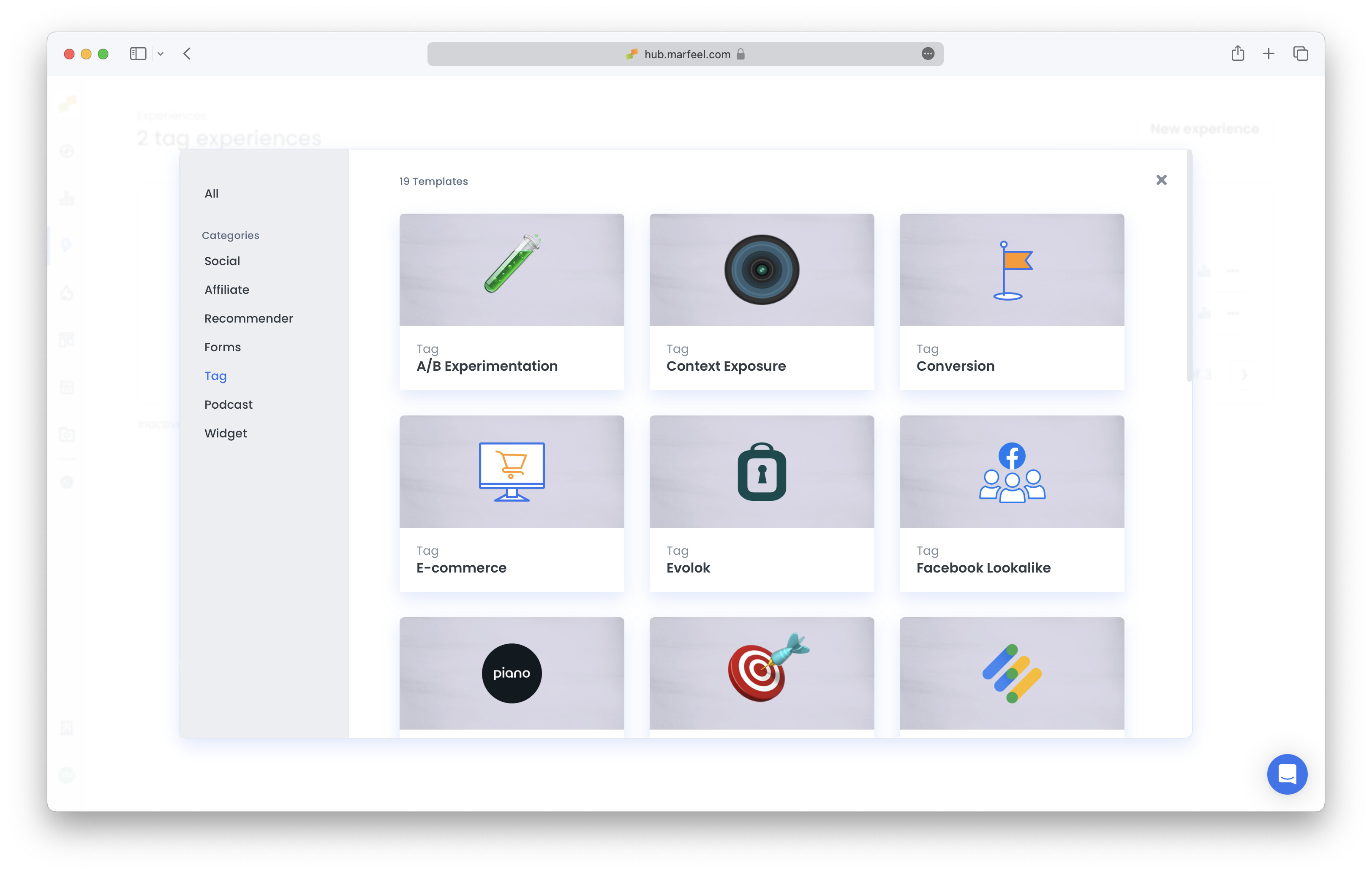
- Add a title (this is for internal purposes only).
- Under
Where do you want to set A/B tests?, specify the url of the page where you want to have A/B testing enabled: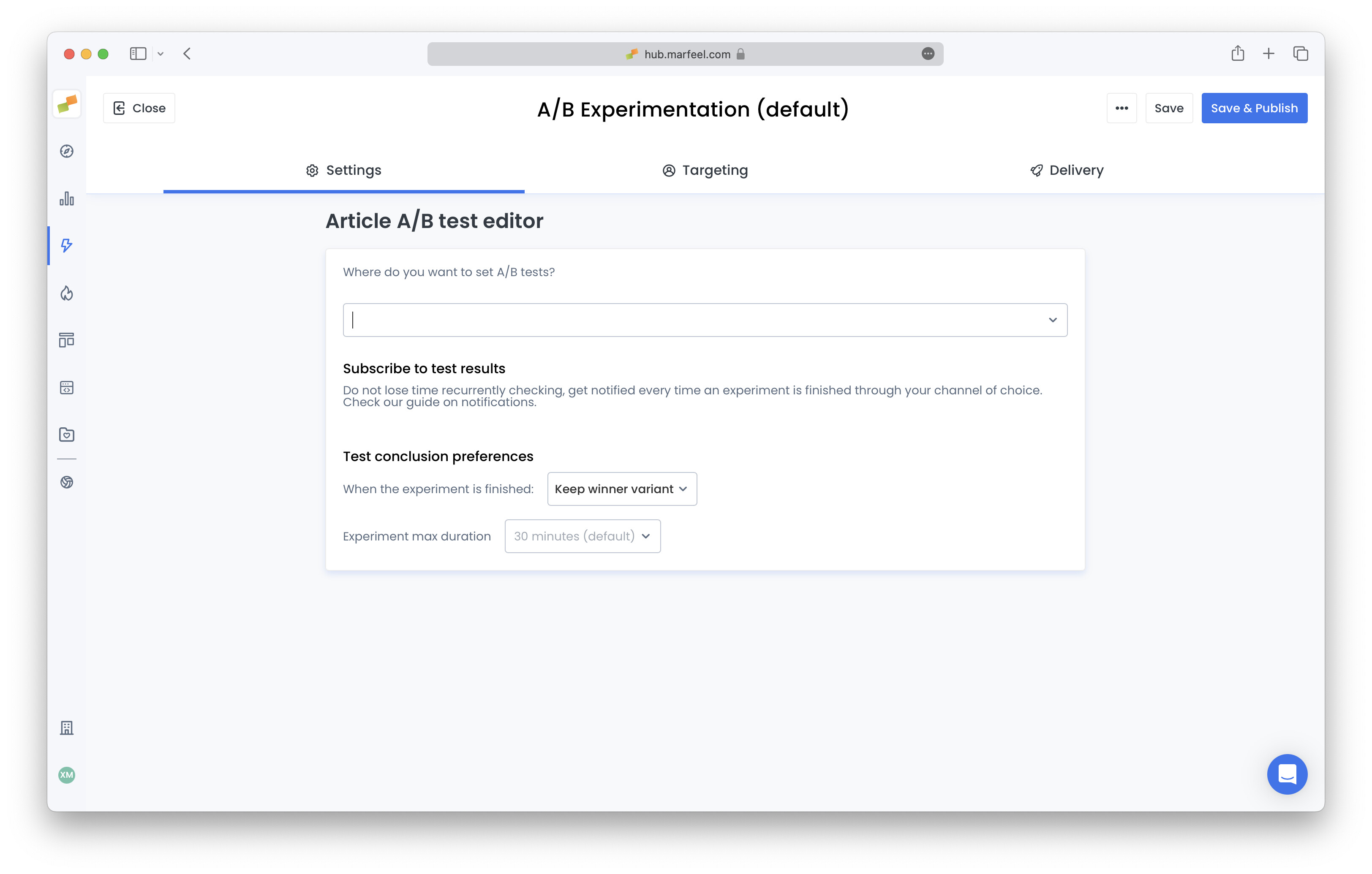
- Admins have control over how they want to proceed once the system has identified a statistically relevant winner of an A/B test. There are two options:
- Have Marfeel automatically replace the article:
Keep winner variant - Have the system report the results and make the permanent change on the CMS:
Keep original variant
- Have Marfeel automatically replace the article:
- Experiments end whenever there is a clear winner with statistical significance or, in case variants are too similar, whenever the max duration is met. Max duration’s default value is 30 minutes, but it can be configured to be up to 4 hours for pages with low traffic. The experiment is automatically cancelled in its early stages when the collected data lacks statistical significance or the recorded volume is too low to be meaningful.
- Experiments created in one recirculation module that later appears in another one have a different context. The two modules are not comparable at the data level, and they also differ visually, so the results might no longer be valid. Admins can decide the behaviour for when the article changes module. There are two options:
- Have the test declared orphan:
Same module only - Have the test follow the article to the new module:
Any module
- Have the test declared orphan:
Activate notifications
Section titled “Activate notifications”Subscribe to notifications to receive an alert when experiments are complete. This way, you won’t have to check manually to verify if a given test has finished.
Go to the A/B test experience set up above and click Subscribe.
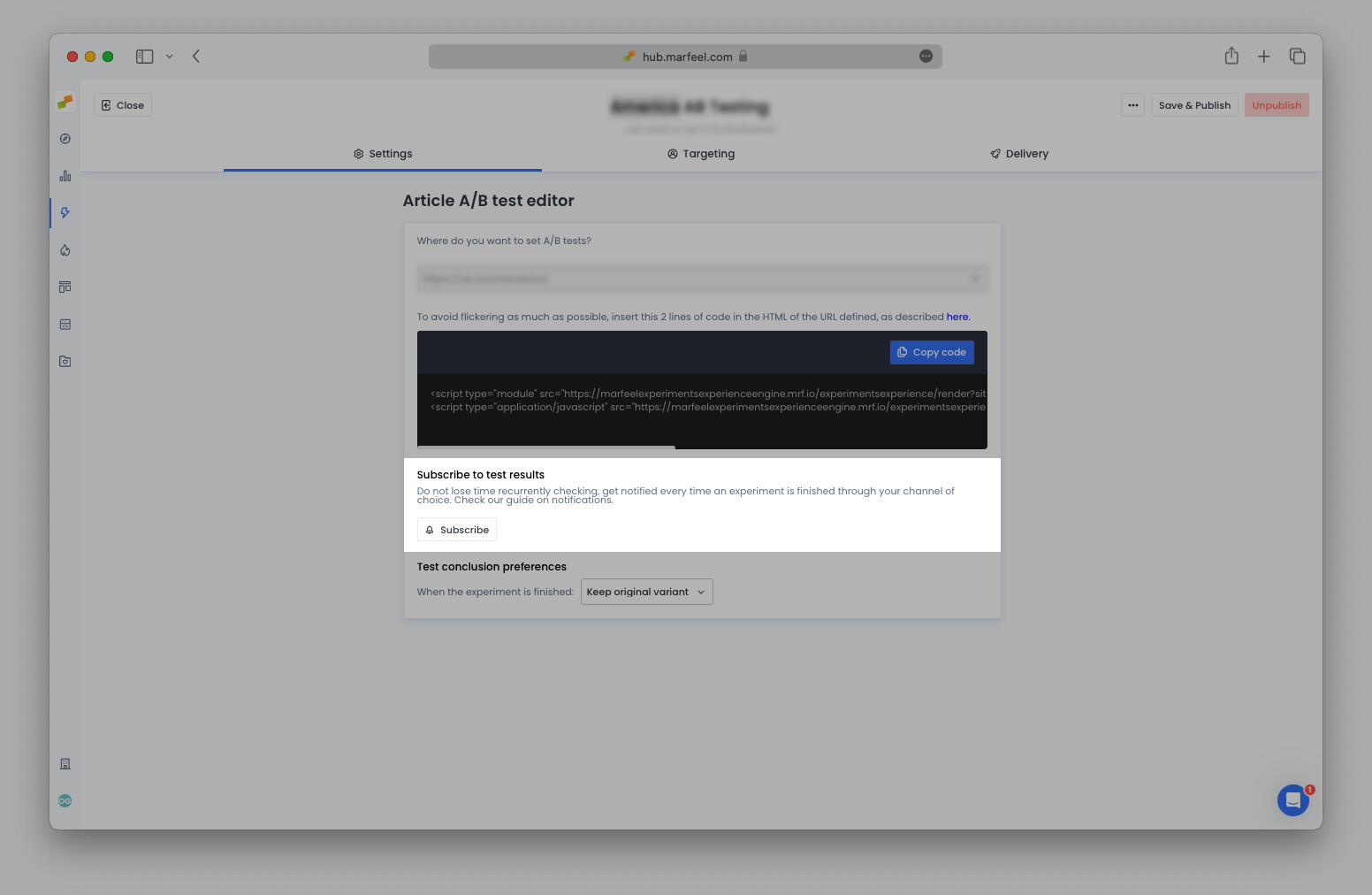
Select from the menu options to receive notifications via email, Slack, or Microsoft Teams. The best way to use these notifications is to subscribe a Microsoft Teams or Slack channel where your homepage editors are.
Once activation is complete, editors can run headline and image A/B tests directly from the HUD.
JavaScript-based instrumentation
Section titled “JavaScript-based instrumentation”Marfeel allows publishers to load the A/B testing runtime directly on the page using JavaScript. This method avoids a round-trip to Marfeel servers and helps prevent visual flickers when swapping headlines.
Once you’ve decided to fully adopt A/B testing, this activation method is strongly recommended.
To activate it, add these 2 extra lines of code to the pages where you want to enable A/B testing, oftentimes just the homepage.
- Remember to replace the site_id=0 with your account ID.
- The url=https://example.com/ parameter must contain the same URL used in the
rel=canonicalof the page.
<script type="module" src="https://marfeelexperimentsexperienceengine.mrf.io/experimentsexperience/render?siteId=0&url=https://example.com/&experimentType=HeadlineAB&lang=es&version=esnext" async></script><script type="application/javascript" src="https://marfeelexperimentsexperienceengine.mrf.io/experimentsexperience/render?siteId=0&url=https://example.com/&experimentType=HeadlineAB&lang=es&version=legacy" nomodule="" async></script>The nomodule attribute on the script tag is a browser hint to only load one or the other depending on its supported features. It’s not supposed to load both of them. If nomodule is not present, both JS files will load incorrectly. You can read more about nomodule on Mozilla docs.

You can also set up image A/B testing using the same activation process to test both headlines and images.
What happens when a tested article changes
Section titled “What happens when a tested article changes”An A/B test is tied to both the article and the recirculation module where it started. How the test responds depends on what changes:
- The article changes position within the same module: the test keeps running normally. If an article being tested in Opening starts at position 1 and drops to position 6 as new content comes in, the test continues collecting data without interruption.
- The article moves to a different module: the test is declared orphan. An article tested in Opening that later appears in Most Read sits in a different context. The two modules are not comparable at the data level, and they also differ visually, so the results might no longer be valid. Orphan tests will not be applied to users and can be manually cancelled in the HUD.
- The headline is changed directly in the CMS: the original headline the test was comparing is no longer present on the page, so the test is archived. This applies whether the test is still running or has already finished. You can then start a new test from scratch on the new title.
What is the difference between no-code and JavaScript A/B testing activation?
No-code activation is enabled from hub.marfeel.com and lazy loads the A/B testing runtime via the Marfeel SDK. JavaScript instrumentation loads the runtime directly on the page, avoiding a round-trip to Marfeel servers and preventing visual flickers when swapping headlines.
What happens when a headline A/B test finds a winner?
Admins can choose between two options: have Marfeel automatically replace the article with the winning variant (Keep winner variant), or have the system report the results so the editor can make the permanent change in the CMS (Keep original variant).
How long does an A/B test run before it ends?
Experiments end when there is a clear winner with statistical significance. If variants are too similar, the test ends when the max duration is met. The default max duration is 30 minutes, but it can be configured up to 4 hours for pages with low traffic. The experiment is automatically cancelled in its early stages when the collected data lacks statistical significance or the recorded volume is too low to be meaningful.
What happens to an A/B test if the article moves to a different module?
An A/B test is tied to the recirculation module where it started. If the article changes position within the same module, the test keeps running normally. If the article moves to a different module (for example, from Opening to Most Read), the test is declared orphan by default because the two modules are not comparable in data or visual presentation. Orphan tests will not be applied to users and can be manually cancelled in the HUD. Change your configuration to allow running tests in any module or start a new test in the article’s current module if you want to keep testing it.
What happens to an A/B test if I change the headline directly in the CMS?
When you change the headline directly in the CMS, the original headline the test was comparing is no longer present on the page, so the test is archived. This applies whether the test is still running or has already finished. You can then start a new test from scratch on the new title.