

How to exclude content from Marfeel Recommender
Content exclusions let editorial teams manually prevent specific articles from appearing in Marfeel Recommender’s automated recommendations. Feeds, recommendation engines, and restriction rules help surface relevant content, but editors sometimes need to guarantee that certain articles never appear as a recommendation.
Reasons include editorial discretion, sensitivity, regulatory compliance, or ensuring that specific content does not overshadow breaking news. Content exclusions give you a direct, guaranteed way to maintain full editorial control over which articles the recommender can show, complementing the more dynamic and automated selection methods.
Use exclusions sparingly. Overusing them reduces the recommender’s flexibility and potential. Exclude only when it is necessary to maintain editorial integrity.
Why exclude content from recommendations?
Section titled “Why exclude content from recommendations?”- Editorial oversight: Even with advanced targeting and restrictions in place, some content should never be suggested by algorithms for editorial reasons.
- Protect sensitive material: Prevent outdated, sensitive, or contextually inappropriate articles from being recommended.
- Maintain relevance and brand image: Ensure recommended content aligns with brand voice, editorial standards, and current newsroom priorities.
How to exclude content
Section titled “How to exclude content”Two methods are available:
Exclude from the Article Details page (Compass view)
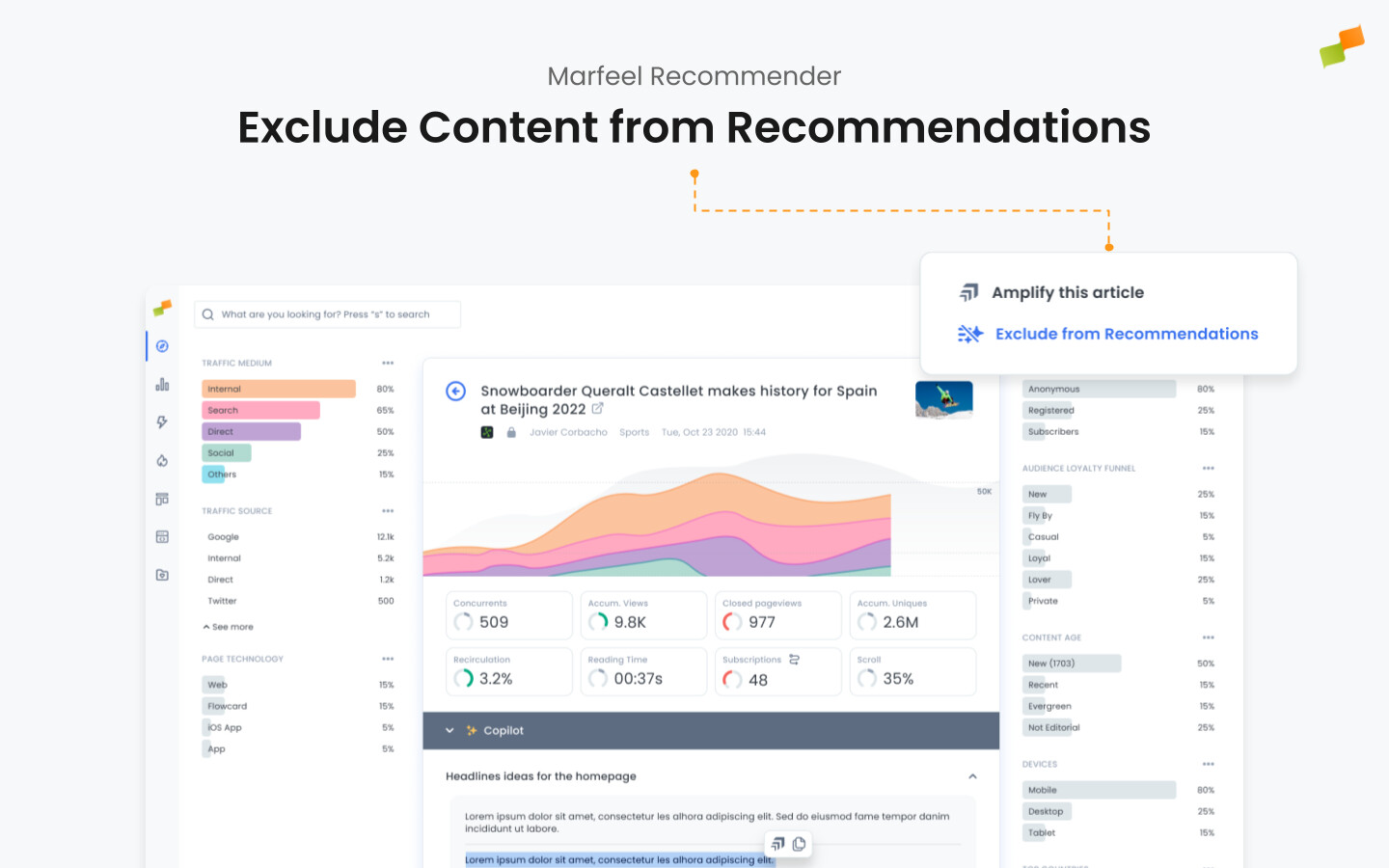
Section titled “Exclude from the Article Details page (Compass view)”- Navigate to the article: In the Compass view, locate and open the article you want to exclude. You can also use the Omnisearch.
- Click “Exclude from Recommendations”: At the top right corner of the article details page, click the “Exclude from Recommendations” button. The article is immediately removed from all recommender engines.
Exclude from the Recommender Feed view
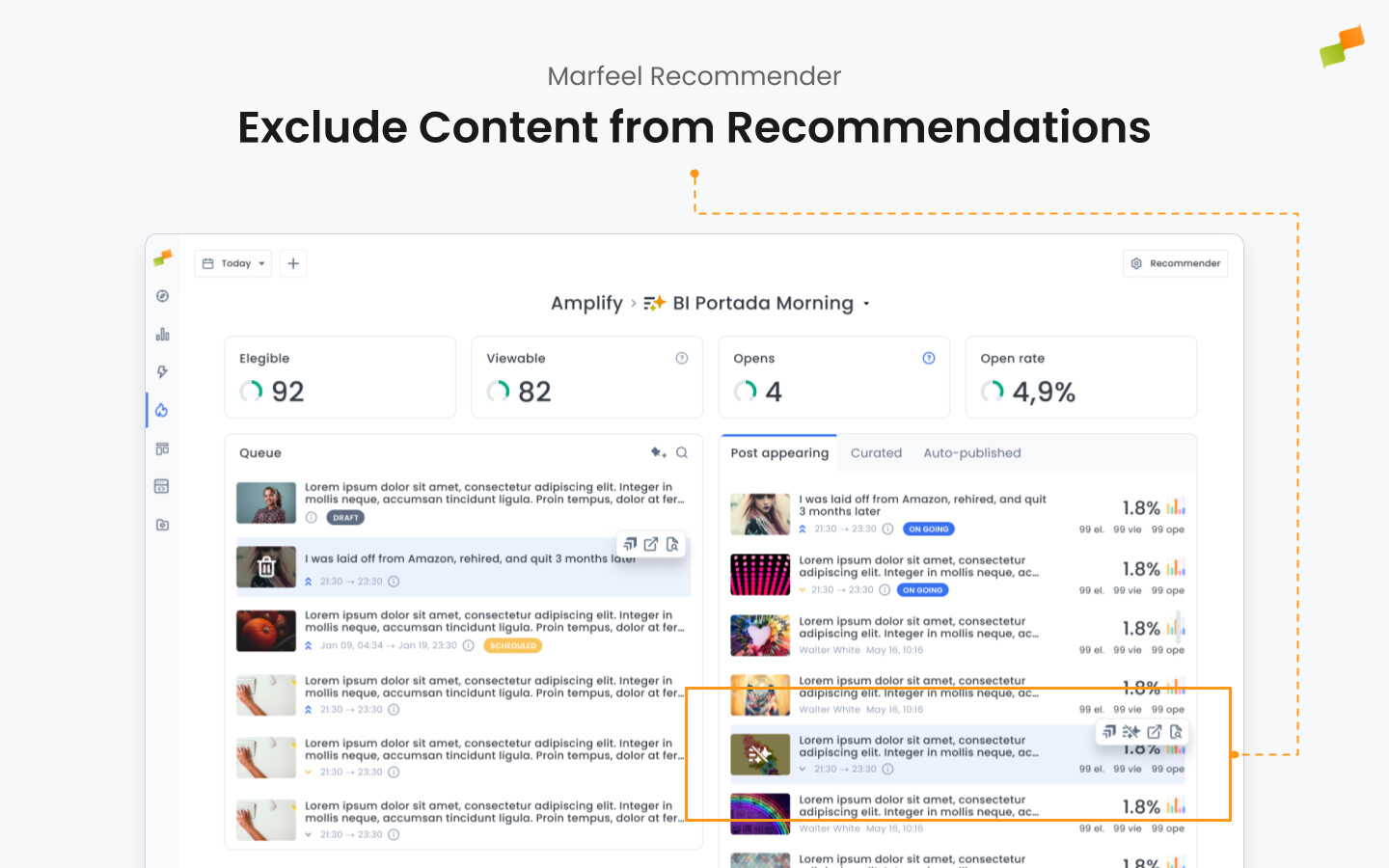
Section titled “Exclude from the Recommender Feed view”- Open the Recommender Feed view: Access the Recommender feed view to see recently recommended articles. This feed may display content from the last hour or another configured time window, depending on your selection.
- Identify the article to exclude: Scroll through recommended articles and review performance metrics, relevance, or any other editorial criteria before deciding.
- Exclude the article: Select the “Exclude from Recommendations” option from the multi-action bar associated with that article within the feed view.
Automatically exclude previously read articles
Section titled “Automatically exclude previously read articles”On Marfeel Recommender’s Advanced plan, the system accounts for which articles a user has already read and excludes them directly during the query. Users only receive fresh, unseen recommendations, which strengthens personalization and drives engagement based on historic interests.
Benefits of excluding already-read articles:
-
Better user experience: Users see new recommendations instead of repeats, increasing satisfaction and return visits.
-
Higher engagement: Surfacing only new articles keeps user interest high and encourages deeper content exploration.
-
Optimized performance: Fresh recommendations aligned with user history boost CTR and overall user retention.
Who can exclude articles from Marfeel Recommender?
Only users with the Content Curator role can exclude articles from recommendations.
What are the two ways to exclude content from Marfeel Recommender?
You can exclude an article from the Article Details page in Compass view using the “Exclude from Recommendations” button, or from the Recommender Feed view using the multi-action bar.
Does Marfeel Recommender automatically exclude articles a user has already read?
Yes, on the Recommender Advanced plan the system excludes articles the user has already read directly during the query, so only fresh, unseen recommendations are served.