

Why does internal traffic show as anonymous in recirculation?
Below is a collection of common issues around the Marfeel recirculation module and how to resolve them.
Anonymous internal sources
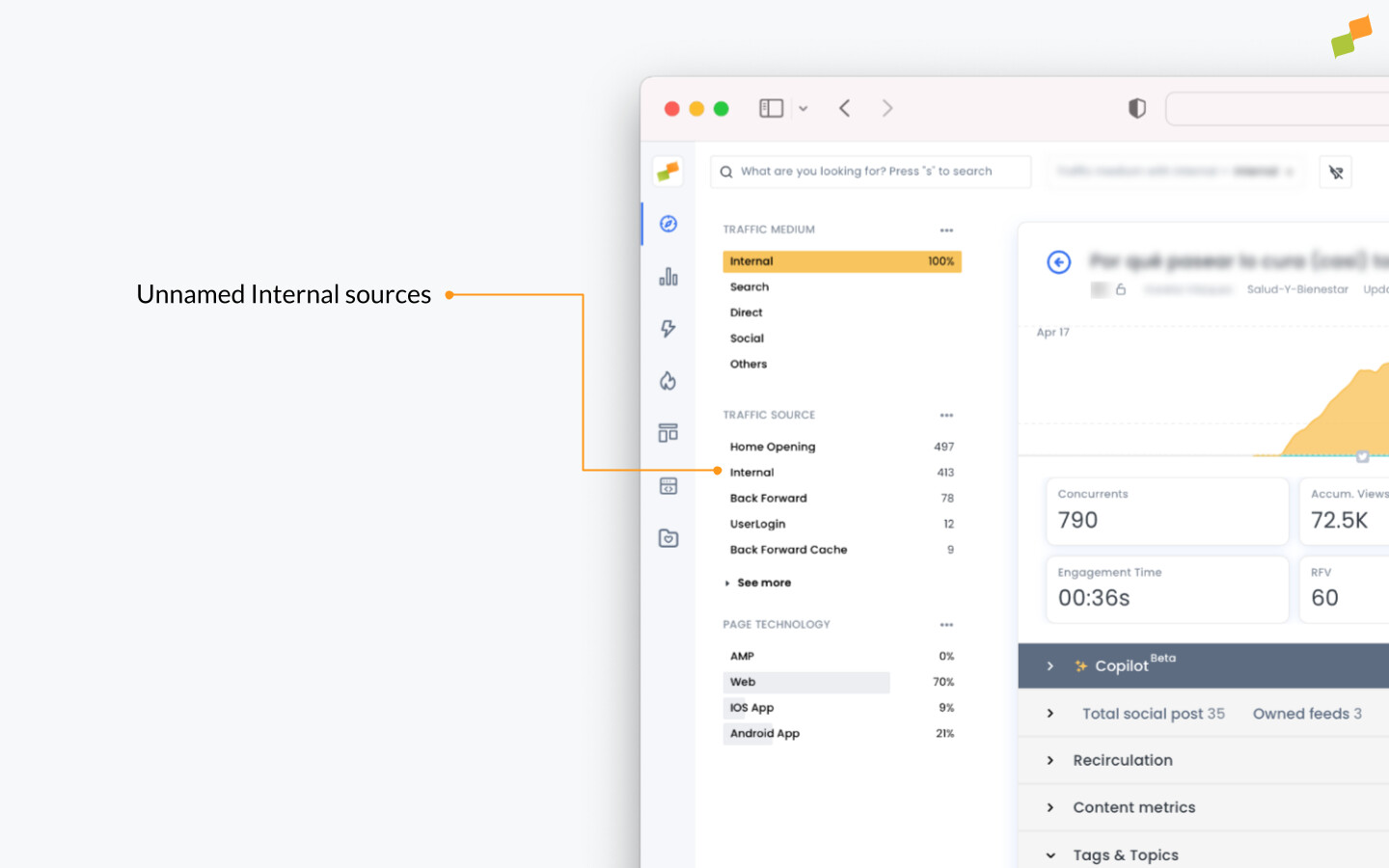
Section titled “Anonymous internal sources”When you filter by traffic medium = internal and the main traffic source appears as Internal, the recirculation module cannot pinpoint which module is driving that traffic. This happens because the modules generating these visits have not been tagged, so all their traffic is grouped under a generic “Internal” label.
To identify the real source of the internal traffic, tag your page modules using on-page tracking or any of the Marfeel no-code tag experiences. Once modules are tagged, their traffic appears as named sources in the Incoming Navigation report, making it possible to measure each module individually.
Why does the recirculation report show 'Internal' as the main traffic source?
When filtering by traffic medium = internal shows “Internal” as the main source, it means the traffic comes from untagged modules. Tag your page modules with on-page tracking or no-code tag experiences to identify the real source.