

Recommender Use Case: Cross-site content recommendations
Cross-site recommendations encourage users to explore content from sister publications or related sites, increasing traffic across your entire network.
Scenario description
Section titled “Scenario description”Your organization manages multiple websites or publications, each with its own unique focus, such as news, sports, lifestyle, technology, or entertainment. While each site attracts its own audience, there is a valuable opportunity to enhance user engagement by recommending relevant content from your sister sites or partner publications.
By implementing cross-site recommendations, you can:
- Expose users to a broader range of content: Introduce readers to topics or articles they might find interesting but would not have discovered otherwise.
- Increase cross-site traffic: Drive users from one site to another within your network, boosting overall page views and user engagement.
- Strengthen your brand ecosystem: Reinforce the interconnectedness of your publications, encouraging brand loyalty and recognition across your media properties.
Cross-site recommendations enrich the user experience with a wider array of content and capitalize on the synergy between your publications. This strategy increases user engagement and time spent across your network while strengthening your brand presence and loyalty among your audience.
How to set it up
Section titled “How to set it up”This walkthrough creates a sports module on a general newspaper’s homepage. The module features the most read article during the last hour from a sibling sports site that uses a different Marfeel account. The setup assumes you have access to both accounts. If you do not, users with experience creation access on both accounts need to coordinate to achieve the same result.
The core mechanism is a remote feed, which lets one account consume content published by another account’s recommender experience.
- Log into the Sports account and create a new recommender experience, rename it, and set its format to API.
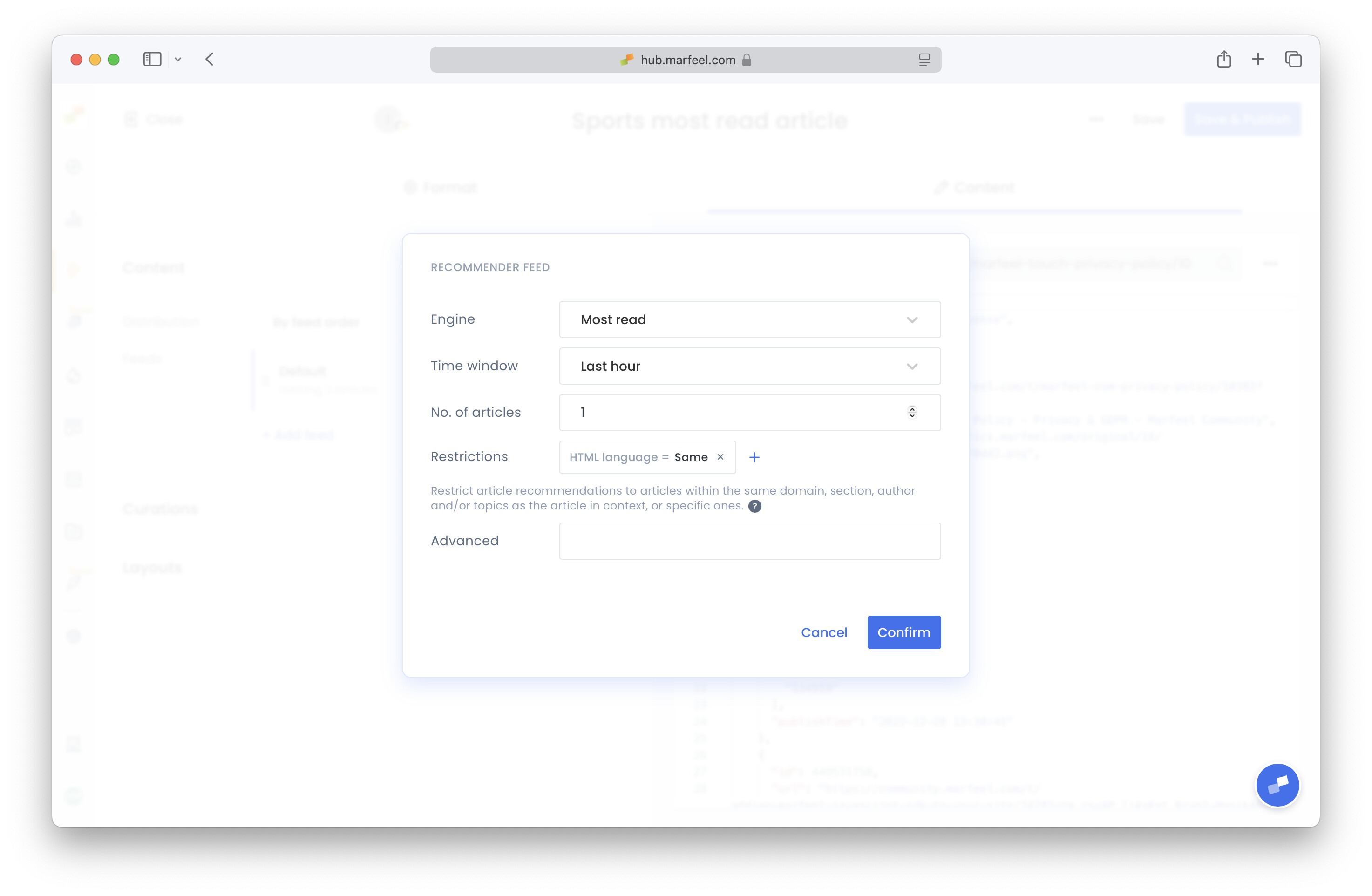
- In the Content tab, click on the feed to edit it. Set the Engine to Most Read, Time Window to Last Hour, and the number of articles to 1. Remove the Host=Same restriction.
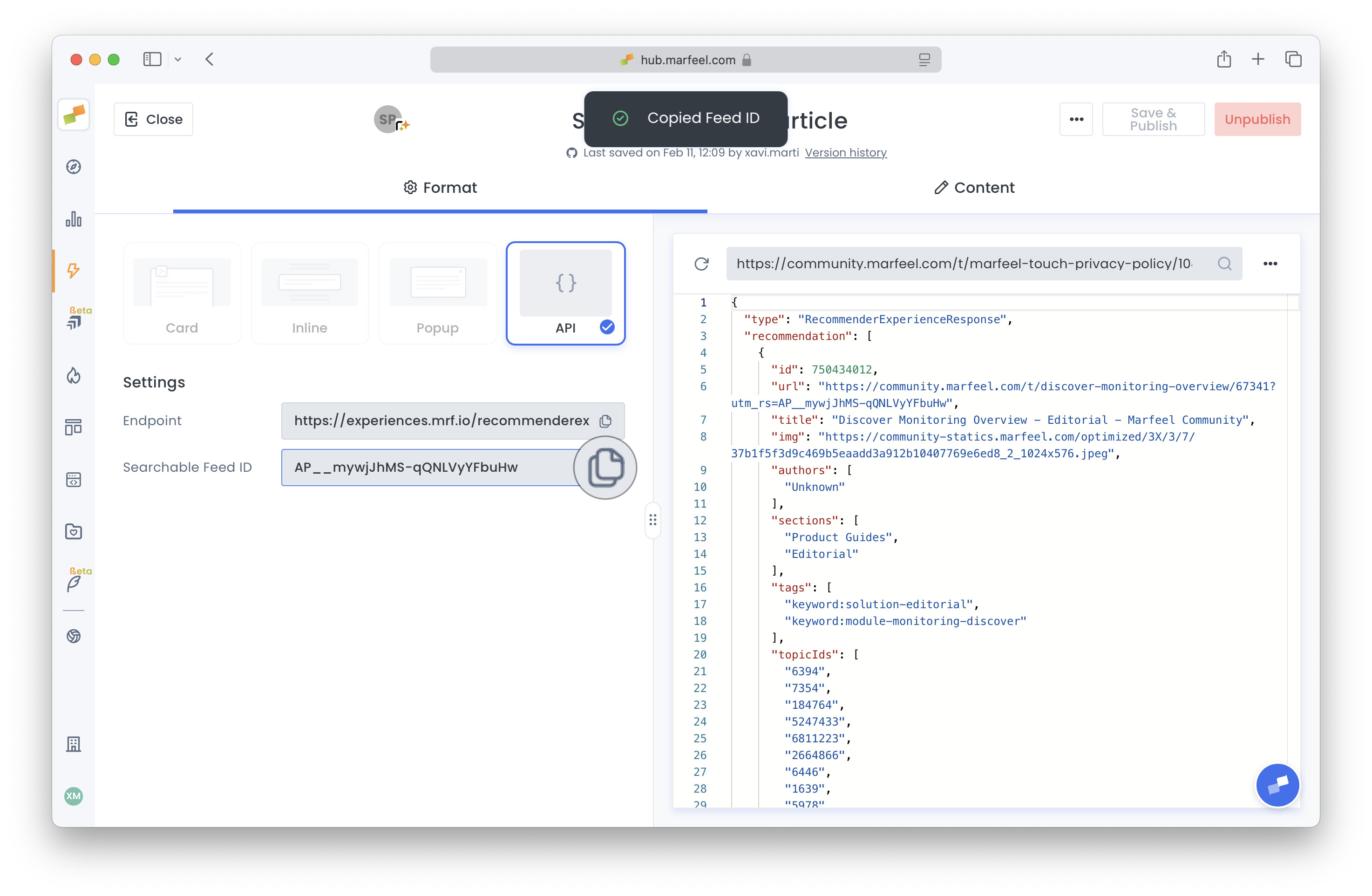
- Save and Publish. Now in the Format tab, click on Shareable Feed ID to copy it.
- Switch to the General Newspaper account, create a new recommender experience, and rename it.
- Set its format to Inline and strategy to Replace. Use the URL dropdown in the preview to navigate to the homepage.
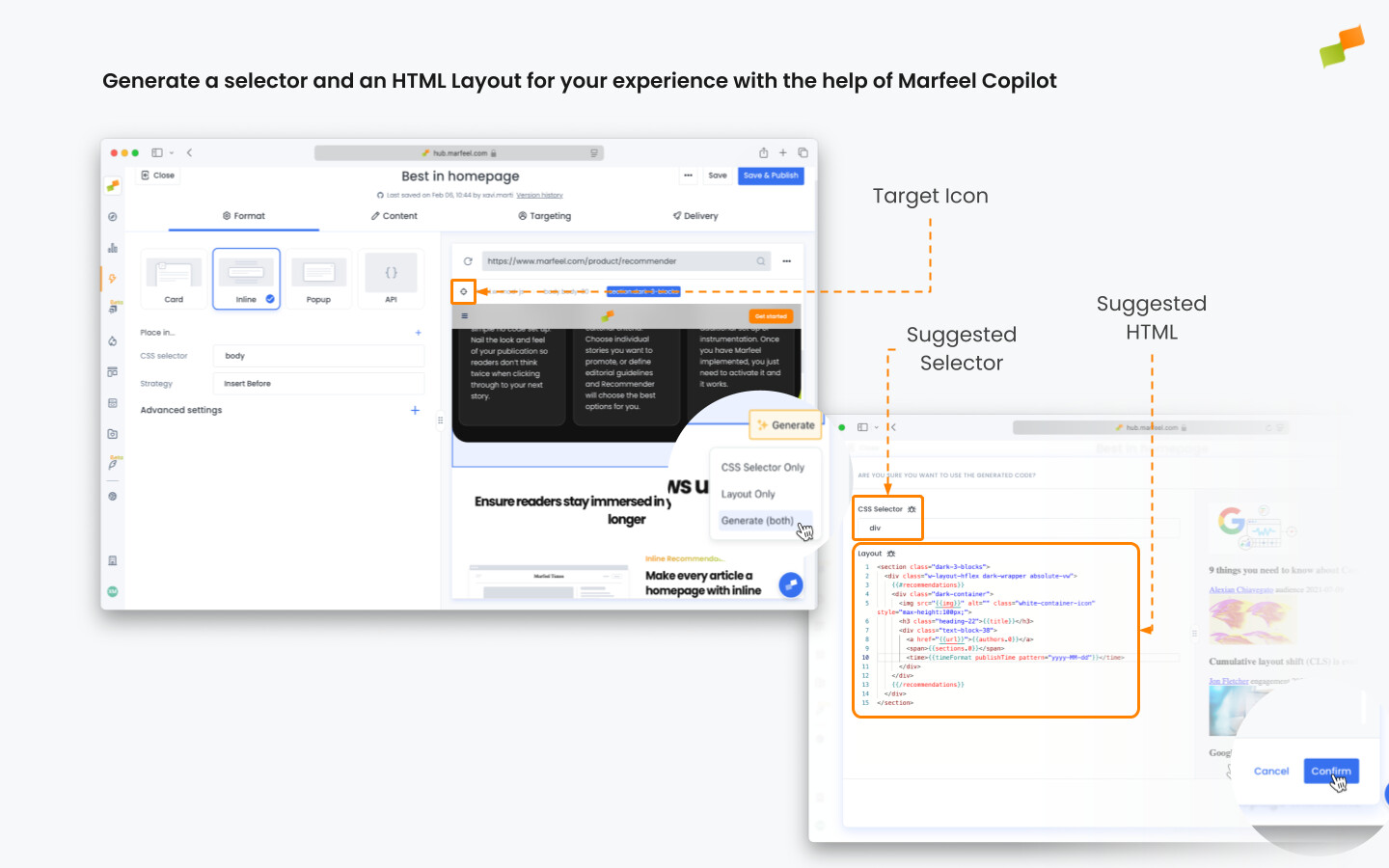
- Use the target icon to highlight the article to be replaced, and select Generate both. Tweak selector and layout until it looks as expected. You can also select a preconfigured layout instead, in the Content tab.
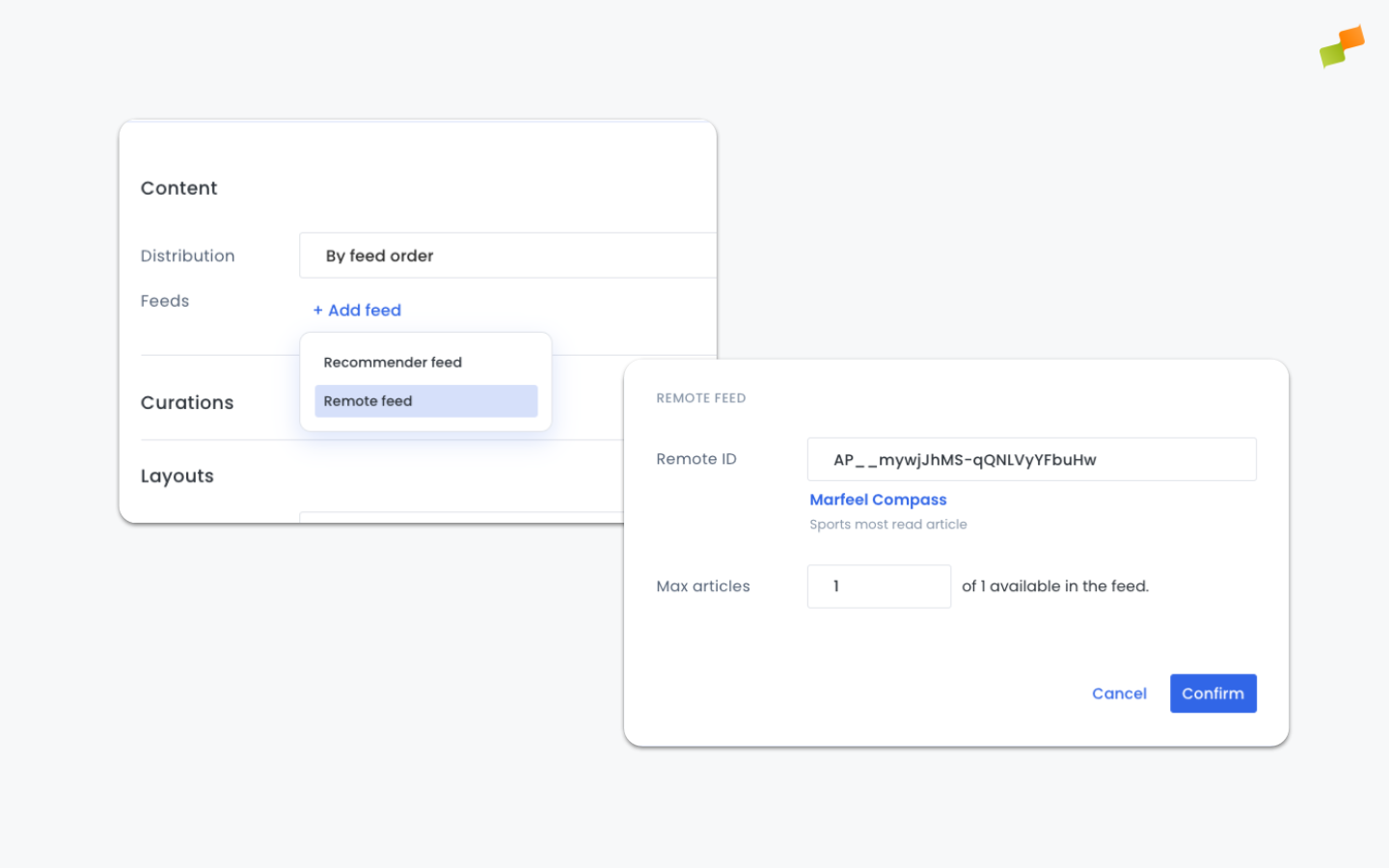
- In the Content tab, remove the existing feed by using its three-dot options. Add a new Remote Feed and paste the ID you previously copied.
- In the Targeting tab, set a URL={homepage} filter. The experience is ready to be published.
What are cross-site recommendations in the Marfeel Recommender?
Cross-site recommendations allow you to surface content from sister publications or related sites within your network. By configuring a remote feed, you can display articles from one Marfeel account on a different account’s site, driving traffic between properties and exposing users to a broader range of content.
How does a remote feed work for cross-site recommendations?
A remote feed uses the API format to share content between Marfeel accounts. You create a recommender experience in the source account with its format set to API, configure the feed engine (for example, Most Read), then copy the Shareable Feed ID. In the destination account, you add a Remote Feed using that ID to pull content from the source site.
Can I use cross-site recommendations if the sites are on different Marfeel accounts?
Yes. Cross-site recommendations work across different Marfeel accounts. You need access to both accounts, or users with experience creation access on each account can coordinate. The source account publishes an API-format feed, and the destination account consumes it via a Remote Feed.