

Recommender Use Case: Promote high-CTR home page articles
Identify and promote articles with the highest click-through rates (CTR) from the home page to other placements across your site, maximizing user engagement with content that has already proven effective.
Scenario Description
Section titled “Scenario Description”Your home page is the showcase for your site’s most important content, curated by your editorial team to align with your overall strategy. Editors select articles that represent your brand, resonate with your audience, and drive your site’s objectives.
Among these curated pieces, certain articles stand out by achieving exceptionally high click-through rates. These high-CTR articles capture visitor attention on the home page and reflect the effectiveness of your editorial choices.
By identifying these top performers, you can amplify their impact by featuring them in other areas of your site. This includes placing them in sidebars, within related articles, in section-specific modules, or across different sections where the content is relevant. You are using these successful home page articles as subsets to enrich other parts of your site.
Focusing on high-CTR home page articles means capitalizing on content that has already proven effective. This strategy enhances user engagement and reinforces your editorial vision throughout your site, creating a cohesive and impactful user experience.
How to Set it Up
Section titled “How to Set it Up”Follow these steps to replace the articles listed at the end of your articles with the ones getting the best performance on your home page. You can follow a similar approach to show them in a flowcard or a new inline module instead of replacing a current one.
-
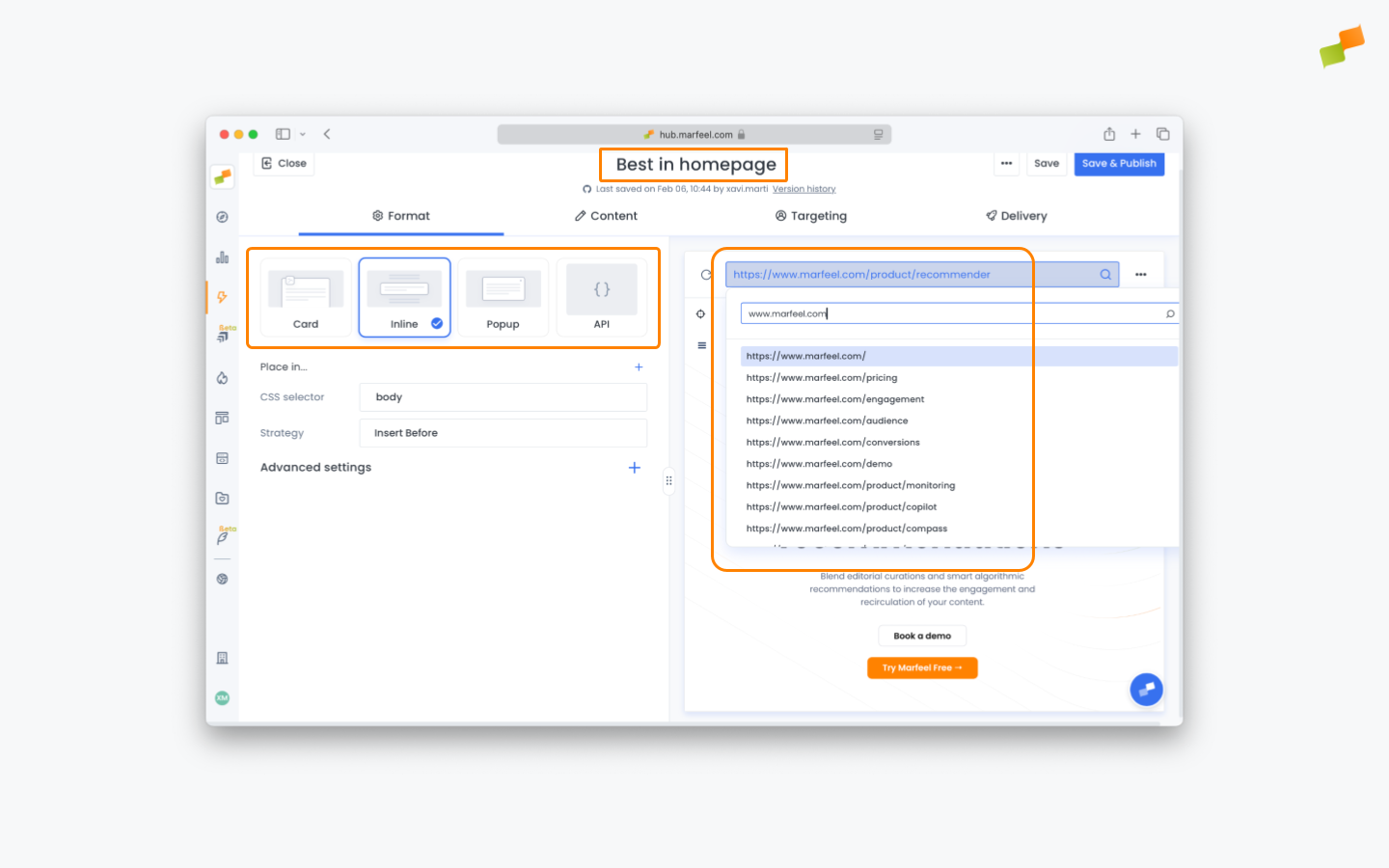
Start by creating a new Recommender experience with any template available. Rename for convenience and set the format to Inline. Use the preview URL dropdown to navigate to an article where you want the new module to appear.
-
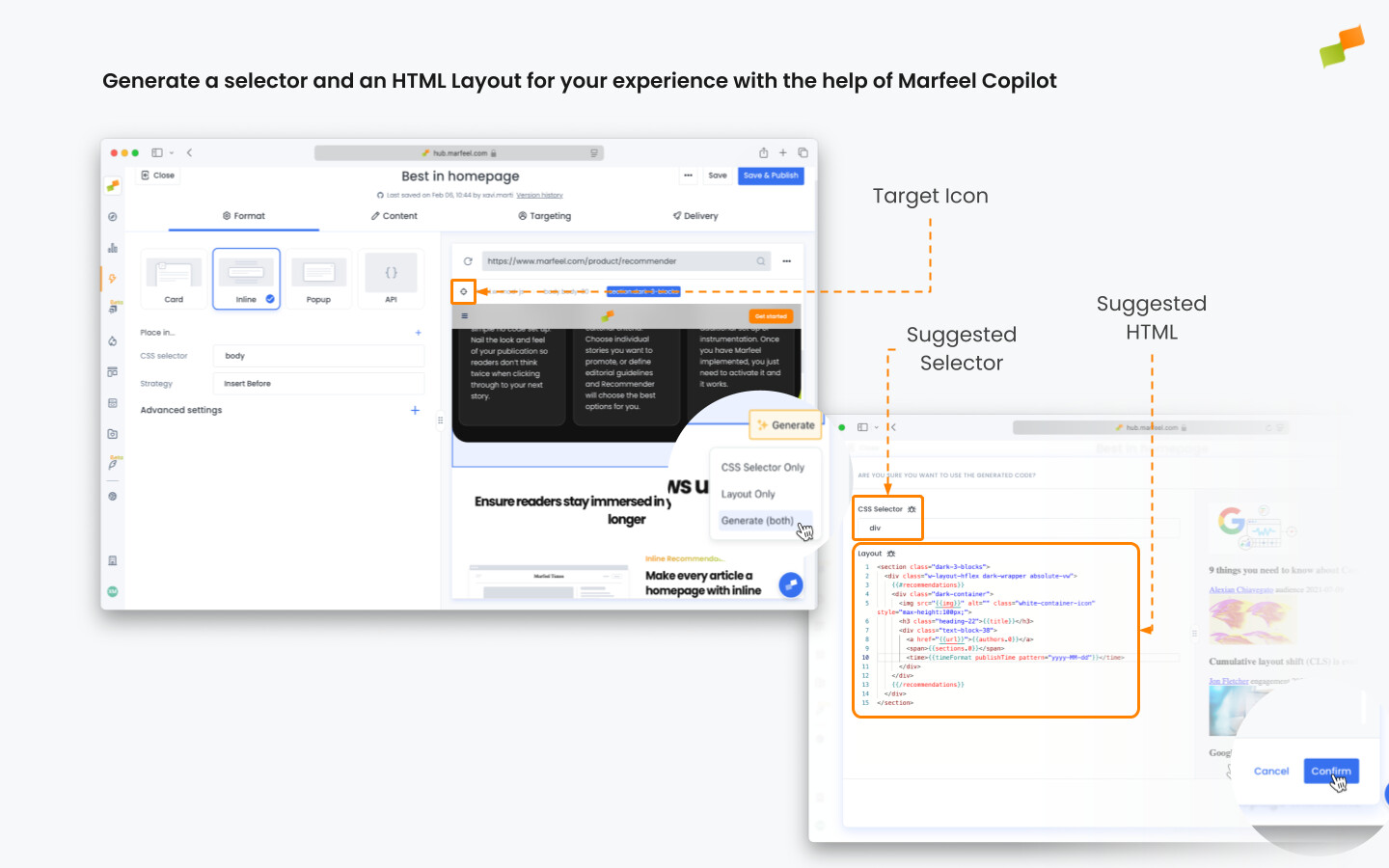
Click on the target icon to toggle highlight mode, and hover over the content until the footer to be replaced is highlighted. Click on it, and using the dialog appearing below select Generate (both).
-
Switch strategy to Replace and use the preview to confirm that the module is replaced correctly. If it is not, follow our Troubleshooting guide.
-
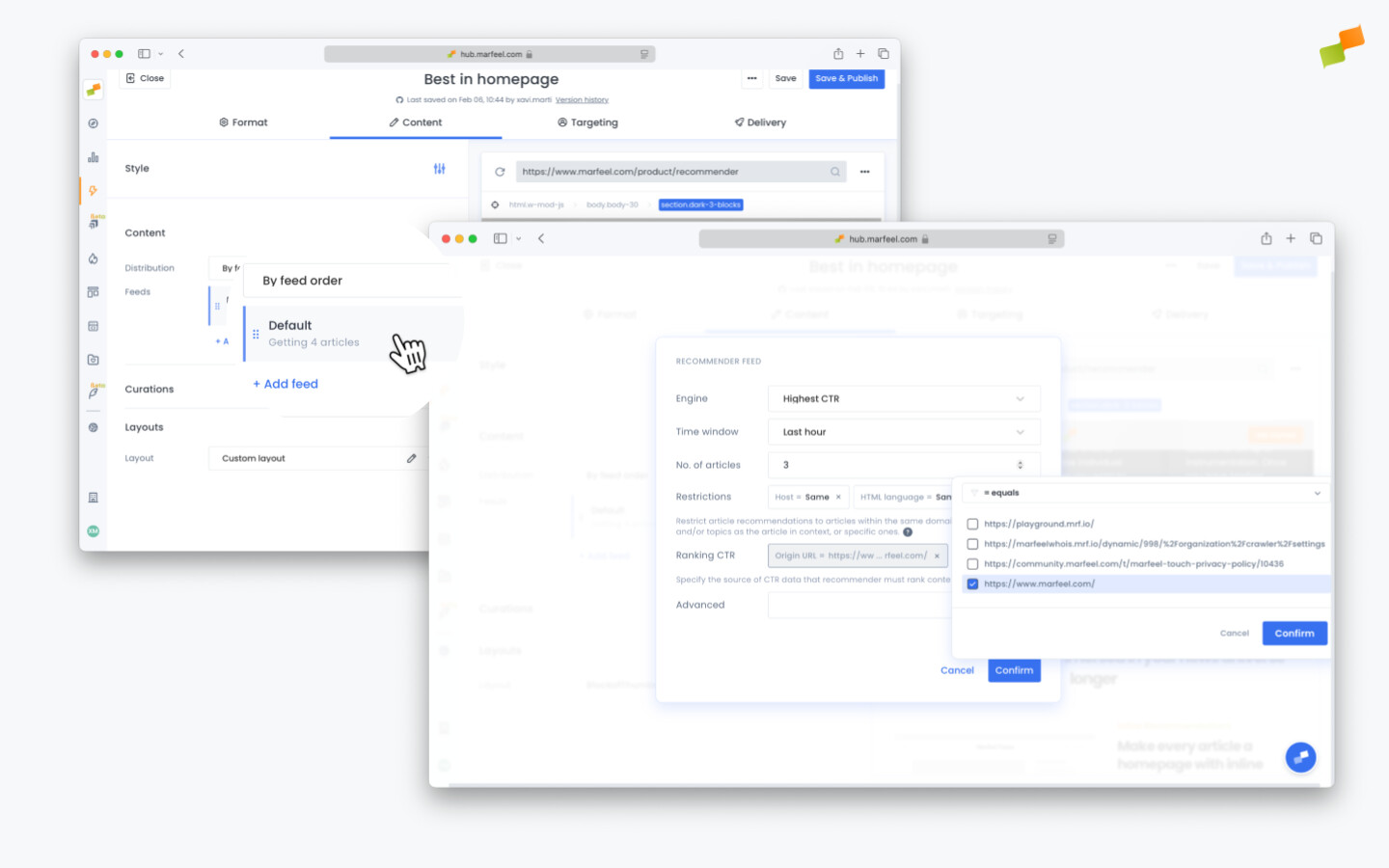
Switch to the Content tab to configure which articles are shown. Click on the feed to edit it. Select Highest CTR as Engine and Last hour as Time window. Adjust the number of articles to match your footer design. Finally, remove the Module Name = Same filter and use the + sign to add one with Origin URL = {homepage}.
-
Use the preview to verify it works as expected on both desktop and mobile. Adjust targeting and delivery options to control exactly when the module appears, then publish.
How do I promote high-CTR home page articles to other parts of my site?
Create a new Recommender experience with an Inline format, target the footer or module you want to replace, set the feed engine to Highest CTR with a Last Hour time window, and add an Origin URL filter pointing to your home page. The system automatically surfaces your best-performing home page articles in that placement.
Which Recommender engine should I use for CTR-based recommendations?
Select Highest CTR as the feed engine. This ranks articles by their click-through rate, so the Recommender surfaces articles that have already proven effective at capturing visitor attention on your home page.
How long does it take for CTR ranking calculations to appear?
CTR ranking calculations take a few minutes after saving the experience to execute. Save the experience, wait a few minutes, then check the preview before publishing.