

Recommender Use Case: Warm up articles for Google Discover
Sequentially drive traffic to a specific article by first featuring it in a supportive recommender module on the home page, then promoting it on social media, and finally using a flowcard. This warm-up strategy increases the article’s visibility, ultimately helping it appear and gain traction on platforms like Google Discover.
Scenario description
Section titled “Scenario description”High-quality articles often need an initial push to gain traction. Simply publishing an article may not be enough for it to reach a wide audience or get noticed by content discovery platforms like Google Discover.
The strategy involves a coordinated effort to warm up the article by sequentially directing bursts of traffic through various channels. Each step builds on the previous one to create cumulative engagement signals:
- Feature the article in a supportive recommender module on the home page. Place the article prominently on your home page using a recommender module. This module can be configured to showcase selected articles you want to promote. You can manage which articles appear and for how long through content curations.
- Promote the article on social media. Share the article across your social media channels, such as Facebook, Twitter, Instagram, or LinkedIn.
- Use a flowcard for additional promotion. Deploy a flowcard, a type of in-content recommendation card that appears as users scroll through other articles on your site.
- Achieve visibility on Google Discover through cumulative effect. The combined traffic and engagement from the home page, social media, and flowcards increase the article’s performance signals. Google Discover uses these signals to identify content worth surfacing to a broader audience.
By warming up an article through sequential promotions, you increase its chances of becoming a hit not only on your site but also on external platforms like Google Discover. This approach maximizes the article’s potential reach and impact, contributing to overall site growth.
How to set it up
Section titled “How to set it up”Create a single article flowcard that only appears when a curation is available.
- Navigate to Experience Manager and click on New Experience. Select Article Recommender.
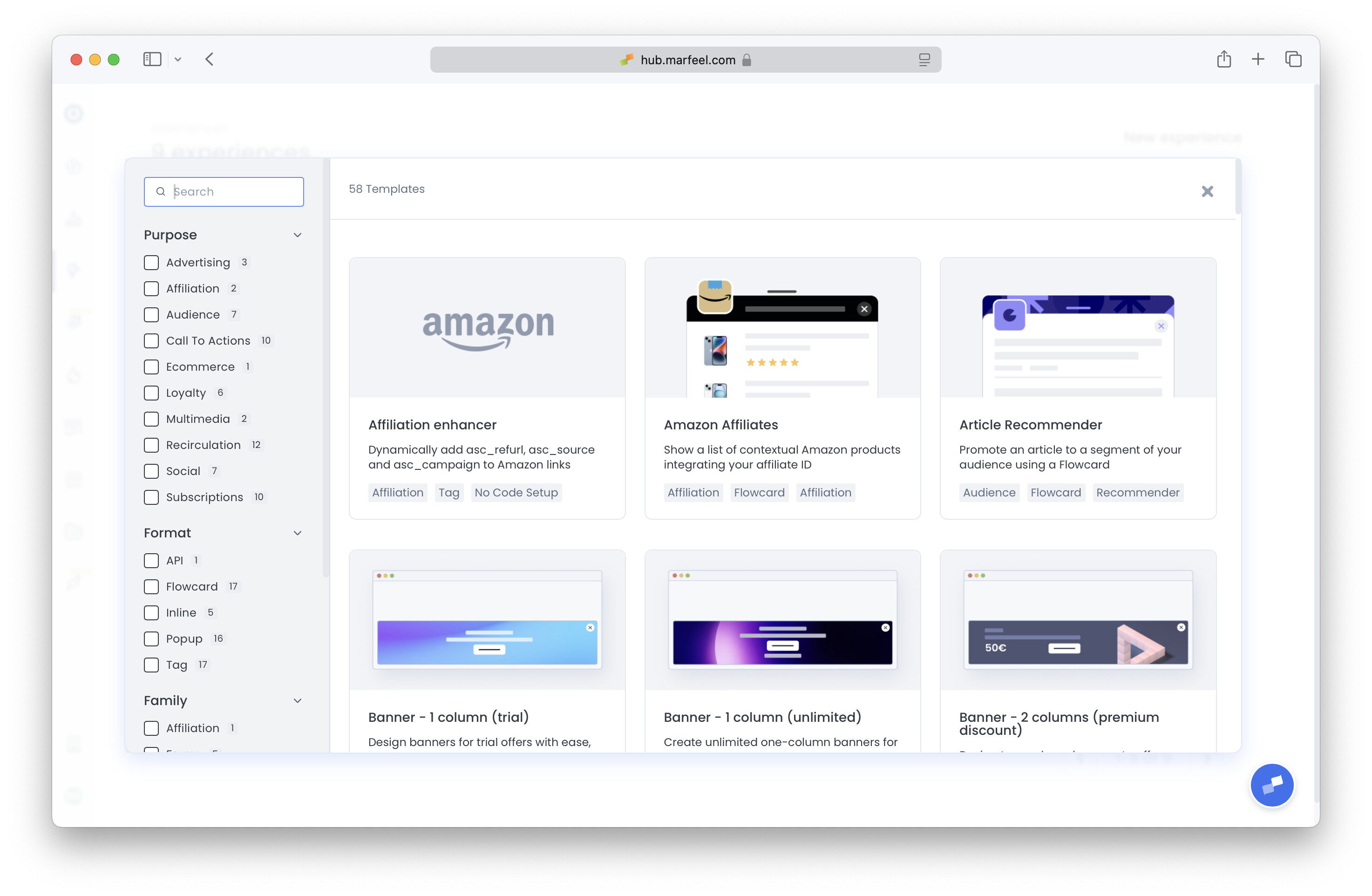
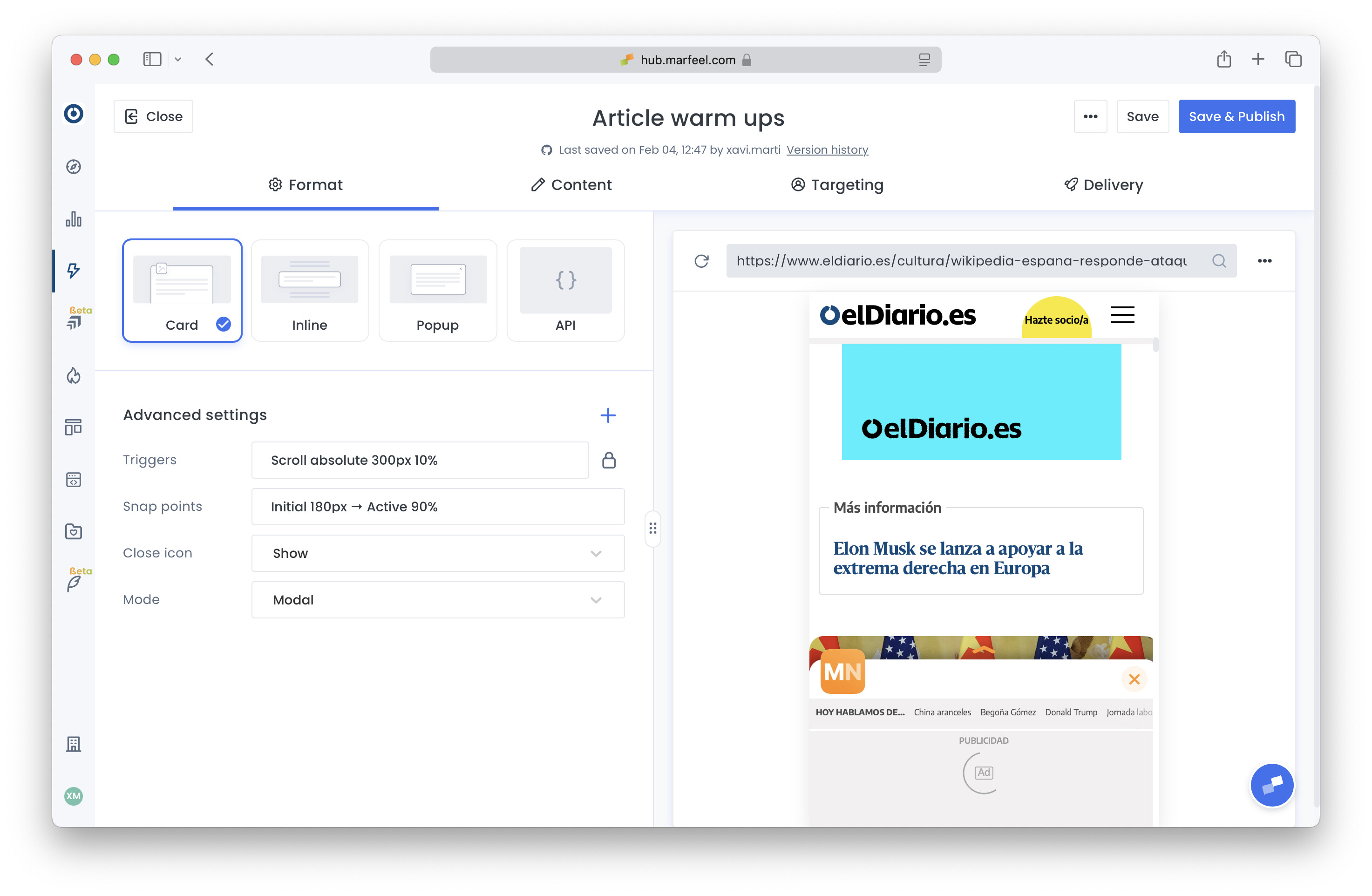
- Change the name accordingly, and in Format tab adjust Triggers and Snappoints as needed (defaults are normally ok). Test in the preview that flowcard is shown when navigating down.
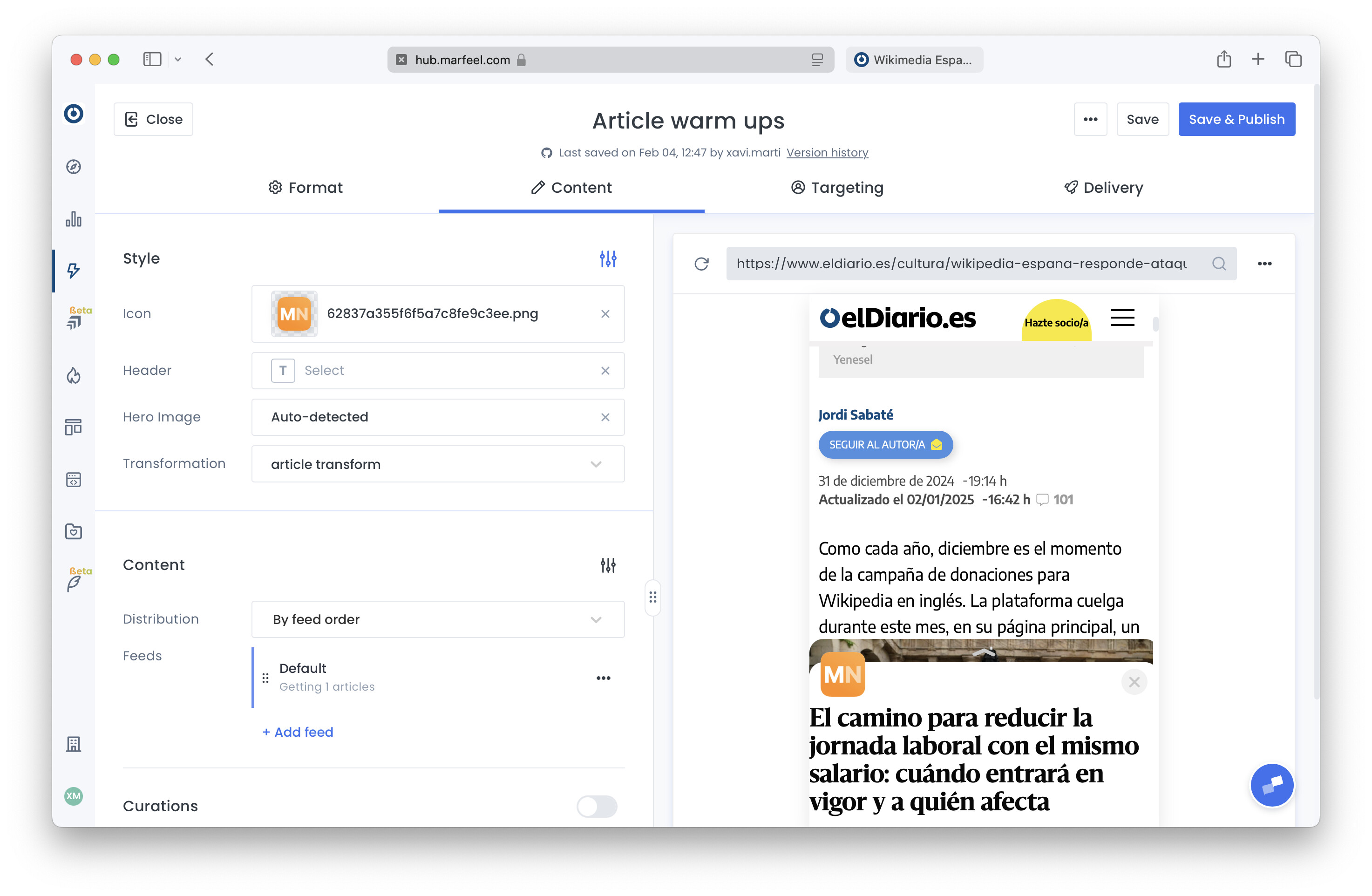
- In Content tab, configure a header and icon for visual appeal, add a transformation that adapts the AMP page to be rendered inside a flowcard. Use the preview to check that the flowcard is shown as expected.
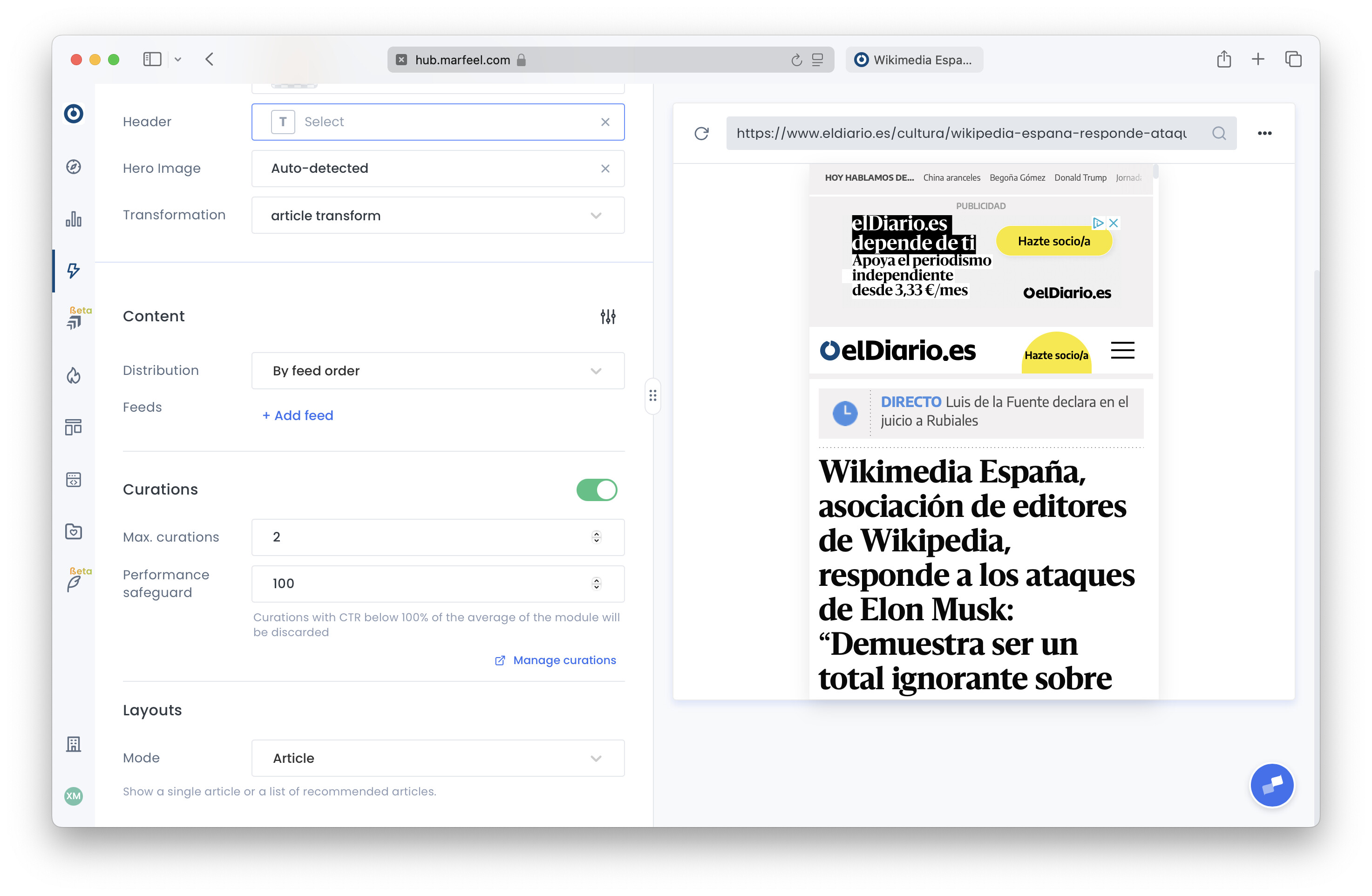
- Using the three dots on its right, remove the configured feed. Toggle Curations as active.
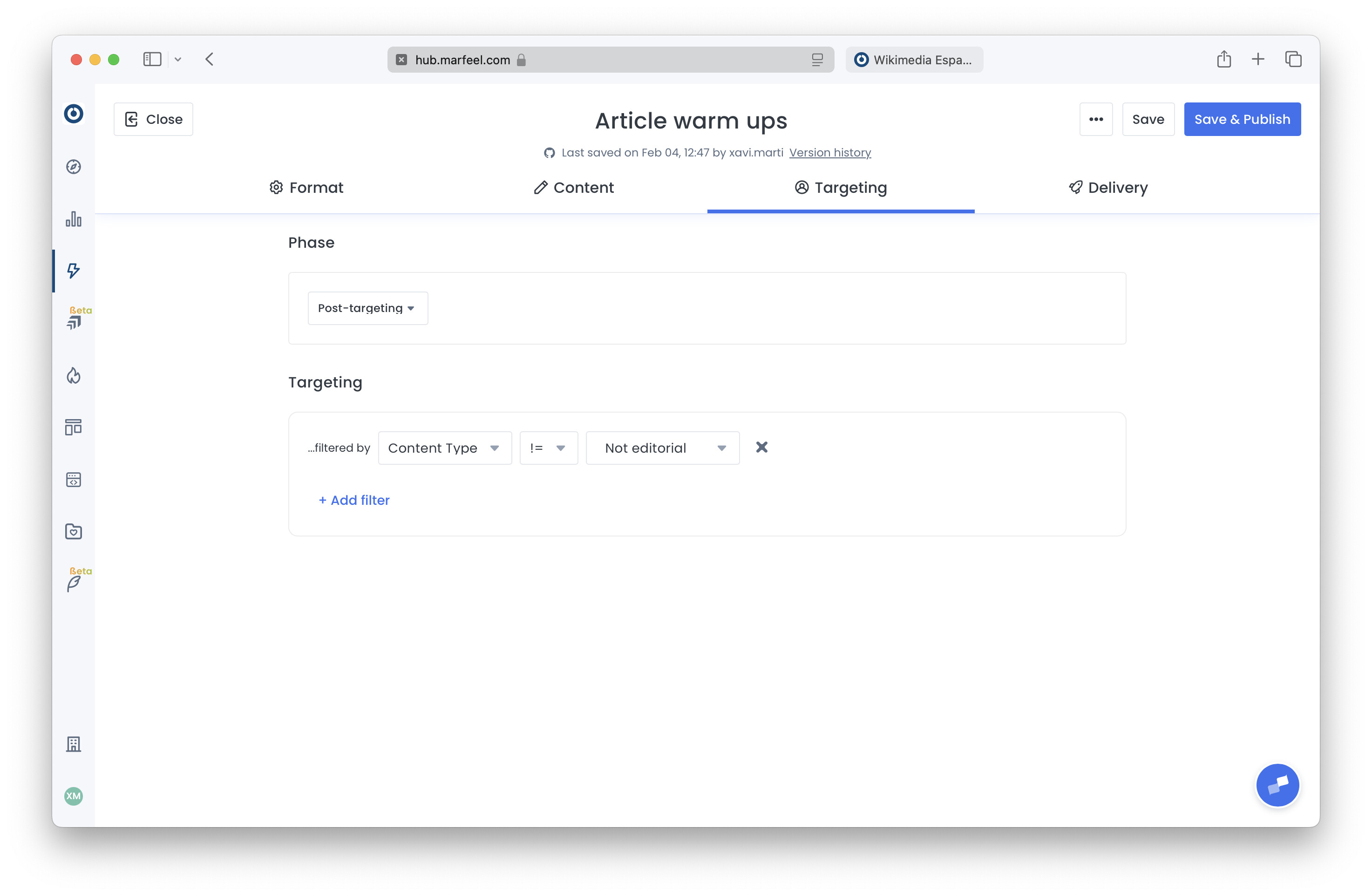
- Switch to targeting tab and set the filter Content Type != Not Editorial. Save and Publish. Nothing will be shown to users until there is an active curation.
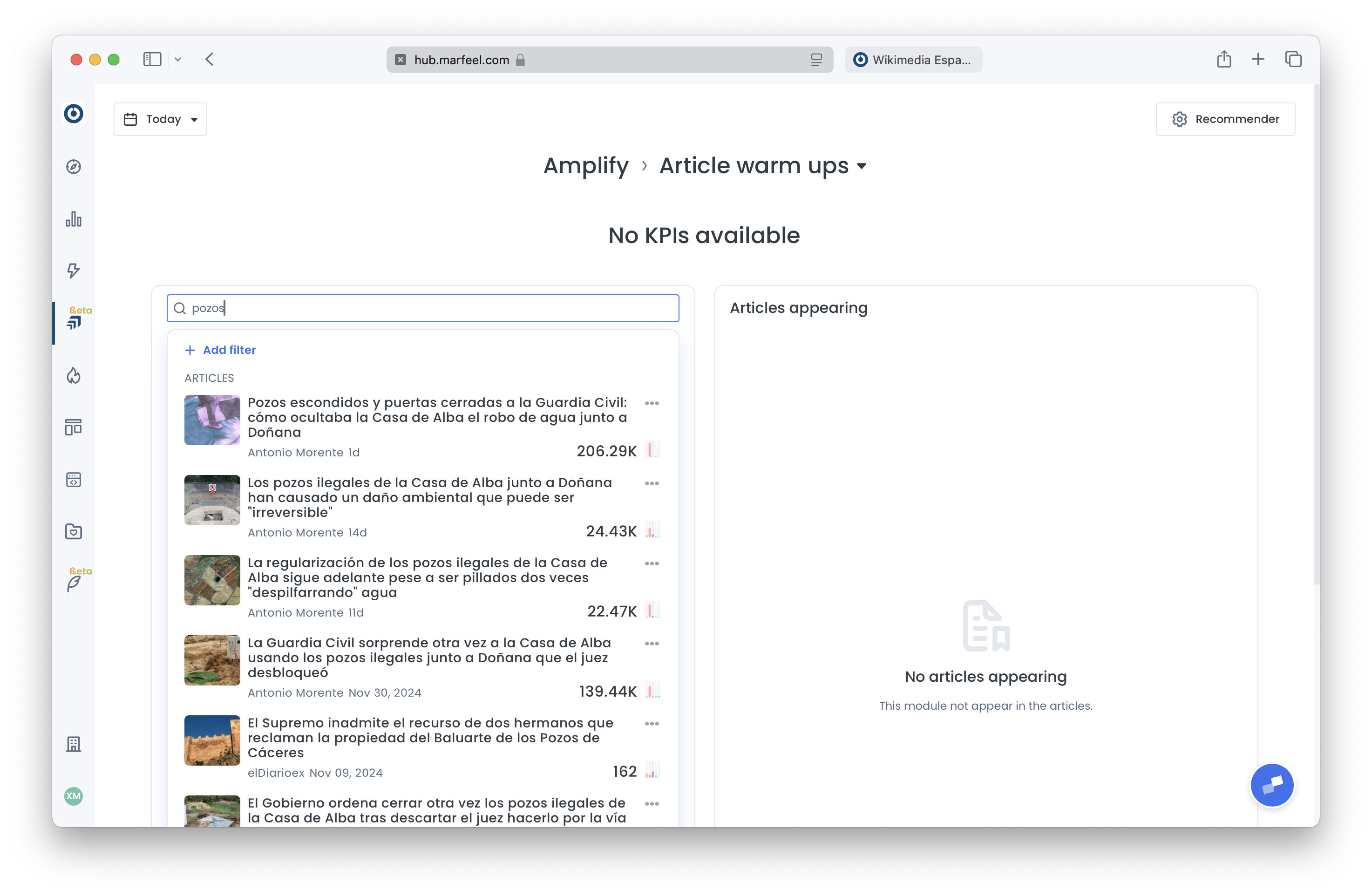
- Navigate to Amplify > Feeds and select the created experience. Use the magnifying glass icon to search for the article you want to warm up and click on it.
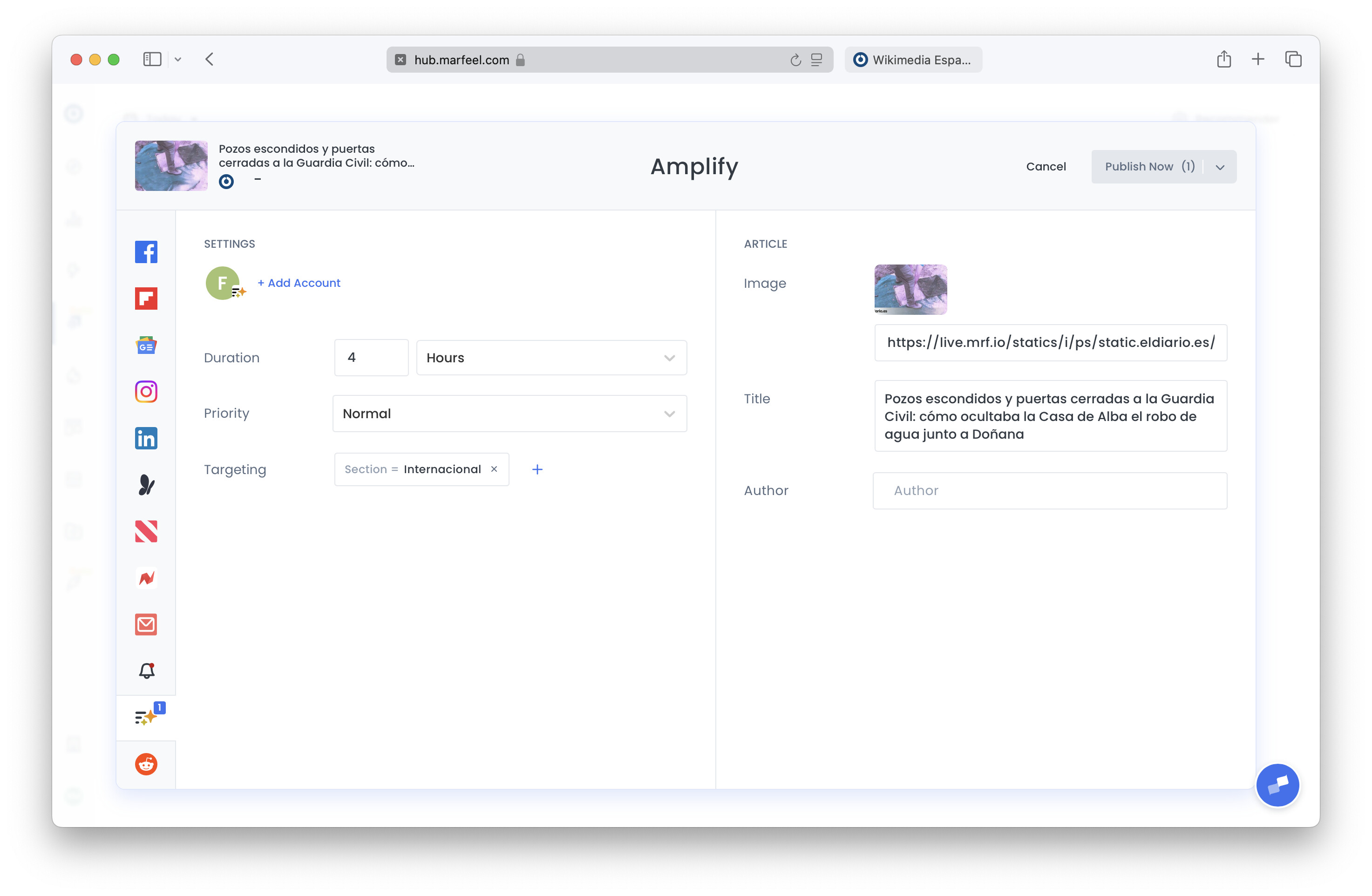
- Configure the exposure the article must obtain through duration, priority, and targeting, and click on Publish now, or schedule its publication. For detailed guidance on priority levels, duration, and targeting options, see how to curate an article.
How do you warm up an article to appear on Google Discover?
Warm up an article by sequentially driving traffic through three channels: first, feature it in a supportive recommender module on the home page; then, promote it on social media; and finally, deploy a flowcard. The combined traffic and engagement signals increase the article’s chances of appearing on Google Discover.
What is a flowcard and how does it help article visibility?
A flowcard is an in-content recommendation card that appears as users scroll through other articles on your site. It provides an additional burst of traffic to the promoted article, contributing to the cumulative engagement signals that platforms like Google Discover use to surface content.
Does the single article flowcard work with non-AMP content?
No. Single article flowcards only support AMP content. If your content does not offer an AMP version, consider alternatives such as featured positions in inline blocks, listing flowcards, or the API for infinite scroll.