

User journey tracking for subscribers and registered users
Compass tracks subscriber users separately from anonymous users. It also differentiates between paying users and free registrations according to your signwall or paywall configuration. Once implemented, this data feeds directly into Compass subscription dashboards for real-time subscriber analysis.
To track registered logged-in users, add this line to your JavaScript:
window.marfeel.cmd.push(['compass', function(compass) { compass.setUserType('logged');}]);To track subscribers readers, add this line to your JavaScript:
window.marfeel.cmd.push(['compass', function(compass) { compass.setUserType('paid');}]);If a user is logged in and subscribed, only use paid as the last used will prevail.
window.marfeel.cmd.push(['compass', function(compass) { compass.getUserType();}]);Custom user journey stages
Section titled “Custom user journey stages”You can add custom stages to the user journey according to your business needs:
- Go to the User journey admin page
- Add the stages you need. You can map different pricing tiers to different stages
- Use the stage identifier or the provided snippet to track your users
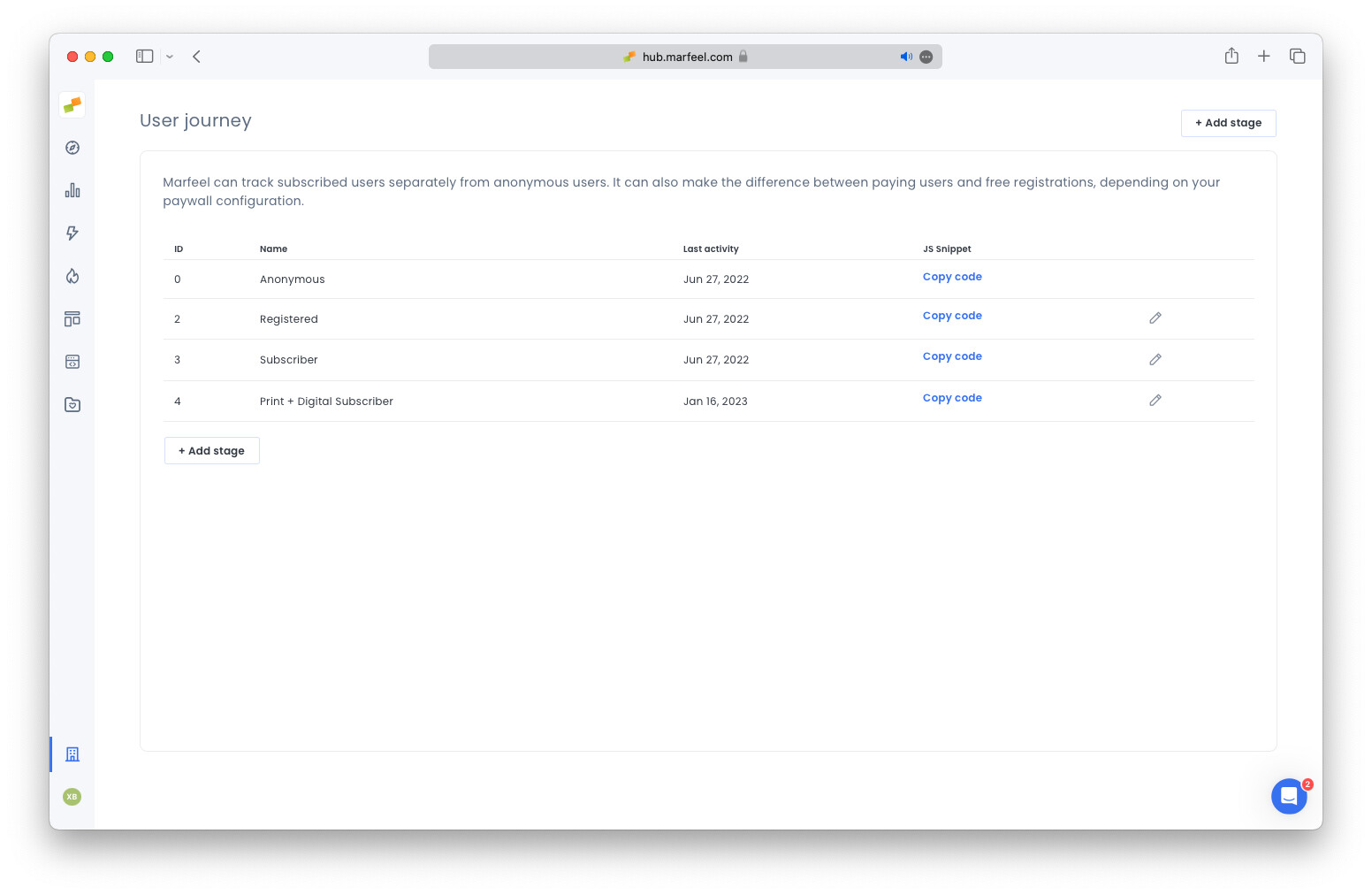
Some interesting use cases we’ve seen our customers implementing are Print and Digital subscription or tracking “ex-Subscriber”. If one of the stages has the ID 3, add the following code to track such users.
window.marfeel.cmd.push(['compass', function(compass) { compass.setUserType(3);}]);Use the getUserType() method to retrieve the userType.
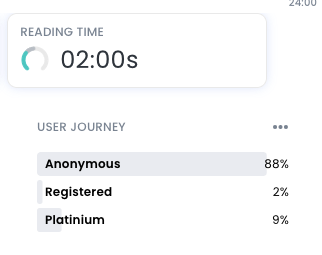
On Compass view, data for those user types will be shown. To unify users across devices, combine this with user reconciliation tracking.
No code integration
Section titled “No code integration”Marfeel offers no code native integrations with some commercial vendors that will prevent you from going through ad-hoc implementations:
How do I track registered and paying users in Compass?
Use the compass.setUserType() method in your JavaScript. Pass 'logged' for registered users and 'paid' for subscribers. If a user is both logged in and subscribed, only use 'paid' because the last value set will prevail.
Can I create custom user journey stages beyond logged and paid?
Yes. Go to the User journey admin page, add the stages you need, and map different pricing tiers to each stage. Use the stage identifier (a numeric ID) with compass.setUserType() to track users in those custom stages.
When should I implement user journey tracking on my site?
Implement it during the initial pageview of every user session and at the login stage. Applying it to every pageview ensures full coverage across all scenarios.