

How to integrate Piano subscriptions
If you use Piano to manage your subscriptions, you can integrate it using the SDK or set it up via the no-code experience. The integration automatically handles five key areas across the conversion and subscription tracking workflow:
- Tracks the user journey: anonymous, registered and subscribers
- Maps different RIDs to different user journey stages
- Tracks new subscriber conversions
- Tracks dynamically closed articles
- Reconciles users using the Piano user Id
This approach is useful for getting started quickly and gaining insights from preliminary data. Once development resources are available, you can take full ownership through tailored SDK implementation for greater control and customization.
Configure the Piano integration in the following steps:
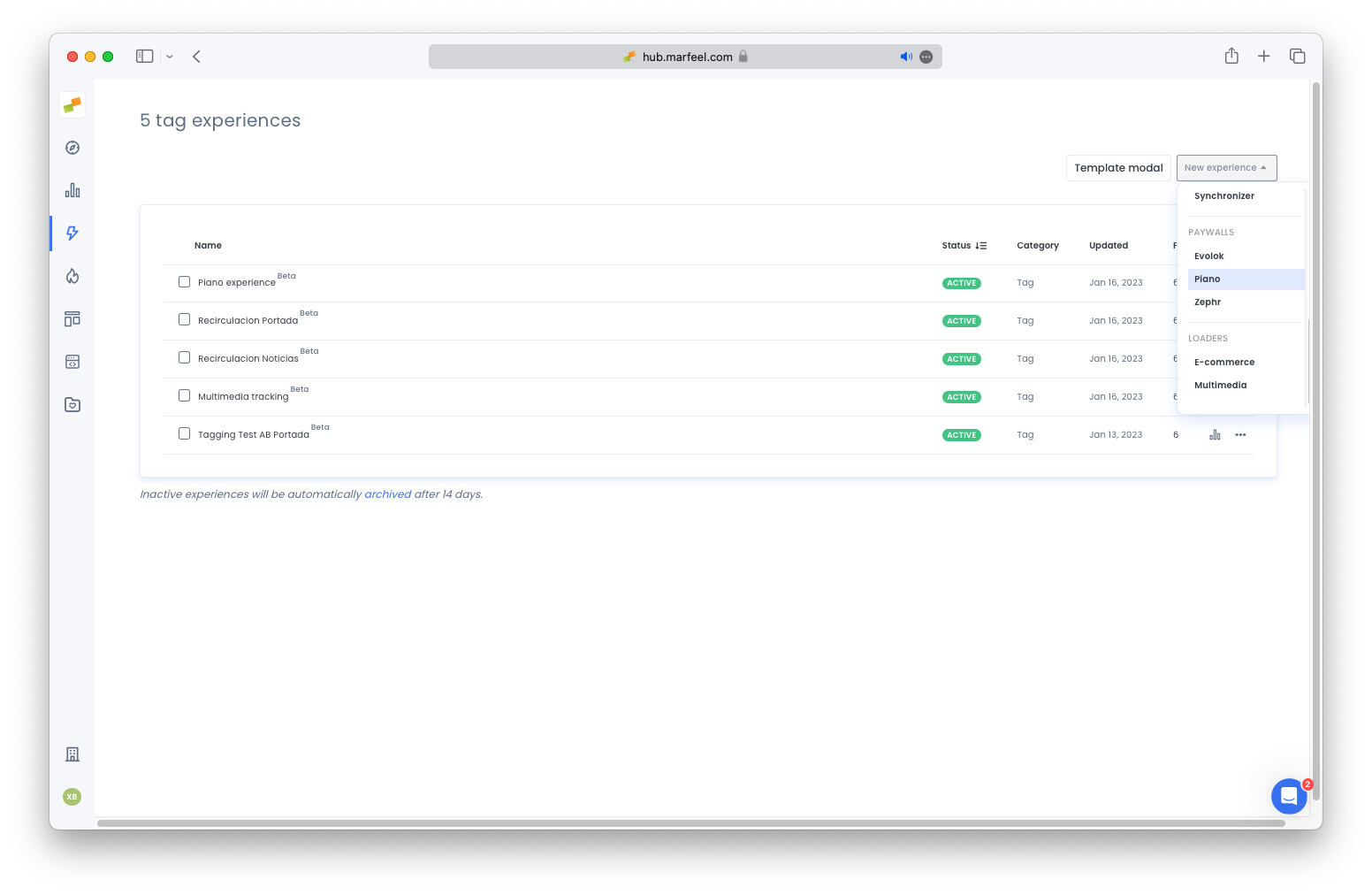
- Create a new Piano tag experience
- Map the different Piano RIDs to the user stage journey
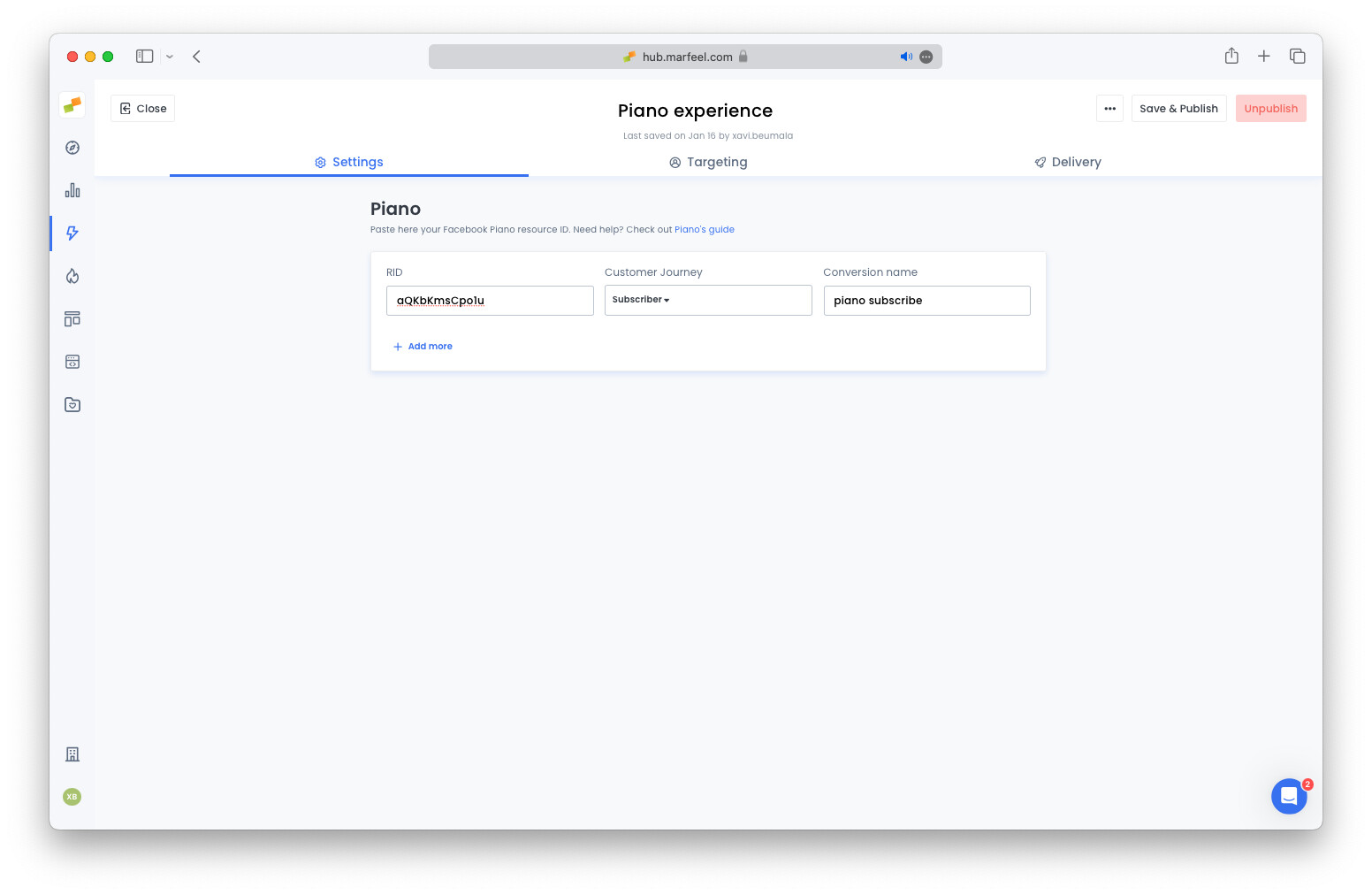
- If you have different RIDs for different types of subscribers like
Print,Print and digitalor other combinations, you can map them to custom stage journeys. Map the stages you create to the Piano RIDs using the dropdown: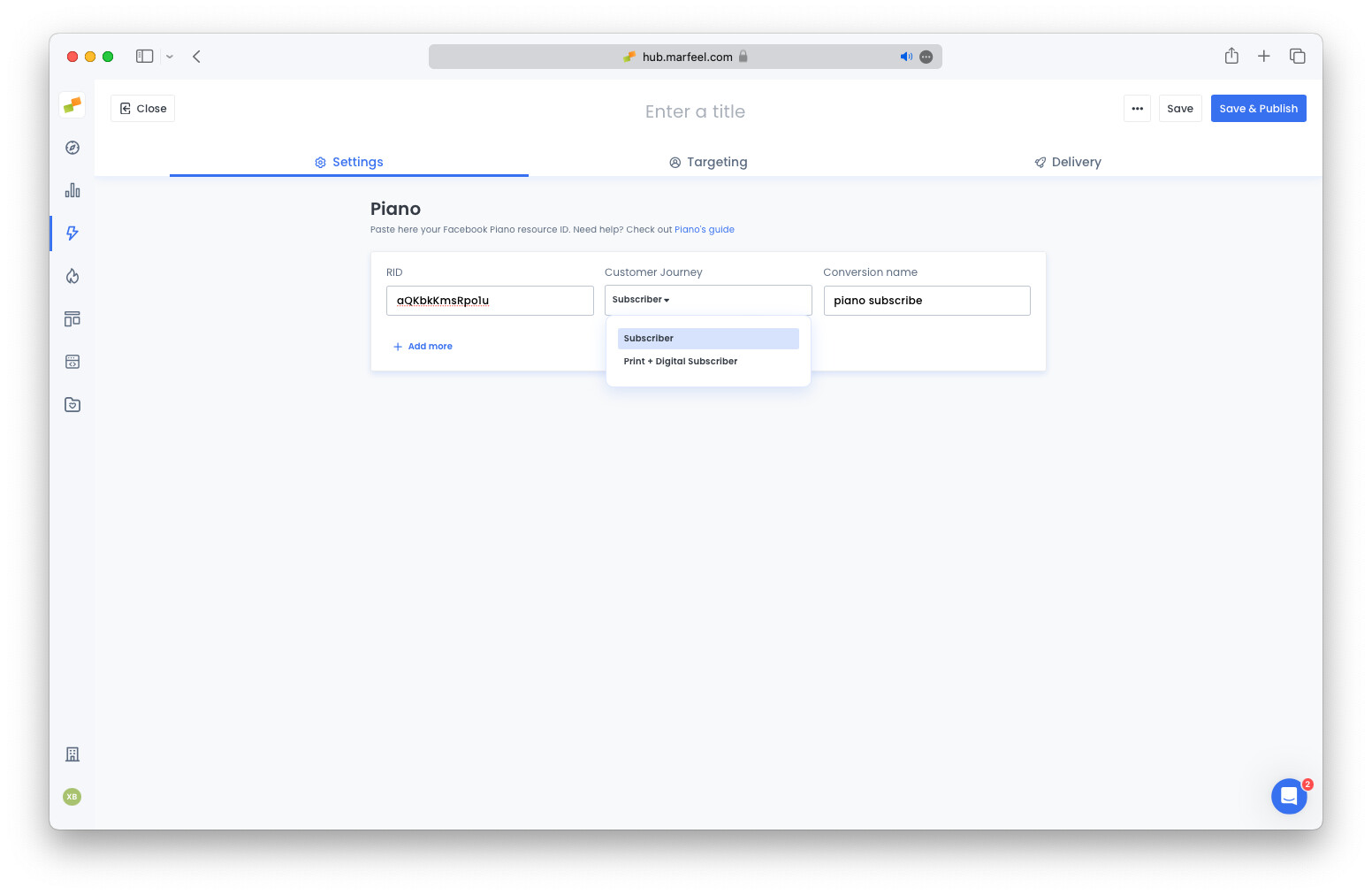
- The provided
conversion namewill be used to track new subscriptions automatically - Publish the experience
Within a few minutes, data will start appearing in real time on the Customer journey faceted filtering.
The Marfeel Piano Experience automatically tracks `anonymous` and `registered` users. No RID is needed for those stages.
Where to get the Piano RIDs
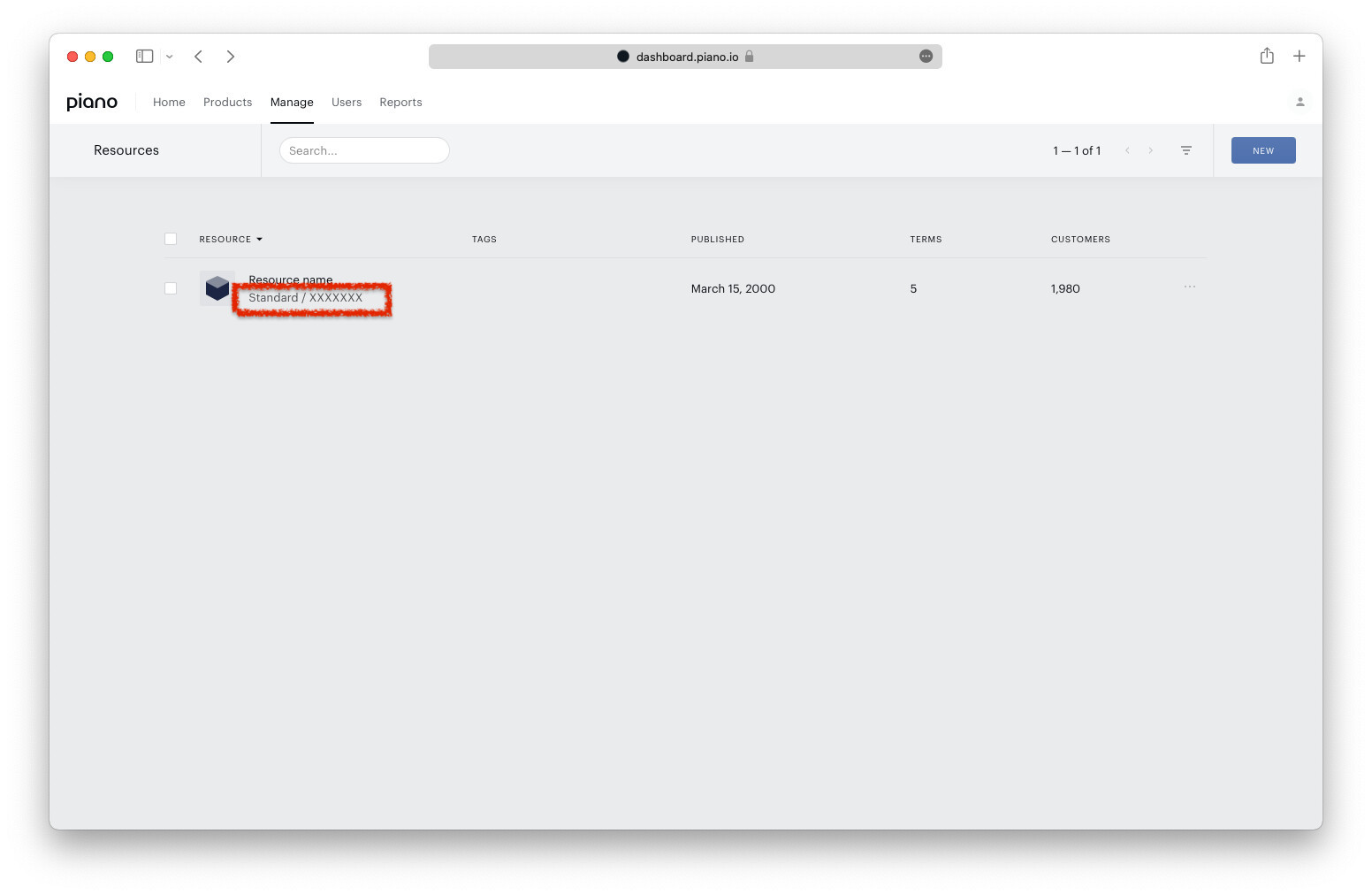
Section titled “Where to get the Piano RIDs”Piano RIDs are located in the Piano UI under Manage > Resources. The RID is the string shown in the screenshot, identified as XXXXXXX.
Troubleshooting
Section titled “Troubleshooting”The Marfeel SDK must load before the Piano SDK. If Piano initializes first, it fires subscription events before Marfeel can listen for them. This causes conversion data to be lost or inaccurate.
What does the Marfeel Piano integration track automatically?
The integration automatically tracks the user journey (anonymous, registered, and subscribers), maps Piano RIDs to user journey stages, tracks new subscriber conversions, tracks dynamically closed articles, and reconciles users using the Piano user ID.
Where do I find my Piano RIDs?
Piano RIDs are located in the Piano UI under Manage > Resources. The RID is the string identifier shown in the resource list.
Why is my Piano conversion data inaccurate?
The Marfeel SDK must load before the Piano SDK. If Piano initializes first, it fires events before Marfeel can subscribe to them, causing conversion data to be lost or inaccurate.