

Affiliation experiences for Amazon product listings
Affiliation experiences display Amazon product listings inside a Flowcard, pulling product information directly from Amazon. Each listing includes the product name, description, price, discount, Prime eligibility, and rating.
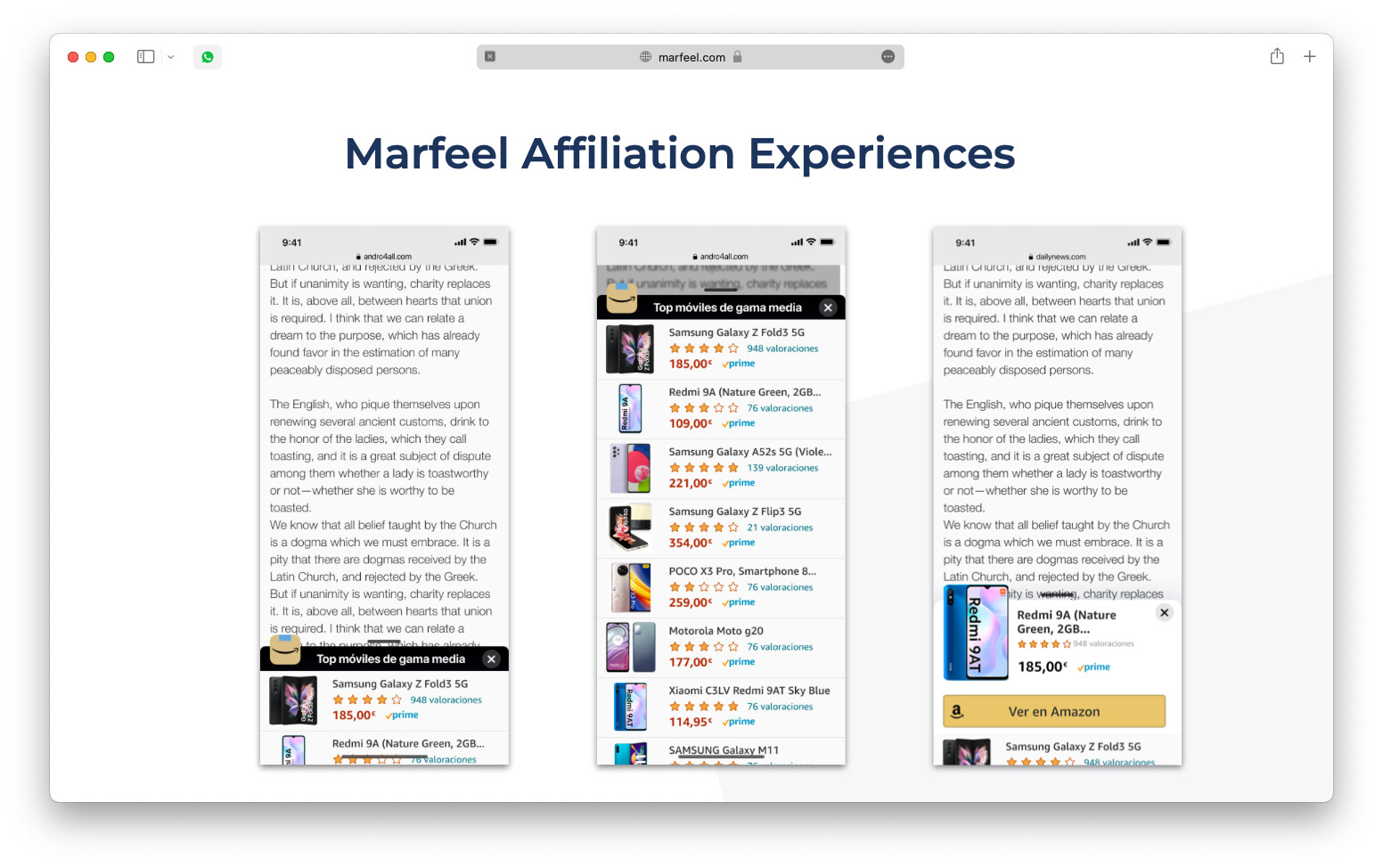
Currently only Amazon affiliation links are supported. More affiliation networks are on their way.
Affiliation IDs are fully respected by the experience. In the future, automatic sorting by CTR will promote the winning product automatically.
How to create an affiliation experience
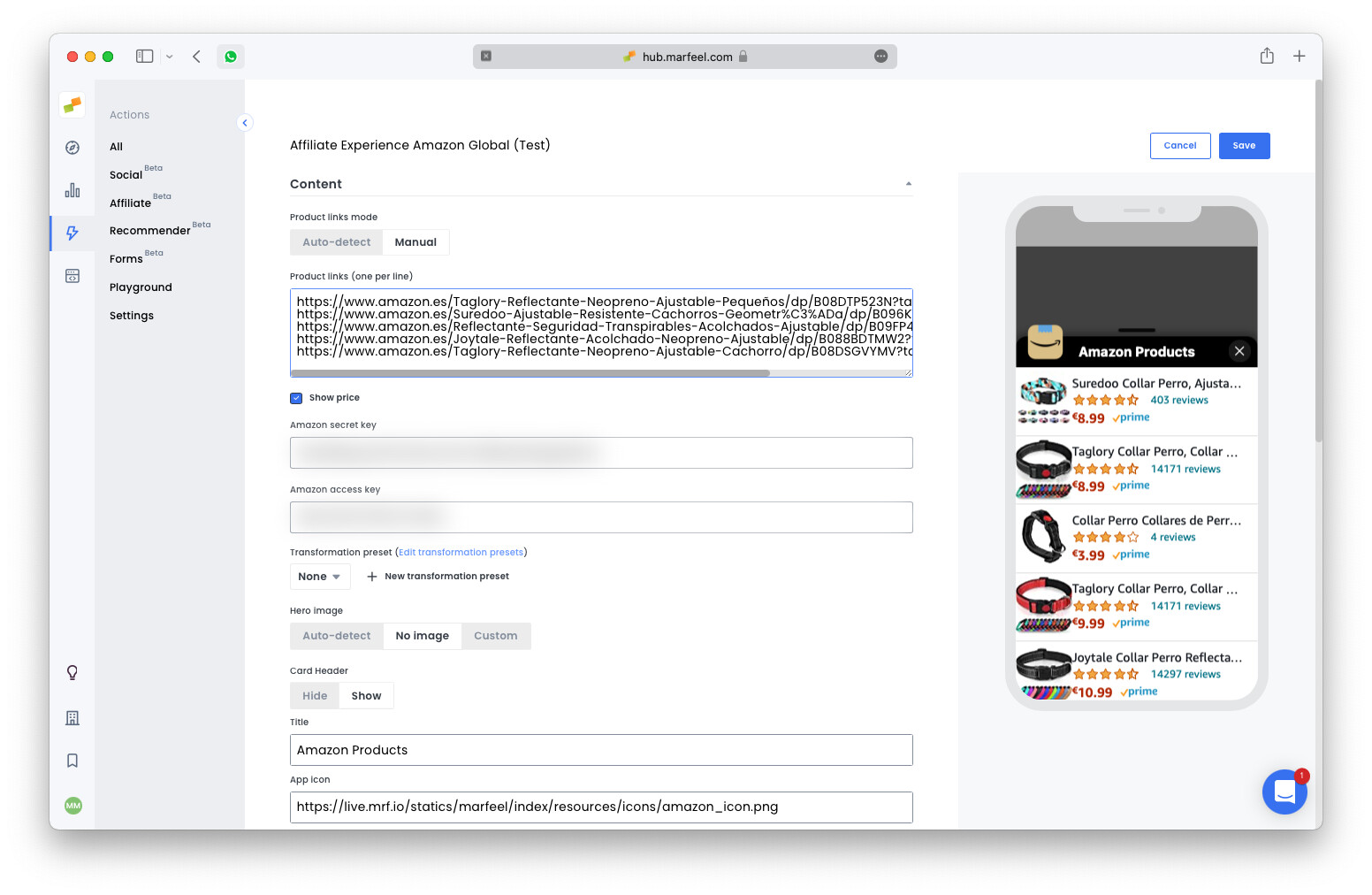
Section titled “How to create an affiliation experience”The affiliation experience supports two modes:
- Automatic: Creates a product listing based on the affiliation links detected in the host article.
- Manual: The experience creator provides a specific list of product URLs.
To display an affiliation experience on every article where affiliation links are detected, use the hasAffiliation = true targeting condition.
To extract all product details, the experience requires an Amazon API token. Obtain one from the Amazon Product Advertising documentation.
How to measure the impact of an affiliation experience
Section titled “How to measure the impact of an affiliation experience”The affiliation experience is fully instrumented out of the box:
- Editors can check a summary of link performance in the article details view.
- In-depth analysis is available through the recirculation module.
- When an affiliation experience is created, a new
affiliation-clickgoal appears automatically in the Optimize view.
Recommended tests
Section titled “Recommended tests”Two tests help prove the effectiveness of affiliation experiences.
Test 1: Incremental click volume. Activate the affiliation Flowcard on articles that already have affiliation links instrumented with a recirculation module. The test succeeds when total outbound clicks to Amazon (inline article links plus Flowcard links combined) exceed the baseline without the Flowcard.
Test 2: Conversion quality with separate affiliation IDs. Assign one affiliation ID to the inline article links and a second ID to the products inside the Flowcard. This isolates Flowcard-driven conversions on the affiliate side, answering a key question: do users who click a product from the Flowcard convert at a higher rate?
Frequently asked questions
Section titled “Frequently asked questions”What product fields does the affiliation experience extract from Amazon?
The experience extracts six fields: product name, description, price, discount, Prime eligibility, and rating.
What is the difference between automatic and manual affiliation experience modes?
Automatic mode creates a product listing from the affiliation links detected in the host article. Manual mode lets the experience creator provide a specific list of product URLs.
How can I measure the impact of an affiliation experience?
The experience is fully instrumented out of the box. Editors can check link performance in the article details view, run in-depth analysis via the recirculation module, and track the automatically created affiliation-click goal in the Optimize view.