

How do MarfeelPass payments work?
MarfeelPass is a one-click payment solution that lets publishers offer consent rejection through a streamlined payment experience. Publishers receive user payments directly via Stripe, maintaining full control and visibility over their business operations.
This guide covers how payment processing works, which methods users see, how publishers receive funds, and how to manage refunds.
Which payment options do users see?
Section titled “Which payment options do users see?”MarfeelPass dynamically presents payment methods based on the user’s browser, digital wallet status (Apple Pay, Google Pay), and AMP vs. WEB support.
| Chrome | Safari < 16 | Safari >17 | Firefox | |
|---|---|---|---|---|
| Web | Google Pay | Apple Pay | Apple Pay | Reject all |
| AMP | Canonical link | Apple Pay | Canonical link | Reject all |
Browser fallbacks apply in two cases:
- AMP-consent iframe doesn’t support
allowpaymentrequest - Firefox doesn’t have support for Payment APIs
How does MarfeelPass process payments?
Section titled “How does MarfeelPass process payments?”Stripe handles all payment processing. When a user agrees to pay, MarfeelPass generates a payment intent with Stripe via marfeelpass.mrf.io. Stripe then processes the payment directly, ensuring security without Marfeel handling sensitive data.
How are users notified about their payments?
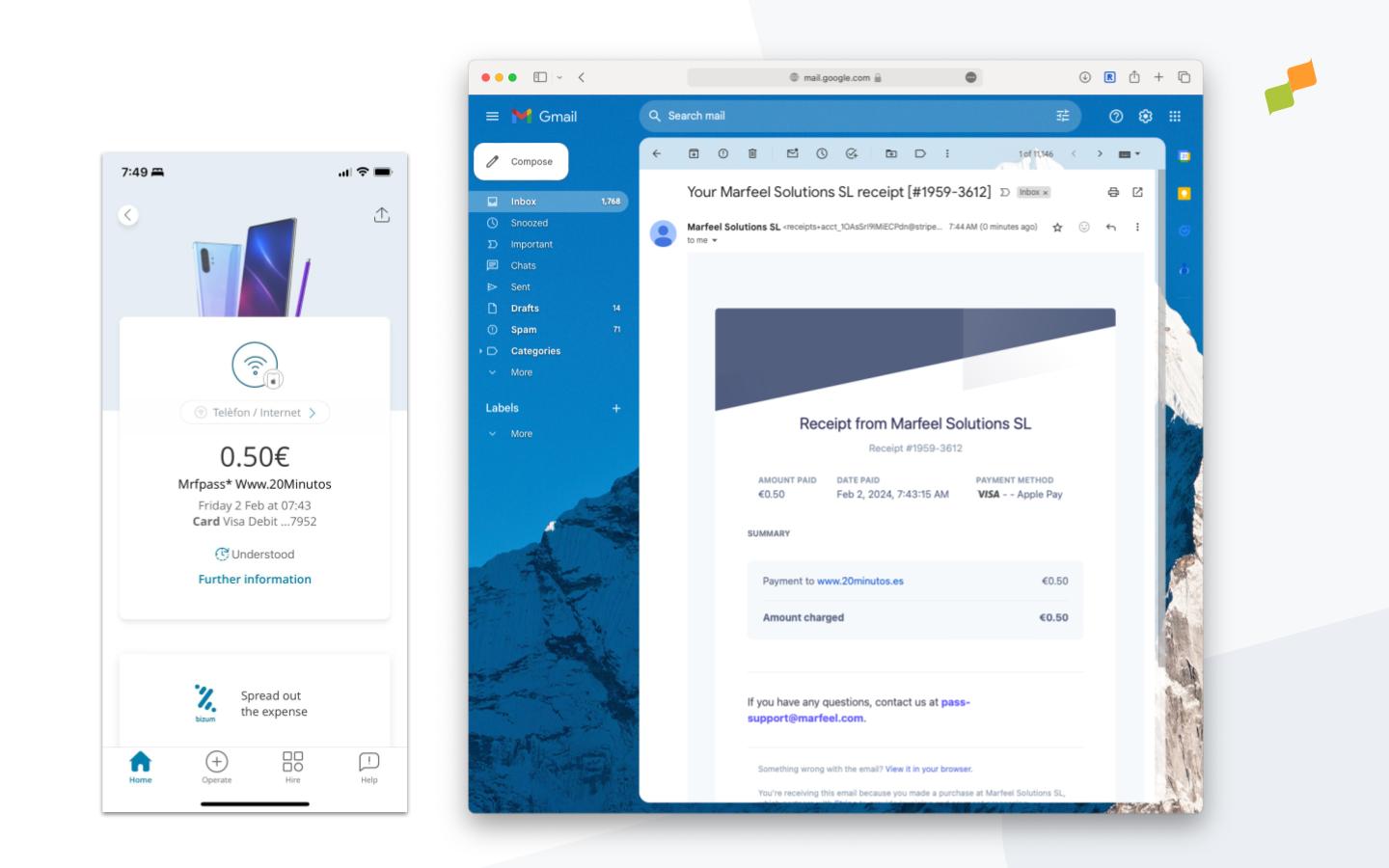
Section titled “How are users notified about their payments?”Users instantly receive an email invoice to the email linked to their digital wallet upon successful payment. A clear, recognizable charge also appears on their credit card statements, boosting user trust and recognition.
You can personalize your invoice template from Stripe’s console.
How do publishers receive payments?
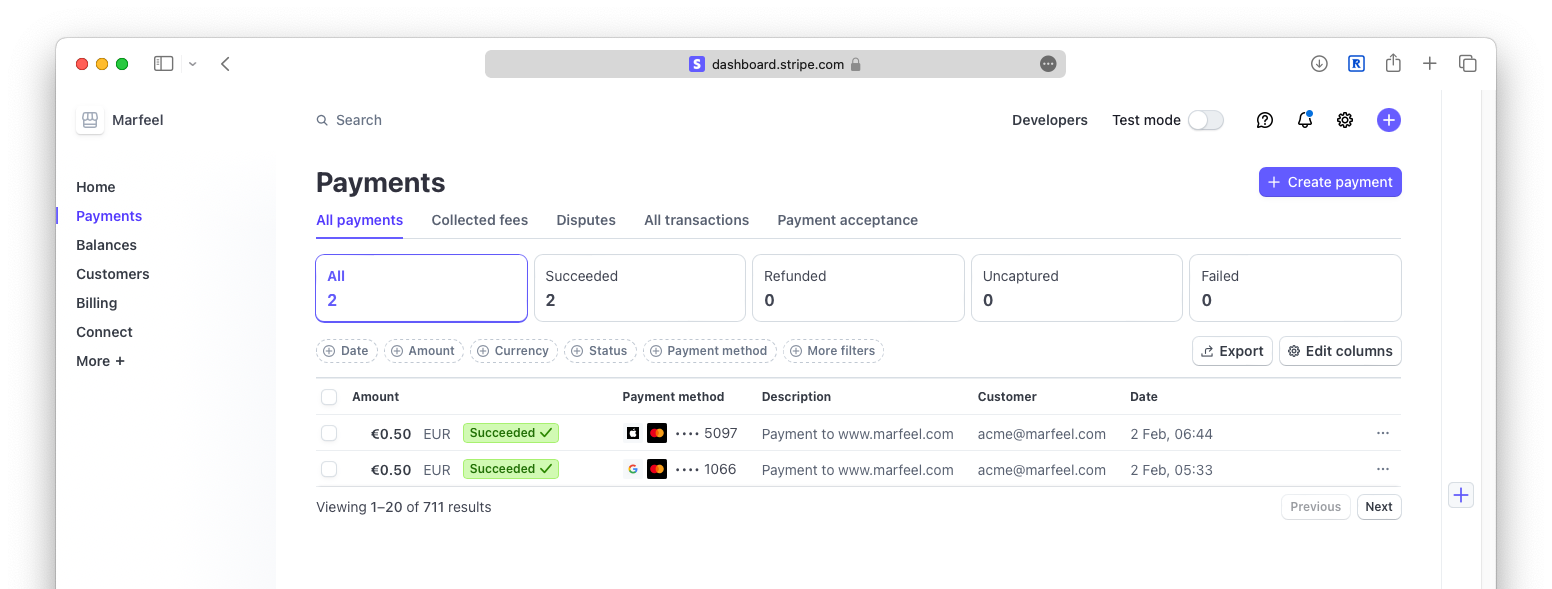
Section titled “How do publishers receive payments?”MarfeelPass directs user payments straight to your connected Stripe account, providing full visibility of transactions within Stripe’s dashboards.
What is the refund policy?
Section titled “What is the refund policy?”Publishers handle refund requests directly within Stripe’s interface, which provides a straightforward process for managing refunds.
How can I connect my Stripe account?
Section titled “How can I connect my Stripe account?”To connect your Stripe account to MarfeelPass, refer to this guide.
I have multiple domains. How can I differentiate payments?
Section titled “I have multiple domains. How can I differentiate payments?”Every payment description identifies the domain it was made on.
Alternatively, you can differentiate payments by creating separate Connected Stripe accounts, each configured for a specific MarfeelPass experience targeted to a particular domain.
Which payment options do MarfeelPass users see?
MarfeelPass dynamically presents payment methods based on the user’s browser and digital wallet status. On the web, Chrome users see Google Pay, Safari users see Apple Pay, and Firefox users see a reject-all fallback. On AMP, Safari users see Apple Pay while other browsers redirect to the canonical link.
How does MarfeelPass process payments through Stripe?
When a user agrees to pay, MarfeelPass generates a payment intent with Stripe via marfeelpass.mrf.io. Stripe processes the payment directly, so Marfeel never handles sensitive payment data.
How do publishers receive MarfeelPass payments?
MarfeelPass directs user payments straight to your connected Stripe account, providing full visibility of transactions within Stripe’s dashboards.