

Affiliation link performance analytics
The Marfeel Affiliation module lets you identify which articles contain affiliation links and measure how each link performs. Both the Explore View and Optimize View include a hasAffiliation filter that surfaces only articles with affiliation links.
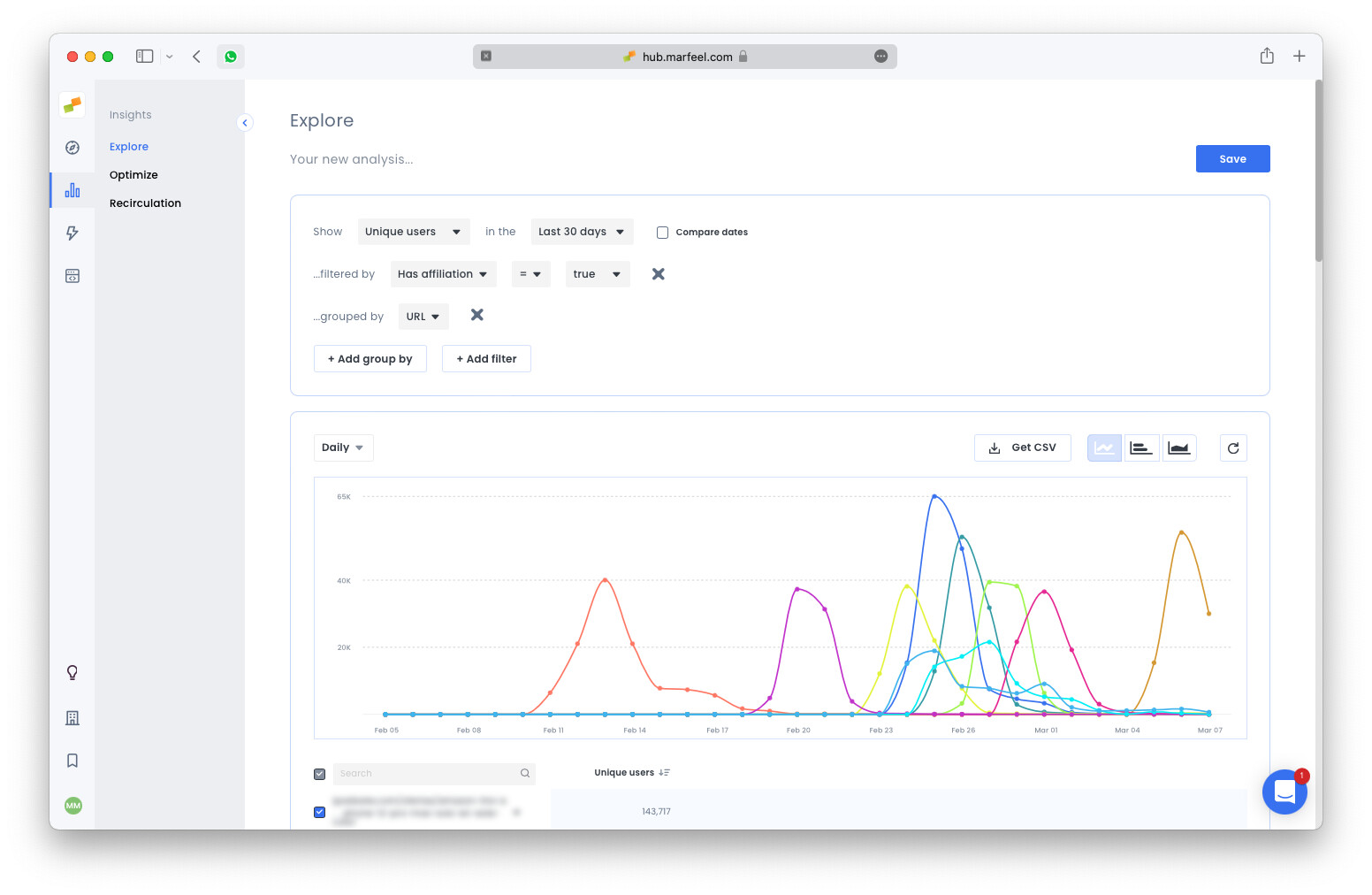
Applying the filter and grouping by url displays the complete list of articles with affiliation links. Try yourself the query. For details on how affiliation links are detected and classified, see the affiliation tracking overview.
Article details
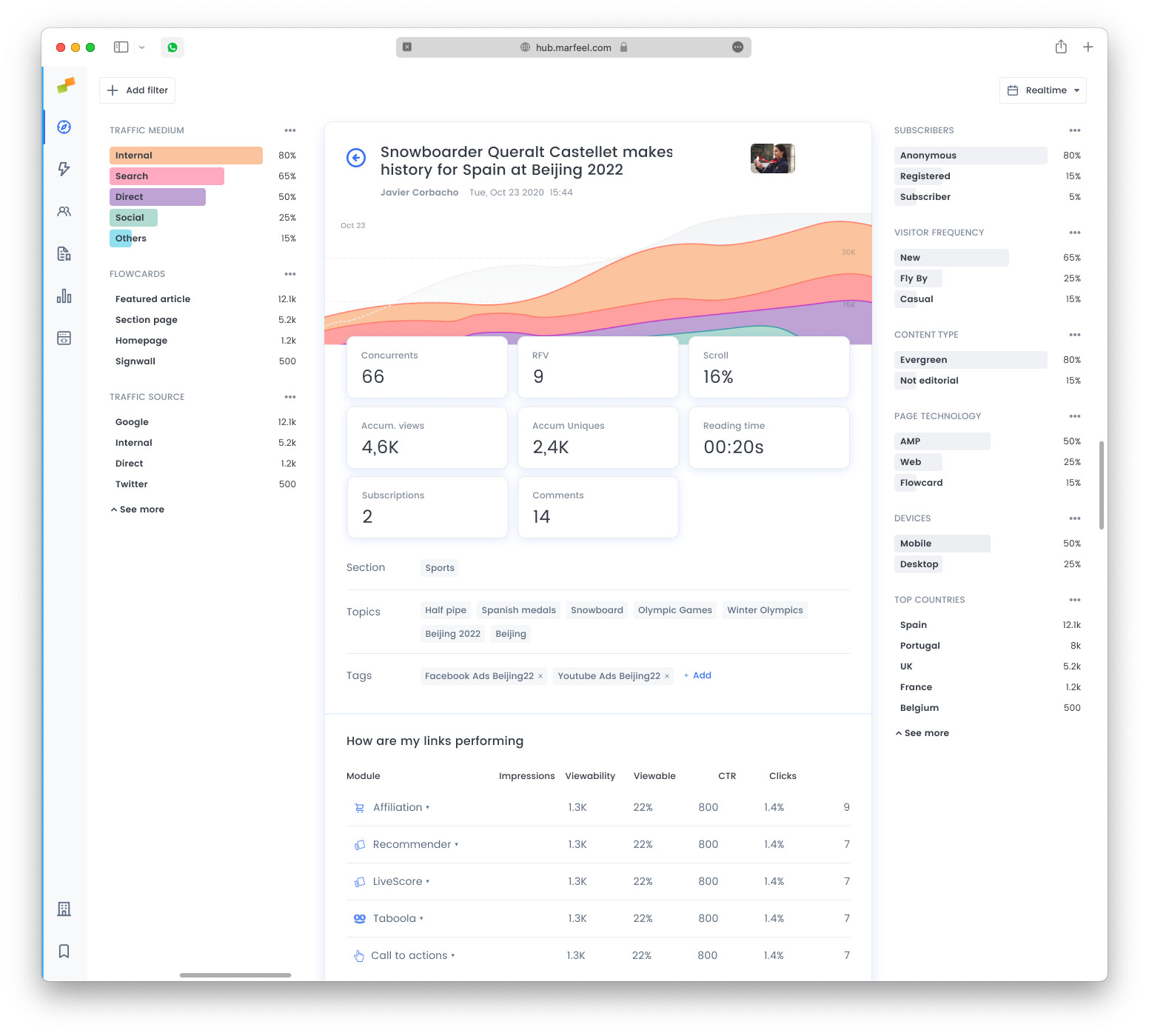
Section titled “Article details”Opening the details of any article reveals per-link performance metrics:
- Impressions: Number of times the link has been loaded.
- Viewable: Number of times the link was visible on screen.
- Viewability: Ratio indicating how often the link appears on screen.
- Viewable CTR: Clicks on the link divided by the number of times it was visible on screen.
- Clicks: Total number of clicks on the link.
These metrics help editors evaluate which affiliation links drive engagement and which need repositioning. You can also use affiliation experiences to automatically display product listings and boost click-through rates.
Frequently asked questions
Section titled “Frequently asked questions”What metrics are available for affiliation link performance?
Marfeel tracks five metrics for each affiliation link: impressions (times loaded), viewable (times visible on screen), viewability (ratio of on-screen visibility), viewable CTR (clicks divided by viewable impressions), and clicks (total clicks on the link).
How do I find articles with affiliation links?
Use the hasAffiliation filter in either the Explore View or Optimize View. Applying this filter and grouping by URL displays the full list of articles containing affiliation links.
Where can I see per-link performance for a specific article?
Open the article details view. Each affiliation link is listed with its impressions, viewable count, viewability ratio, viewable CTR, and total clicks.