

Affiliate link tracking and detection for publishers
Affiliation revenue accounts for 10-20% of tier 1 publisher income, and dedicated content commerce teams are increasingly common in newsrooms. The Marfeel Affiliation module gives editors the tools to track, audit, and optimize every affiliate link across their site.
The module helps editors:
- Audit proper link tagging as nofollow to avoid SEO penalties
- Understand content production of affiliation articles via Explore
- Understand which products get more clicks via HUD to reorder links based on viewable CTR. Products with higher CTR should be placed highest in an article.
- Get an in-depth understanding of how users click on different affiliation modules via Recirculation and Article details
- Drive more clicks toward affiliation product pages through automated Experiences
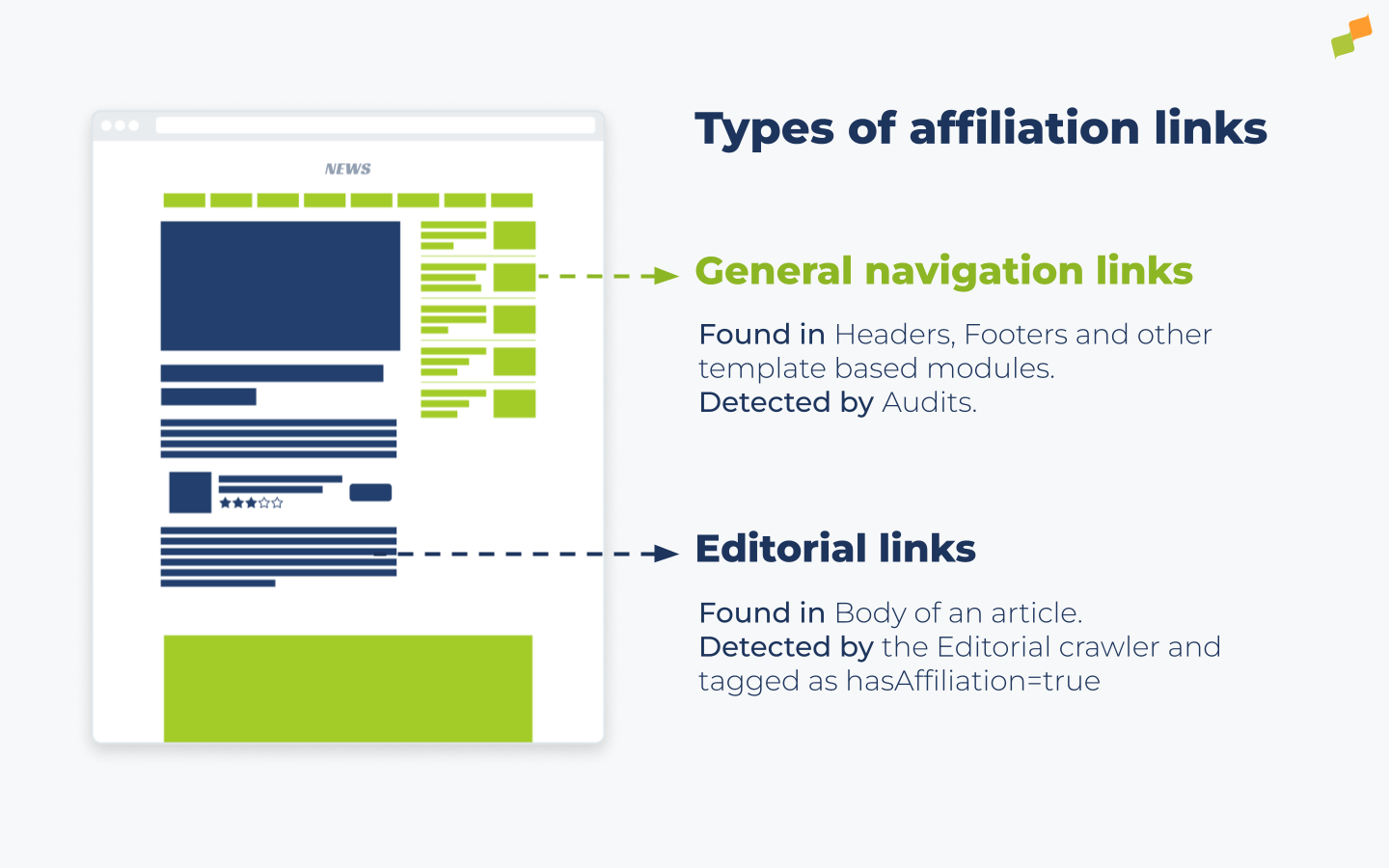
How affiliate links are detected
Section titled “How affiliate links are detected”For every canonicalized content URL, Marfeel detects the article body and extracts all internal and external links during the Editorial Audit Phase.
Links pointing to Amazon, Awin, Tradedoubler, Aliexpress, Skimlinks, and TradeTracker are automatically classified as affiliate links. Links pointing to these platforms, or any domain added as “force affiliate,” are automatically tagged with AffiliationNetwork:<network> as an editorial tag. This tag allows users to find articles containing links to those affiliate networks.
Other links are classified as affiliate if they pass all of the following heuristics:
- The link points to an external host, not the same site
- The URL is absolute, not relative
- The URL uses the
httpsprotocol - The
<a />tag has arel=nofolloworrel=sponsoredattribute - The link contains a
utm_.*,.aff., or.af_.query parameter - The link does not point to excluded social and platform domains:
t.me,telegram.me,wa.me,whatsapp.com,fb.com,facebook.com,twitter.com,instagram.com,apple.com,google.com,linkedin.com,youtube.com,twitch.tv,pinterest.com,tumblr.com
When Marfeel detects at least one link meeting these criteria, it sets hasAffiliation=true on the article. Both hasAffiliation and AffiliationNetwork are available as a filter and a dimension across the platform in Compass, Explore, Optimize, and Good Morning modules.
Overriding automatic detection with meta tags
Section titled “Overriding automatic detection with meta tags”If you have your own criteria for affiliate links, use the following meta elements to override the default behavior.
To ignore all affiliate links on a page and set the Has affiliation property to false:
<meta property="mrf:has_affiliation" content="false"/>To force Has affiliation to true even when no affiliate link is detected:
<meta property="mrf:has_affiliation" content="true"/>Affiliation audits
Section titled “Affiliation audits”When a link is classified as affiliate but lacks an explicit rel=nofollow or rel=sponsored, as recommended by Google, an audit alert triggers. Proper markup prevents search engines from passing PageRank through paid or affiliate links.
Troubleshooting
Section titled “Troubleshooting”Tracking affiliate links on redirection domains
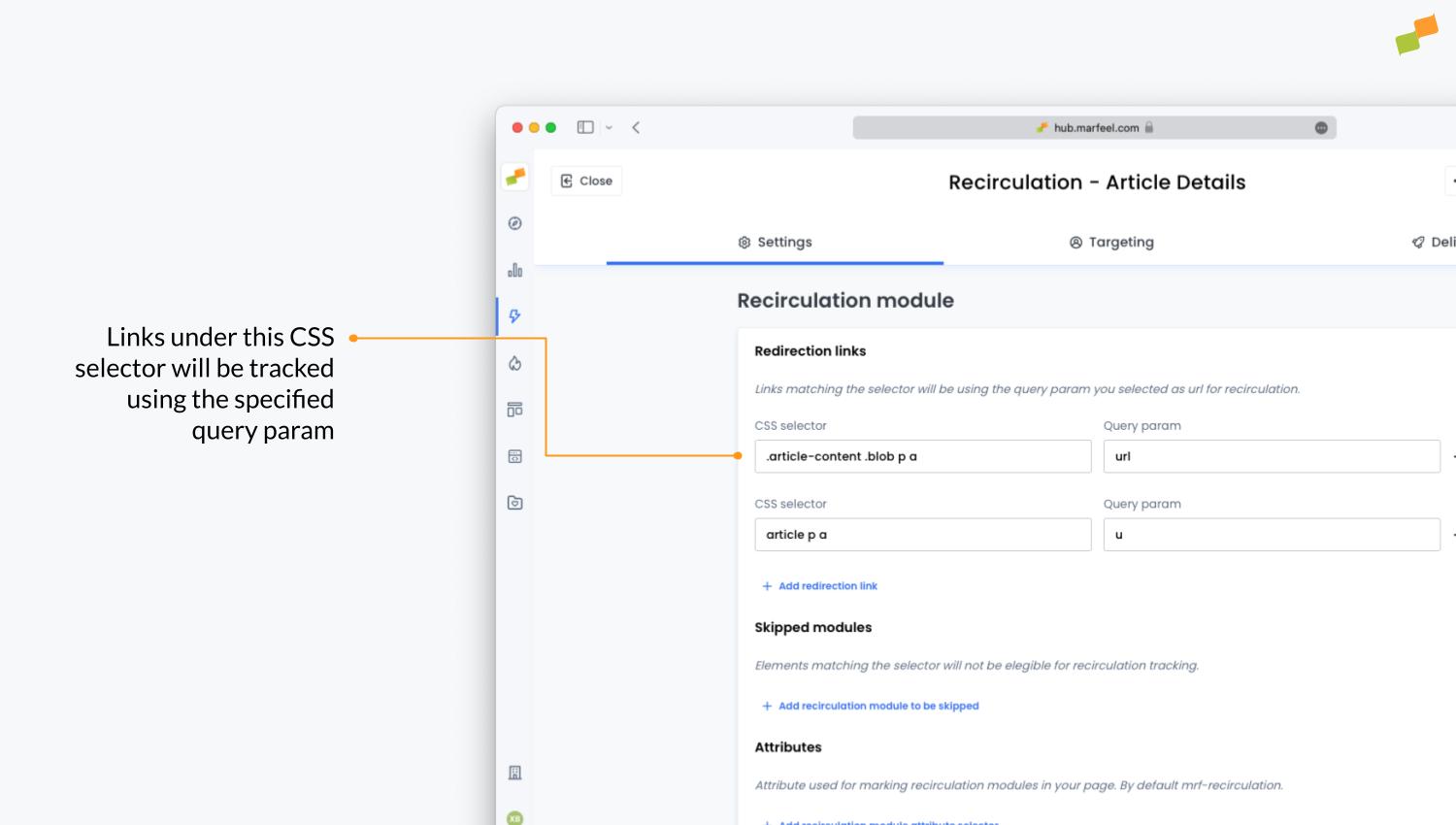
Section titled “Tracking affiliate links on redirection domains”Publishers often link to an intermediate redirect endpoint instead of linking directly to Amazon or the product page. These endpoints track link clicks before redirecting. Examples:
https://yourdomain.com/redirect?url=amazon.com/xyzhttps://redirect.yourdomain.com/?u=amazon.com/xyz
Without proper setup, Marfeel tracks outgoing clicks to yourdomain.com or redirect.yourdomain.com and cannot report on the actual product destination (e.g. amazon.com).
The no-code Recirculation Tag Experience provides an out-of-the-box solution. Admins specify that links under a certain CSS selector are tracked using a designated query parameter in the Redirection links section:
Skip link processing
Section titled “Skip link processing”To exclude certain URLs from being processed, use the Exclude list in Crawler Inspector to remove the modules you want to exclude.
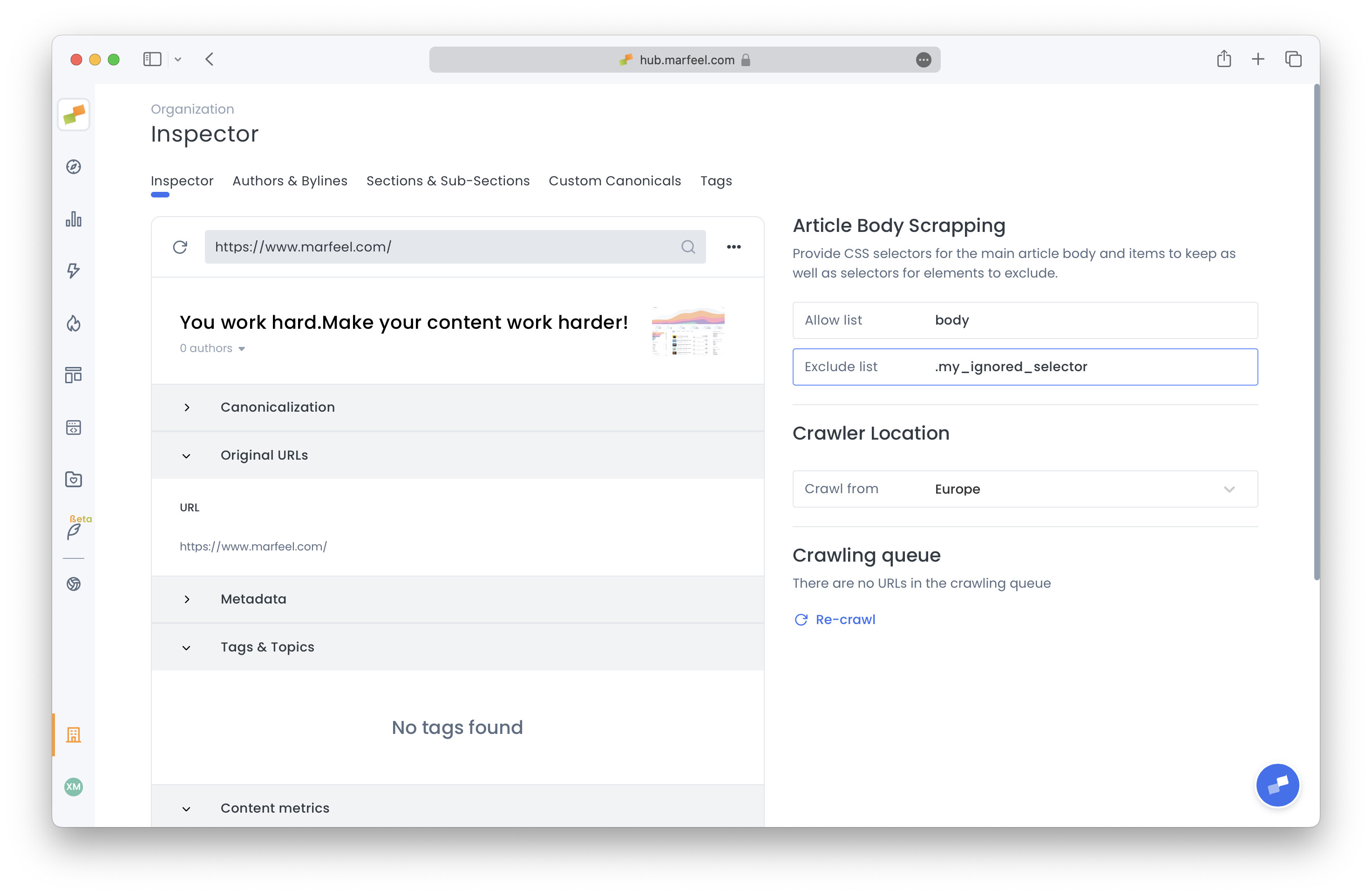
After saving the new setup, re-execute the audit to update the Editorial Audit.
How to whitelist links detected as affiliate
Section titled “How to whitelist links detected as affiliate”The Exclude list solution prevents certain links from being tagged as hasAffiliation=true and AffiliationNetwork:XYZ, but audits still process them. If a link is classified as affiliate, it triggers an audit alert.
Situations like owned cross-site linking are legitimate, and Google has stated there is no penalty for omitting these otherwise recommended attributes. In these cases, whitelisting specific domains prevents audits from triggering.
To whitelist domains, contact support via the chat or your account manager.
How does Marfeel detect affiliate links on a page?
Marfeel automatically classifies links pointing to known affiliate networks such as Amazon, Awin, Tradedoubler, Aliexpress, Skimlinks, and TradeTracker. Other links are detected through heuristics: they must be external, absolute, use HTTPS, and carry a rel=nofollow or rel=sponsored attribute or contain affiliate query parameters like utm_.*, .aff., or .af_..
Can I override Marfeel's automatic affiliate link detection?
Yes. Use the meta tag <meta property="mrf:has_affiliation" content="false"/> to ignore all affiliate links on a page, or set the content attribute to true to force affiliate classification even when no links are detected.
How do I track affiliate links that use redirection domains?
When publishers use intermediate redirect endpoints instead of linking directly to product pages, the no-code Recirculation Tag Experience solves this. Admins specify a CSS selector and a query parameter so Marfeel can extract the actual destination URL and report accurate click data.