

Slack integration for scheduled report delivery
The Slack integration delivers scheduled reports directly to your organization’s public Slack channels and personal chats. Connect Slack to align your team around the same data, generate discussions, and build good habits with daily, weekly, and monthly reports. If your organization uses Microsoft Teams instead, see the Microsoft Teams integration setup.
How to integrate Slack
Section titled “How to integrate Slack”-
Go to Organization settings > Integrations > Slack
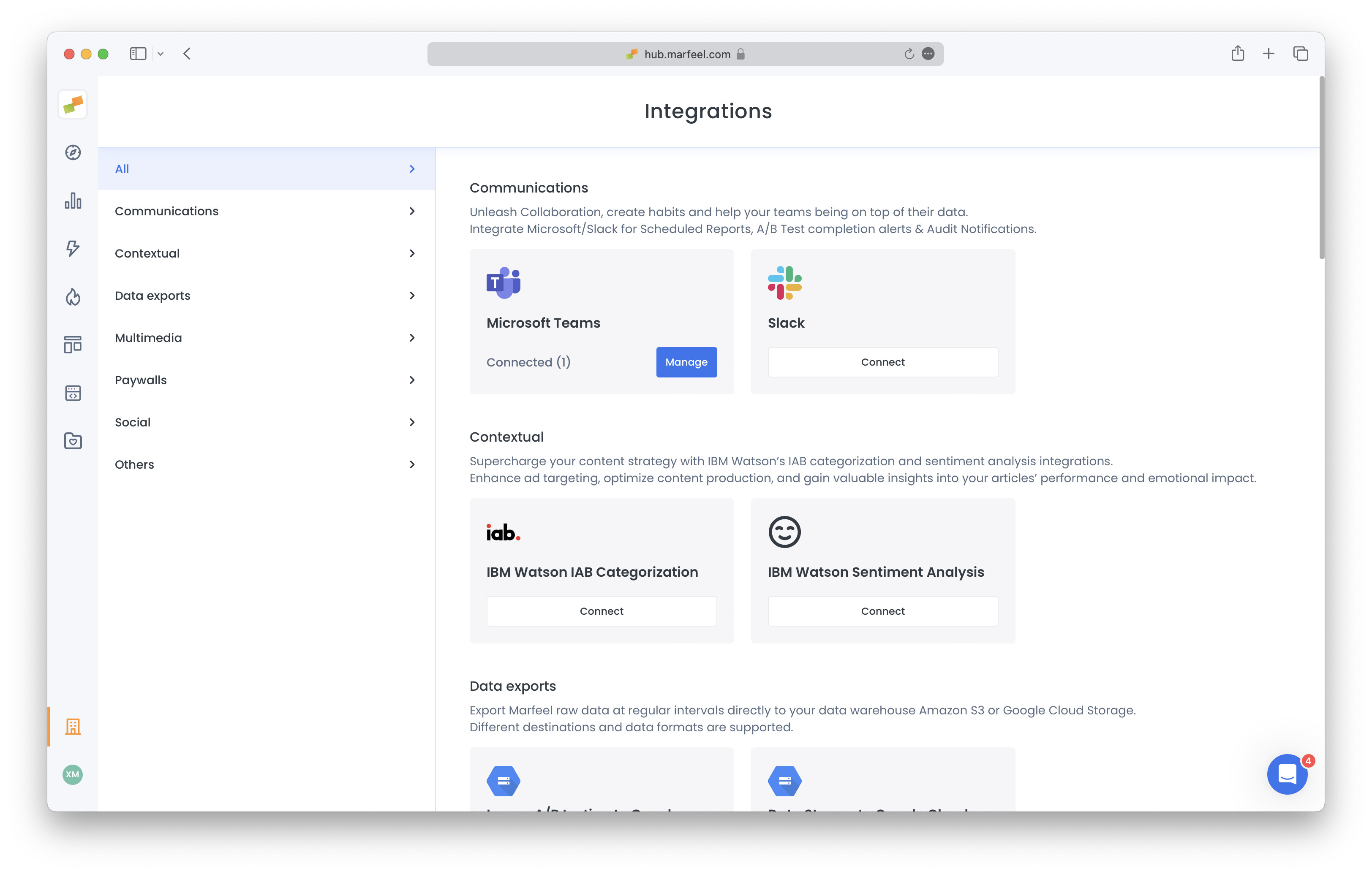
-
Select the relevant Slack account in the top-right corner and click on “Allow”
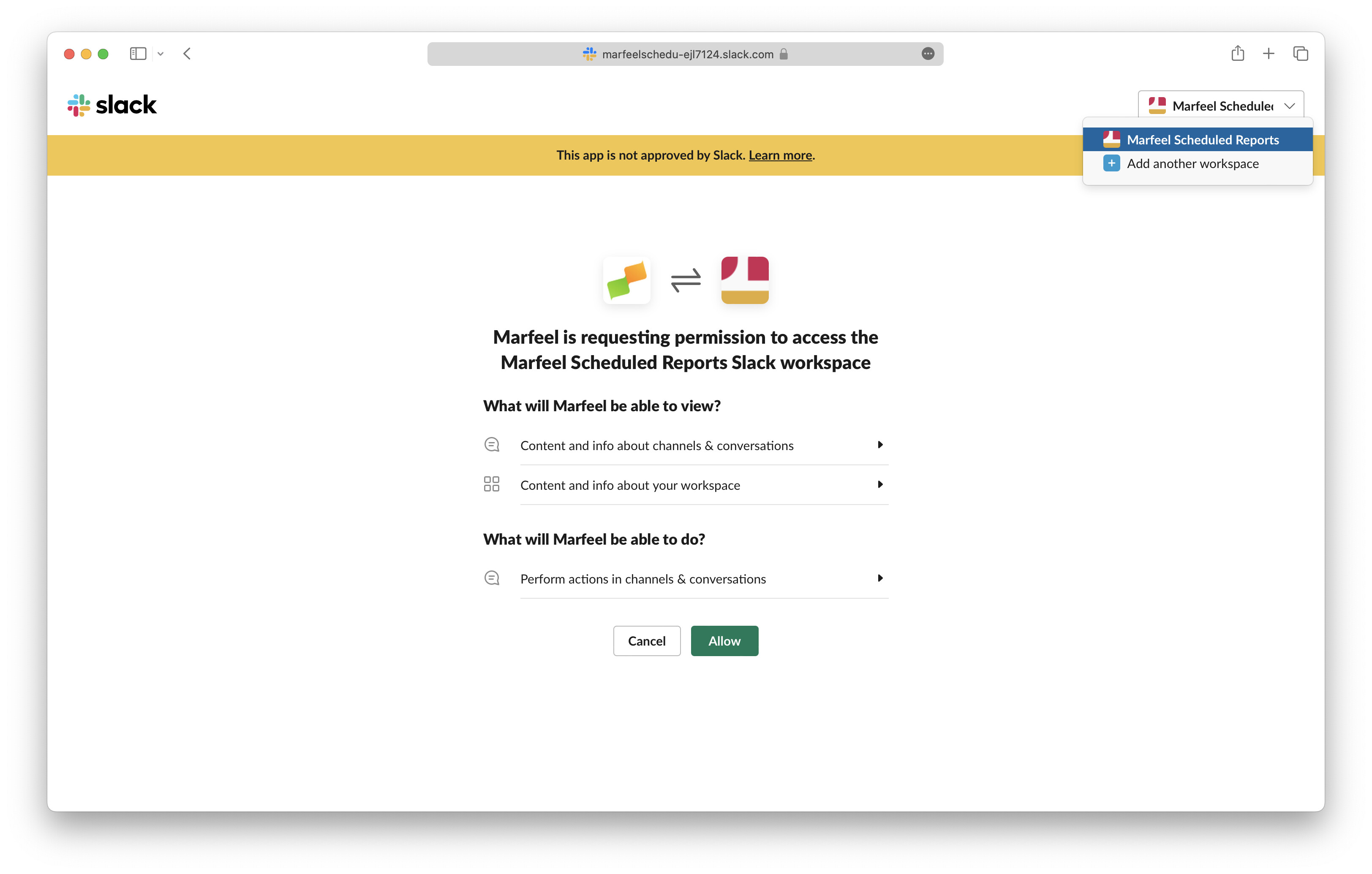
-
The integration is now connected. Scheduled reports delivered to Slack channels appear under Integrations, and previous activity appears under the “Logs” tab.
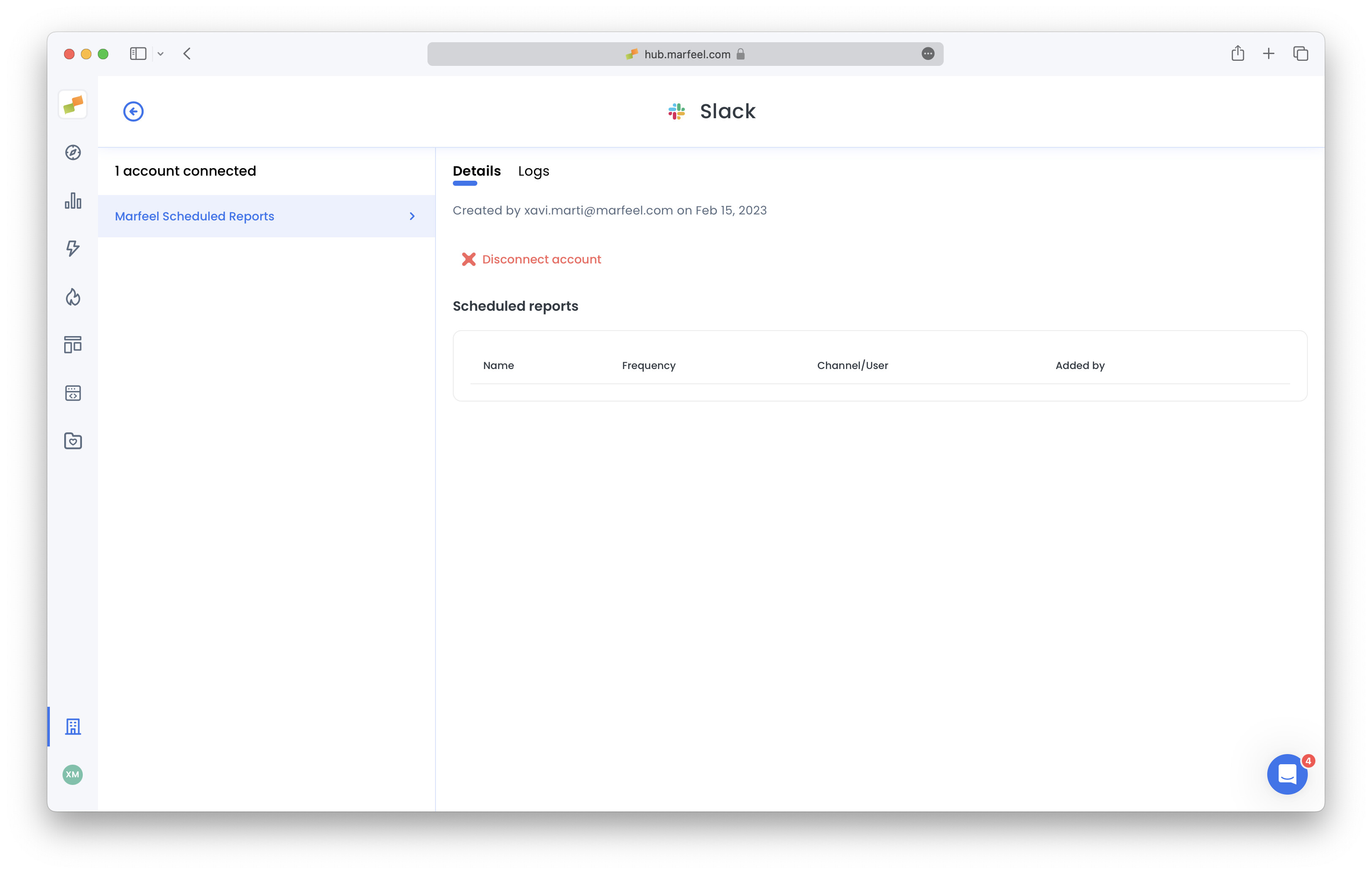
-
Configure any scheduled report for Slack delivery by choosing this option on the report subscription dialog:
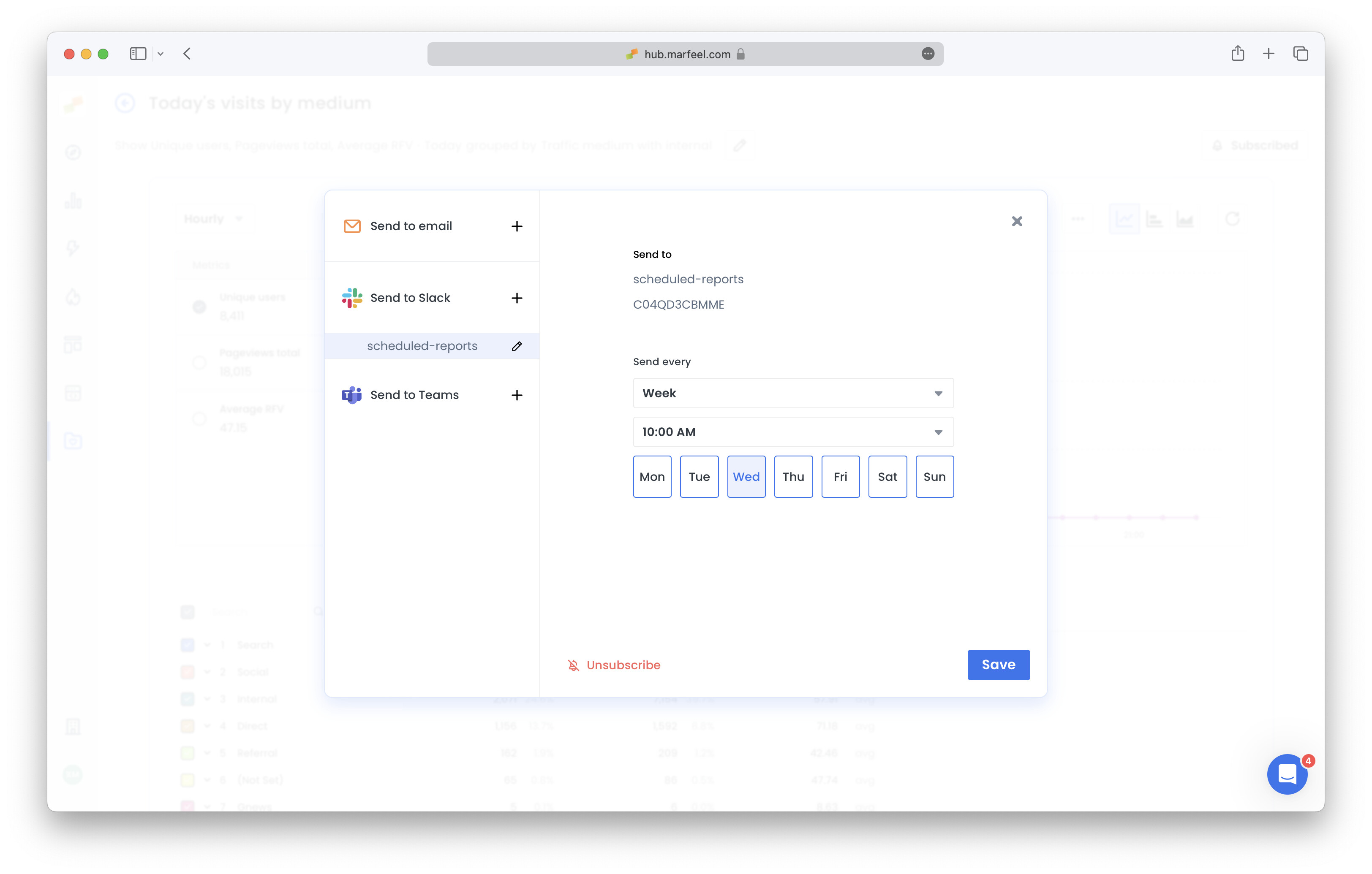
Admins can also manage report subscriptions for other users from the communications overview page under Organization settings.
Scheduled reports are not the only thing Slack delivers. Once the integration is connected, a newsletter template can also notify a channel or a person when an automatically generated edition is waiting for review. See Notify reviewers when an edition is ready.