

Recommender Use Case: Boost Branded Content Reach
Configure a multi-feed recommender to consistently feature curated branded articles in recommendation modules, increasing the reach and visibility of sponsored content across your site.
Scenario Description
Section titled “Scenario Description”Branded content (also known as sponsored or native advertising) is created in partnership with advertisers and represents a significant revenue stream for publishers. Ensuring that this content reaches a wide audience can be challenging when it competes with editorial pieces for visibility.
The Marfeel Recommender’s multi-feed capability solves this by letting you configure recommendation modules that consistently feature curated branded articles alongside editorial content. Advertisers get the visibility they need, while readers continue to see a balanced and engaging mix of articles.
Example Scenario:
- Home Page Implementation:
- A recommendation module on your home page always includes one branded article among the featured content.
- The module pulls from both content feeds, with the recommender prioritizing the inclusion of a curated branded article.
How to Set it Up
Section titled “How to Set it Up”Create a dedicated feed for Branded Content curations, then use it to showcase branded articles inside a homepage module listing “Lifestyle” (i.e.) articles.
- Create a new Recommender experience, rename it, and set it to API format.
- On the Content tab, delete any existing feed using the three-dot options, enable curations, and set Performance Safeguard to 0 to disable it. Branded content should not be penalized because of a low CTR.
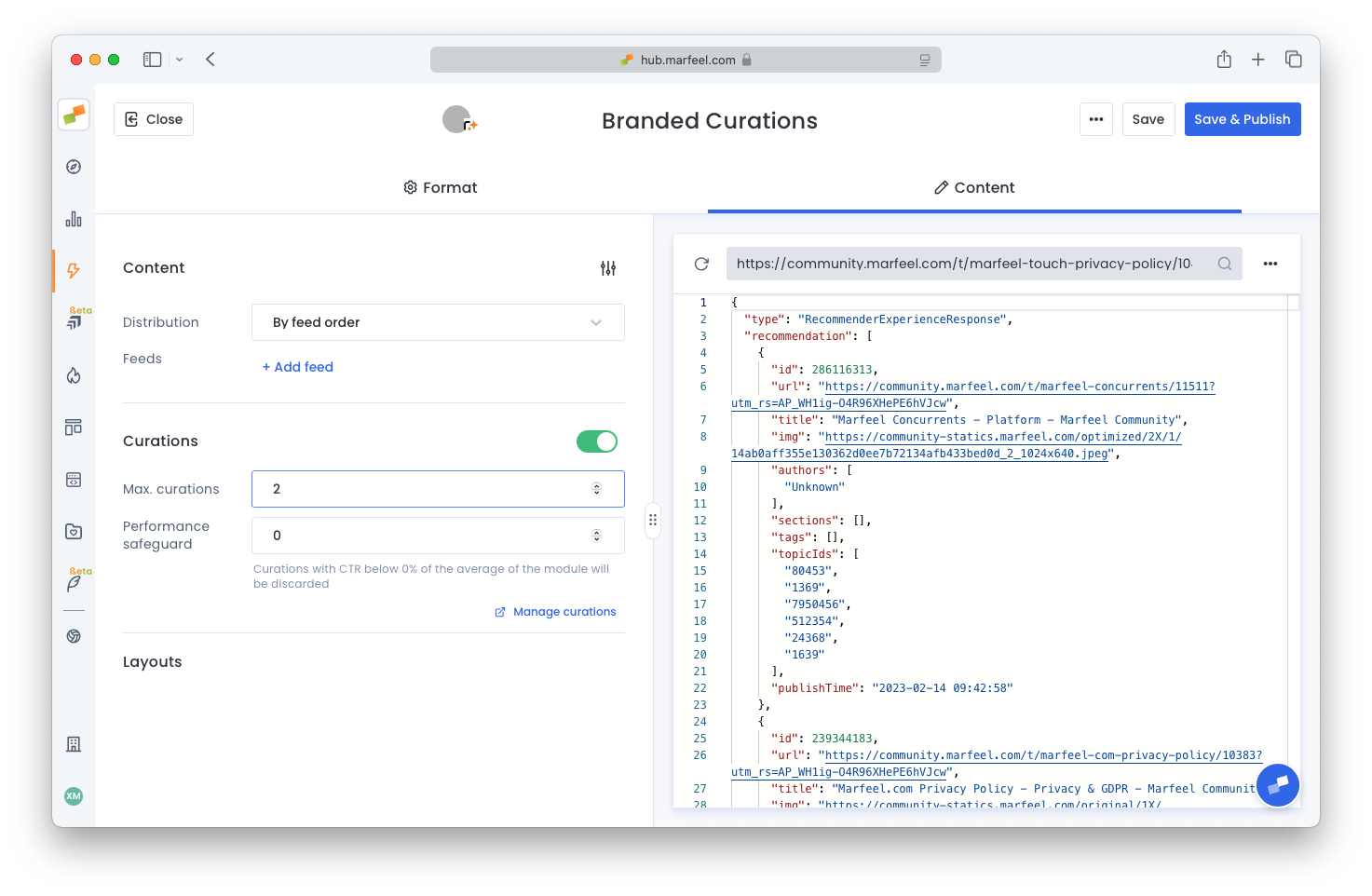
- Once published, copy the experience ID from the Content tab. You will need it in the next step.
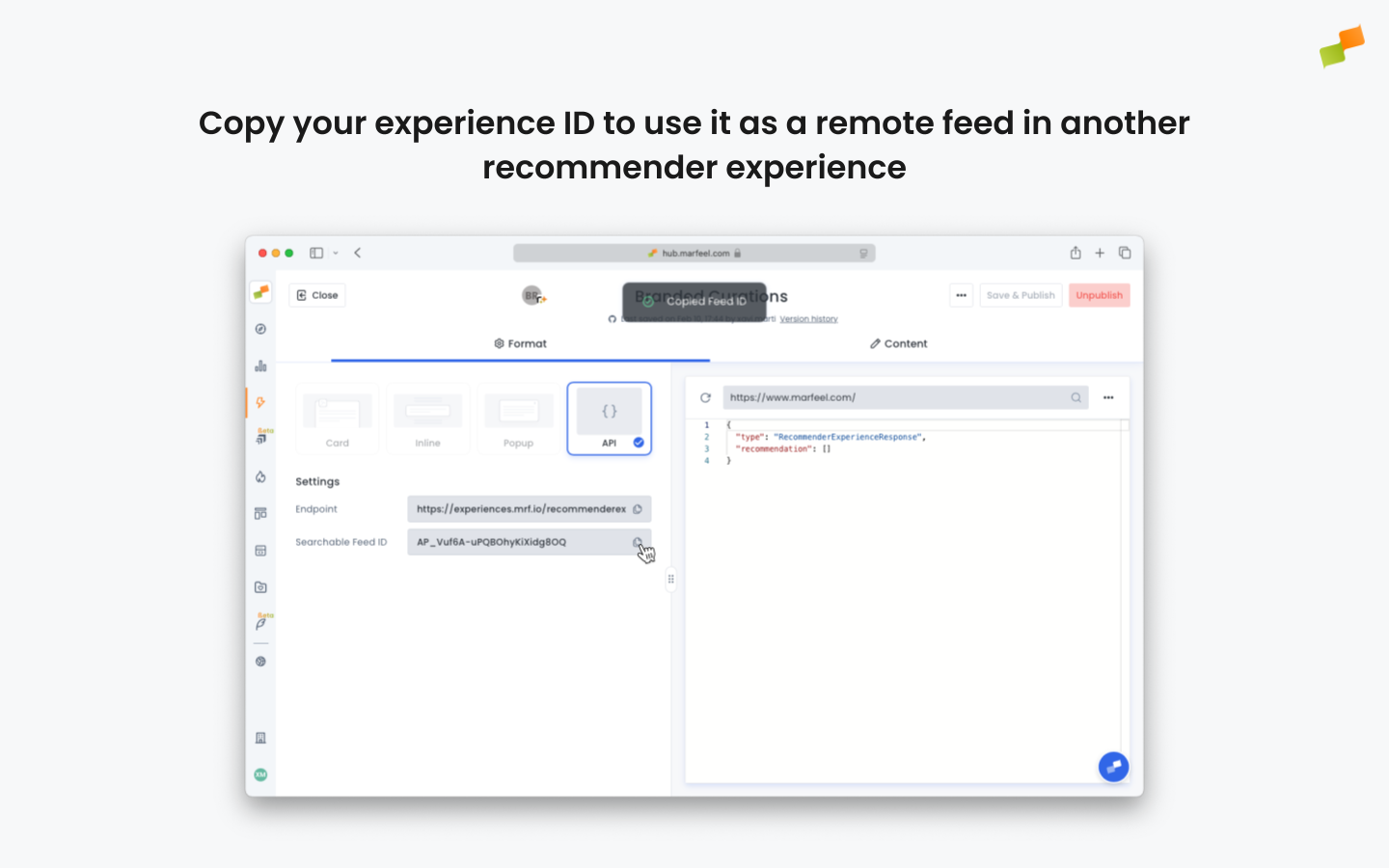
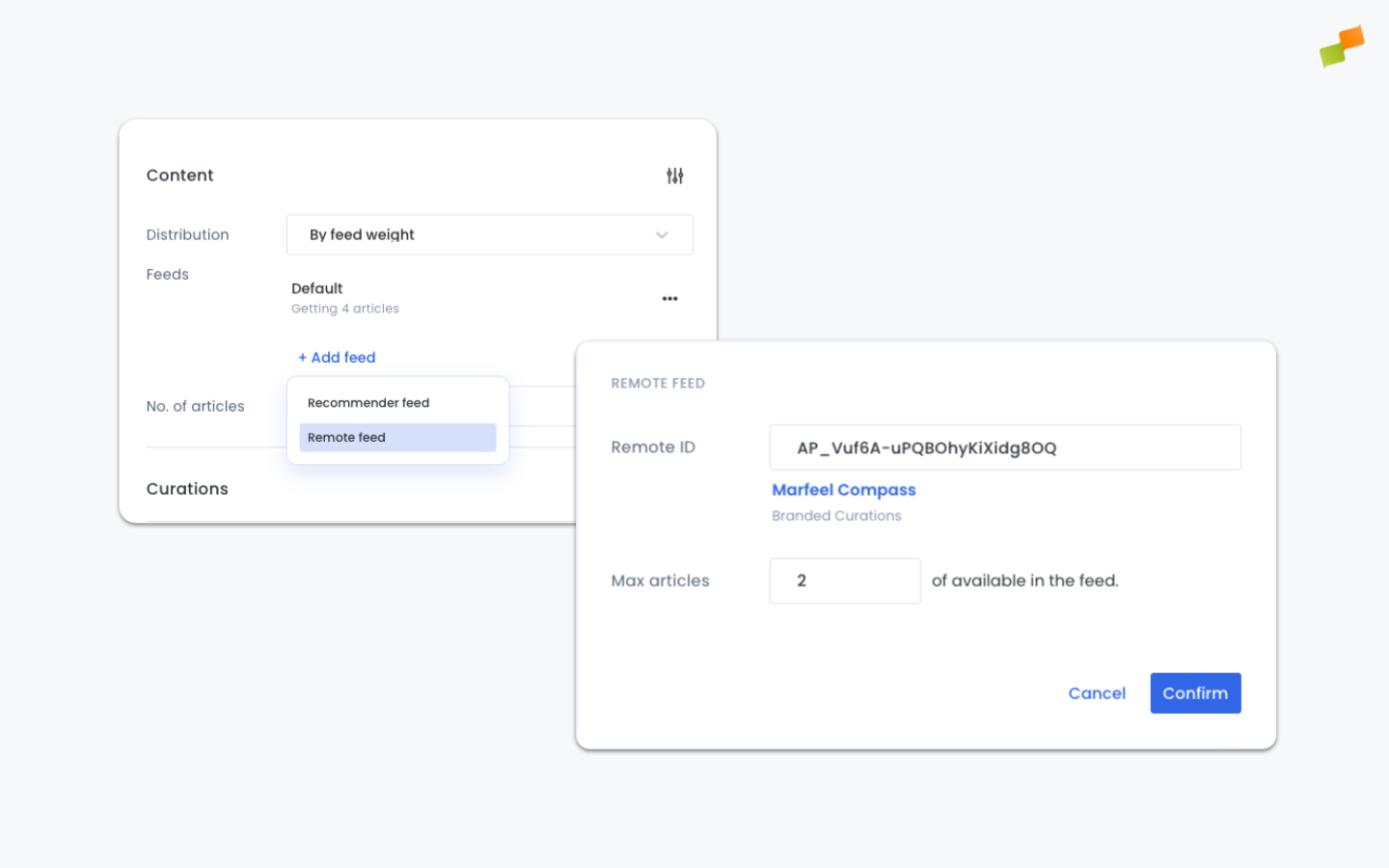
- Open an existing recommender experience. For this example, use one that lists 4 articles on the homepage. Add a new feed and paste the ID you previously copied.
- Set the distribution to By Feed Weight to randomize the position the curated articles appear in. Add a No. of articles cap to limit the total articles when curations are present.
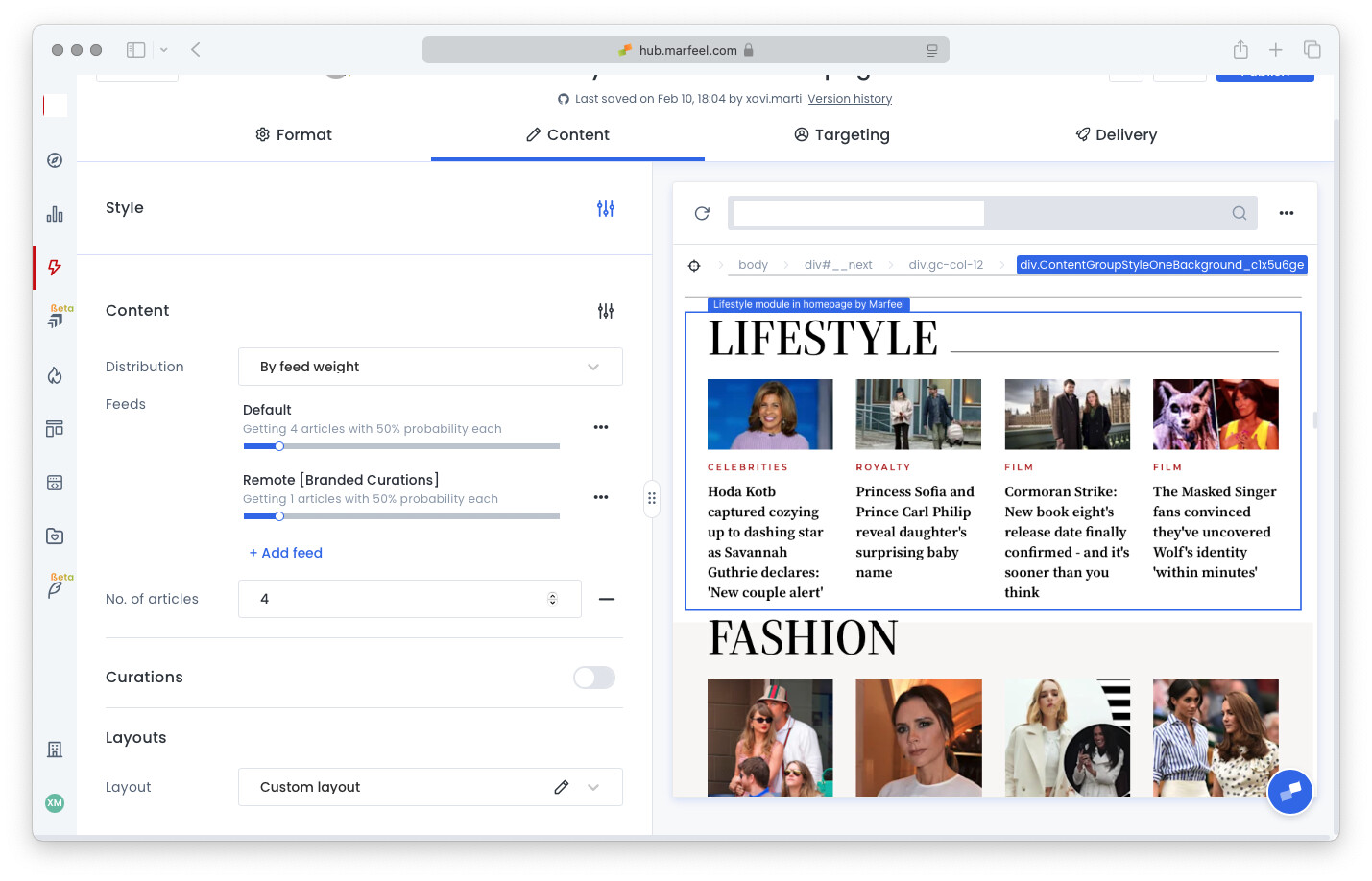
- Pro tip: add a conditional clause in your layout to display a
Sponsoreddisclosure subtitle (provided branded articles are tagged as such).{{#tags}}{{#ifs "this.equals('branded')"}}<span>SPONSORED</span>{{/ifs}}{{/tags}}
How do I feature branded content in recommendation modules?
Create a dedicated Recommender experience in API format with curations enabled, then add its feed ID as a remote feed inside your existing homepage recommender experience. Set distribution to By Feed Weight to randomize placement.
Why should I disable Performance Safeguard for branded content?
Branded content often has a lower CTR than editorial articles. Setting Performance Safeguard to 0 prevents the recommender from penalizing branded articles for low click-through rates, ensuring they remain visible.
How do I add a Sponsored label to branded articles in the layout?
Add a conditional clause in your recommender layout that checks article tags. If an article is tagged as “branded”, the clause renders a Sponsored disclosure subtitle automatically.