

Recommender Use Case: Automate home page section blocks
Automate your home page section blocks by dynamically showcasing the most clicked or popular articles within a section or combination of sections. This improves user interaction and content discovery without manual editorial updates.
Scenario description
Section titled “Scenario description”Your website covers a wide range of topics, organized into various sections like News, Sports, Entertainment, Technology, and more. On your home page, you feature dedicated blocks or modules for these sections to highlight key articles and draw users into different content areas.
Traditionally, editors manually select and update the articles displayed in these section blocks. While this allows for editorial control, it can be time-consuming, some sections might not have the resources, and may not always reflect the real-time interests of your audience.
The Marfeel Recommender automates these home page section blocks by dynamically populating each module with the most clicked or popular articles from their respective sections. The recommender system analyzes user engagement data to identify top-performing content, ensuring that the articles showcased are those that resonate most with your readers.
For instance:
- Technology section block: Automatically displays the latest and most popular tech articles, such as gadget reviews, tech industry news, or how-to guides that users are actively engaging with.
- Entertainment section block: Features trending celebrity news, movie reviews, or music releases that have high click-through rates.
- Combined sections block: You might have a “Lifestyle” block that combines popular articles from Health, Travel, and Food sections. A similar approach works for optimizing individual section pages with most clicked articles.
This automation can be applied to individual sections or combinations, providing flexibility in how you curate your home page content.
By automating your home page section blocks to feature the most clicked or popular articles, you create a dynamic and engaging home page that responds to your audience’s interests. This strategy enhances user satisfaction and optimizes your resources, making your content management more efficient and effective.
How to set it up
Section titled “How to set it up”Create a block inside the homepage that features the latest articles about a specific section by following these steps.
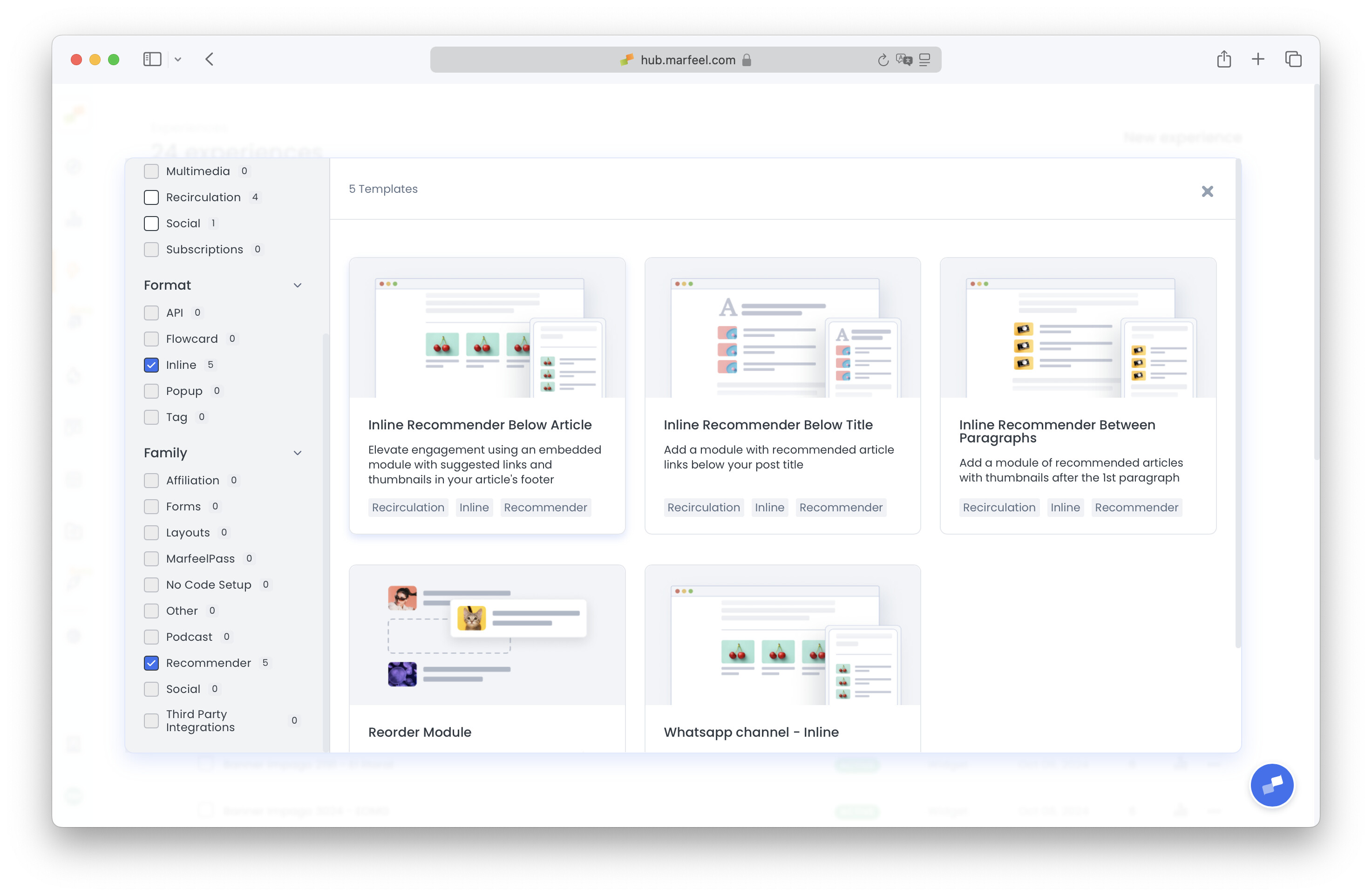
- Navigate to Experience Manager and click on New Experience. Filter by Inline format and Recommender family, and select any template to continue.
- Name your new experience accordingly and use the preview URL dropdown to navigate to your homepage.
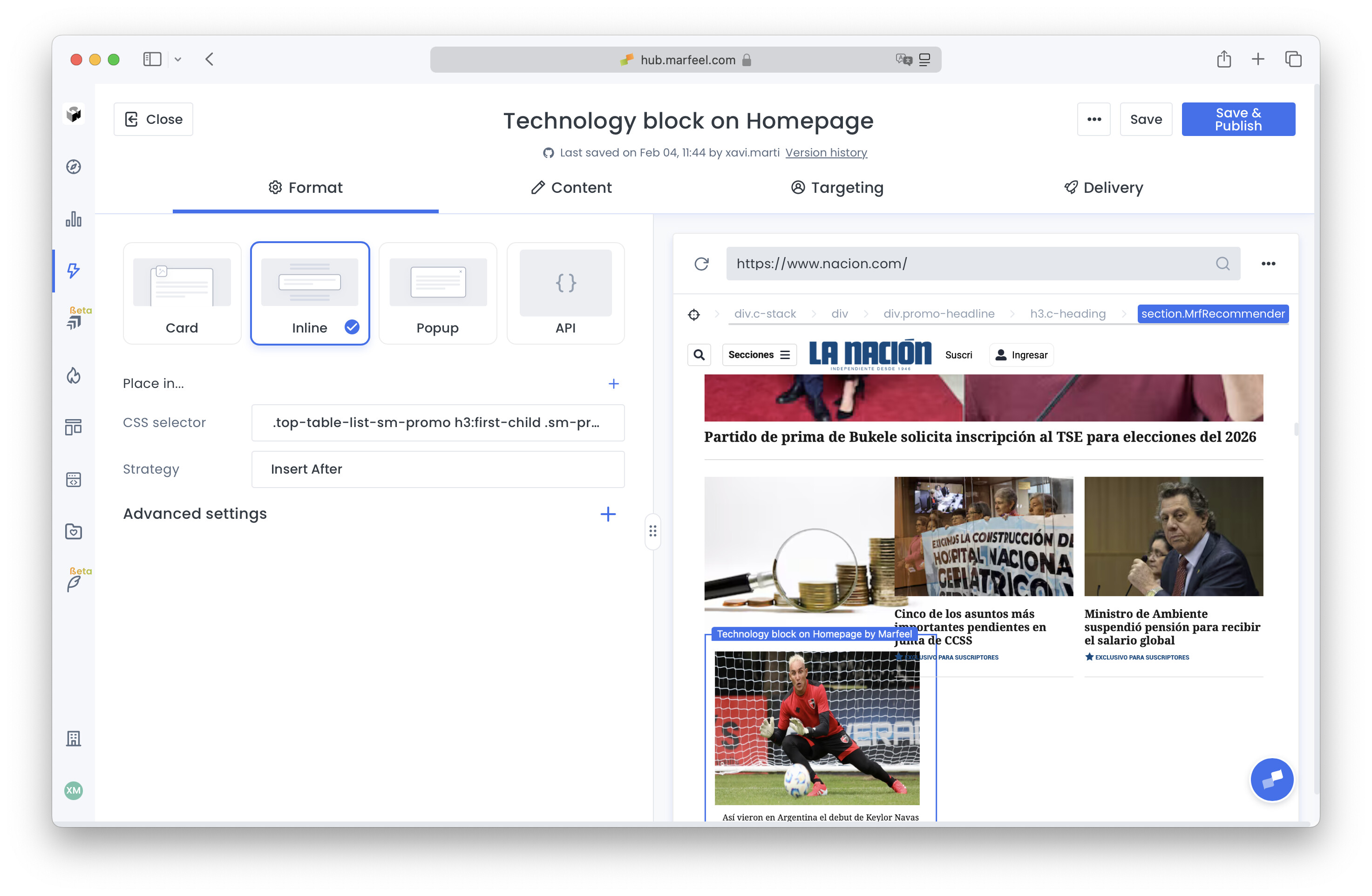
- In Format tab, insert the CSS selector that identifies the position that the new module must take. Alternatively, use the target icon at the top left of the preview to activate highlight, locate the position on the homepage and select CSS Selector on the dropdown.
- Select Insert After as strategy.
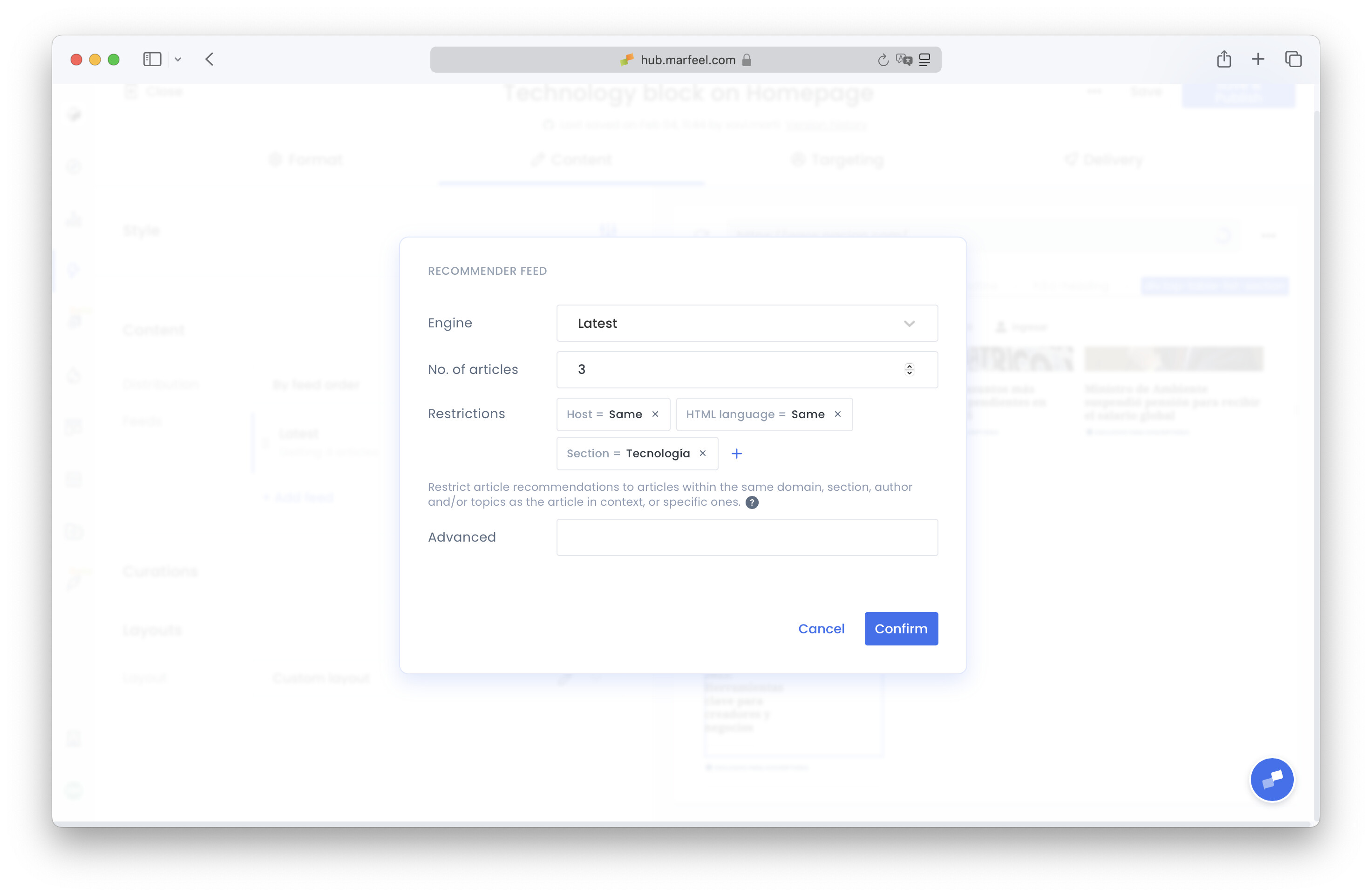
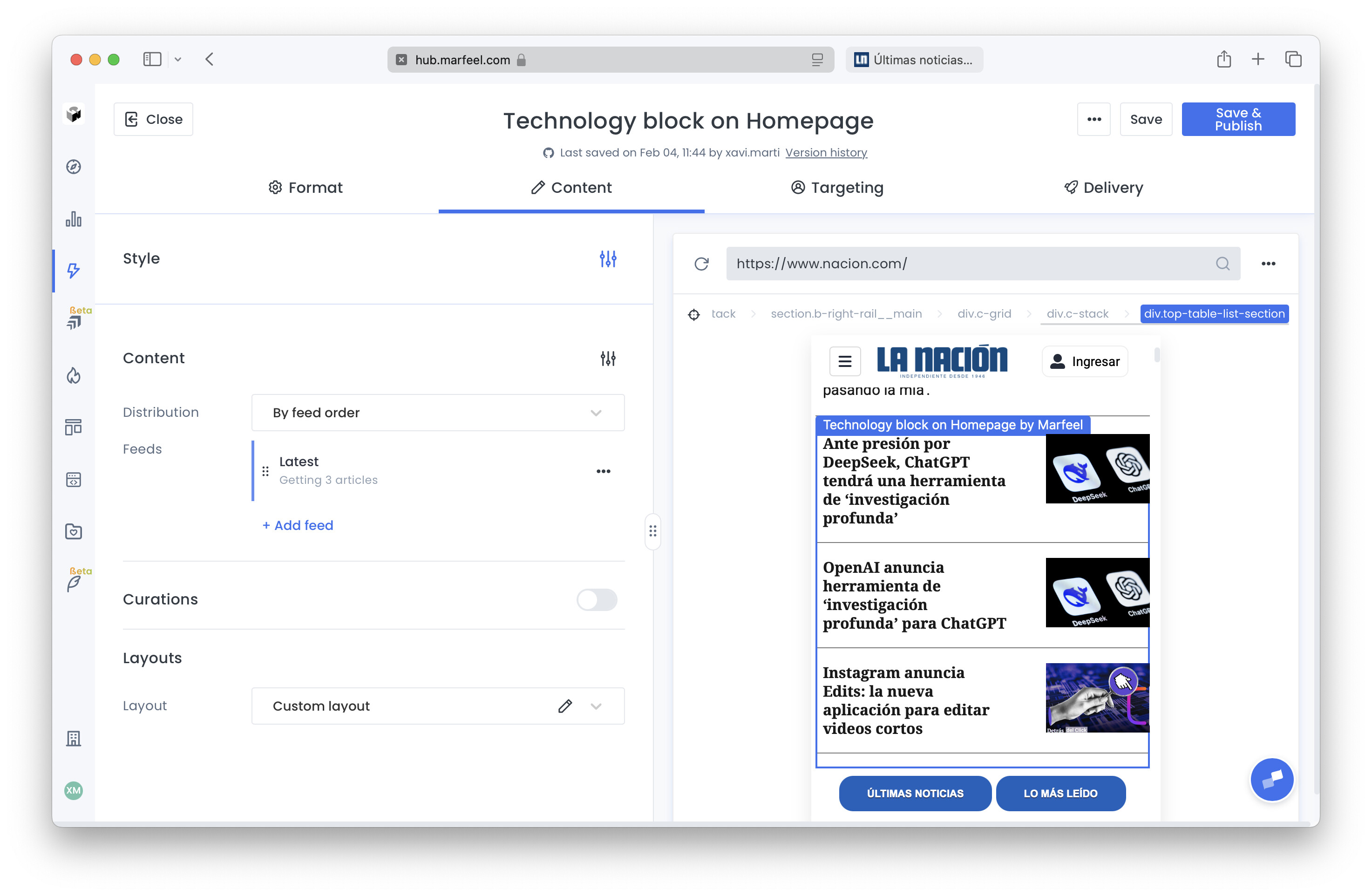
- In Content tab, click on the feed to edit it. Select Latest as Engine, and add the restriction Section = Technology (or any). Adjust the number of articles to be displayed.
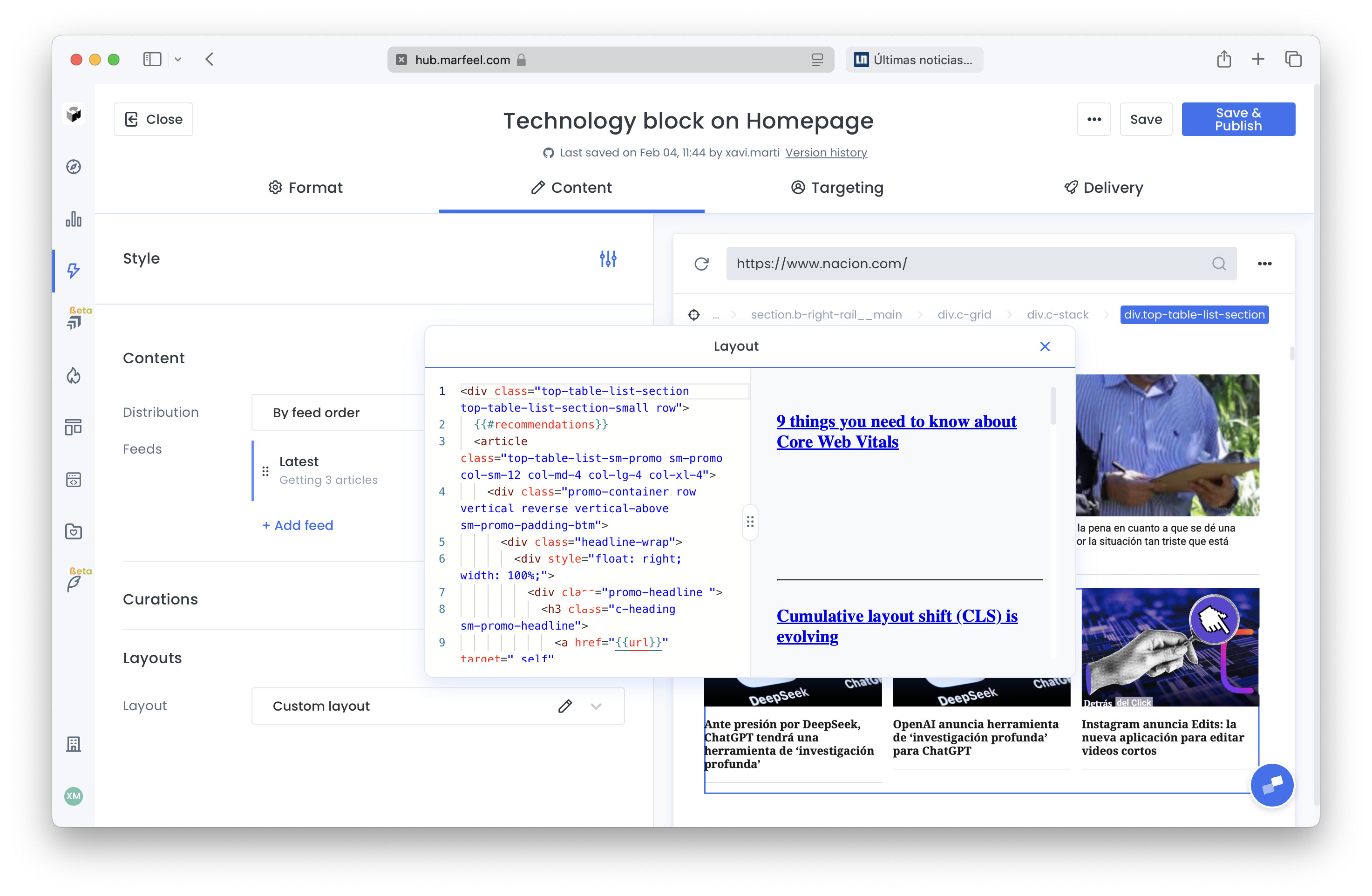
- For the layout, you can either
- Select a preconfigured one
- Select Custom layout and insert the HTML code inline
- Use Copilot to copy one: click on the target icon on the top left corner of the preview, highlight the module to be copied, and select the option Generate > Layout only.
- Use the preview to make sure that the recommender experience is inserted accordingly and looks as intended, both in desktop and mobile.
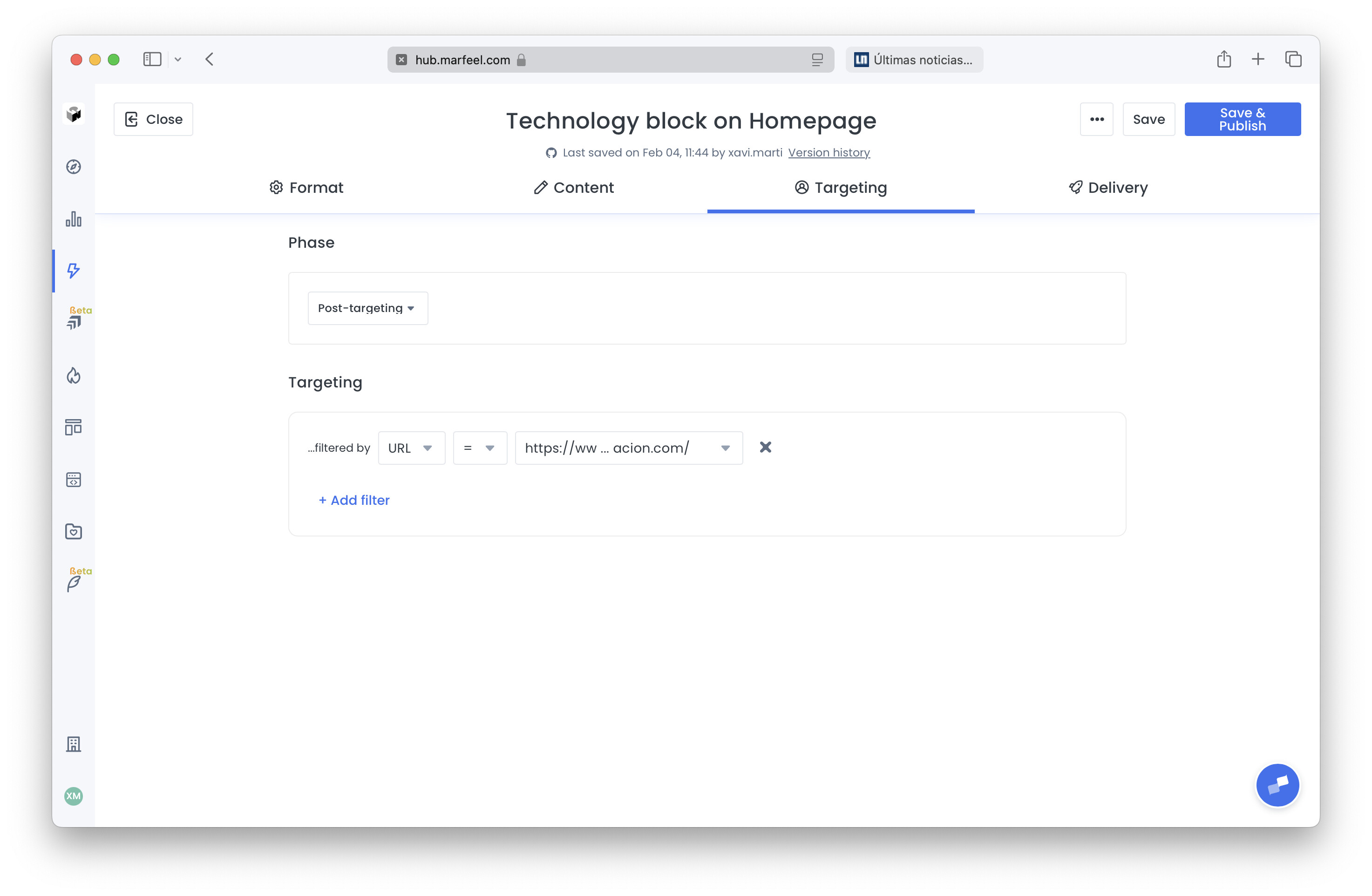
- Switch to Targeting tab and add the filter URL = {homepage url}
- Save & Publish
How does the Marfeel Recommender automate home page section blocks?
The Marfeel Recommender dynamically populates each home page section block with the most clicked or popular articles from that section. It analyzes user engagement data to identify top-performing content, replacing manual editorial selection with real-time automation.
Can I combine multiple sections into a single recommender block?
Yes. You can create combined section blocks, such as a Lifestyle block that pulls popular articles from Health, Travel, and Food sections together. The automation applies to individual sections or any combination of them.
What steps are needed to set up an automated section block on the home page?
Create a new Inline recommender experience in Experience Manager, set a CSS selector for placement on the home page, configure the feed with the Latest engine and a section restriction, choose or customize a layout, target the home page URL, and publish.