

Heads Up Display (HUD) for homepage link performance
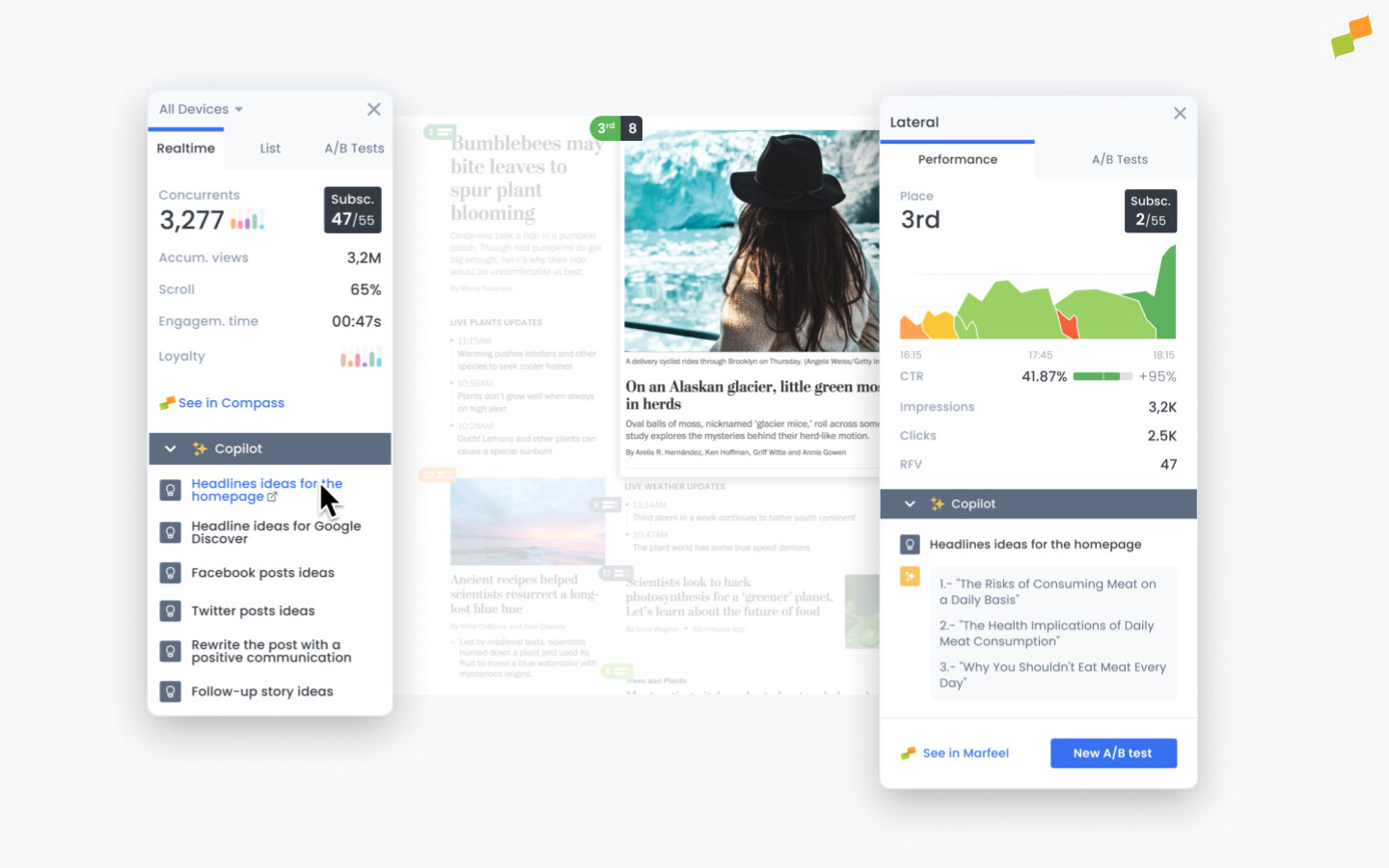
The Heads Up Display (HUD) overlays real-time link performance data on any page of your site, giving homepage editors the visibility they need to make fast editorial decisions. It highlights opportunities to position stories that interest your audience front and center. Reader loyalty metrics at a glance ensure that editors keep their most valuable readers engaged, and publishers using the HUD can also track subscription conversions directly from the homepage overlay. Marfeel Copilot harnesses the power of AI to provide headline ideas for the homepage based on each publication’s tone of voice.
Why link position alone is not enough
Section titled “Why link position alone is not enough”Stories listed at the top of a homepage or section page naturally get more exposure than ones at the bottom, where few readers scroll. Marfeel’s Heads Up Display levels the playing field by factoring in how many readers have actually seen each link. This means editors can identify which stories are performing well regardless of, or even despite, their position on the page.
When an article fails to garner interest from users who scroll far enough to see it, something needs to change:
- Maybe the image or the title are not communicating what is interesting about the topic.
- Perhaps the topic itself is not particularly interesting to readers.
- It could also be that the rest of the articles in the module are taking off, and taking up most of the finite number of clicks.
The HUD provides insight into all of these possibilities. It also lets editors conduct A/B tests right from the homepage to test out the performance of alternative titles and images.
Use the HUD to:
- Identify articles of interest in real time and position them accordingly
- Generate new headline ideas and conduct A/B testing for titles and images
- Find the stories popular among your most loyal readers
The HUD is like a map that points out opportunities for optimization with all the information you need to make quick decisions that keep users engaged. The guides How to Use the Heads Up Display and Headline and Image Testing will help you read the map efficiently. Keep reading below for activation instructions and check the troubleshooting guide if you run into any issues.
Activate HUD
Section titled “Activate HUD”Users can activate the Heads Up Display (HUD) from Marfeel using two methods.
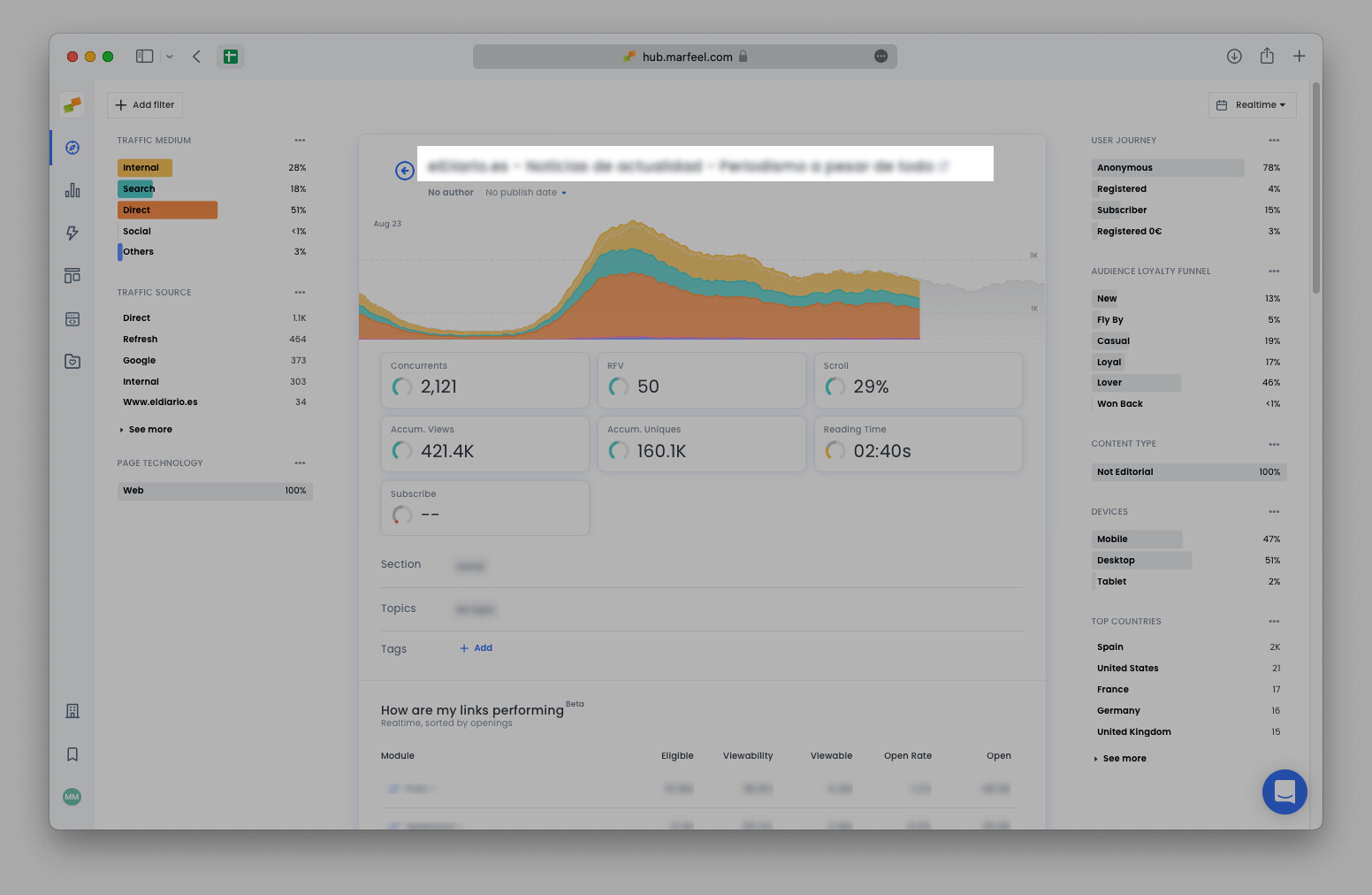
From Marfeel article details page
Section titled “From Marfeel article details page”- Go to hub.marfeel.com
- Find the article or home page you are interested in and click on it
- The article details page will open
- Clicking the title of the detail page will open the original URL and will load the Heads Up Display
From an article URL
Section titled “From an article URL”- Browse to the public URL of the published article
- Append the query parameter
?mrfhud=trueto the URL, for example:https://mydomain.com/?mrfhud=true. This will load the HUD on the provided URL.
After the HUD opens once, the user will always see it when browsing the site. Closing the HUD will prevent it from opening in the future until the user opens it again following one of the two methods above.
Marfeel HUD does not rely on any browser plugin, making it available on mobile and tablet devices.
What does the Heads Up Display (HUD) do?
The HUD provides a visual overlay of link performance on any page of your site. It shows which stories attract the most engagement, highlights reader loyalty metrics, and lets editors run A/B tests on headlines and images directly from the homepage.
How do I activate the HUD?
There are two methods. First, from the Marfeel article details page at hub.marfeel.com: click any article title to open the original URL with the HUD loaded. Second, append the query parameter ?mrfhud=true to any published article URL. Once activated, the HUD remains visible while browsing the site until you close it.
Does the HUD require a browser plugin?
No. Marfeel HUD does not rely on any browser plugin, making it available on desktop, mobile, and tablet devices without additional installation.