

HUD subscription tracking for homepage optimization
The Heads Up Display (HUD) includes subscription tracking that turns your homepage into a data-driven conversion tool. The homepage is often the first point of contact between users and a website, making it the ideal space to drive subscriptions. Marfeel has built subscription data directly into the HUD to help publishers leverage homepage potential and invite readers past the paywall.
How to optimize for subscriptions using the HUD
Section titled “How to optimize for subscriptions using the HUD”The HUD toolbox displays the total number of subscriptions for the current day and how many came from the homepage. This gives you an immediate read on homepage subscription performance. The colored labels on the HUD also display a black number showing subscriptions each article has generated (articles with zero subscriptions show no number). Homepage editors can use this information to quickly identify which articles are driving subscriptions and which are not.
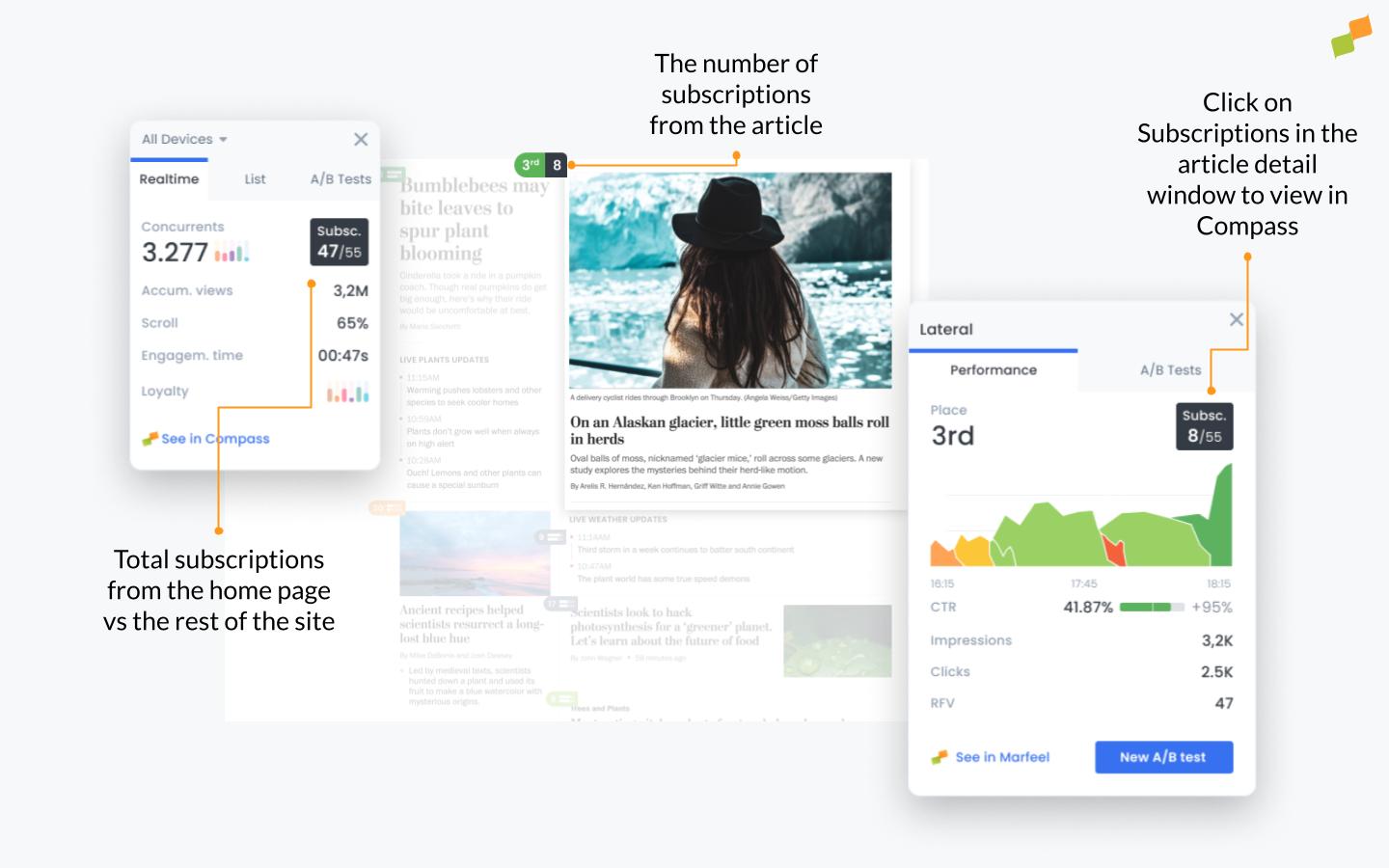
Clicking the black box with total subscriptions in the article detail window takes publishers directly to Compass for subscription managers, where they can access individual user journeys for each subscriber. This reveals exactly how each subscriber arrived at their subscription, providing actionable insights into what drives conversions and how to optimize the homepage for more subscriptions.
Beyond subscription data, the HUD provides additional performance metrics including page views, impressions, and average time spent on the site. These metrics help identify which articles perform well overall, enabling publishers to optimize their homepage for both subscriptions and broader engagement goals.
Using the HUD list function to optimize subscriptions
Section titled “Using the HUD list function to optimize subscriptions”The HUD list function surfaces your highest-converting content regardless of homepage placement. By selecting Most subscriptions from the dropdown menu under the list tab in the HUD toolbox, publishers can see which articles have generated the most subscribers. This includes articles with little homepage visibility or content that is not on the homepage at all.
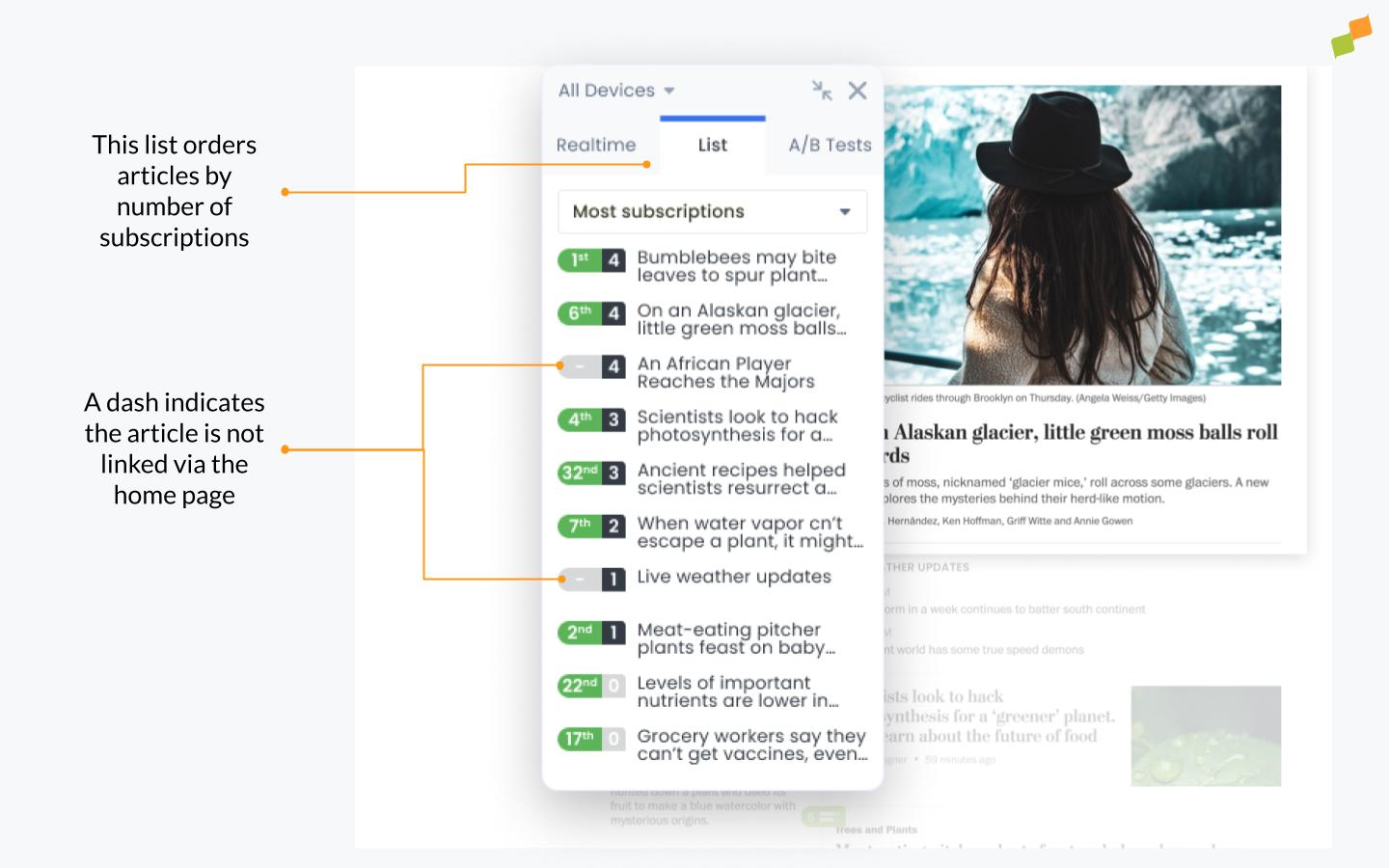
The list function is a practical way to identify top-performing subscription drivers across the entire site. Publishers can use these insights to adjust homepage layout or promote high-converting articles to more visible positions, increasing subscription volume.
How does the HUD display subscription data on the homepage?
The HUD toolbox shows the total number of subscriptions for the current day and how many came from the homepage. Colored labels on articles display a black number indicating subscriptions generated by each article, allowing editors to quickly identify which content drives subscriptions.
How can I find which articles drive the most subscriptions?
Use the HUD list function by selecting “Most subscriptions” from the dropdown menu under the list tab in the HUD toolbox. This reveals top-performing subscription articles, including those with low homepage visibility or not currently on the homepage.
Can I see individual subscriber journeys from the HUD?
Yes. Click the black box showing total subscriptions in the article detail window, and you will be taken to Compass where you can access individual user journeys for each subscriber, showing exactly how they arrived at their subscription.