

User data restrictions for multi-property accounts
Marfeel allows organizations to apply data scope restrictions that define which fine-grained data each user can access. Internally, Marfeel implements a sophisticated ACL system to enforce these boundaries.
Data restrictions solve three common scenarios:
- External correspondents and contractors can be limited so they only view their own articles.
- Editors on multi-property accounts can be scoped to a particular domain, keeping traffic data separated across properties.
- Section-level access lets you restrict users to a single section, ideal when sections are outsourced to external agencies.
How to configure data restrictions
Section titled “How to configure data restrictions”Data restrictions are created and modified in the User Management view. While data restrictions control what data a user can see, user roles control what actions they can perform.
- Go to User Management to add or edit a user.
- To apply data restrictions, select the
Can seefield:
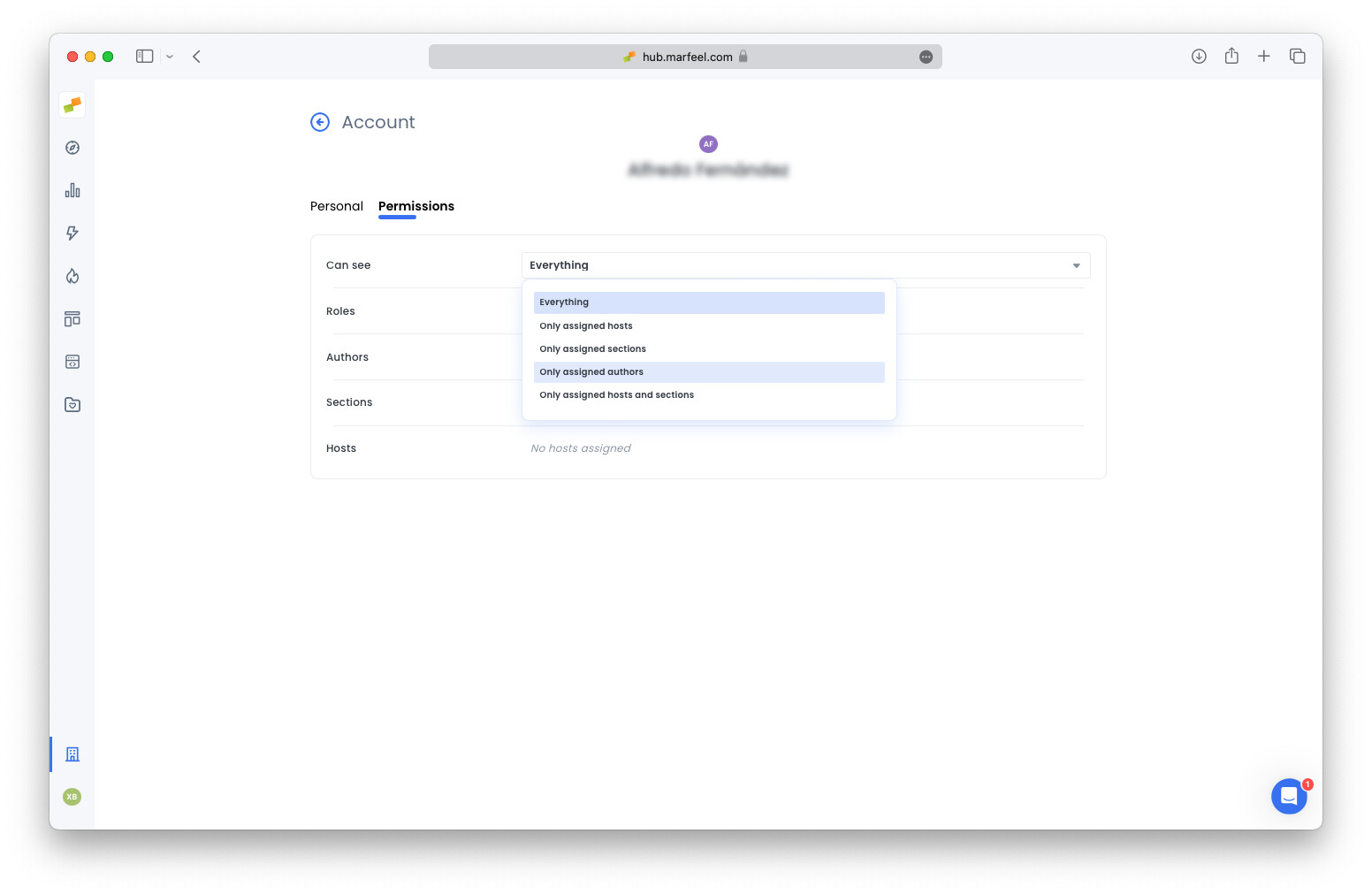
Assigning the authors, sections or hosts won’t restrict access to other authors, sections, or hosts. It will only apply some UI personalizations on reports like the Good Morning.
- If the user is a journalist, assign them an author name via the
Authorsfield. - Define which sections the user works on via the
Sections assignedfield. - Define which domains a user works on via the
Hosts assignedfield.
For organizations that need to apply the same restrictions to multiple users at once, Teams let you assign permissions and content sections to user groups.
What are data restrictions in Marfeel?
Data restrictions are ACL-based scope rules that define which fine-grained data each user can access. They let you limit visibility by author, domain, or section so that users only see the data relevant to their role.
How do I apply data restrictions to a user?
Go to User Management, add or edit a user, then select the Can see field. From there you can assign specific authors, sections, or hosts to restrict that user’s data visibility.
Does assigning authors, sections, or hosts restrict access to other data?
No. Assigning authors, sections, or hosts does not restrict access to other authors, sections, or hosts. It only applies UI personalizations on reports like Good Morning.