

Scheduled report delivery via Slack, Teams, and email
Marfeel delivers reports directly to users through Slack, Teams, or email. The guide to scheduled reports covers the full configuration.
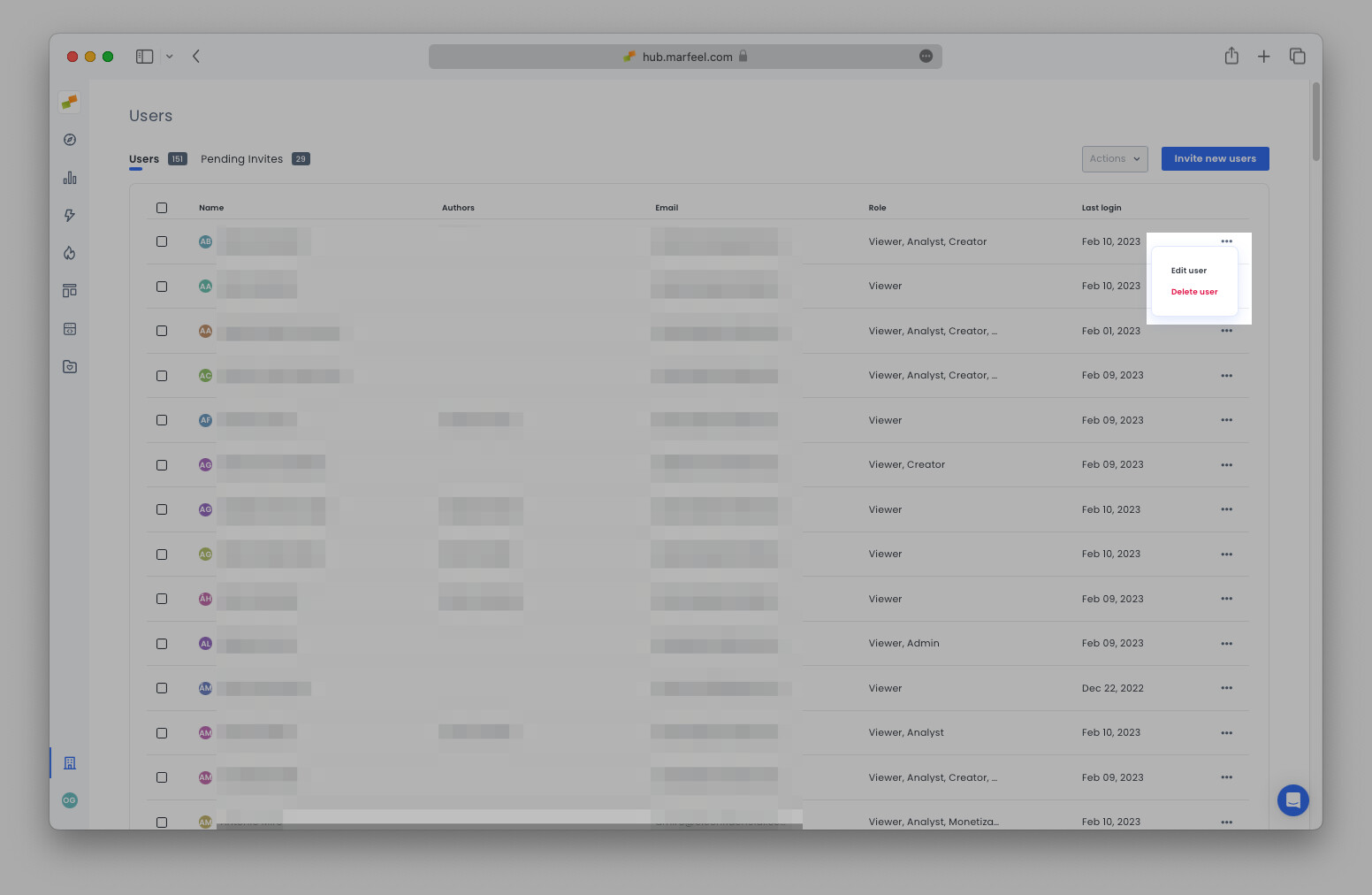
Admins can access and edit scheduled reports on behalf of any user. To manage a user’s report subscriptions:
- Go to Organization settings > Users >
Edit user
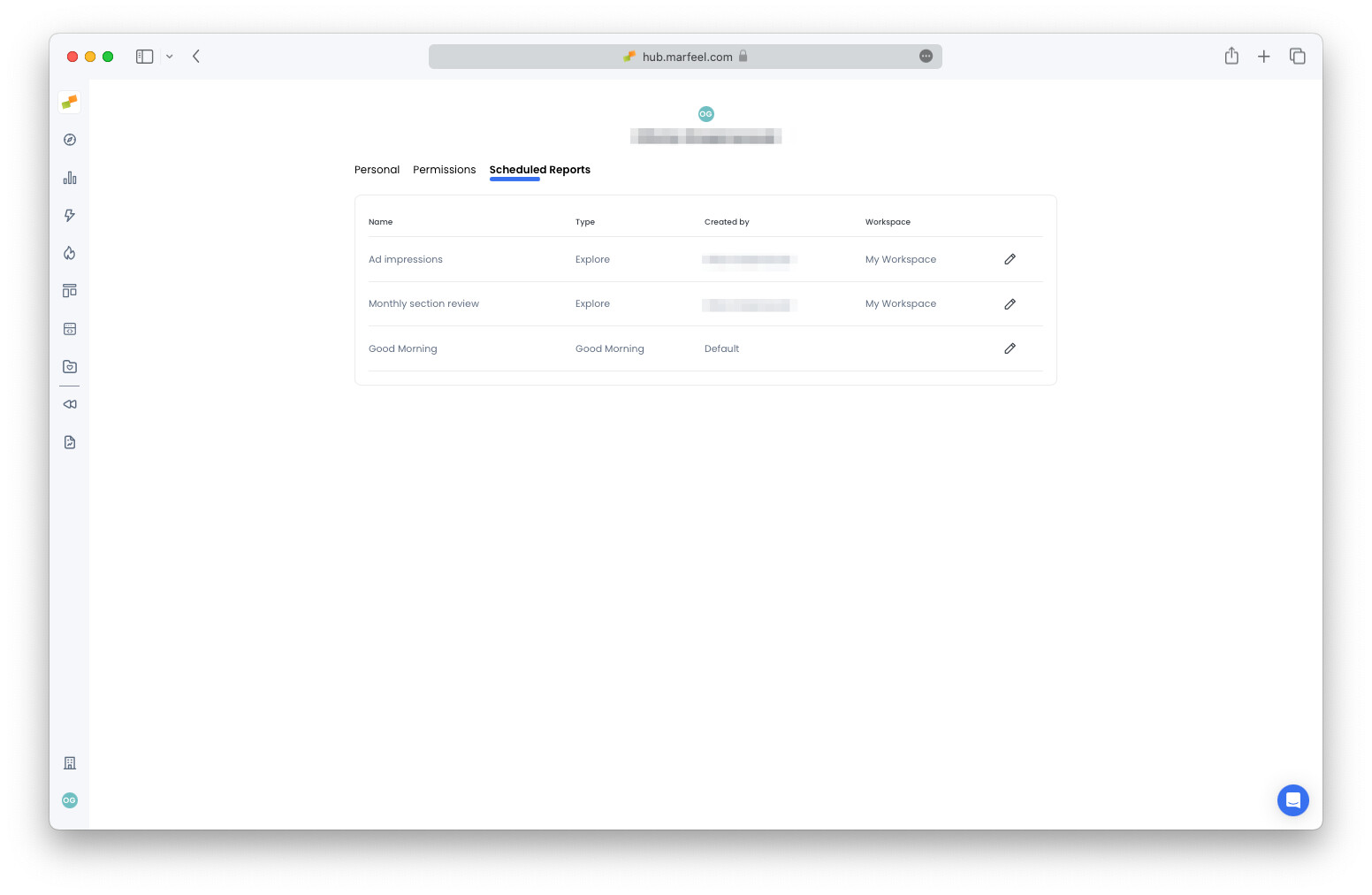
- Under
Scheduled reports, click on the pencil icon to edit the report
- In the dialogue box, select the delivery method (email, Slack, or Teams) to configure the subscription settings.
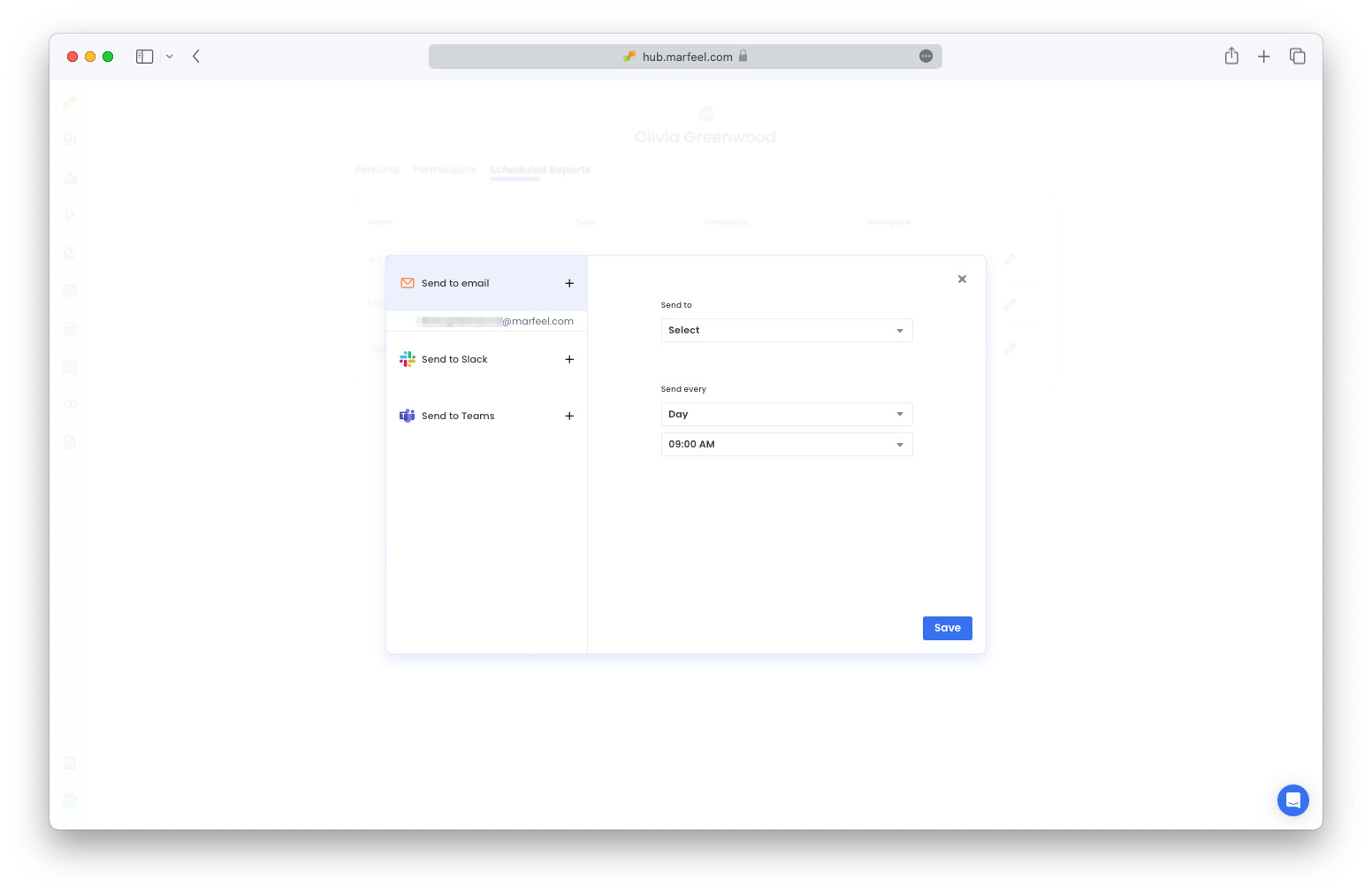
Still haven’t integrated your messaging app? See the integrations set up guides for Slack and Teams.