

Create and manage rollup parent accounts
Marfeel parent accounts are accounts that can be configured as a billing account, a rollup account, or both. Each type serves a distinct purpose:
- Billing accounts: The parent account is the contract signer and handles Marfeel payments for all its child accounts.
- Rollup accounts: The parent account combines data from multiple connected child accounts into a single aggregated view.
Marfeel parent accounts are created by Marfeel via request to your Account Manager. The following restrictions apply:
- To become a rollup account, the account cannot track any traffic directly.
- To become a billing account, the account must have an active plan.
- A child account can have multiple rollup parent accounts.
- A child account can only have one billing parent account.
Connecting child accounts
Section titled “Connecting child accounts”Admins from parent accounts can connect a child account once the parent account has been created:
- Go to Connected Accounts
- Click on
Link Account - Enter the child account ID and the requested permissions
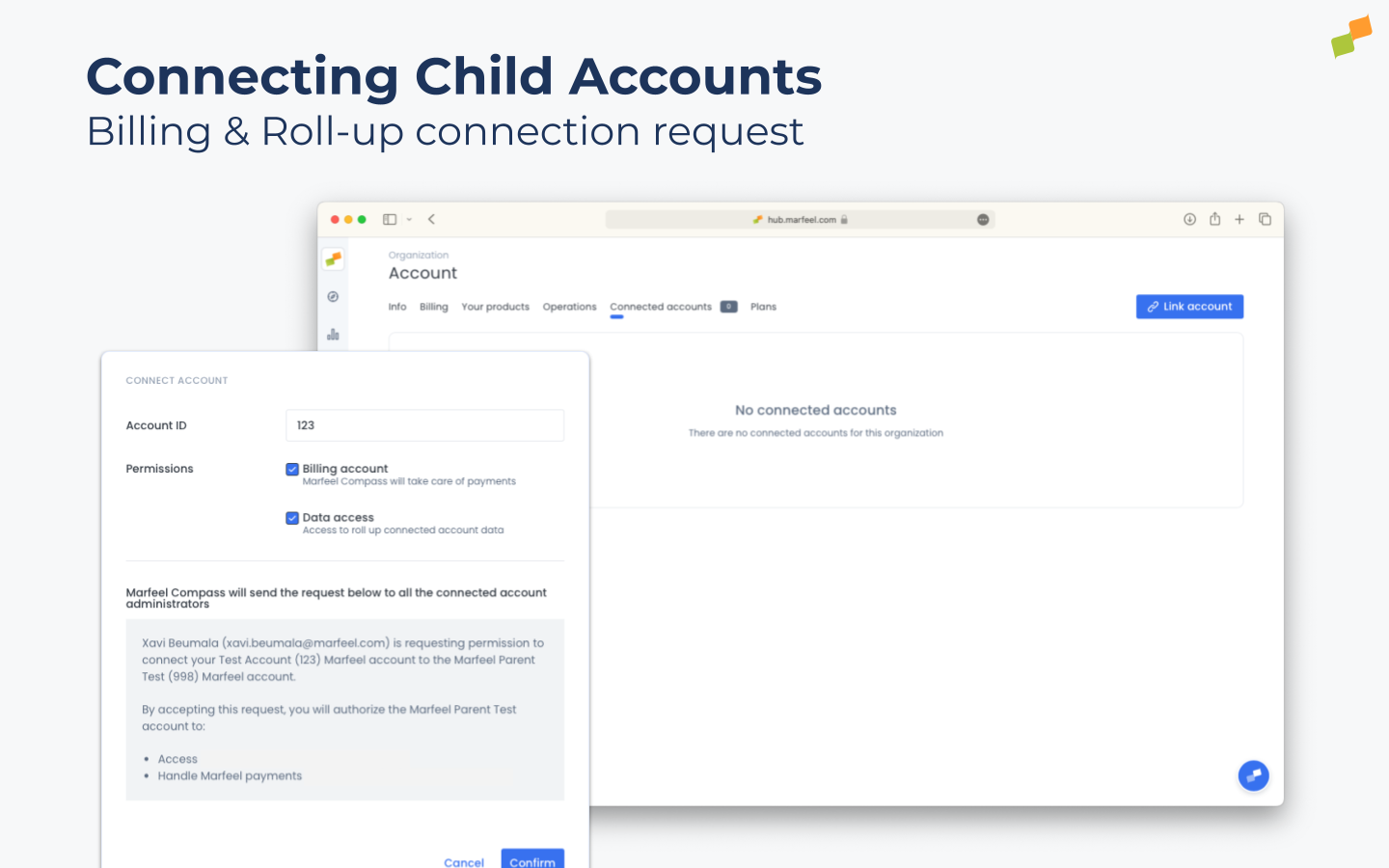
When the connection request is sent, all admins of the child account receive an email notification. When one of them accepts or rejects the request, all admins on both sides are notified via email.
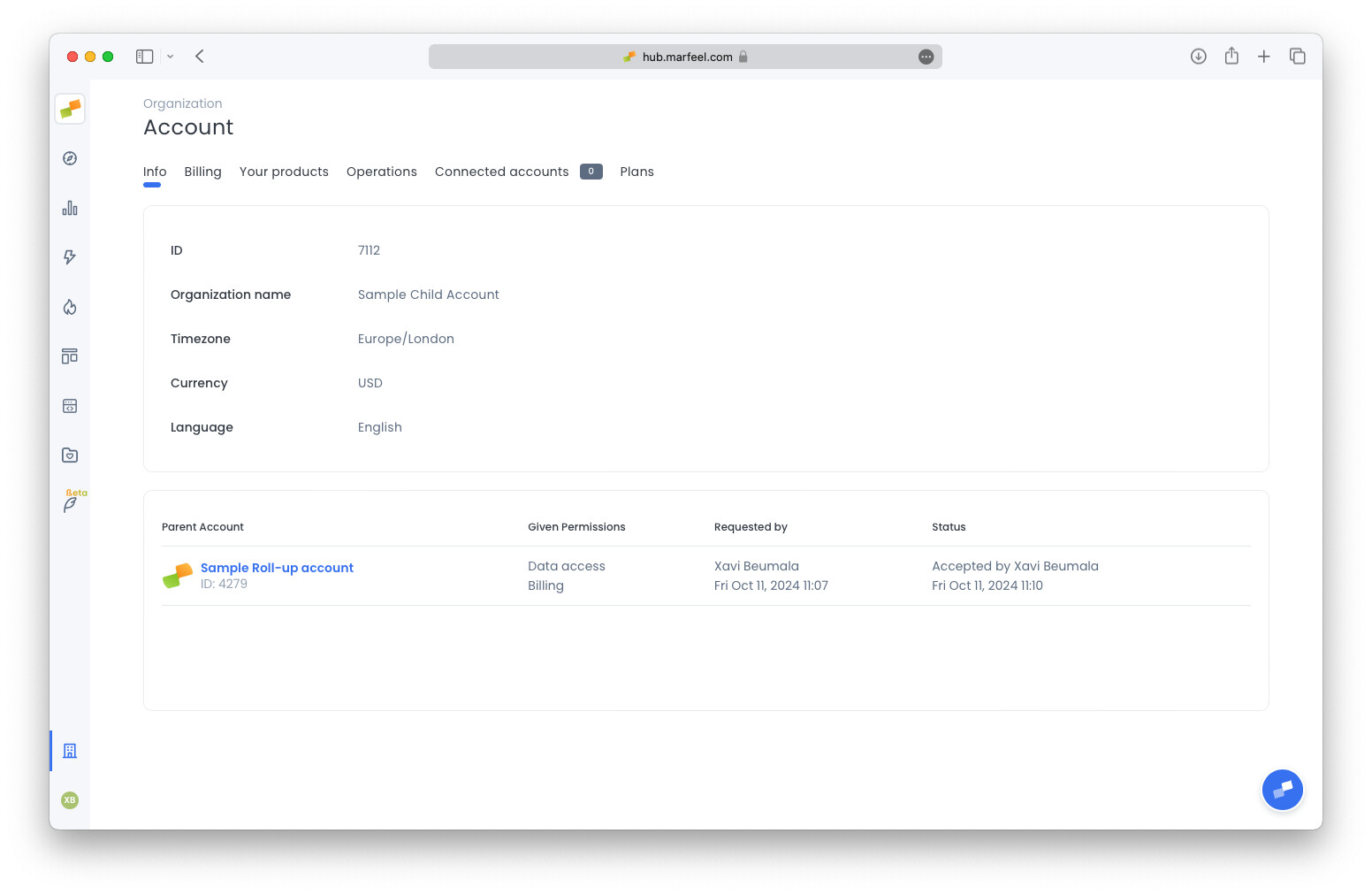
Child account admins can view their parent accounts and the granted permissions.
Disconnecting parent or child accounts
Section titled “Disconnecting parent or child accounts”To disconnect a parent or child account, contact your account manager or use the support channel.
User access to rollup accounts
Section titled “User access to rollup accounts”Rollup accounts do not inherit users from child accounts. You add users to a rollup property and configure their access separately from users in child properties.
Users on a rollup account can have roles and data restrictions. However, these permissions are completely independent from child account permissions:
- Users on a rollup account are not automatically given permissions for any child accounts.
- Users on child accounts are not automatically given any permissions for the rollup account.
- Users on child accounts do not inherit any permissions from the rollup account.
For details on how data behaves across rollup and child accounts, see rollup accounts data considerations.
What is the difference between a billing parent account and a rollup parent account?
A billing parent account is the contract signer that handles Marfeel payments for all its child accounts. A rollup parent account combines data from multiple connected child accounts into a single view. A parent account can be configured as one or both.
How do I connect a child account to a parent account?
Go to Connected Accounts in the Organization tab, click Link Account, and enter the child account ID along with the requested permissions. All admins of the child account receive an email notification and can accept or reject the request.
Do rollup accounts inherit users from child accounts?
No. Rollup accounts do not inherit users from child accounts. You must add users to a rollup property and configure their access separately. Users on child accounts are not automatically given permissions for the rollup account, and vice versa.