

Teams and user group permissions management
Teams are groups of users that receive permissions collectively for a specific account or the entire organization. Members assigned to a Team inherit the group’s permissions on top of any individual permissions they already have. This simplifies user provisioning and management at scale.
Teams can also declare which content sections their users work on.
The benefits of using Teams are to:
- Align users, organizational structures, and permissions
- Smooth user onboarding by assigning one or multiple sections on user creation
- Share Workspaces with Teams instead of individuals
- Subscribe Team members to Saved reports
Create teams
Section titled “Create teams”You can create Teams with permissions for your Marfeel account. To create a team:
- Click on Teams
- Click on
Create a Team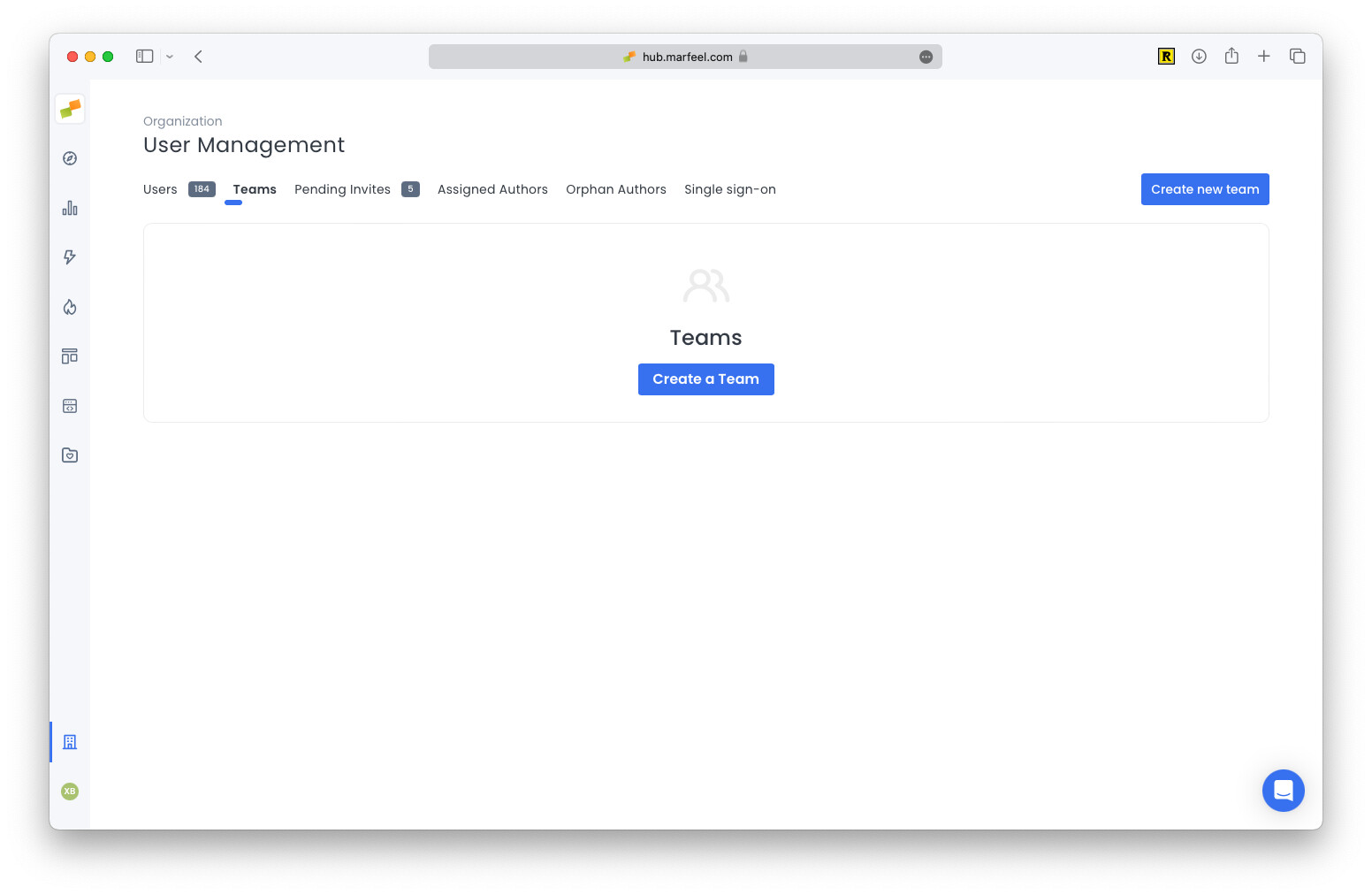
- Add the team name
- Select one or multiple roles the users of the team will have
- Limit data access to certain hosts, sections and/or authors
Add and delete users from a team
Section titled “Add and delete users from a team”After you create a team, you can add and remove users:
- Click on Teams
- Click the team on the teams list
- Click
Add membersto add new users to the team - Click
Remove memberto remove a user from the team
Edit teams
Section titled “Edit teams”After you create a team, you can change its roles and data restrictions policies.
- Click on Teams
- Click the team on the teams list
- Click on
Permissions - Change the roles and the data restrictions
Assign sections to a team
Section titled “Assign sections to a team”Teams can declare which sections their users work on. Users can then use the My Sections filter and My Sections Posts tab on Compass view for convenience.
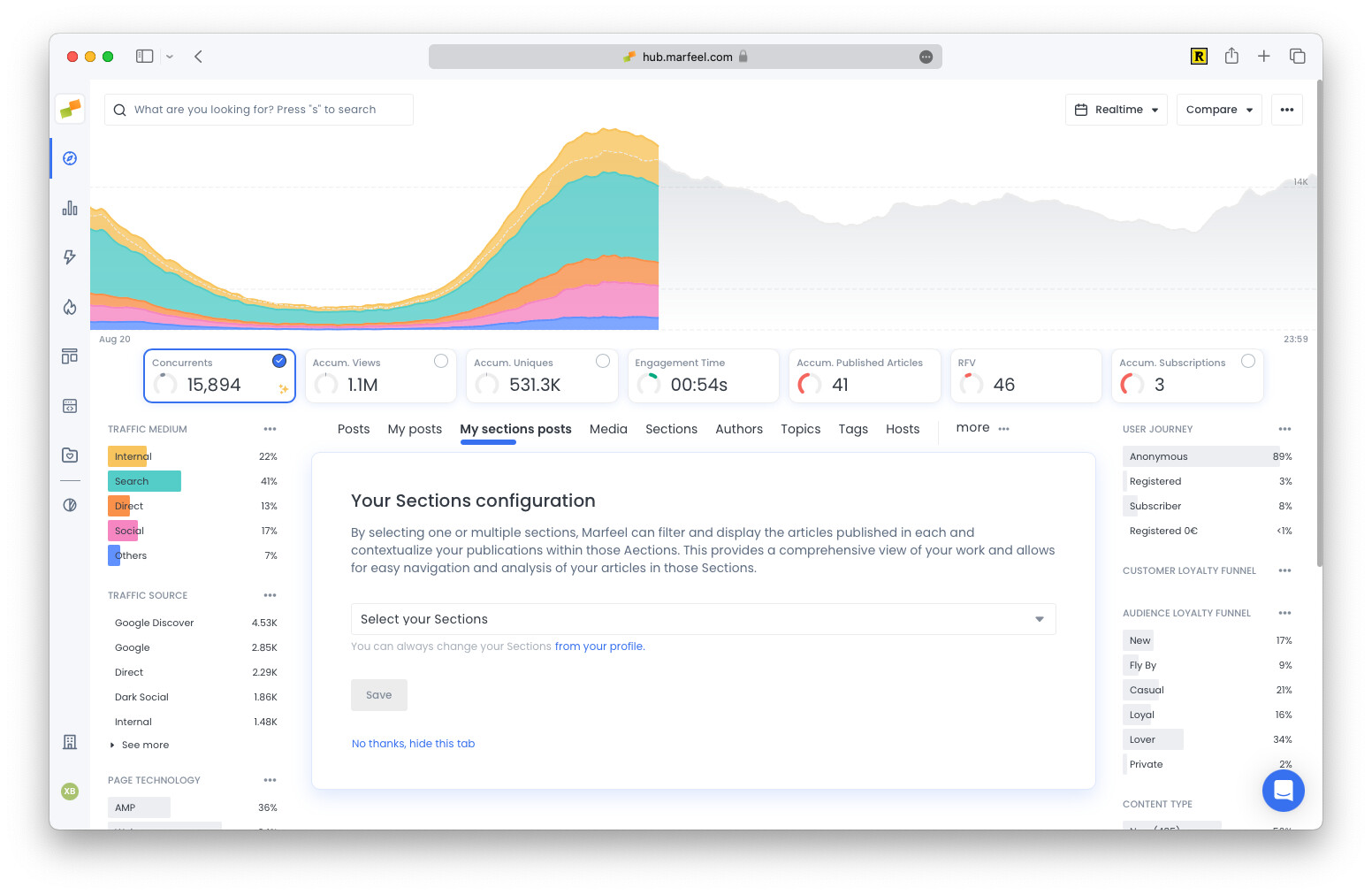
The effective sections of a user are the union of the sections from every Team they belong to. If a user belongs to multiple Teams, each defining different sections, the effective sections are the combined set.
Consider this example:
- Team Sports with declared sections: NBA, Formula1
- Team International with declared sections: International
- UserA added to both teams: [Team Sports, Team International]
The effective sections for UserA are NBA, Formula1, and International.
Team data restrictions
Section titled “Team data restrictions”A team can specify data restrictions that its users inherit when combined with defined sections and/or hosts.
Data restrictions is an Enterprise-only feature
Common use cases:
- Restrict editors of the team so they can only view data for a particular domain. Ideal for multi-domain accounts with traffic on different domains.
- Restrict users of the team so they can only view data for a particular domain. Ideal for sections outsourced to external agencies.
If a user belongs to a team with data restrictions, the user inherits those restrictions. If the user belongs to multiple teams with data restrictions, the user inherits the union of all restrictions. See the examples below.
Configuration examples
Section titled “Configuration examples”Combining roles, data restrictions, and teams lets you define different permission governance setups. The scenarios below cover:
- User inherits a role from a team
- User inherits section from a team
- User inherits multiple sections from a team
- User inherits data restrictions from a team
- User inherits data restrictions from multiple teams
These scenarios combine the following team and user base configurations:
| Entity | Description |
|---|---|
| Team Analysts | Role: Analyst |
| Team Creators | Role: Creator |
| Team Sports | Role: Viewer Sections: Sports |
| Team International | Role: Viewer Sections: International, Politics |
| Team Affiliation Agency | Role: Viewer Can See: Only Assigned Sections Sections: Affiliation |
| Team Local Sports | Role: Viewer Can See: Only Assigned Sections Sections: LocalSports |
| Team External | Role: Viewer Can See: Only Assigned Sections and Hosts Sections: - Hosts: - |
| User A | Roles: Viewer |
| User B | Roles: Viewer, Creator Sections: Opinion |
User inherits a role from a team
Section titled “User inherits a role from a team”Scenario 1
Section titled “Scenario 1”User A is configured to belong to Team Analysts.
In this scenario User A inherits the role Analyst from the team and has [Viewer, Analyst] as effective roles.
Scenario 2
Section titled “Scenario 2”User B is configured to belong to Team Creator.
In this scenario User B is added to a team that has Creator role. User B also has the Creator role and stays the same. Adding the User B to Team Creator doesn’t have any effect.
Scenario 3
Section titled “Scenario 3”User B is configured to belong to Team Analysts.
In this scenario User B inherits the role Analyst from the team and has [Viewer, Creator, Analyst] as effective roles.
User inherits section from a team
Section titled “User inherits section from a team”Scenario 1
Section titled “Scenario 1”User A is configured to belong to Team Sports.
In this scenario the Effective Section of User A are Sports which come inherited from the team. User A will see the contents of Sports section under My Sections Posts and sees all content under Posts.
Scenario 2
Section titled “Scenario 2”User B is configured to belong to Team Sports.
In this scenario User B can see the content of all sections. His effective sections will be [Sports, Opinion]. User B will see the contents of the [Sports, Opinion] sections under My Sections Posts and sees all content under Posts.
User inherits multiple sections from a team
Section titled “User inherits multiple sections from a team”Scenario 1
Section titled “Scenario 1”User A is configured to belong to [Team Sports, Team International].
In this scenario the Effective Sections of User A are [Sports, International, Politics] which is the union of the sections of Team Sports and Team International. User A will see the contents of [Sports, International, Politics] section under My Sections Posts and sees all content under Posts.
User inherits data restrictions from a team
Section titled “User inherits data restrictions from a team”Scenario 1
Section titled “Scenario 1”User A is configured to belong to [Team Affiliation Agency].
In this scenario the effective Section of User A is Affiliation which is inherited from the team. User A will see the contents of Affiliation section under My Sections Posts and Posts (which won’t show any other content due to data restrictions).
Scenario 2
Section titled “Scenario 2”User A is configured to belong to [Team Affiliation Agency, Team Sports].
In this scenario the effective Section of User A is [Affiliation, Sports] which are the union of the sections of the teams. Due to data restrictions User A will only see the contents of Affiliation section both under My Sections Posts and Posts. The user doesn’t have access to the Sports section because Team Affiliation Agency is enabling data restrictions on the user.
Scenario 3
Section titled “Scenario 3”User B is configured to belong to [Team Affiliation Agency].
In this scenario the effective Section of User B is [Affiliation, Opinion] which are the union of the sections of the teams. Due to data restrictions User B will only see the contents of Affiliation section both under My Sections Posts and Posts. Although User B is directly assigned the Opinion section he doesn’t have access to it due to inherited team data restrictions.
User inherits data restrictions from multiple teams
Section titled “User inherits data restrictions from multiple teams”Scenario 1
Section titled “Scenario 1”User A is configured to belong to [Team Affiliation Agency, Team Local Sports].
In this scenario the effective Sections of User A are [Affiliation, LocalSports] which are inherited from the teams. User A will see the contents of Affiliation & LocalSports sections both under My Sections Posts and Posts because the user inherits the union of his teams’ data restrictions.
Who can create and manage Teams in Marfeel?
Only users with the Admin or User Manager role can create and manage Teams.
How are permissions inherited when a user belongs to multiple Teams?
Users inherit the union of all roles, sections, and data restrictions from every Team they belong to, on top of any individual permissions they already have.
What happens when a user belongs to Teams with different data restrictions?
The user inherits the union of data restrictions from all their Teams. Once any Team applies data restrictions, the user can only see content allowed by those restrictions, even if another Team assigns broader sections.