

Social module insights for publishers
Social media is a critical component of a publisher’s online presence. See the introduction for the basics, or keep reading to learn how Marfeel’s Social module helps you stay on top of your social data and achieve your business goals.
Identify undistributed articles
Section titled “Identify undistributed articles”Marfeel allows social media managers to find articles that have not yet been published on social media platforms. You can prioritize which articles to publish based on user intent signals such as dark social and internal traffic. This ensures the most relevant and engaging content reaches your audience, driving increased engagement and traffic to your website.
- Open this Compass report or
- Click on the top left corner on
+ Add filter - Select
Social account ownernot equalsown
You will see which posts have not yet been published on your social channels.
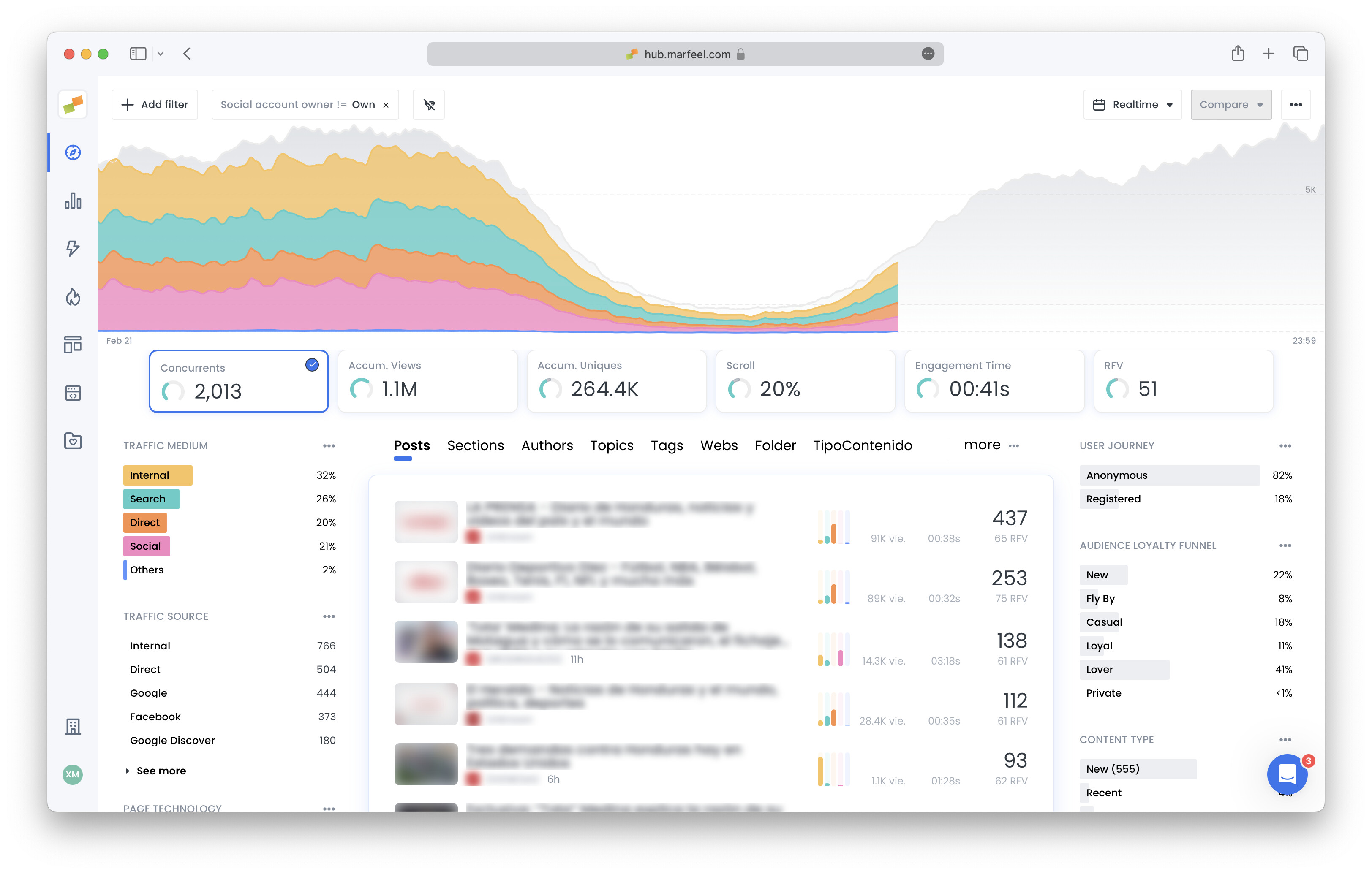
You can refine your filters adding Traffic medium with internal = internal or Traffic Source = dark social that will tell you which articles your users are already interested in and that you could amplify on social media.
Republish evergreen content
Section titled “Republish evergreen content”Marfeel’s platform allows content creators to identify evergreen content that has previously performed well on social media and republish it to reach a new audience. By using historical data on social media engagement, editors can find articles with the potential to perform well again and schedule them for reposting. This saves time on content creation and ensures top-performing content is continuously shared with the audience, sustaining engagement and increasing traffic.
You can use either Compass (based on traffic) or Explore (based on interactions). Both approaches are detailed below.
Compass report
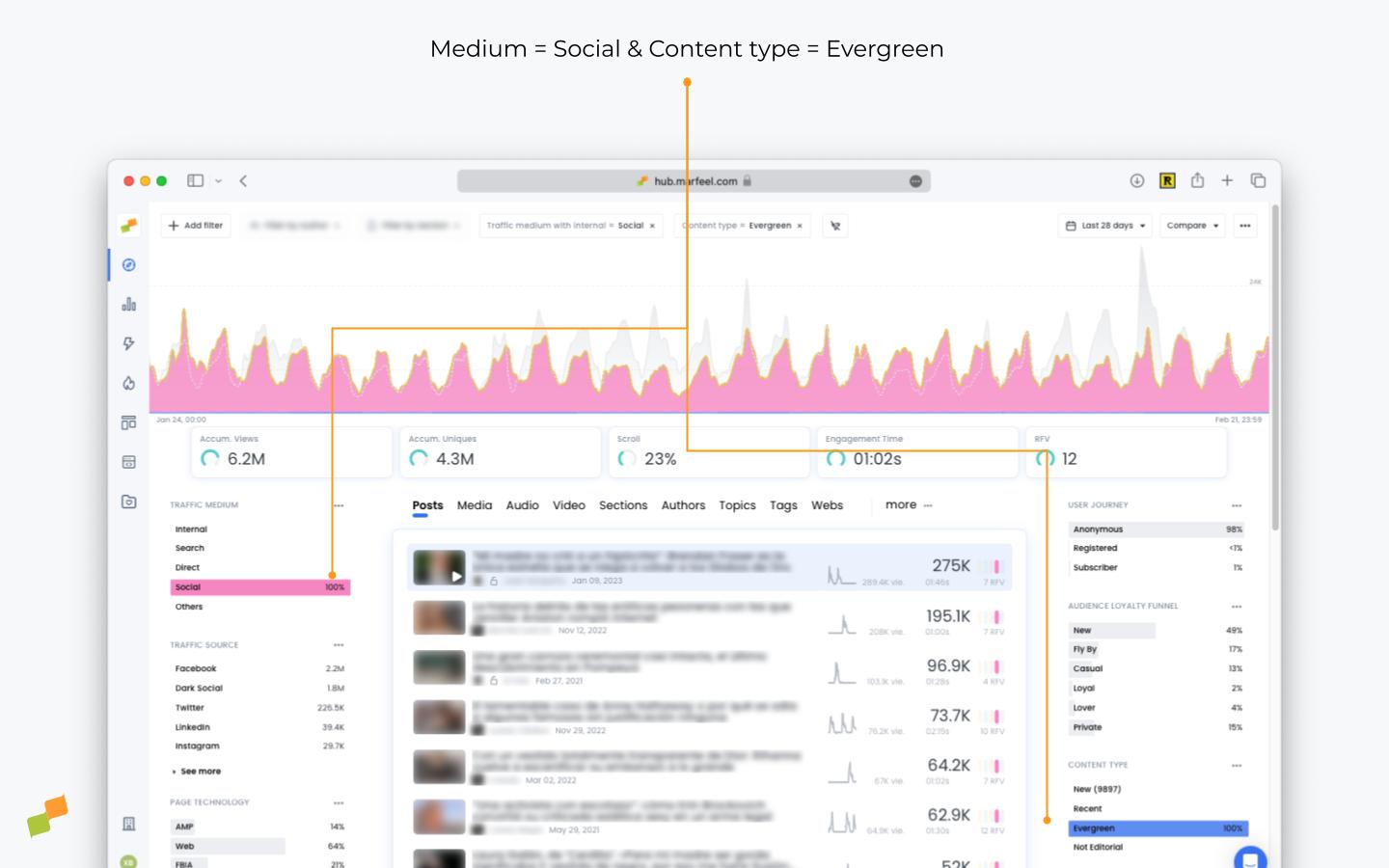
Section titled “Compass report”- Open this Compass report or
- Click on the top left corner on
+ Add filter - Select
Traffic mediumequalsSocial - Select
Content typeequalsEvergreen - Select a time period of 28 days
Explore report
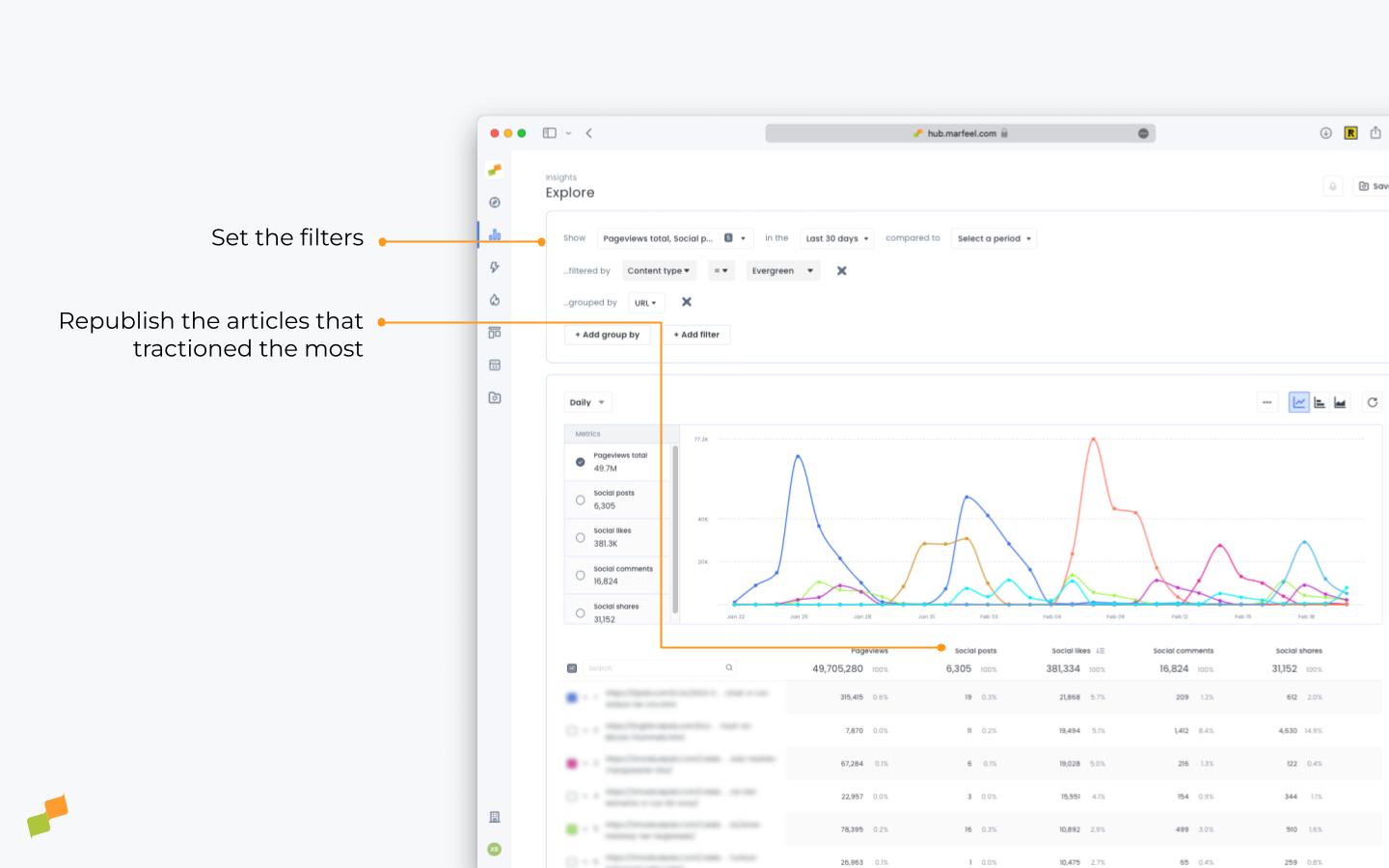
Section titled “Explore report”- Open this Explore report to get the evergreen articles with more social interactions of the last 30 days or
- Select the metrics
total pageviews,social posts,social likes,social commentsandsocial shares - Filter by
content type = Evergreen - Sort by
Social likesclicking on the header of the column
Spot social distribution opportunities
Section titled “Spot social distribution opportunities”Marfeel provides social information on an article-by-article basis, helping social managers analyze the performance of different topics, authors, and sections on social media. This enables social teams to determine which articles generate the most activity and engagement on social platforms, informing decisions about what content to prioritize and how to allocate resources for social media marketing.
- Open this Explore report to get the sections with more social interactions during the last 30 days or
- Select the metrics
total pageviews,social posts,social likes,social commentsandsocial shares - Filter by Social Network or Social Account
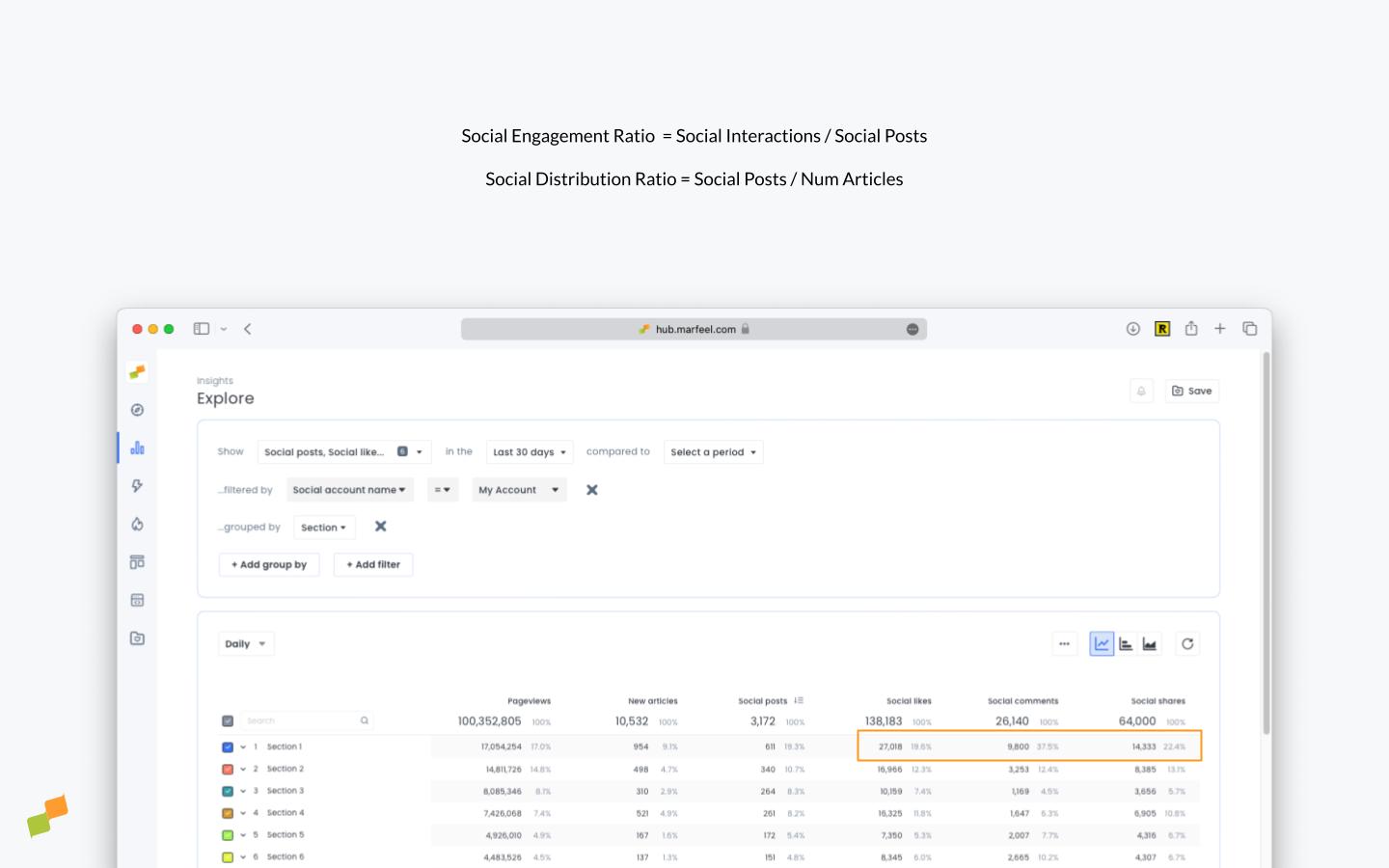
You can calculate two ratios from these social metrics:
- $Social Engagement Ratio=\frac{\sum{Social Interactions}}{Social Posts}$ Number of social interactions per post
- $Social Distribution Ratio=\frac{Socials Posts}{Num Published Articles}$ Percentage of new articles posted on social media
| Section | Social Engagement Ratio | Social Distribution Ratio |
|---|---|---|
| Section 1 | 84 | 64% |
| Section 2 | 84 | 68% |
| Section 3 | 57 | 85% |
| Section 4 | 95 | 50% |
| Section 5 | 79 | 103% |
| Section 6 | 101 | 110% |
The 110% and 103% distribution ratio of Section 6 and Section 5 tells us that these are sections where most Social posts are published. The second section with the highest engagement ratio is Section 4, which should probably get more exposure, as it’s also the least shared one. Section 3 has a high distribution ratio but very low engagement, which means it’s probably overexposed.
Social strategy executive reporting
Section titled “Social strategy executive reporting”Marfeel’s Social module provides the ability to create executive reports that monitor month-over-month social follower growth and social interactions. These reports provide valuable information to share with stakeholders and demonstrate the impact and evolution of social media efforts on overall business growth.
- Open this Explore report to get the number of followers of your owned accounts compared to preceding period broken down by Social Network or
- Select the metrics
social posts,social likes,social comments,social sharesandsocial followers - Group by
Social network - Filter by
Social account owner = Own
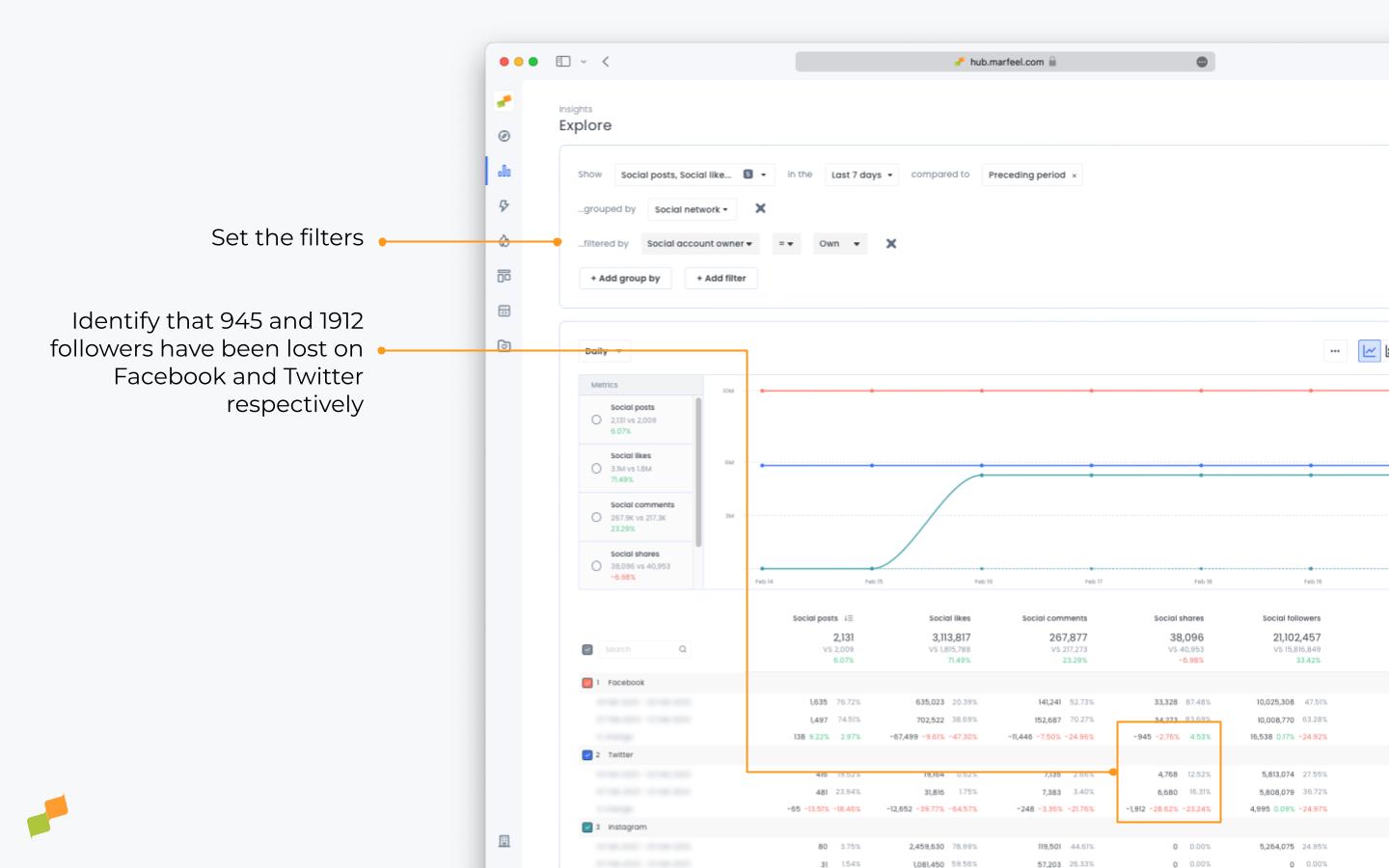
In case you operate multiple social media accounts you can drill down to each of them adding an extra group by Social Account Name
What’s the best time of the day to publish my articles on social?
Section titled “What’s the best time of the day to publish my articles on social?”Analyze your posts’ performance to see if certain days and times are giving you more engagement and traction than others. Knowing this allows you to timely post articles on your social platforms.
How do I find articles not yet posted on social media?
Open the Compass dashboard and add a filter for Social account owner not equals own. This shows all articles that have not been published on your social channels. Refine further by adding Traffic medium with internal = internal or Traffic Source = dark social to prioritize articles your audience already shows interest in.
How can I identify evergreen content worth republishing on social?
Use Compass with filters for Traffic medium equals Social and Content type equals Evergreen over a 28-day period to find evergreen articles that still attract social traffic. Alternatively, use Explore with metrics like social posts, likes, comments, and shares filtered by Content type = Evergreen and sorted by Social likes to surface past top performers.
What is the Social Engagement Ratio and how do I use it?
The Social Engagement Ratio is the number of social interactions divided by the number of social posts. Compare it with the Social Distribution Ratio (social posts divided by published articles) to identify sections that deserve more exposure because they generate high engagement but receive low distribution.