

Set up the Telegram integration
Marfeel’s Telegram integration lets you import data on messages posted to your channels and their views. You can also post directly to Telegram from within Marfeel Amplify.
For a deeper dive on the social media module and how to get the most out of it, see the user guide.
Set up the Telegram integration
Section titled “Set up the Telegram integration”-
In Marfeel, go to Settings > Integrations > Social, find Telegram and click on Connect. If this is not the first channel you are connecting, click Manage instead.
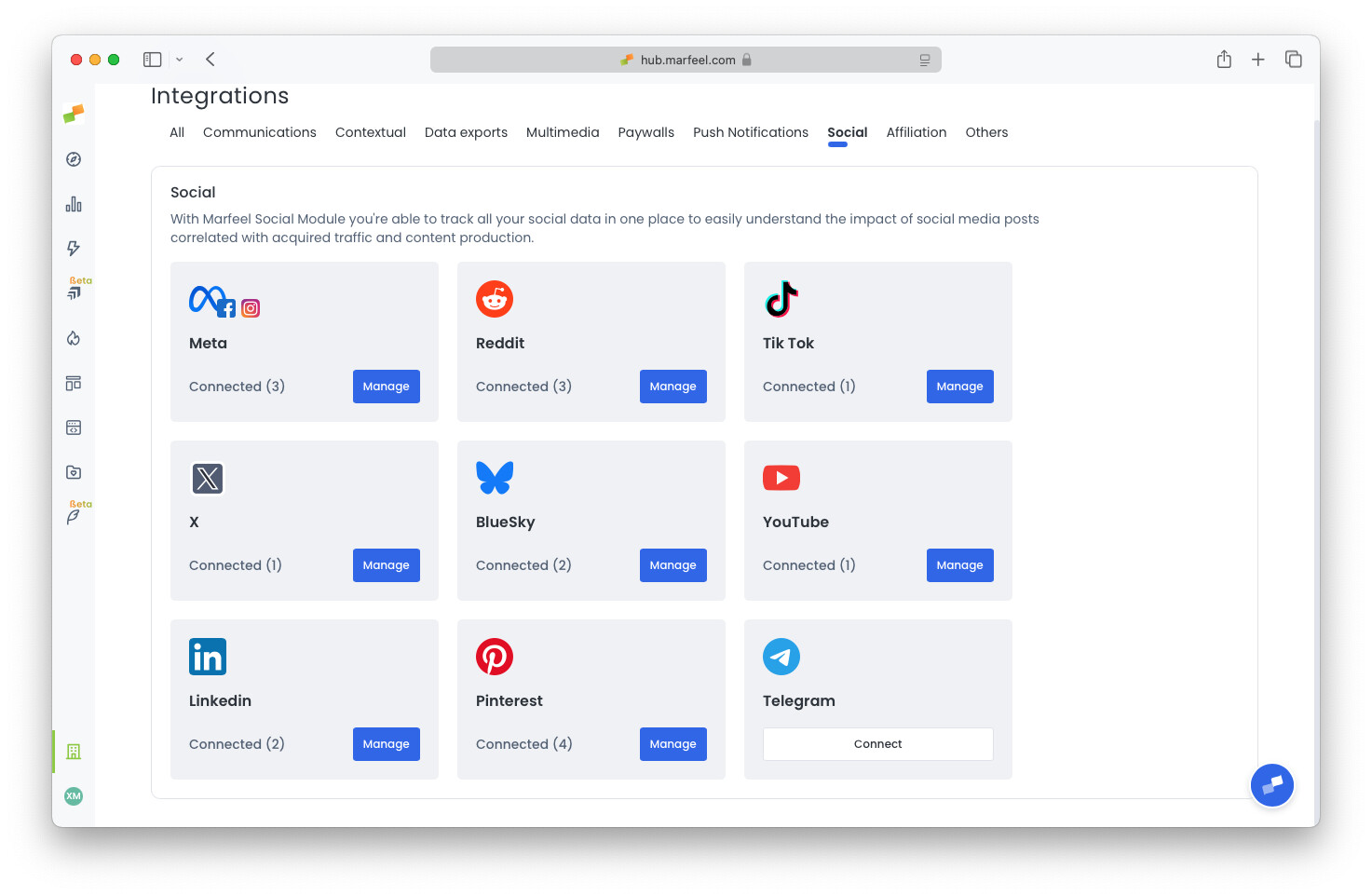
-
Enter your Telegram channel’s unique name, which starts with
@(for example,@marfeelnews). Do not use the human-readable display name (for example,Marfeel News). Click Save to complete the integration.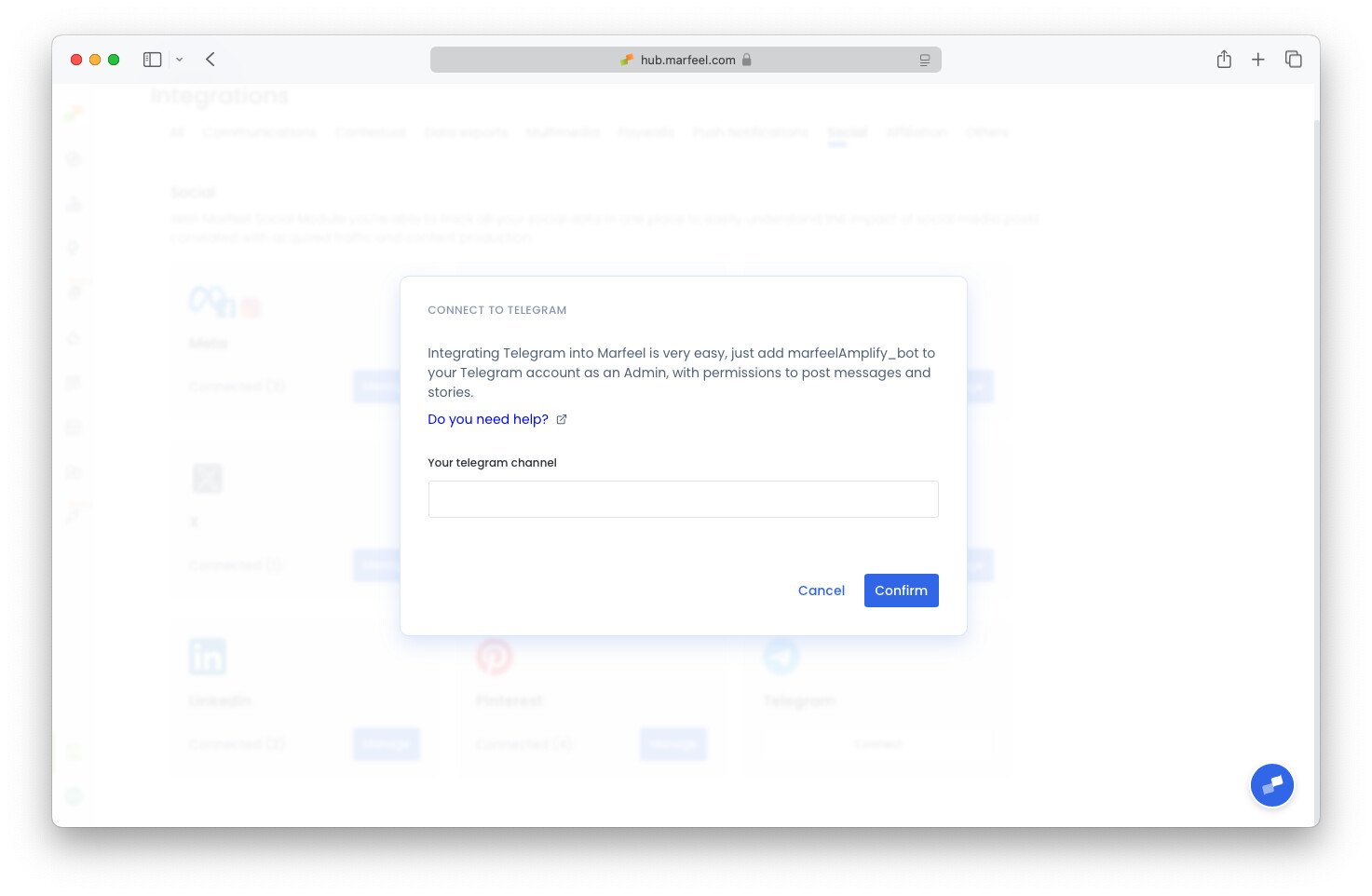
-
Add the
marfeelAmplify_botas an admin in your channel. Navigate to your channel’s three-dot menu, then select Info, Administrators, and Add Admin. The bot only requires two permissions: Post Messages and Post Stories.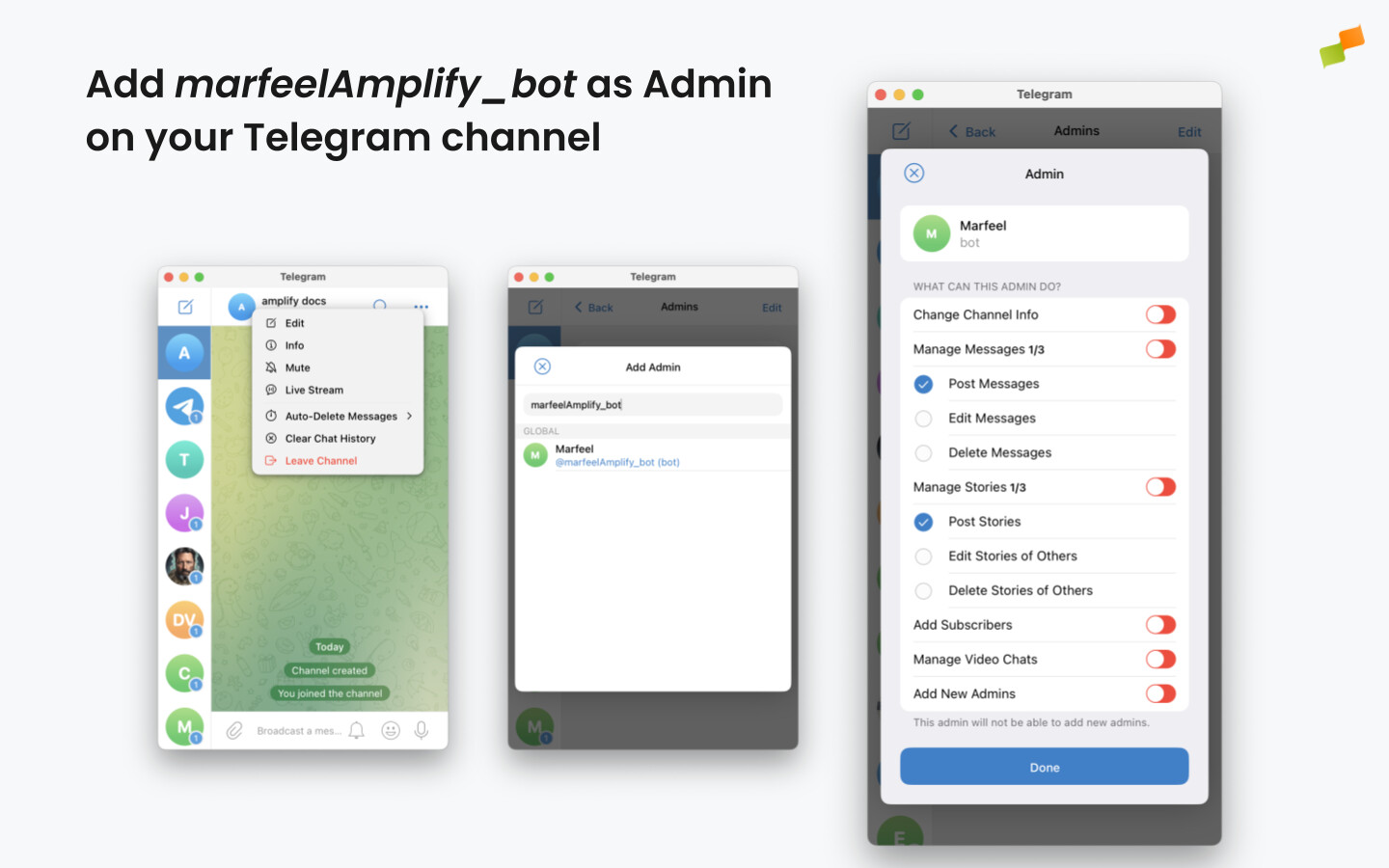
Troubleshooting
Section titled “Troubleshooting”Channel configured in another integration
Section titled “Channel configured in another integration”Each Telegram channel can only be connected to one Marfeel integration at a time. If your integration fails to create, verify that the channel is not already configured in a different integration.
Amplify bot added before creating the integration
Section titled “Amplify bot added before creating the integration”The marfeelAmplify_bot must be added after the integration is created. Adding the bot beforehand causes the integration to fail for security reasons. If this happens, remove the bot from the channel and start over following the order defined above.
What Telegram channel name format should I use in the integration?
Use the unique channel name that begins with @ (for example, @marfeelnews), not the human-readable display name (for example, Marfeel News).
What happens if my Telegram channel is already configured in another integration?
Each Telegram channel can only be connected to one Marfeel integration at a time. If the integration fails to create, verify that the channel is not already configured in a different integration.
Why does the integration fail when the Amplify bot is added before creating the integration?
For security reasons, the marfeelAmplify_bot must be added after the integration is created. If the bot was added first, remove it from the channel and start the process again in the correct order.