

Syndicated content distribution in Amplify
Amplify fully supports syndicated content. When you select an article to publish, Amplify automatically detects all syndicated versions.
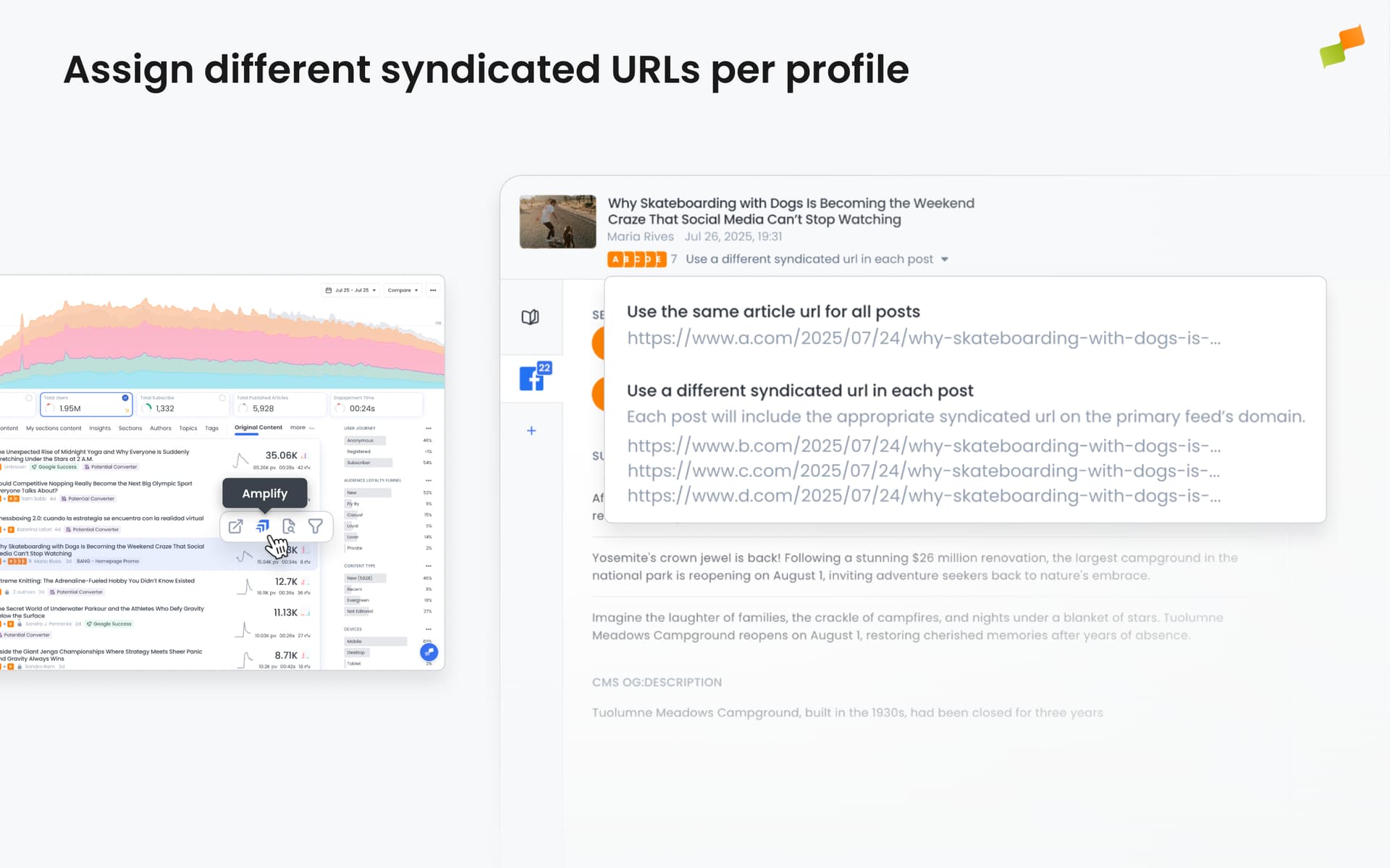
You can:
- Publish the same article across multiple social profiles using the original URL
- Assign different syndicated URLs per profile, so each audience sees the version tied to their market or region
For example, if you amplify a.com/original-content to Facebook_A, Facebook_B, and Facebook_C, each profile gets a specific URL:
- Facebook_A:
a.com/original-content - Facebook_B:
b.com/syndicated-content - Facebook_C:
c.com/another_syndicated_url
This makes it easy to tailor distribution and ensure readers always land on the right version for their region or brand.
Assigning domains to social profiles
Section titled “Assigning domains to social profiles”Social Media Admins and Feed Admins can assign each social feed a primary domain. This tells Amplify which syndicated URL to use when posting.
For example, assigning the domain b.com to the Facebook_B feed makes Amplify automatically publish b.com/syndicated-content to Facebook_B when applicable.
The right content version reaches the right audience, automatically.
How does Amplify handle syndicated content across social profiles?
Amplify automatically detects all syndicated versions of an article. You can publish the same article using the original URL or assign different syndicated URLs per profile, so each audience sees the version tied to their market or region.
How do I assign a domain to a social profile in Amplify?
Social Media Admins and Feed Admins can assign each social feed a primary domain. This tells Amplify which syndicated URL to use when posting. For example, assigning b.com to a Facebook feed makes Amplify automatically publish the b.com version of syndicated content to that feed.