

Social media integration setup and management
Marfeel’s social media integrations provide actionable analysis into engagement with content on your social channels. For a deeper dive on the social media module and how to get the most out of it, see the user guide.
Setting up social integrations
Section titled “Setting up social integrations”You can set up Marfeel social integrations through Settings > Integrations > Social. Each platform has its own step-by-step setup guide:
Integration administration screen
Section titled “Integration administration screen”Once a social network is connected, you can manage it through its administration screen.
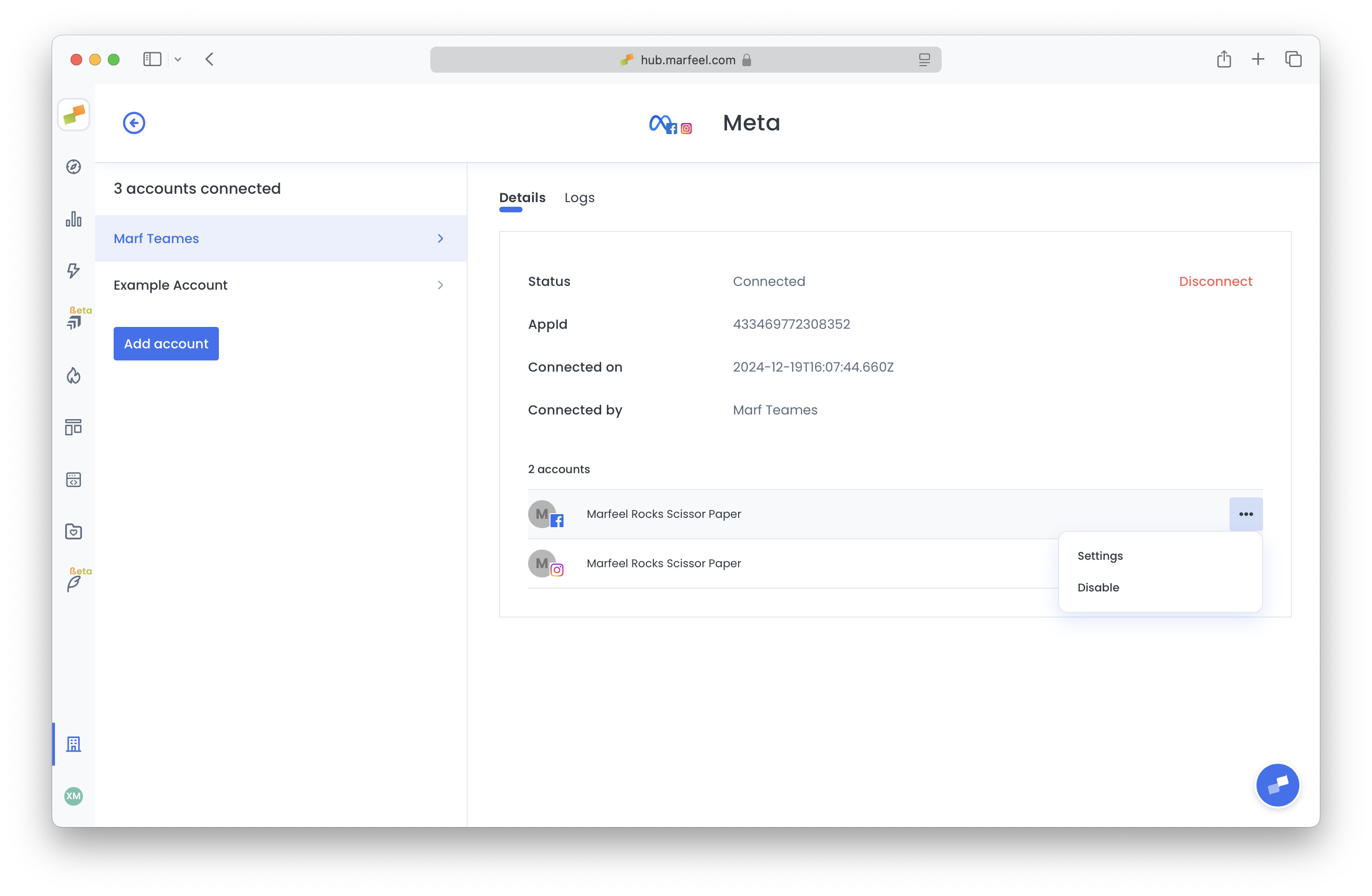
From this screen you can:
- Check which user connected the integration and the connection date.
- Enable or disable specific social accounts through their three-dot menu.
- Access the Settings page for a specific social account.
- Check the Logs tab for potential issues.
- Disconnect the integration entirely.
To diagnose any issues with your social integrations, visit the Troubleshooting section.
Connection alerts for Facebook and Instagram
Section titled “Connection alerts for Facebook and Instagram”Amplify sends an email alert the moment a Facebook or Instagram connection becomes invalid — for example, when a token expires or a password change revokes access.
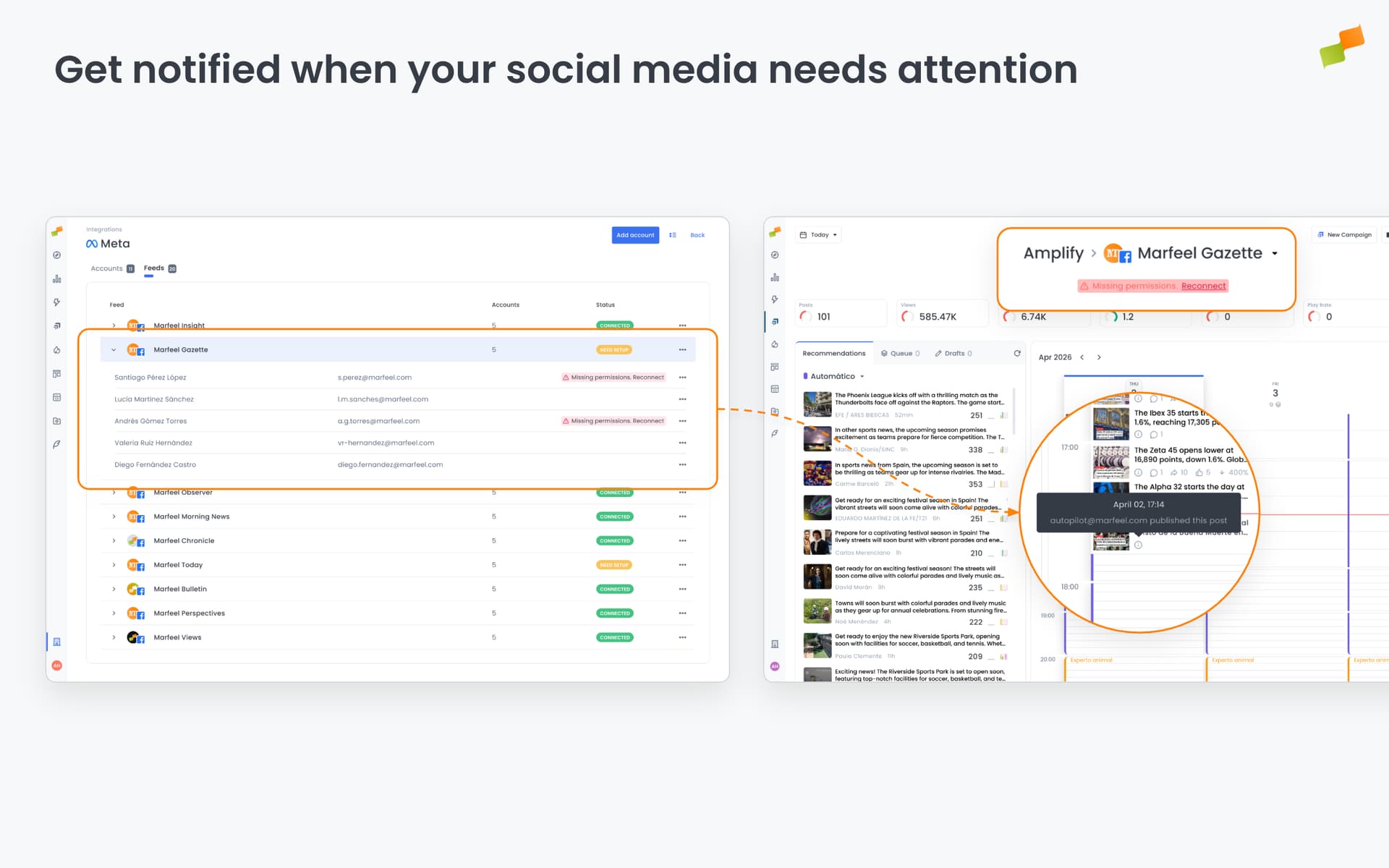
- Alerts go to the email of the user who originally connected the account
- If the account is reconnected and breaks again, a second alert is sent automatically
- No setup required
Use the Logs tab in the integration administration screen to review connection history and diagnose recurring issues.
Which social networks can I connect?
You can connect X/Twitter, Facebook and Instagram, Reddit, TikTok, YouTube, LinkedIn, BlueSky, Pinterest, and Nextdoor through Settings > Integrations > Social.
What can I do from the integration administration screen?
You can check which user connected the integration and when, enable or disable specific social accounts, access account settings, review logs for potential issues, and disconnect the integration entirely.
Where can I find social integration troubleshooting help?
Visit the Troubleshooting section in the Social analytics documentation to diagnose and resolve any integration issues.